📘 Instrukcje obsługi systemu iOS 11 • Bezpłatne pliki PDF online

Podręczniki i instrukcje użytkownika systemu iOS 11

iOS 11 is the eleventh major release of the iOS mobile operating system by Apple Inc., introducing a redesigned App Store, new Control Center, and advanced iPad multitasking.

Wskazówka: aby uzyskać najlepsze dopasowanie, podaj pełny numer modelu wydrukowany na etykiecie urządzenia z systemem iOS 11.

Informacje o instrukcjach obsługi systemu iOS 11 Manuals.plus

iOS11 is a significant update to the mobile operating system developed by Apple Inc. for iPhone, iPad, and iPod touch. Released in late 2017, it introduced major interface changes including a fully redesigned Control Center that allows for greater customization, a new App Store layout focused on discovery, and major improvements to Siri's intelligence and voice options. For iPad users, iOS 11 brought desktop-class features such as a dedicated Files app, a new Dock, and drag-and-drop functionality, transforming the tablet's productivity capabilities.

Under the hood, iOS 11 laid the groundwork for modern augmented reality experiences with ARKit and introduced Core ML for machine learning tasks. It also added practical features like Do Not Disturb While Driving and new camera modes for Portrait lighting. This category provides access to user manuals, troubleshooting guides, and feature explanations specifically for devices running iOS 11.

Instrukcje obsługi systemu iOS 11

Najnowsze instrukcje od manuals+ specjalnie wyselekcjonowane dla tej marki.

Obsługa TTY i RTT na iPhone iOS 11

11 maja 2018 r.
Jeśli masz trudności ze słuchem lub mową, możesz komunikować się przez telefon, korzystając z teletypu (TTY) lub tekstu w czasie rzeczywistym (RTT) — protokołów, które przesyłają tekst podczas jego pisania i pozwalają odbiorcy…

Nie przeszkadzać podczas jazdy

11 maja 2018 r.
Nie przeszkadzać podczas jazdy. Po włączeniu funkcji „Nie przeszkadzać podczas jazdy” możesz skupić się na drodze. Wiadomości tekstowe i inne powiadomienia są wyciszane lub ograniczane.…

Zeskanuj dokument w aplikacji Notatki iOS 11

11 maja 2018 r.
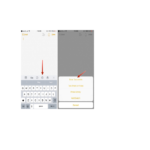
Skanowanie dokumentu Możesz użyć aparatu do skanowania dokumentów do Notatek, a następnie dodawania adnotacji lub podpisów. Skanowanie dokumentów. Stuknij , a następnie wybierz Skanuj dokumenty. Po ustawieniu iPhone'a…

iOS 11 support FAQ

Często zadawane pytania dotyczące instrukcji, rejestracji i wsparcia dla tej marki.

  • What devices are compatible with iOS 11?

    iOS 11 is compatible with iPhone 5s and later, iPad Air and later, iPad Pro models, iPad mini 2 and later, and iPod touch (6th generation).

  • How do I update to iOS 11?

    Go to Settings > General > Software Update on your device. Note that newer devices may require a more recent version of iOS.

  • How do I customize the Control Center in iOS 11?

    Go to Settings > Control Center > Customize Controls. You can add, remove, and rearrange shortcuts for quick access.

  • What is the "Do Not Disturb While Driving" feature?

    This safety feature automatically detects when you may be driving and silences incoming notifications to reduce distractions. It can be configured in Settings > Do Not Disturb based on vehicle movement or Bluetooth connection.