📘 ARAS Security manuals • Free online PDFs
ARAS Security logo

ARAS Security Manuals & User Guides

ARAS Security is a value-added distributor and manufacturer of electronic security systems, including access control, video surveillance, and intrusion detection solutions.

Tip: include the full model number printed on your ARAS Security label for the best match.

About ARAS Security manuals on Manuals.plus

ARAS Security is a leading Value Added Distributor (VAD) and developer of electronic security systems, primarily serving the European market. The company specializes in providing integrated solutions for access control, video surveillance (CCTV), and intrusion detection. In addition to distributing major third-party security brands, ARAS Security develops its own hardware and software modules to bridge gaps between systems, such as the Interfejs integracyjny ARAS i GSM4ACCES Mobile to Wiegand device.

With a strong focus on technical expertise, ARAS Security supports system integrators and installers with project advice, training, and support services. Their product lineup ranges from cloud-based sensors and smart access readers to complex management software integrations, ensuring robust security infrastructure for commercial and residential applications.

ARAS Security manuals

Najnowsze instrukcje od manuals+ specjalnie wyselekcjonowane dla tej marki.

Podręcznik konfiguracji ARAS SECURITY SIMS Config 6.1.5

Instrukcja konfiguracji
Kompleksowy podręcznik konfiguracji systemu zarządzania bezpieczeństwem SIMS Config 6.1.5 firmy ARAS SECURITY. Obejmuje ustawienia systemu, obsługę alarmów, zarządzanie użytkownikami, integrację systemów i wsparcie techniczne.

GSM4ACCESS Manual - ARAS Security

podręcznik
This manual provides detailed instructions and specifications for the ARAS Security GSM4ACCESS device, covering installation, configuration, and operation.

ARAS Security support FAQ

Często zadawane pytania dotyczące instrukcji, rejestracji i wsparcia dla tej marki.

  • What is the GSM4ACCES device used for?

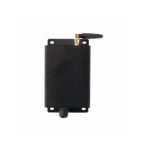
    The GSM4ACCES is a Mobile to Wiegand device that converts incoming phone numbers and keypad presses into Wiegand signals, allowing a mobile phone to function as an access card and keypad for security systems.

  • How do I record custom messages on the GSM4ACCES?

    To record custom messages, set DIP switch 5 to ON (Message recording enable). Call the device, and follow the voice prompts to record messages for slots 1-5. Press # to end a recording or * to restart.

  • What is the ARAS Integration Interface for WinKAS?

    This software interface synchronizes user and booking data from the WinKAS booking system with the SIMS/NOX security management system, enabling automated access rights based on bookings.

  • How do I reset the GSM4ACCES to default recordings?

    In recording mode (DIP 5 ON), call the device and enter '0' as the message number to delete all custom recordings and revert to the default English messages.