1. Wprowadzenie
This manual provides essential information for setting up, operating, maintaining, and troubleshooting your OPPO A6 Pro 5G smartphone. Please read this guide thoroughly to ensure proper use and to maximize the device's capabilities.
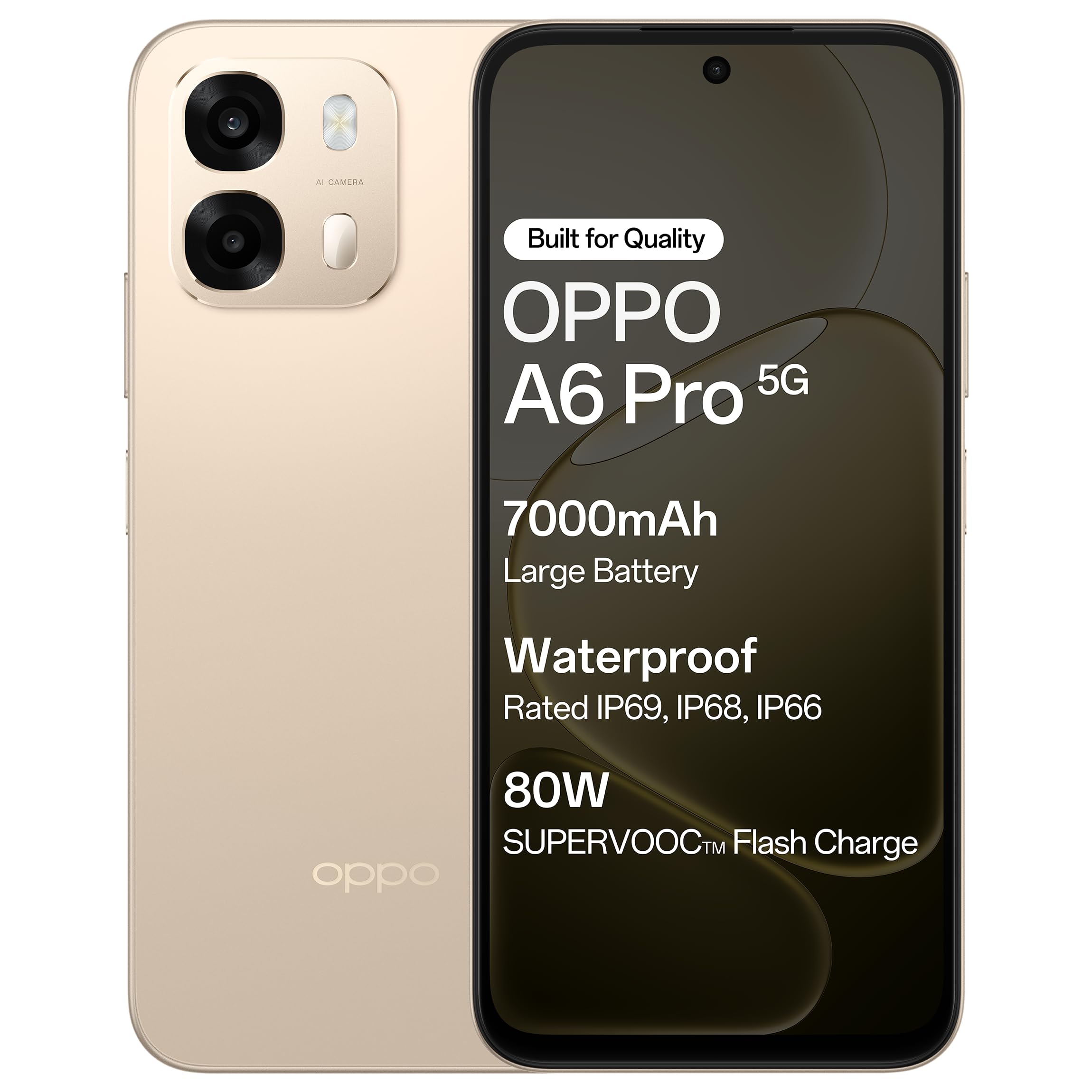
Rycina 1.1: Przód view of the OPPO A6 Pro 5G smartphone.
2. Zawartość opakowania
Sprawdź, czy w opakowaniu produktu znajdują się wszystkie elementy:
- OPPO A6 Pro 5G Smartphone
- Zasilacz
- Kabel USB
- Etui na telefon
- Wysuwacz tacy na kartę SIM
3. Konfiguracja
3.1. Wkładanie karty SIM i karty SD
- Znajdź tackę na kartę SIM znajdującą się z boku urządzenia.
- Włóż narzędzie do wyjmowania tacki karty SIM w mały otwór obok tacki i delikatnie naciśnij, aż tacka wyskoczy.
- Umieść kartę(y) nano-SIM i/lub kartę microSD w wyznaczonych gniazdach na tacce. Upewnij się, że złote styki są skierowane w dół.
- Ostrożnie włóż tackę z powrotem do telefonu, aż zatrzaśnie się na swoim miejscu.
3.2. Ładowanie początkowe
Before first use, it is recommended to fully charge your device. Connect the USB cable to the power adapter and then to the phone's charging port. Plug the power adapter into a wall outlet.

Figure 3.1: The device screen displaying 80W SUPERVOOC Flash Charge status.
3.3. Włączanie i konfiguracja początkowa
- Naciśnij i przytrzymaj przycisk zasilania (znajdujący się po prawej stronie), aż pojawi się logo OPPO.
- Postępuj zgodnie z instrukcjami wyświetlanymi na ekranie, aby wybrać język i region, połączyć się z siecią Wi-Fi i skonfigurować konto Google.
- Configure security features such as fingerprint unlock or face unlock as desired.
4. Instrukcja obsługi
4.1. Podstawowa nawigacja
- Przycisk zasilania: Naciśnij i przytrzymaj, aby włączyć/wyłączyć lub ponownie uruchomić. Naciśnij krótko, aby zablokować/odblokować ekran.
- Przyciski głośności: Dostosuj głośność multimediów, połączeń i dzwonków.
- Gesty dotykowe: Dotknij, aby wybrać, przesuń, aby przewijać, uszczypnij, aby powiększyć.
4.2. Wykonywanie połączeń i wysyłanie wiadomości
Tap the Phone icon to make calls. Tap the Messages icon to send and receive text messages.
4.3. Korzystanie z aparatu
Open the Camera app to capture photos and videos. Tap the shutter button to take a picture. Swipe left or right to switch between modes like Photo, Video, Portrait, etc.

Figure 4.1: The 50MP Ultra-Clear Camera capturing a detailed landscape.
4.4. Łączność
Access Wi-Fi and Bluetooth settings from the Quick Settings panel (swipe down from the top of the screen) or through the Settings app.

Figure 4.2: AI LinkBoost 3.0 ensures stable online connectivity.
5. Główne cechy
5.1. Wyświetl
The OPPO A6 Pro 5G features a 17.14 cm (6.75-inch) HD+ IPS LCD Ultra Bright 1125 nits Display with a 120Hz high refresh rate, providing smooth visuals and enhanced outdoor visibility.

Figure 5.1: The 120Hz Ultra Bright Display offers fluid visuals.
5.2. Bateria i ładowanie
Equipped with a massive 7000mAh battery, the device supports extended usage. The 80W SUPERVOOC Flash Charge technology allows for rapid charging. Additionally, the phone supports wired reverse charging, enabling it to charge other devices using a C-to-C data cable.
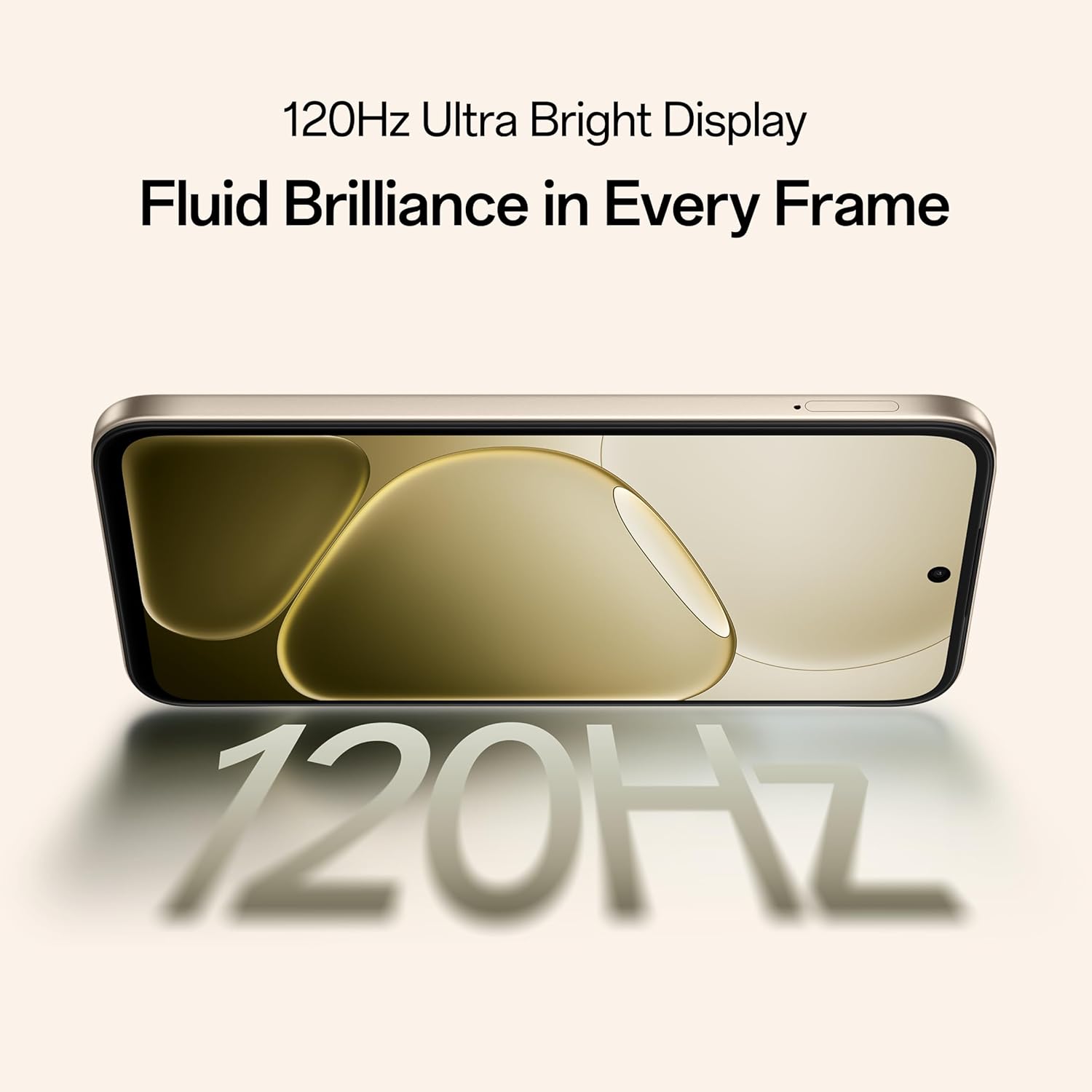
Figure 5.2: Internal representation of the 7000mAh large battery.

Figure 5.3: The device performing reverse wired charging to another gadget.
5.3. Trwałość
The OPPO A6 Pro 5G features triple IP-rated durability (IP69, IP68, and IP66), providing protection against water jets, immersion, hot water, steam, and dust.

Figure 5.4: The device demonstrating IP69 water and dust resistance.
5.4. Wydajność
Powered by the 6nm MediaTek Dimensity 6300 chipset, the phone offers enhanced performance and power efficiency with reliable 5G connectivity. It is optimized for long-lasting smoothness, tested to deliver up to 60 months of fluency.

Figure 5.5: The MediaTek Dimensity 6300 mobile platform.

Figure 5.6: The device designed for 60-month fluency protection.
5.5. Układ chłodzenia
An advanced cooling system, featuring a large vapor chamber and expanded graphite layers, helps maintain low temperatures during intensive use, ensuring stable performance.

Rysunek 5.7: Eksplodowany view illustrating the SuperCool VC System.
5.6. Aparat fotograficzny
The 50MP AI camera includes intelligent features like AI Eraser, AI Recompose, and AI Perfect Shot for enhanced photography.
6. Konserwacja
6.1. Czyszczenie urządzenia
Use a soft, lint-free cloth to clean the screen and body of the phone. Avoid using harsh chemicals or abrasive materials. For stubborn stains, slightly dampi szmatkę z wodą.
6.2. Aktualizacje oprogramowania
Regularnie sprawdzaj dostępność aktualizacji oprogramowania i instaluj je, aby zapewnić optymalną wydajność, bezpieczeństwo i dostęp do nowych funkcji. Przejdź do Ustawienia > Informacje o urządzeniu > Aktualne aby sprawdzić dostępność aktualizacji.
6.3. Pielęgnacja baterii
To prolong battery life, avoid exposing the phone to extreme temperatures. It is recommended to keep the battery charge between 20% and 80% for daily use.
6.4. Zarządzanie magazynem
Okresowo usuwaj niepotrzebne files, cache data, and uninstall unused applications to free up storage space and maintain device speed. You can manage storage in Ustawienia > Pamięć.
7. Rozwiązywanie Problemów
This section addresses common issues you might encounter with your OPPO A6 Pro 5G.
| Problem | Rozwiązanie |
|---|---|
| Urządzenie nie włącza się | Ensure the battery is charged. Connect to the charger for at least 10 minutes, then try powering on again. If it still doesn't work, perform a force restart by holding the Power button and Volume Up button simultaneously for about 10 seconds. |
| Aplikacje ulegają awarii lub zawieszają się | Clear the app's cache (Settings > Apps > [App Name] > Storage > Clear cache). If the issue persists, uninstall and reinstall the app. Ensure your device software is up to date. |
| Poor Wi-Fi or mobile data connection | Restart your phone. Check if Wi-Fi is enabled and you are within range of a known network. For mobile data, ensure your SIM card is properly inserted and mobile data is enabled in settings. Contact your service provider if the issue persists. |
| Bateria szybko się rozładowuje | Reduce screen brightness, disable unused features like Bluetooth/GPS, close background apps, and check battery usage in Settings to identify power-hungry applications. |
8. Specyfikacje
Key technical specifications for the OPPO A6 Pro 5G (Model CPH2827):
| Funkcja | Szczegół |
|---|---|
| Numer modelu | CPH2827 |
| System operacyjny | Android 15 |
| Wyświetlacz | 17.14 cm (6.75") HD+ IPS LCD, 120Hz, 1125 nits |
| Edytor | MediaTek Dimensity 6300 (6 nm) |
| BARAN | 8 GB |
| Pamięć wewnętrzna | 256 GB |
| Kamera tylna | Aparat 50MP AI |
| Pojemność baterii | 7000 mAh |
| Ładowanie | 80W SUPERVOOC Flash Charge, Wired Reverse Charging |
| Łączność | 5G, Bluetooth, USB, Wi-Fi |
| Wymiary (dł. x szer. x wys.) | Wymiary 15.8 x 7.5 x 0.7 cm |
| Waga | 198 gramów |
| Ocena trwałości | IP69, IP68, IP66 |
9. Gwarancja i wsparcie
9.1. Informacje o producencie
Producent: OPPO MOBILES INDIA PVT LTD.
Adres: 5. PIĘTRO, Wieża B, BUDYNEK, N-8, DLF Cyber City, DLF faza 2, Gurugram, Haryana 122002, Indie
9.2. Obsługa klienta
For technical support, warranty claims, or service inquiries, please contact OPPO customer service at 18001032777 or visit the official OPPO webstrona po więcej informacji.


