1. Wprowadzenie
The GIGABYTE Gaming A18 redefines accessible gaming with a perfect synergy of AI-powered performance and ergonomic design. Featuring an AMD Ryzen™ 7 260 Processor and an NVIDIA® GeForce RTX™ 5060 GPU, the GAMING A18 is ideal for gamers, students, and professionals exploring generative AI. Equipped with GiMATE - an intelligent AI agent - this laptop personalizes your computing experience by adapting system operations to your unique needs. With a focus on user comfort, the GIGABYTE Gaming A18 introduces the premium GIGABYTE Golden Curve Keyboard and a versatile 180-degree hinge design, accommodating various usage scenarios from gaming to productivity. Perceive every game-winning moment on a panoramic 165Hz display with slim bezels and a 16:10 aspect ratio while Dolby Atmos® creates an immersive audio experience.

Figure 1: GIGABYTE Gaming A18 Laptop highlighting key specifications like AMD Ryzen 7 260, NVIDIA RTX 5060, Windows 11, 32GB DDR5 RAM, and 1TB SSD.
2. Rozpoczęcie pracy
2.1. Rozpakowanie i początkowa konfiguracja
- Carefully remove the laptop and its accessories from the packaging.
- Podłącz zasilacz sieciowy do portu zasilania laptopa, a następnie do gniazdka elektrycznego.
- Otwórz pokrywę laptopa i naciśnij przycisk zasilania, aby włączyć urządzenie.
- Postępuj zgodnie z instrukcjami wyświetlanymi na ekranie, aby ukończyć początkową konfigurację systemu Windows 11 Home.
2.2. Podłączanie urządzeń peryferyjnych
The GIGABYTE Gaming A18 offers a variety of ports for connecting external devices. Refer to the diagram below for port locations.
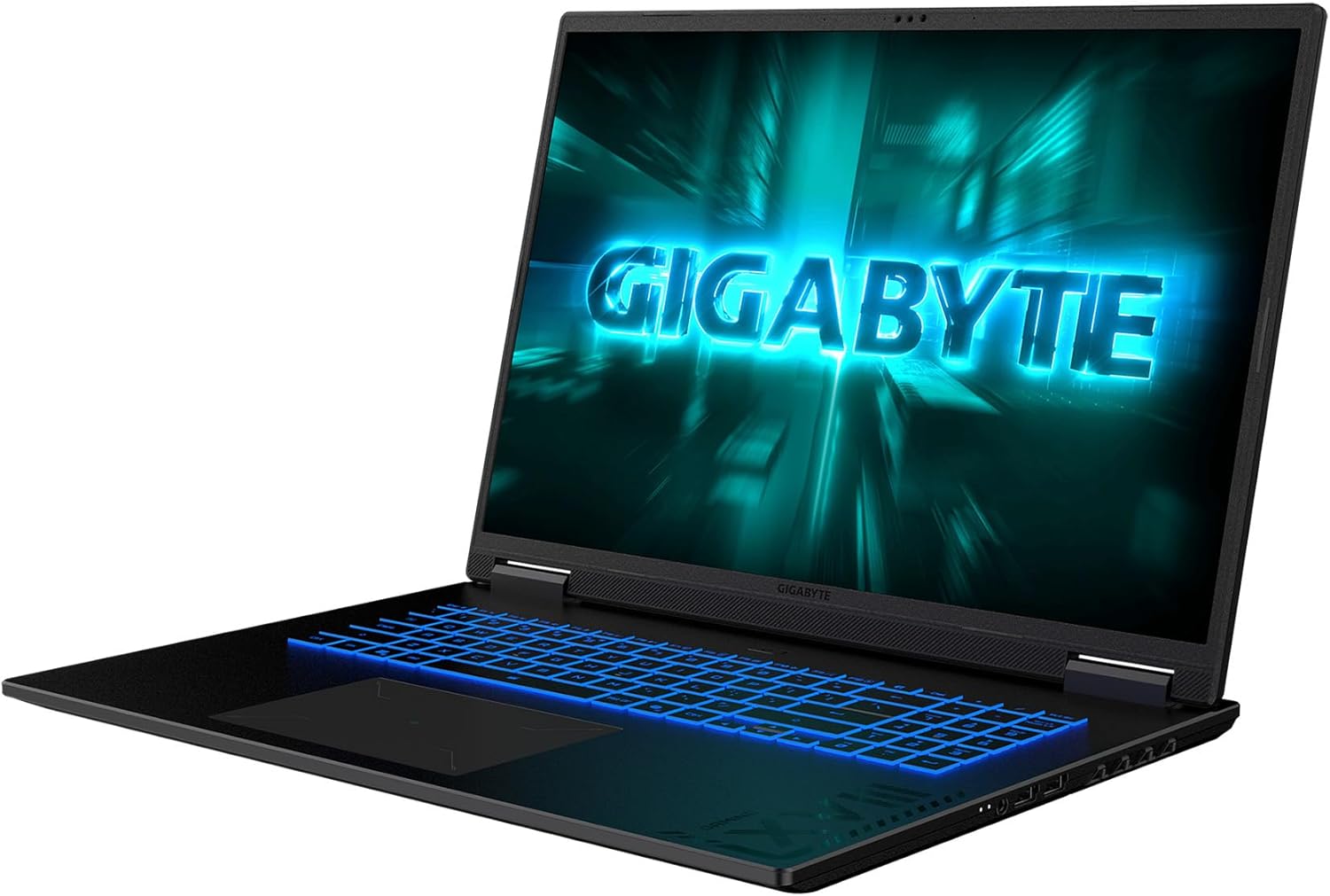
Figure 2: Connectivity ports including USB-A, USB-C (DisplayPort 1.4, Power Delivery 3.0), HDMI 2.1, RJ-45, DC-in, and 3.5mm Audio Jack.
3. Korzystanie z laptopa
3.1. Funkcje wyświetlacza
Experience stunning visuals on the 18-inch WQXGA (2560x1600) display with a 165Hz refresh rate. The 4-sided super-slim bezels provide an enlarged viewing area, enhancing immersion for both gaming and productivity. The display offers 100% sRGB color accuracy and 414 nits brightness for vibrant and clear images.

Figure 3: Display specifications of the GIGABYTE Gaming A18 Laptop.
3.2. Klawiatura i touchpad
The GIGABYTE Gaming A18 features a newly designed Golden Curve Keyboard with larger key caps and an optimized force curve for a comfortable and silent experience. The enlarged touchpad provides precise control for all your portable scenarios.

Figure 4: Close-up of the Golden Curve Keyboard and enlarged touchpad.
3.3. Wydajność
Powered by an AMD Ryzen™ 7 260 Processor and an NVIDIA® GeForce RTX™ 5060 Laptop GPU, the Gaming A18 delivers exceptional performance. With 32GB DDR5 RAM and a 1TB SSD, you can stream, record, game, and run multiple applications without compromise. The NVIDIA Advanced Optimus with MUX Switch allows you to switch between integrated and discrete GPUs for optimal battery life or performance.

Figure 5: Visual representation of the AMD Ryzen processor.

Figure 6: NVIDIA GeForce RTX 5060 Laptop GPU capabilities.
3.4. Funkcje sztucznej inteligencji
The integrated GIGABYTE GiMATE AI agent intelligently adapts system operations to your needs, making your computing experience more personal and intuitive. This includes GiMATE AI Cooling, which dynamically adjusts to system demands for noise-free immersion in low-power scenarios.
4. Konserwacja i pielęgnacja
4.1. Układ chłodzenia
The GIGABYTE Gaming A18 is equipped with WINDFORCE Cooling Technology, featuring a dual-fan design with 3D VortX air-channeling and a surrounded vent to maximize airflow. This ensures low temperatures for comfortable use, even during intense gaming sessions.

Figure 7: WINDFORCE Cooling system on the underside of the laptop.
4.2. Zarządzanie baterią
The laptop offers up to 12 hours of battery life, supporting extended work or study sessions. To optimize battery longevity, ensure proper charging cycles and avoid extreme temperatures.
4.3. Czyszczenie i przechowywanie
Regularly clean the screen with a soft, lint-free cloth and the keyboard with compressed air. Store the laptop in a cool, dry place away from direct sunlight and extreme temperatures.
5. Rozwiązywanie Problemów
- Brak zasilania: Upewnij się, że zasilacz sieciowy jest prawidłowo podłączony zarówno do laptopa, jak i do sprawnego gniazdka elektrycznego. W razie potrzeby wypróbuj inne gniazdko.
- Problemy z wyświetlaniem: Jeśli ekran jest pusty, spróbuj podłączyć zewnętrzny monitor, aby sprawdzić, czy problem dotyczy wyświetlacza laptopa. Uruchom ponownie laptopa.
- Opóźnienie wydajności: Close unnecessary applications, update drivers, and ensure the cooling vents are not obstructed. Use GiMATE to optimize performance settings.
- Problemy z łącznością: For Wi-Fi, restart your router and the laptop. For wired connections, check the Ethernet cable. Ensure Bluetooth devices are properly paired.
6. Specyfikacje
| Funkcja | Szczegół |
|---|---|
| Rozmiar ekranu stojącego | 18 cali |
| Rozdzielczość ekranu | 2560 x 1600 pikseli (WQXGA) |
| Maksymalna rozdzielczość ekranu | 2560x1600 |
| Edytor | 3.8 GHz AMD Ryzen 7 260 |
| BARAN | 32 GB DDR5 |
| Prędkość pamięci | 5600MHz |
| Dysk twardy | Dysk SSD 1TB |
| Koprocesor graficzny | Karta graficzna NVIDIA® GeForce RTX™ 5060 do laptopa, 8 GB GDDR7 |
| Marka chipsetu | Nvidia |
| Opis karty | Poświęcony |
| Typ bezprzewodowy | 802.11ax, Bluetooth |
| Liczba portów USB 2.0 | 1 |
| Liczba portów USB 3.0 | 2 |
| System operacyjny | Windows 11 Home |
| Waga przedmiotu | 6.17 funta |
| Wymiary produktu | 15.89 x 11.55 x 0.98 cala |
| Kolor | Czarna stal |
| Liczba procesorów | 8 |
| Funkcja specjalna | Podświetlana klawiatura |
7. Co znajduje się w pudełku
- Laptop GIGABYTE Gaming A18
- Zasilacz sieciowy
- Instrukcja obsługi
8. Gwarancja i wsparcie
For warranty information and technical support, please refer to the documentation included with your product or visit the official GIGABYTE support webstrona. Zachowaj dowód zakupu na potrzeby roszczeń gwarancyjnych.


