1. Wprowadzenie
This manual provides essential information for setting up, operating, and maintaining your Samsung Galaxy A17 5G smartphone. Please read this guide thoroughly to ensure proper use and to maximize your device's capabilities. The Samsung Galaxy A17 5G is an international version designed for global connectivity, featuring an immersive AMOLED display, a powerful camera system, and a long-lasting battery.
2. Co znajduje się w pudełku
Upon unboxing your Samsung Galaxy A17 5G, verify that all components are present:
- Smartfon Samsung Galaxy A17 5G
- Zasilacz (szybka ładowarka 25 W)
- Kabel USB (Typ C)
- Szybki przewodnik (może się różnić w zależności od regionu)

Image: Contents of the Samsung Galaxy A17 5G retail package, including the smartphone, USB Type-C cable, and 25W power adapter.
3. Konfiguracja
3.1. Układ urządzenia
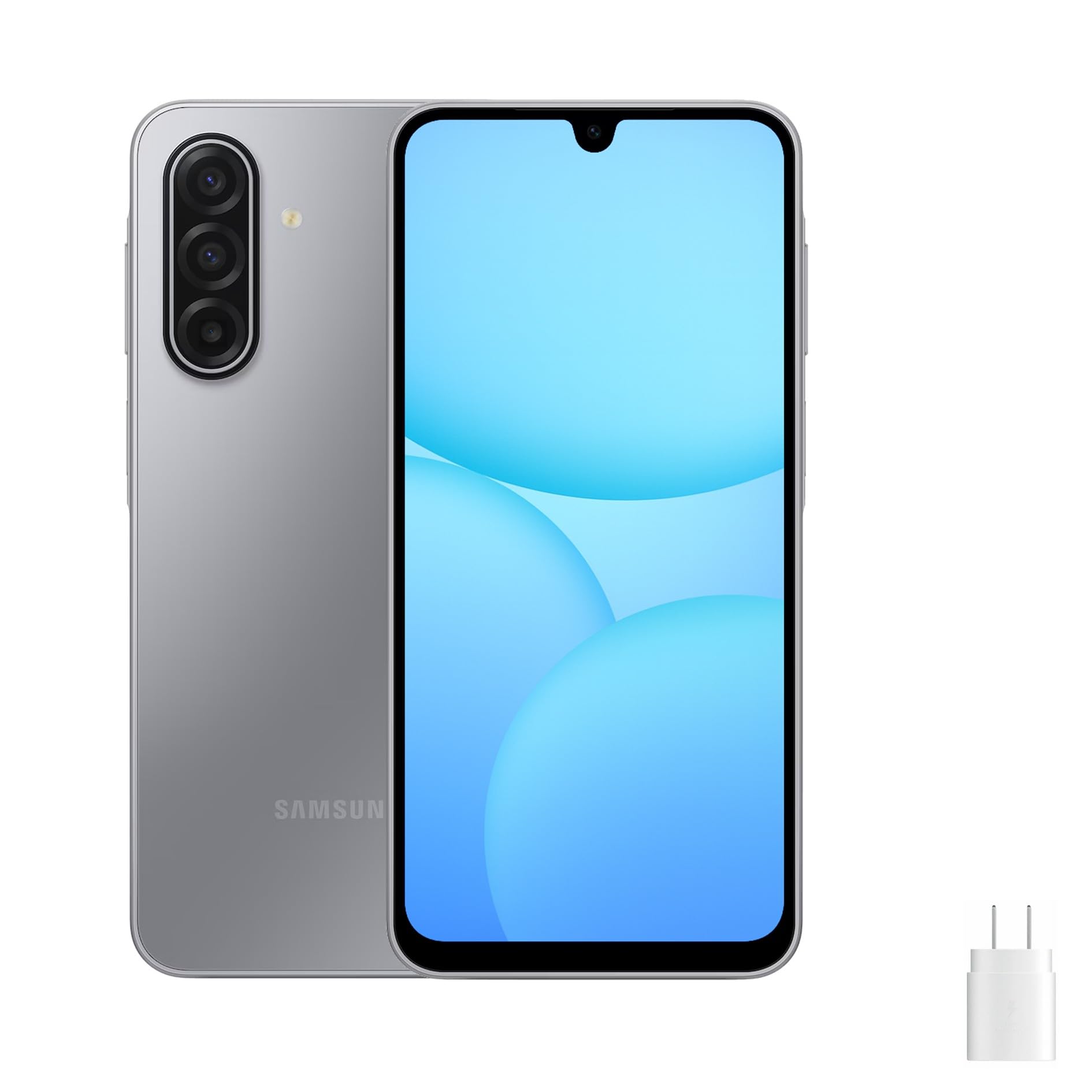
Image: Front, left, and right side views of the Samsung Galaxy A17 5G, illustrating the display, camera, volume buttons, power button, and SIM tray location.
3.2. Wkładanie karty SIM i karty MicroSD
- Znajdź tackę na kartę SIM znajdującą się z boku urządzenia.
- Insert the ejection pin (not included) into the small hole on the SIM tray to open it.
- Place your Nano-SIM card(s) and/or microSD card into the tray with the gold contacts facing down. The Galaxy A17 5G supports Dual SIM or one SIM with a microSD card.
- Delikatnie wsuń tackę z powrotem do gniazda, aż zatrzaśnie się na swoim miejscu.
3.3. Pierwsze włączenie i konfiguracja
- Naciśnij i przytrzymaj przycisk zasilania, aż pojawi się logo Samsunga.
- Postępuj zgodnie z instrukcjami wyświetlanymi na ekranie, aby wybrać swój język, połączyć się z siecią Wi-Fi i skonfigurować konto Google.
- Transfer data from an old device if desired, using Samsung Smart Switch or Google's data transfer tools.
- Set up security features such as a PIN, pattern, password, or fingerprint recognition.
4. Obsługa urządzenia
4.1. Wyświetlacz i nawigacja
The Galaxy A17 5G features a 6.7-inch FHD+ Super AMOLED display with a 90Hz refresh rate. This provides vibrant colors, deep blacks, and smooth scrolling. Navigate your device using touch gestures:
- Uzyskiwać: Wybierz element lub otwórz aplikację.
- Trzepnąć: Przewijaj ekrany lub listy.
- Szczypta: Powiększaj lub pomniejszaj zdjęcia i web stron.
- Długie naciśnięcie: Uzyskaj dostęp do menu kontekstowych i przenieś ikony aplikacji.
4.2. Funkcje bezpieczeństwa
Chroń swoje urządzenie i dane, korzystając z następujących opcji bezpieczeństwa:
- Czujnik odcisków palców: Located on the side power button for quick and secure unlocking.
- Rozpoznawanie twarzy: Odblokuj urządzenie za pomocą twarzy.
- PIN, Pattern, Password: Standard security methods for device access.
5. Funkcje aparatu
Galaxy A17 5G został wyposażony w wszechstronny system aparatów:
- Potrójny tylny aparat 50 MP: Capture high-resolution photos with optical image stabilization (OIS) for steady shots. Includes wide-angle and depth sensors for various photographic effects.
- Przedni aparat 13 MP: Ideal for clear selfies and high-quality video calls.
To access the camera, tap the Camera app icon. You can switch between photo, video, portrait, and other modes by swiping across the screen. Tap the shutter button to take a photo or start/stop video recording.
6. Łączność
Your Galaxy A17 5G supports various connectivity options:
- 5G & 4G LTE: Enjoy fast mobile data speeds. This is an international version, compatible with most major U.S. GSM carriers like T-Mobile, Metro, and Mint Mobile. It is not compatible with Verizon or CDMA networks.
- Podwójny SIM: Use two SIM cards simultaneously for separate personal and work numbers, or for international travel.
- Wi-Fi: Połącz się z siecią bezprzewodową, aby uzyskać dostęp do Internetu.
- Bluetooth: Połącz ze słuchawkami bezprzewodowymi, głośnikami i innymi urządzeniami obsługującymi technologię Bluetooth.
- USB typu C: Do ładowania i przesyłania danych.
7. Zarządzanie baterią
The device is powered by a 5000mAh battery, providing extended usage time. To charge your device:
- Connect the included USB Type-C cable to the phone's charging port.
- Connect the other end of the cable to the 25W fast charger power adapter.
- Podłącz zasilacz do gniazdka ściennego.
To optimize battery life, consider these tips:
- Zmniejsz jasność ekranu.
- Wyłącz Wi-Fi, Bluetooth i GPS, gdy z nich nie korzystasz.
- Zamknij nieużywane aplikacje działające w tle.
- Enable power-saving modes in Settings.
8. Konserwacja
Właściwa pielęgnacja gwarantuje długowieczność Twojego urządzenia:
- Czyszczenie: Do czyszczenia ekranu i obudowy używaj miękkiej, niepozostawiającej włókien ściereczki. Unikaj agresywnych środków chemicznych.
- Aktualizacje oprogramowania: Regularnie sprawdzaj dostępność aktualizacji oprogramowania i instaluj je, aby zapewnić optymalną wydajność i bezpieczeństwo. Przejdź do Ustawienia > Aktualizacja oprogramowania.
- Zarządzanie pamięcią masową: Okresowo usuwaj niepotrzebne filei aplikacje, aby zwolnić miejsce na dysku.
- Warunki środowiskowe: Unikaj wystawiania urządzenia na działanie ekstremalnych temperatur, bezpośredniego światła słonecznego i nadmiernej wilgoci.
9. Rozwiązywanie Problemów
Jeśli masz problemy z urządzeniem, wypróbuj poniższe typowe rozwiązania:
9.1. Urządzenie się nie włącza
- Upewnij się, że bateria jest naładowana. Podłącz ładowarkę i odczekaj kilka minut przed próbą włączenia.
- Aby wymusić ponowne uruchomienie, naciśnij i przytrzymaj przycisk zasilania przez co najmniej 10 sekund.
9.2. Problemy z łącznością sieciową
- Sprawdź, czy karta SIM jest prawidłowo włożona.
- Verify that your device is within network coverage.
- Uruchom ponownie urządzenie.
- Idź do Ustawienia > Połączenia > Sieci komórkowe > Operatorzy sieci i wybierz sieć ręcznie.
- Confirm compatibility with your carrier. This international model is primarily compatible with GSM carriers like T-Mobile in the U.S.
9.3. Aplikacje ulegają awarii lub zawieszają się
- Zamknij i ponownie otwórz aplikację.
- Wyczyść pamięć podręczną i dane aplikacji (Ustawienia > Aplikacje > [Nazwa aplikacji] > Pamięć).
- Upewnij się, że aplikacja jest zaktualizowana do najnowszej wersji.
- Uruchom ponownie urządzenie.
9.4. Szybkie rozładowywanie się baterii
- Review zużycie baterii w Ustawienia > Bateria i pielęgnacja urządzenia > Bateria aby identyfikować aplikacje zużywające dużo energii.
- Zmniejsz jasność ekranu i skróć czas jego wygaszania.
- Wyłącz odświeżanie w tle aplikacji, które nie są niezbędne.
10. Specyfikacje
| Nazwa modelu | Samsung Galaxy A17 5G |
| Numer modelu | SM-A176B/DS |
| Wyświetlacz | 6.7-inch FHD+ Super AMOLED, 90Hz Refresh Rate |
| Edytor | Samsung Exynos 1330 |
| BARAN | 8 GB |
| Pamięć wewnętrzna | 256 GB (możliwość rozszerzenia za pomocą karty microSD) |
| Kamera tylna | Potrójny aparat 50 MP z OIS |
| Przednia kamera | 13MP |
| Bateria | 5000 mAh, szybkie ładowanie 25 W |
| System operacyjny | Android 14 |
| Łączność | 5G, 4G LTE, Wi-Fi, Bluetooth, Dual SIM |
| Wymiary | 20 x 10 x 8 cala (opakowanie) |
| Waga | 15 funta (waga przedmiotu) |
11. Gwarancja i wsparcie
This Samsung Galaxy A17 5G is an international version. Please note the following regarding warranty and support:
- No U.S. Manufacturer Warranty: This device does not come with a U.S. manufacturer warranty.
- Seller Return Policy: Any warranty or return claims will be subject to the seller's return policy. Please refer to the purchase platform for details on the applicable return and refund policies.
For technical assistance or further information, you may visit the official Samsung support website for your region or contact the seller directly.