1. Wprowadzenie
This manual provides essential information for the safe and efficient operation of your iSinbox AC311 Projector. Please read it thoroughly before using the device and keep it for future reference.
2. Informacje dotyczące bezpieczeństwa
Podczas korzystania z tego produktu należy zawsze przestrzegać podstawowych zasad bezpieczeństwa, aby zmniejszyć ryzyko pożaru, porażenia prądem elektrycznym i obrażeń ciała.
- Nie blokuj otworów wentylacyjnych.
- Nie wystawiaj projektora na działanie deszczu i wilgoci.
- Unikaj patrzenia bezpośrednio w obiektyw projektora, gdyamp jest włączony.
- Używaj wyłącznie dodatków/akcesoriów wskazanych przez producenta.
- Odłączaj przewód zasilający podczas burzy z piorunami lub jeśli nie używasz urządzenia przez dłuższy czas.
3. Zawartość opakowania
Sprawdź, czy w opakowaniu znajdują się wszystkie elementy:
- Projektor iSinbox AC311
- Zdalne sterowanie
- Kabel HDMI
- Kabel AV
- Kabel zasilający
- Instrukcja obsługi (ten dokument)
4. Koniec produktuview
Zapoznaj się z podzespołami i interfejsami projektora.

Obraz: Przód view of the iSinbox AC311 Projector, showcasinze względu na kompaktową konstrukcję i obiektyw.
Interfejsy:
- Port HDMI: Connect to HDMI-enabled devices like laptops, game consoles, or streaming sticks.
- Port USB: Podłącz urządzenia pamięci masowej USB w celu odtwarzania multimediów.
- Gniazdo audio 3.5 mm: Podłącz zewnętrzne głośniki lub słuchawki.
- Pobór mocy: Podłącz kabel zasilający.
5. Konfiguracja
- Umieszczenie: Place the projector on a stable, flat surface or mount it according to your preference (floor, ceiling, tripod, wall). Ensure adequate ventilation around the device. The projector supports short-throw projection, allowing a 100-inch screen from approximately 2.4 meters away.

Image: Diagram illustrating optimal projection distances for various screen sizes with the iSinbox AC311 Projector.
- Podłączenie zasilania: Connect the power cable to the projector's power input and then to an electrical outlet.
- Pierwsze włączenie: Naciśnij przycisk zasilania na projektorze lub pilocie, aby włączyć urządzenie.
- Korekcja ostrości i trapezu: The iSinbox AC311 features automatic focus and 6D keystone correction. The projector will automatically adjust the image for clarity and correct distortion. Manual adjustments can also be made if needed.

Image: Visual representation of the automatic focus and 6D keystone correction capabilities of the iSinbox AC311 Projector.
- Połączenie internetowe: Connect the projector to your Wi-Fi network using the settings menu. The projector supports ultra-fast WiFi 6 for stable streaming.
6. Instrukcja obsługi
6.1 Pilot zdalnego sterowania
The included remote control allows you to navigate the projector's interface and control playback.

Image: The iSinbox AC311 Projector remote control, showing dedicated buttons for popular streaming services like Netflix and YouTube.
6.2 Wybór źródła
Use the remote control to select your desired input source (HDMI, USB, or built-in streaming apps).
6.3 Aplikacje do strumieniowania
The iSinbox AC311 Projector comes with a Movin Smart operating system and is compatible with popular streaming services such as Netflix, Prime Video, YouTube, Disney, and Apple TV. Access these directly from the home screen.
6.4 Jakość obrazu
The projector supports 4K resolution with HDR10+ and features AI Image Enhance technology, delivering vibrant and detailed visuals. It boasts 1200 ANSI lumens for bright images.
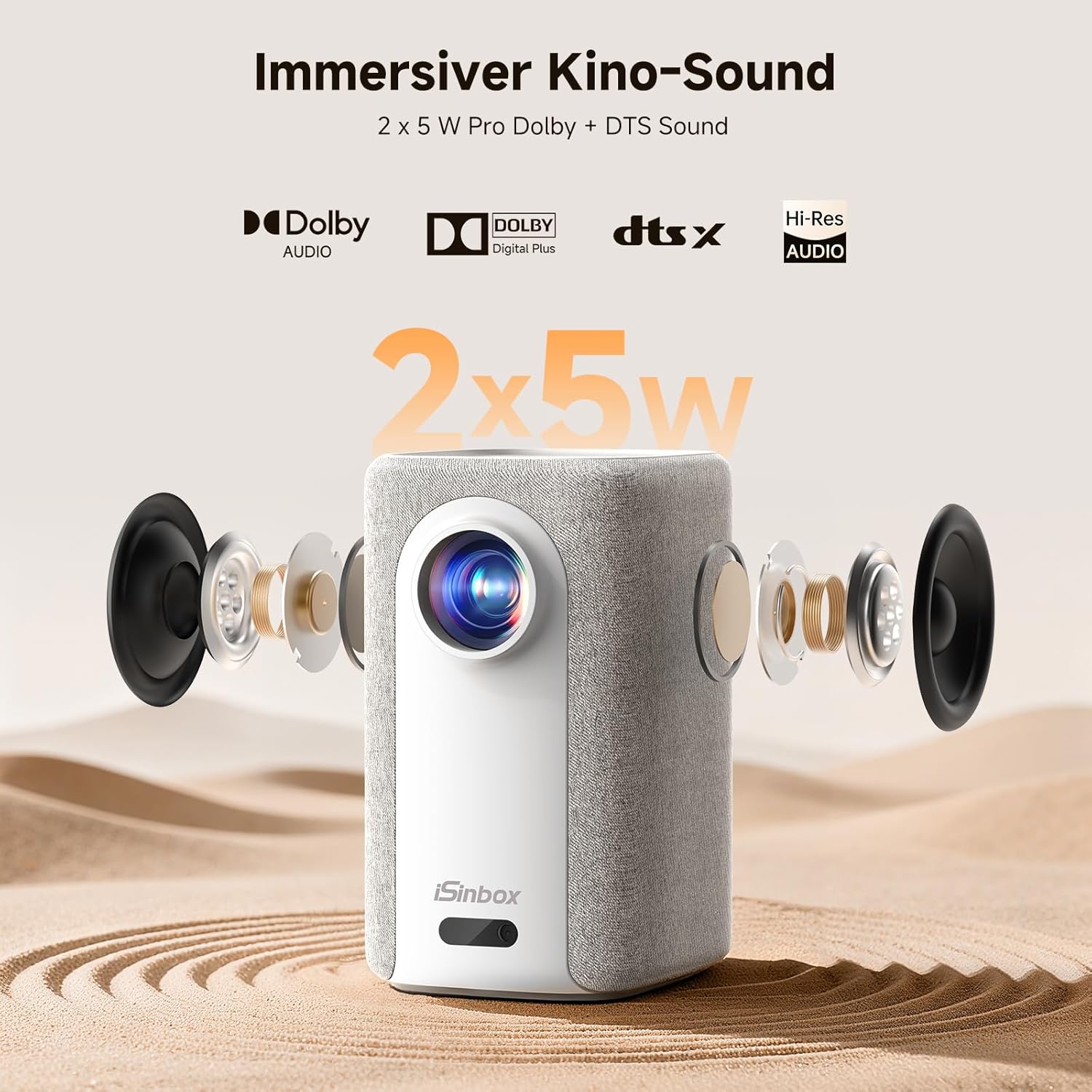
Image: A split-screen comparison demonstrating the superior image quality, vibrant colors, and detail of the iSinbox AC311 Projector (AC311) compared to other projectors.
6.5 Łączność Bluetooth
The projector features bidirectional Bluetooth 5.4, allowing you to connect external speakers or headphones for enhanced audio, or use the projector as a Bluetooth speaker.

Image: Illustration of the iSinbox AC311 Projector's advanced WiFi 6 and Bluetooth 5.4 capabilities, highlighting smooth and low-latency connections.
6.6 Wyjście audio
The projector is equipped with 2 x 5W speakers and supports Dolby Audio and DTS Sound for an immersive audio experience.

Obraz: Wybuchowy view of the iSinbox AC311 Projector, detailing its 2x5W speakers and support for Dolby Audio and DTS Sound.
6.7 360-Degree Projection
The projector's design, including a dual-mode stand and integrated handle, allows for flexible placement and 360-degree projection, enabling you to project onto ceilings or walls from various angles.
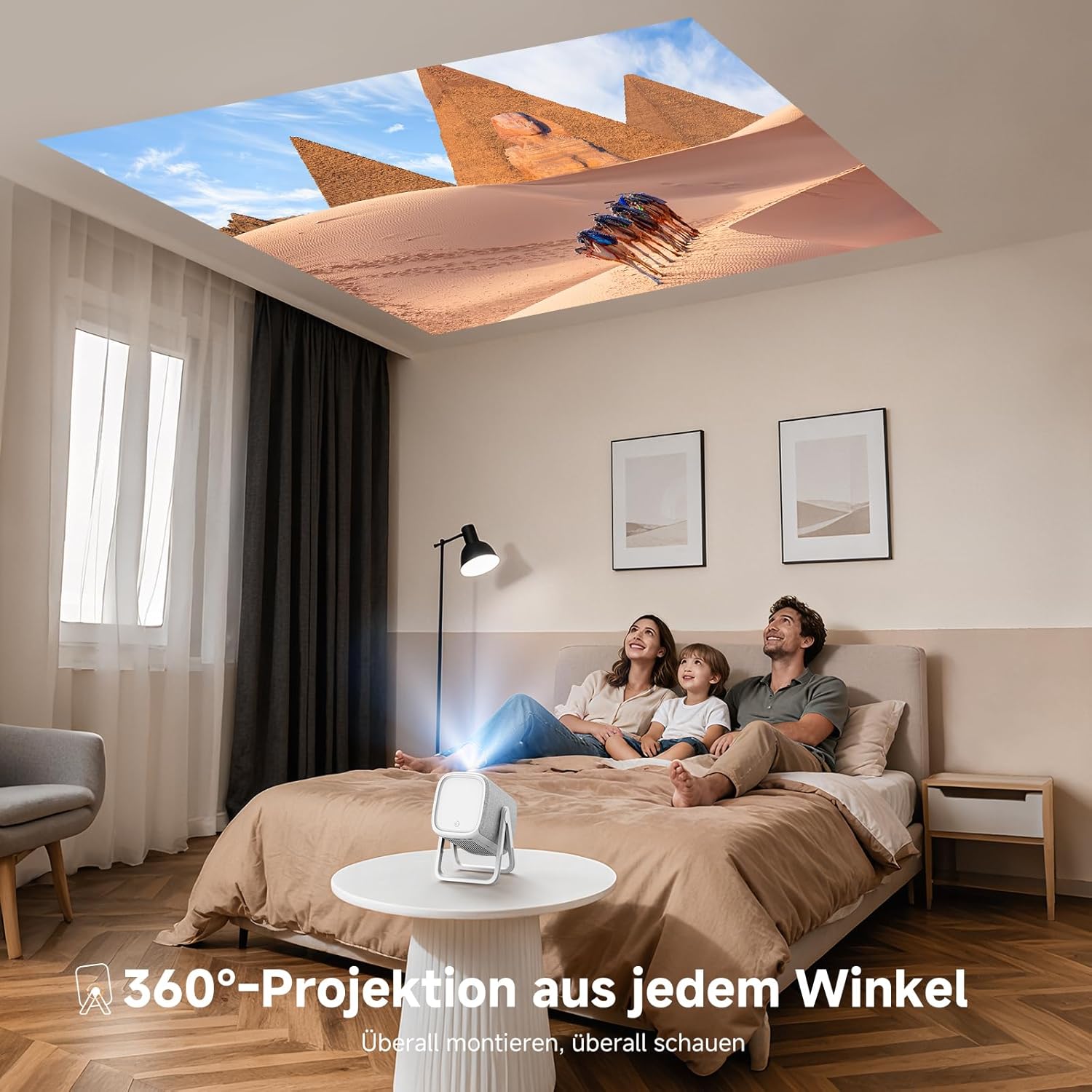
Image: The iSinbox AC311 Projector projecting an image onto a ceiling, illustrating its 360-degree projection feature and portable design.
7. Konserwacja
- Czyszczenie obiektywu: Używaj miękkiej, niepozostawiającej włókien ściereczki przeznaczonej specjalnie do soczewek optycznych. Nie używaj środków czyszczących ani rozpuszczalników o właściwościach ściernych.
- Czyszczenie Casing: Przetrzyj zewnętrzną część projektora miękką, suchą ściereczką. W przypadku uporczywych zabrudzeń użyj lekko szorowatej ściereczki.amp ściereczką i dokładnie osuszyć.
- Wentylacja: Aby zapobiec przegrzaniu, należy upewnić się, że otwory wentylacyjne są czyste, bez kurzu i przeszkód.
- Składowanie: Jeśli projektor nie będzie używany przez dłuższy czas, należy go przechowywać w chłodnym i suchym miejscu, z dala od bezpośredniego światła słonecznego i ekstremalnych temperatur.
8. Rozwiązywanie Problemów
| Problem | Możliwa przyczyna | Rozwiązanie |
|---|---|---|
| Obraz nie jest wyświetlany | Power cable disconnected; incorrect input source; device not powered on. | Check power connection; select correct input source; ensure connected device is on. |
| Rozmazany obraz | Out of focus; projector not perpendicular to screen. | Allow auto-focus to adjust or manually adjust focus; use keystone correction. |
| Brak dźwięku | Volume too low; external audio device not connected properly; mute enabled. | Increase volume; check audio cable/Bluetooth connection; disable mute. |
| Pilot nie działa | Baterie są rozładowane; między pilotem a projektorem znajduje się przeszkoda. | Replace batteries; ensure clear line of sight to IR receiver. |
9. Specyfikacje
| Funkcja | Szczegół |
|---|---|
| Model | AC311 |
| Marka | iSinbox |
| Technologia wyświetlania | LCD |
| Rozdzielczość natywna | 1920 x 1080 (Pełna rozdzielczość HD) |
| Maksymalna rozdzielczość | 3840 x 2160 (obsługa 4K) |
| Proporcje obrazu | 4:3 |
| Współczynnik kontrastu | Wysoki |
| Pobór mocy | 65 watów |
| Częstotliwość odświeżania | 60 Hz |
| Łączność | Bluetooth 5.4 (Bidirectional), WiFi 6, HDMI, USB, 3.5mm Audio Jack, IR |
| Kompatybilne urządzenia | Speakers, Game Consoles, Laptops, Smartphones, Tablets |
| Cechy specjalne | Automatic Focus, 6D Keystone Correction, Dual-mode Stand, Movin Smart OS, Built-in Streaming Apps (Netflix, Prime Video, YouTube, Disney, Apple TV), Dolby Audio, DTS Sound, 360-degree Projection |
| Wymiary (dł. x szer. x wys.) | Wymiary 27.6 x 20.5 x 16.3 cm |
| Waga | 1.92 kilogramów |
| Opcje montażu | Floor, Ceiling, Tripod, Table, Wall |
10. Gwarancja i wsparcie
For warranty information and technical support, please refer to the official iSinbox webOdwiedź witrynę lub skontaktuj się bezpośrednio z działem obsługi klienta. Szczegóły zazwyczaj znajdują się na opakowaniu produktu lub na osobnej karcie gwarancyjnej.
The product was first available on Amazon.es from October 23, 2025.