1. Koniec produktuview
The WEILAILIFE CMWL-03QW5MP10-W is an extendable wireless PTZ (Pan-Tilt-Zoom) security camera designed for both indoor and outdoor surveillance. It offers 5MP HD video resolution, 360-degree coverage with 355-degree horizontal rotation and 90-degree vertical tilt, enhanced night vision, two-way audio communication, and smart motion detection with alerts. This camera is compatible with WEILAILIFE's 10-channel NVR systems and operates via the 'HonestView' mobile application without monthly fees.
2. Co znajduje się w pudełku
- 5MP Wireless PTZ Camera x 1
- Torba na śruby x 1
3. Przewodnik konfiguracji
3.1. Instalacja kamery
Before mounting, ensure the camera's antenna is properly installed for optimal wireless signal reception.
- Zdejmij nasadkę ochronną: Carefully remove the red protective cap from the antenna port on the camera.
- Antena wkręcana: Firmly screw the antenna into the designated port on the camera.
- Adjust Antenna Angle: Adjust the antenna to an upright position or an angle that provides the best signal.

Figure 3.1: WEILAILIFE PTZ Camera with antennas. The blue arrows indicate the pan and tilt movement capabilities.
3.2. Połączenie systemowe
Connect the camera to your NVR system and ensure the NVR is properly connected to a display and network.
- Moc aparatu: Connect the camera to its power adapter.
- Zasilanie NVR: Connect the Wireless NVR to its power adapter.
- Wyświetl połączenie: Connect the NVR to a monitor or TV using either a VGA or HDMI cable.
- Połączenie internetowe: Connect the NVR to your router using a LAN cable for internet access and remote viewmożliwości.

Figure 3.2: Connection diagram for the Wireless NVR system, illustrating camera power, NVR power, display connections (VGA, HDMI), and network connection via LAN cable to a router.
3.3. Adding a Wi-Fi Camera to the System
Follow these steps to add an additional Wi-Fi security camera to your existing WEILAILIFE NVR system.
Video 3.3.1: This video demonstrates the process of adding a Wi-Fi camera to your WEILAILIFE wireless security system. It covers clicking the '+' icon on the NVR display, searching for the camera, confirming the live view, and unplugging the LAN cable once the addition is complete.
3.4. App Setup (HonestView)
To access and control your camera system remotely, download and configure the 'HonestView' application on your smartphone.
Video 3.4.1: This video provides a step-by-step guide for setting up the WEILAILIFE wireless surveillance system using the 'HonestView' app. It shows how to open the app, add a smart device by scanning the NVR's QR code, complete the network setup, name the device, and start live viewing.
4. Instrukcja obsługi
4.1. 360-Degree Surveillance
The camera features 355-degree horizontal pan and 90-degree vertical tilt, allowing for comprehensive 360-degree coverage of your surveillance area. Control these movements via the 'HonestView' aplikacja.
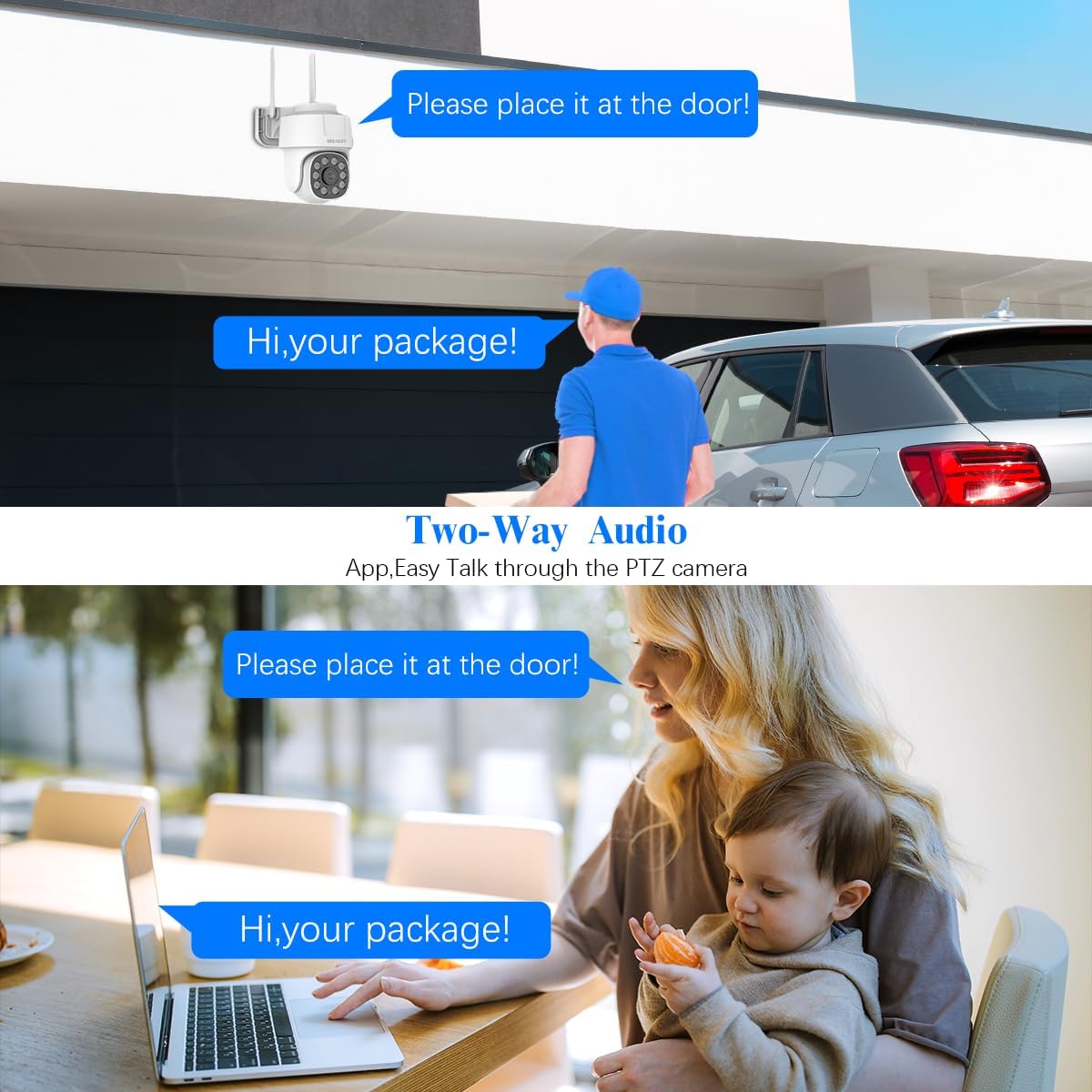
Figure 4.1: The camera's pan and tilt capabilities provide extensive coverage, allowing you to monitor a wide area around your home.
4.2. Dźwięk dwukierunkowy
Utilize the built-in microphone and speaker for real-time two-way audio communication. This feature allows you to speak with visitors or deter intruders directly through the camera via the 'HonestView' aplikacja.

Figure 4.2: The two-way audio function enables direct communication through the camera, useful for interacting with visitors or addressing situations remotely.
4.3. Ulepszone widzenie nocne
Equipped with 8 infrared LED arrays, the camera provides clear and detailed surveillance even in low-light conditions, ensuring 24/7 monitoring.

Figure 4.3: The camera's enhanced night vision capabilities provide clear imagery in dark environments, ensuring continuous surveillance.
4.4. Smart Motion Detection & Alerts
The camera features customizable motion detection areas, sensitivity, and time settings. Upon detecting movement, it can trigger an alarm, send alerts and pictures to your email, communicate information to the app, and initiate recording.

Figure 4.4: The motion detection system provides alerts via app push notifications, email, and a buzzer, indicating detected activity.
4.5. Expandable 10-Channel NVR System
The advanced 10-channel NVR system supports up to 10 security cameras, offering comprehensive surveillance. It includes dual TF card slots for ample storage and built-in sirens for added security.

Figure 4.5: The 10-channel NVR system allows for expansion with additional cameras, providing extensive coverage for various property types.
5. Konserwacja
5.1. Odporność na warunki atmosferyczne
The camera is rated IP66 waterproof, making it suitable for both indoor and outdoor use. It is designed to withstand various weather conditions, including rain, heat, and snow.

Figure 5.1: The camera's IP66 rating ensures durability and reliable operation in diverse indoor and outdoor environments.
5.2. Czyszczenie
To maintain optimal performance, regularly clean the camera lens and housing with a soft, damp ściereczką. Unikaj stosowania silnych środków chemicznych lub materiałów ściernych, które mogłyby uszkodzić powierzchnię aparatu lub obiektyw.
6. Rozwiązywanie Problemów
- Brak transmisji wideo: Ensure all power connections are secure for both the camera and the NVR. Verify the NVR is connected to a display and the correct input source is selected.
- Słaby sygnał Wi-Fi: Check the camera's proximity to the NVR or router. Adjust antenna angles. Ensure no major obstructions are blocking the signal.
- Problemy z połączeniem aplikacji: Confirm your smartphone has a stable internet connection. Ensure the 'HonestView' app is updated to the latest version. Re-scan the NVR's QR code if necessary.
- Wykrywanie ruchu nie działa: Review the motion detection settings in the app to ensure areas are correctly defined and sensitivity is appropriate.
7. Specyfikacje
| Funkcja | Specyfikacja |
|---|---|
| Nazwa modelu | CMWL-03QW5MP10-W |
| Zastosowanie wewnątrz/na zewnątrz | Wewnątrz, Na zewnątrz |
| Rozdzielczość przechwytywania wideo | 5.0 Megapixel, 2536 x 1944 |
| Protokół łączności | Wi-Fi (2.4 GHz) |
| Typ kontrolera | Aplikacja |
| Typ montażu | Montaż ścienny |
| Viewing kąt | 360 stopni (obrót o 355°, pochylenie o 90°) |
| Zakres noktowizora | 65 stóp |
| Poziom wodoodporności | Wodoodporność IP66 |
| Dwukierunkowy dźwięk | Tak |
| Wykrywanie ruchu | Audio and Motion Alerts |
| Źródło zasilania | Elektryczny przewodowy (110 V, 10 W) |
| Wymiary (dł. x szer. x wys.) | 5 x 5 x 4 cala |
| Waga przedmiotu | 8 uncji |
| Tworzywo | Akrylonitryl-butadien-styren (ABS) |
8. Gwarancja i wsparcie
For warranty information, technical support, or any inquiries regarding your WEILAILIFE CMWL-03QW5MP10-W Wireless PTZ Security Camera System, please refer to the contact information provided with your product packaging or visit the official WEILAILIFE website. Our customer service team is available to assist you with any issues or questions you may have.


