1. Wprowadzenie
This manual provides essential information for the proper use and maintenance of your XIAOMI Redmi 15 5G smartphone. Please read this guide thoroughly before operating your device to ensure optimal performance and longevity. The Redmi 15 5G is designed for reliable daily use, featuring a large display, powerful battery, and advanced camera system.
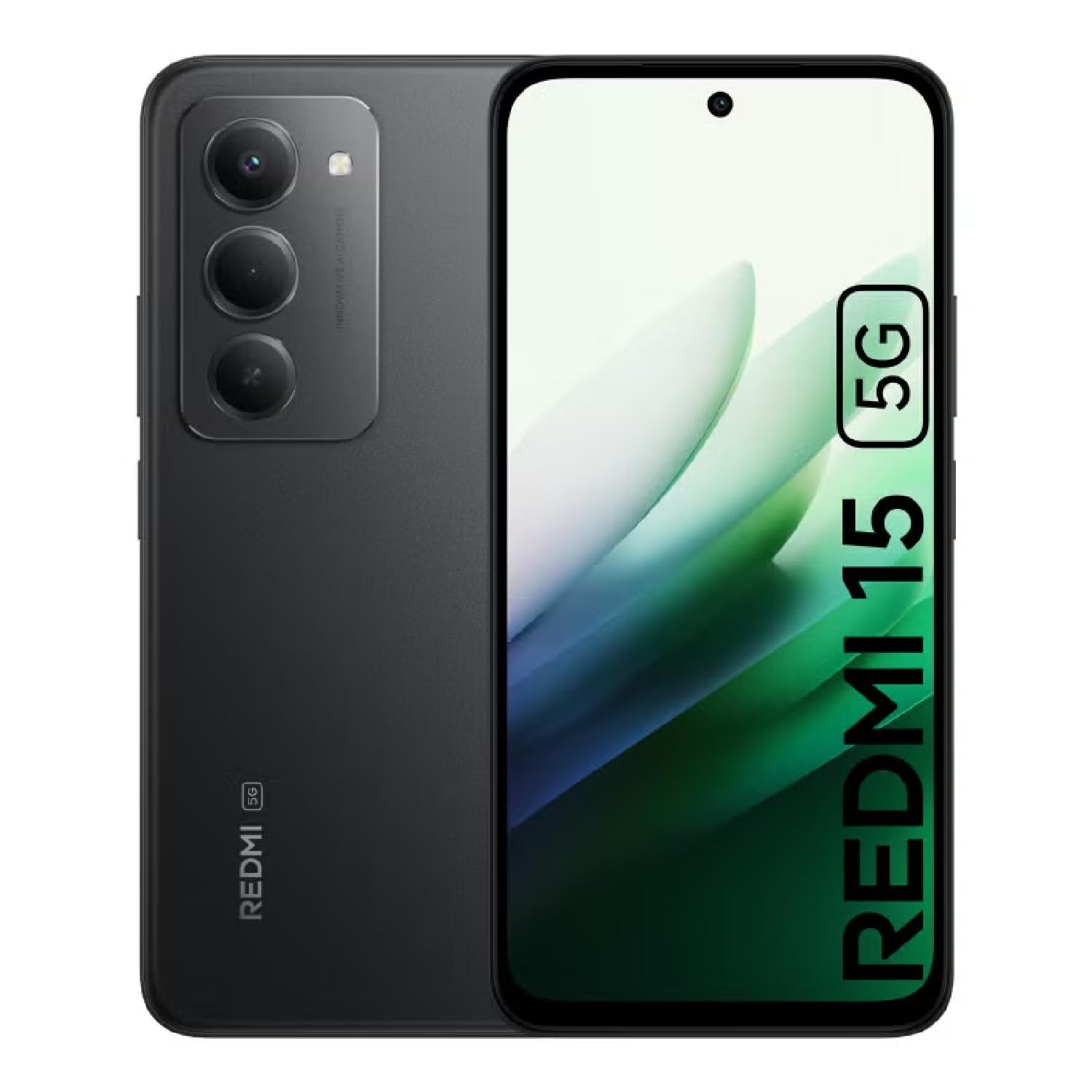
Image: The XIAOMI Redmi 15 5G smartphone, showcasing its design in multiple color options.
2. Co znajduje się w pudełku
- Smartfon XIAOMI Redmi 15 5G
- Kabel USB
- Etui na telefon
- SIM Ejector Tool (may be included with documentation)
- Skrócona instrukcja obsługi i informacje o gwarancji
3. Konfiguracja
3.1. Instalacja karty SIM i karty MicroSD
- Znajdź tackę na kartę SIM znajdującą się z boku urządzenia.
- Włóż narzędzie do wyjmowania karty SIM do małego otworu obok tacki i delikatnie naciśnij, aż tacka wyskoczy.
- Place your Nano-SIM card(s) and/or microSD card into the tray, ensuring they are correctly oriented. The Redmi 15 5G supports a hybrid SIM slot (SIM1 + SIM2 or SIM1 + microSD).
- Ostrożnie włóż tackę z powrotem do telefonu.
3.2. Pierwsze włączenie i konfiguracja
- Press and hold the Power button until the XIAOMI logo appears.
- Postępuj zgodnie z instrukcjami wyświetlanymi na ekranie, aby wybrać język i region, a następnie nawiązać połączenie z siecią Wi-Fi.
- Sign in with your Google account or create a new one to access apps and services.
- Set up your preferred security methods, such as a PIN, pattern, password, fingerprint, or AI face unlock.
4. Instrukcja obsługi
4.1. Funkcje wyświetlacza
The Redmi 15 5G features an immersive 6.9-inch FHD+ DotDisplay with a resolution of 2340 × 1080 pixels (374 PPI). Enjoy smooth visuals with a refresh rate of up to 144Hz and a touch sampling rate of up to 288Hz. The display offers a typical brightness of 700 nits (850 nits HBM) and a contrast ratio of 1400:1. It includes an all-day eye-care display with DC dimming and TÜV Rheinland certifications for low blue light, circadian friendly, and flicker-free viewing. The Wet Touch Technology 2.0 ensures accurate touch response even with wet fingers.
4.2. System kamer
Capture high-quality photos and videos with the 50MP AI dual camera system. The main camera features a 5P lens with an f/1.8 aperture. Video recording supports 1080p (1920x1080) HD at 30 fps and 720p (1280x720) HD at 30 fps. The 8MP front camera (f/2 aperture) is ideal for selfies and video calls, offering features like filmCamera, HDR mode, soft-light ring, portrait mode, and time-lapse. Front camera video recording also supports 1080p and 720p HD at 30 fps.

Obraz: Szczegółowy view of the Redmi 15 5G's rear camera system.
4.3. Wydajność i bateria
Powered by the Snapdragon® 6s Gen 3 5G Mobile Platform, built on an efficient 6nm process, the device offers smooth and reliable performance. The octa-core CPU (Kryo, up to 2.3GHz) and Adreno GPU ensure efficient multitasking and gaming. The phone comes with 8GB of RAM, expandable up to 16GB with Memory extension (utilizing ROM storage). A massive 7000mAh (typical) battery provides extended usage, offering up to 24 hours of talk time.
4.4 Łączność i bezpieczeństwo
The Redmi 15 5G supports 5G connectivity (SA and NSA bands), 4G LTE, and 3G/2G networks. It includes NFC for contactless payments and data transfer, Wi-Fi for internet access, and comprehensive GPS support (GPS, Glonass, Galileo, Beidou). Security features include a side-mounted fingerprint sensor and AI face unlock for convenient and secure access.
5. Konserwacja
- Czyszczenie: Do czyszczenia ekranu i obudowy używaj miękkiej, niepozostawiającej włókien ściereczki. Unikaj agresywnych środków chemicznych.
- Aktualizacje oprogramowania: Regularnie sprawdzaj dostępność aktualizacji systemu i instaluj je, aby zapewnić optymalną wydajność, bezpieczeństwo i dostęp do nowych funkcji.
- Pielęgnacja baterii: Aby przedłużyć żywotność baterii, należy unikać ekstremalnych temperatur i nie dopuszczać do częstego całkowitego rozładowania baterii.
- Zarządzanie pamięcią masową: Okresowo usuwaj niepotrzebne filei aplikacje, które utrzymują prędkość urządzenia i zwalniają miejsce na dysku.
6. Rozwiązywanie Problemów
- Urządzenie nie włącza się: Upewnij się, że bateria jest naładowana. Podłącz urządzenie do ładowarki i odczekaj kilka minut przed ponownym włączeniem.
- Apps Freezing or Lagging: Close background applications. Clear app cache or data if the issue persists with a specific app. Restarting the device can also resolve temporary performance issues.
- Słaba łączność sieciowa: Check if your SIM card is properly inserted. Ensure mobile data is enabled and you are within network coverage. For Wi-Fi issues, restart your router and phone.
- Szybkie rozładowywanie baterii: Reduce screen brightness, disable unnecessary features like GPS or Bluetooth when not in use, and close power-intensive background apps.
- Czytnik linii papilarnych nie działa: Upewnij się, że Twój palec jest czysty i suchy. Jeśli problem będzie się powtarzał, ponownie zarejestruj odciski palców.
7. Specyfikacje
| Funkcja | Specyfikacja |
|---|---|
| Nazwa modelu | 25057RN09E |
| Rozmiar wyświetlacza | 6.9 cali |
| Rezolucja | 2340x1080 |
| Częstotliwość odświeżania | 144 Hz |
| Edytor | Platforma mobilna Snapdragon 6s Gen 3 (ośmiordzeniowy, do 2.3 GHz) |
| BARAN | 8 GB (expandable up to 16GB with Memory extension) |
| Pojemność magazynowa | 256 GB (z możliwością rozszerzenia do 2 TB za pomocą karty microSD) |
| Główna kamera | Podwójny aparat 50 MP AI |
| Przednia kamera | 8 MP |
| Pojemność baterii | 7000 mAh |
| System operacyjny | Xiaomi HyperOS oparty na systemie Android 15 |
| Łączność | 5G, Wi-Fi, NFC, GPS |
| Bezpieczeństwo | Boczny czujnik odcisku palca, odblokowywanie twarzą AI |
| Wymiary | 6.74 x 3.23 x 0.34 cala |
| Waga | 7.9 uncji (224 grama) |
8. Gwarancja i wsparcie
For warranty information, please refer to the warranty card included in your product packaging or visit the official XIAOMI website. If you encounter any issues not covered in this manual, please contact XIAOMI customer support for assistance. Keep your proof of purchase for warranty claims.


