1. Wprowadzenie
This manual provides essential instructions for the safe and effective use of your Sony Alpha a7 II ILCE-7M2/B Full-Frame Mirrorless Camera. Please read this manual thoroughly before operating the camera and retain it for future reference. The Sony Alpha a7 II is designed for high-quality photography and videography, featuring a 24.3MP full-frame sensor, 5-axis in-body image stabilization, and a fast hybrid autofocus system.
2. Koniec produktuview
The Sony Alpha a7 II is a full-frame mirrorless camera body equipped with advanced features for capturing detailed images and smooth videos. Key features include:
- 24.3MP Full-Frame Exmor CMOS Sensor: Delivers high resolution and excellent low-light performance.
- 5-Axis SteadyShot INSIDE Image Stabilization: Compensates for camera shake across five axes, enhancing sharpness for both stills and video, even with non-stabilized lenses.
- Fast Hybrid Autofocus System: Combines 117 phase-detection and 25 contrast-detection points for quick and accurate subject tracking.
- Nagrywanie wideo w jakości Full HD 1080p: Supports up to 60 fps with XAVC S compression and S-Log2 gamma for professional-grade video.
- BIONZ X Image Processor: Ensures rapid processing and high image quality.
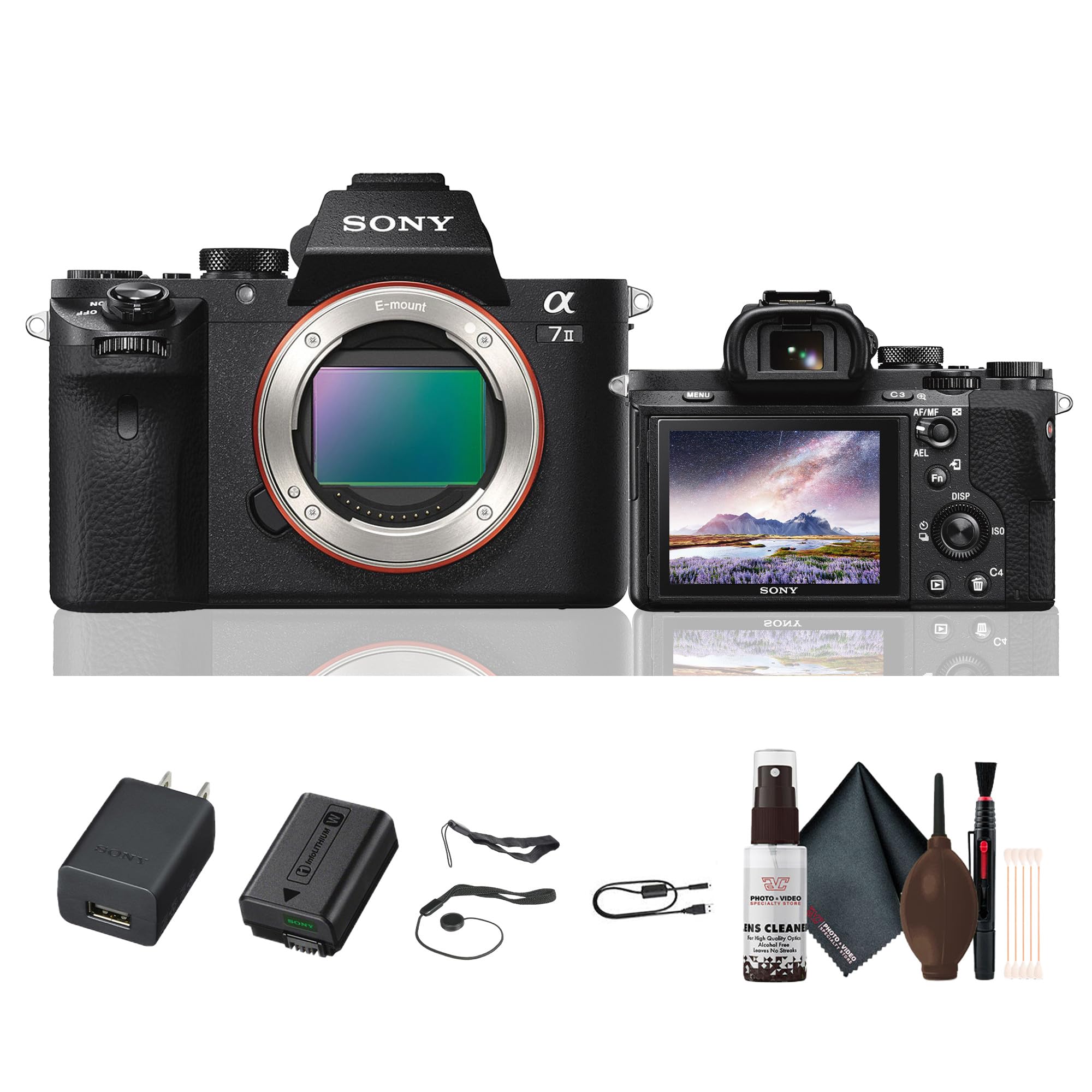
Rysunek 2.1: Tył view of the Sony Alpha a7 II camera with the LCD screen closed, showing the electronic viewfinder, control dials, and buttons.
3. Konfiguracja
3.1. Rozpakowanie i wstępna kontrola
Ostrożnie wyjmij wszystkie elementy z opakowania. Sprawdź, czy wszystkie wymienione poniżej elementy są obecne. Jeśli któregokolwiek elementu brakuje lub jest uszkodzony, skontaktuj się ze sprzedawcą.
Zawartość zestawu:
- Sony Alpha a7 II Mirrorless Digital Camera Body
- Akumulator do ładowania
- Zasilacz sieciowy
- Kabel USB
- Pasek na ramię
- Nakładka na korpus
- Czapka na buty akcesoryjne
- Muszla okularowa
3.2. Mocowanie obiektywu
- Zdejmij pokrywkę korpusu aparatu i tylną pokrywkę obiektywu.
- Dopasuj biały znacznik na obiektywie do białego znacznika na korpusie aparatu.
- Zamontuj soczewkę, obracając ją zgodnie z ruchem wskazówek zegara, aż do kliknięcia.
Note: The a7 II uses Sony E-mount lenses. A-mount lenses can be used with an optional adapter.
3.3. Wkładanie baterii i karty pamięci
- Otwórz pokrywę baterii/karty pamięci znajdującą się na spodzie aparatu.
- Insert the fully charged battery pack with the arrow pointing towards the camera, pushing it in until it locks.
- Insert a compatible memory card (SD card, Memory Stick PRO Duo) into the memory card slot with the notched corner facing the correct direction, pushing until it clicks.
- Zamknij dokładnie pokrywę baterii/karty pamięci.
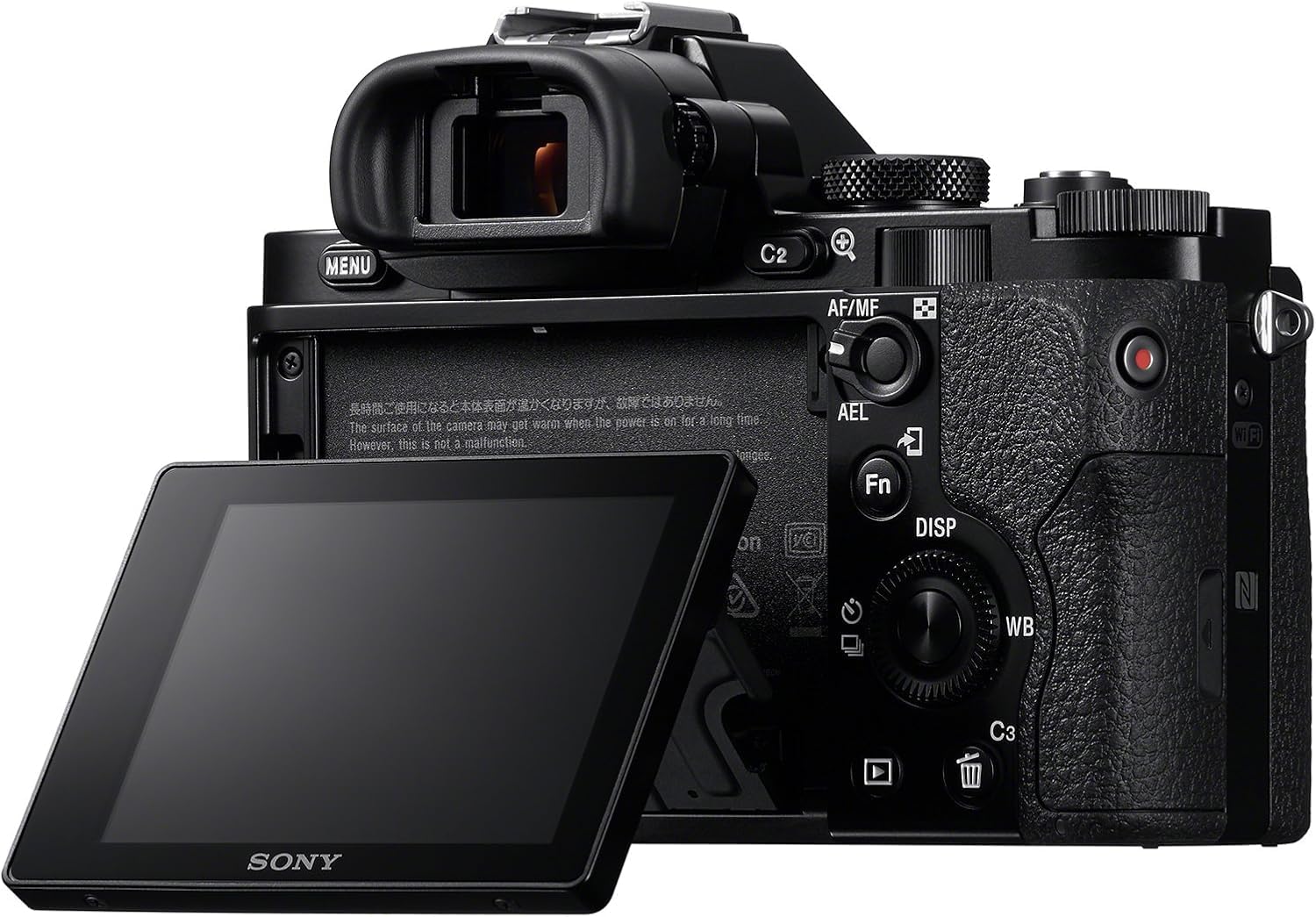
Rysunek 3.1: Tył view of the Sony Alpha a7 II camera with the LCD screen tilted outwards, showing the battery/memory card compartment.
3.4. Ładowanie akumulatora
Connect the camera to the AC adaptor using the supplied USB cable. The charging indicator lamp będzie świecić podczas ładowania i zgaśnie po jego zakończeniu. Pełne ładowanie trwa zazwyczaj około 150 minut.
4. Obsługa aparatu
4.1. Włączanie/wyłączanie zasilania
To turn the camera on or off, slide the ON/OFF switch located around the shutter button.
4.2 Podstawowe tryby fotografowania
Rotate the Mode Dial (located on the top plate) to select your desired shooting mode:
- Automatyczny: Aparat automatycznie dostosowuje ustawienia w celu uzyskania optymalnych rezultatów.
- Program automatyczny (P): Aparat ustawia przysłonę i czas otwarcia migawki, ale możesz dostosować inne ustawienia.
- Priorytet przysłony (A): Ty ustawiasz przysłonę, aparat ustawia czas otwarcia migawki.
- Priorytet migawki (S): Ty ustawiasz czas otwarcia migawki, aparat ustawia przysłonę.
- Ręczny (M): Możesz kontrolować zarówno przysłonę, jak i czas otwarcia migawki.
- Film: Do nagrywania filmów.
- Wybór scen: Pre-set modes for specific scenes (e.g., Landscape, Portrait, Sports).
4.3. Skupienie
The a7 II features a Fast Hybrid Autofocus system. To focus, half-press the shutter button. The camera will automatically detect and focus on your subject. You can also manually select focus points or use manual focus (MF) by setting the focus mode switch on your lens or in the camera menu.
4.4. Stabilizacja obrazu
The camera's 5-axis SteadyShot INSIDE image stabilization system is active by default. This system helps reduce blur caused by camera shake, especially useful in low light or when using longer focal lengths. The system works with both native E-mount lenses and adapted lenses.
4.5. Nagrywanie filmów
To record video, set the Mode Dial to the Movie mode. Press the dedicated MOVIE button (usually located on the side or rear of the camera grip) to start and stop recording. The camera records Full HD 1080p video at various frame rates up to 60 fps.
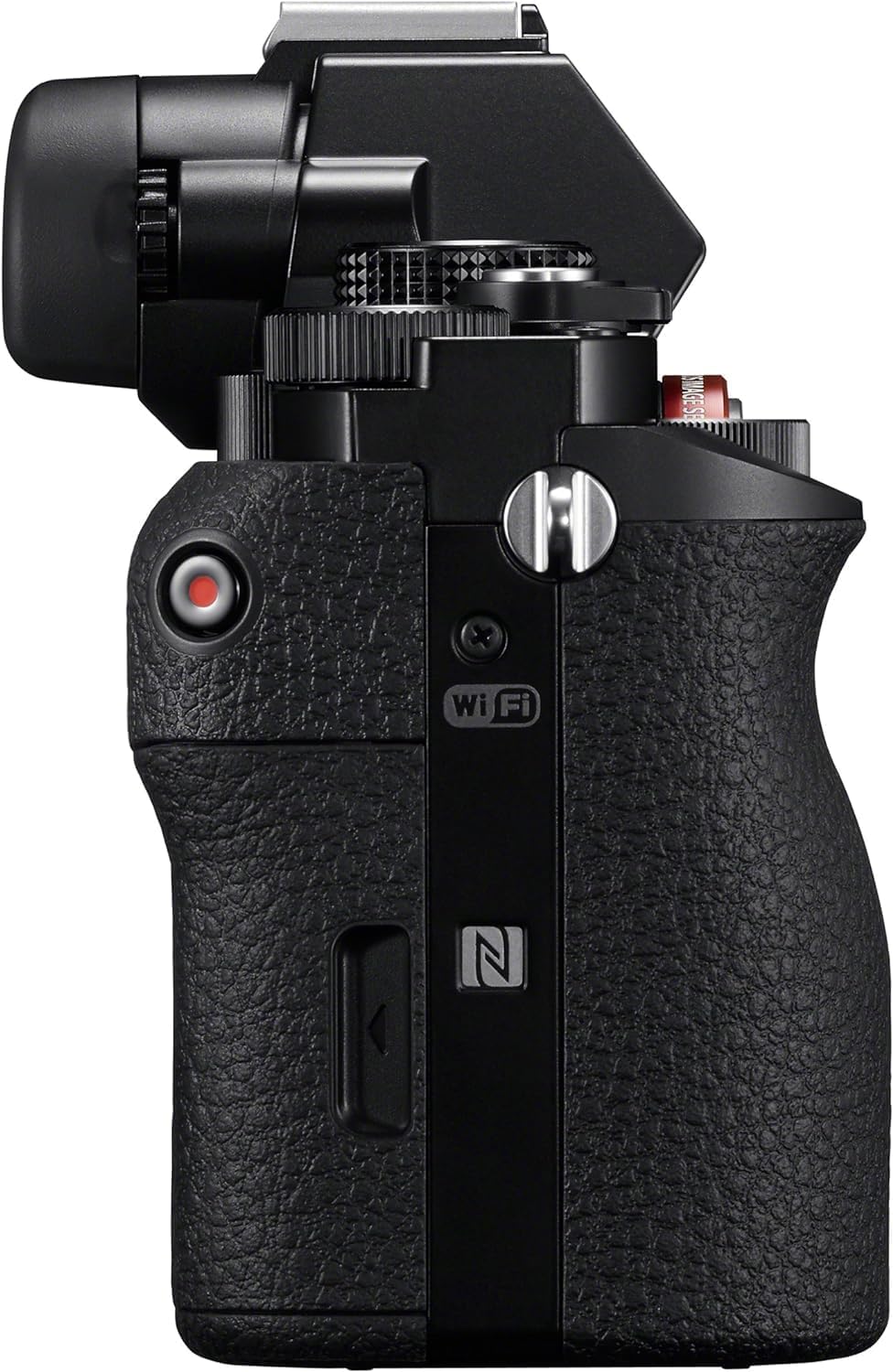
Rysunek 4.1: Strona view of the Sony Alpha a7 II camera, highlighting the grip and movie record button.
4.6. Łączność
The camera supports HDMI and USB connectivity. Use the HDMI output to view photos and videos on a compatible display. The USB port can be used for charging, data transfer to a computer, or connecting to other compatible devices.
5. Konserwacja
5.1. Czyszczenie aparatu
- Korpus aparatu: Przecierać miękką, suchą ściereczką. W przypadku uporczywych zabrudzeń użyć ściereczki delikatnie zwilżonej wodą.ampz wodą. Unikaj silnych środków chemicznych.
- Obiektyw: Use a lens brush or blower to remove dust. For smudges, use a lens cleaning solution and a microfiber cloth specifically designed for optics.
- Transduktor: Sensor cleaning should only be performed by authorized service personnel or experienced users with appropriate tools to avoid damage.
- Ekran LCD: Delikatnie przetrzeć miękką, suchą ściereczką.
5.2. Pielęgnacja baterii
- Always use genuine Sony battery packs.
- Charge the battery fully before first use and after extended periods of non-use.
- Store batteries in a cool, dry place. Do not expose to extreme temperatures.
5.3. Przechowywanie
When storing the camera for an extended period, remove the battery and memory card. Store the camera in a dry, well-ventilated area, preferably with a desiccant to prevent mold and mildew.
6. Rozwiązywanie Problemów
Jeśli masz problemy z aparatem, zapoznaj się z poniższymi typowymi procedurami rozwiązywania problemów:
- Kamera się nie włącza:
- Sprawdź, czy akumulator jest całkowicie naładowany i prawidłowo włożony.
- Jeśli to możliwe, spróbuj użyć innej, w pełni naładowanej baterii.
- Nie można robić zdjęć:
- Sprawdź, czy karta pamięci jest włożona i czy jest na niej wystarczająco dużo wolnego miejsca.
- Sprawdź, czy osłona obiektywu jest zdjęta.
- Verify the camera is not in a mode that prevents shooting (e.g., playback mode).
- Obrazy są niewyraźne:
- Check focus settings (Autofocus vs. Manual Focus).
- Ensure shutter speed is fast enough for the shooting conditions to prevent motion blur.
- Verify image stabilization is active if shooting handheld in low light.
- Clean the lens if smudges are present.
- Bateria szybko się rozładowuje:
- Zmniejsz jasność wyświetlacza LCD.
- Wyłącz Wi-Fi/NFC, gdy z niego nie korzystasz.
- Ogranicz ciągłe robienie zdjęć i nagrywanie filmów.
- Sprawdź, czy bateria nie jest stara lub uszkodzona.
For more detailed troubleshooting, consult the comprehensive online manual available on the Sony support webstrona.
7. Specyfikacje
| Numer modelu | ILCE-7M2/B |
| Typ czujnika | Full Frame (35mm) Exmor CMOS |
| Efektywna rozdzielczość obrazu nieruchomego | 24.3 MP |
| Stabilizacja obrazu | 5-axis Sensor-shift (SteadyShot INSIDE) |
| System autofokusa | Fast Hybrid AF (117 phase-detection, 25 contrast-detection points) |
| Rozdzielczość wideo | Full HD 1080p (up to 60 fps) |
| Format wideo | XAVC S, AVCHD, MP4 |
| Format obrazu | JPG, RAW |
| Kompatybilne mocowania | Mocowanie Sony E |
| Typ wyświetlacza | 3.0-inch Tilting LCD (1,228,800 dots) |
| Viewznalazca | 0.5-inch XGA OLED Electronic Viewfinder (2,359,296 dots) |
| Łączność | HDMI (Type A), USB 2.0, Wi-Fi, NFC |
| Typ baterii | Akumulator litowo-jonowy NP-FW50 |
| Wymiary (szer. x wys. x gł.) | Approx. 126.9 x 95.7 x 59.7 mm (5 x 3 7/8 x 2 3/8 inches) |
| Weight (with battery and memory card) | Około. 599 g (1 funt 5.2 uncje) |
8. Gwarancja i wsparcie
8.1. Informacje o gwarancji
Your Sony Alpha a7 II camera is covered by a manufacturer's limited warranty. Please refer to the warranty card included in your product packaging for specific terms and conditions, including warranty period and coverage details. Retain your proof of purchase for warranty claims.
8.2. Obsługa klienta
For technical assistance, service, or additional product information, please visit the official Sony support website or contact Sony customer service in your region. Online resources often include FAQs, driver downloads, and comprehensive digital manuals.
Wsparcie Sony Webstrona: www.sony.com/electronics/support