1. Wprowadzenie
Thank you for choosing the Redragon H610 Wireless Gaming Headset. This headset is designed to provide an immersive audio experience for gaming and multimedia, featuring Bluetooth 5.3 connectivity, Active Noise Cancellation (ANC), and a built-in microphone. This manual provides detailed instructions for setup, operation, and maintenance to ensure optimal performance.
The H610 is compatible with various platforms including PS5, PS4, PC, Mac, and Nintendo Switch, offering versatile connectivity options through both Bluetooth and a 3.5mm AUX cable.
2. Zawartość opakowania
Sprawdź, czy w przesyłce znajdują się wszystkie elementy:
- Redragon H610 Wireless Gaming Headset
- Kabel ładujący USB-C
- Kabel audio AUX 3.5 mm
- Instrukcja obsługi (ten dokument)

Image: The Redragon H610 headset shown with its USB-C charging cable and 3.5mm AUX audio cable.
3. Koniec produktuview
The Redragon H610 headset features intuitive controls and a comfortable design for extended use. Familiarize yourself with the main components:
- Regulowany pałąk: For a personalized and secure fit.
- Over-Ear Earcups: Padded with soft PU leather for comfort and passive noise isolation.
- Przetworniki dynamiczne 40 mm: Zapewnia czysty i mocny dźwięk.
- Wbudowany mikrofon: Integrated into the earcup for clear voice communication.
- Przyciski sterujące: Located on the earcups for power, volume, ANC, and mode selection.
- Port USB-C: Do ładowania zestawu słuchawkowego.
- Port AUX 3.5 mm: Do przewodowego połączenia audio.
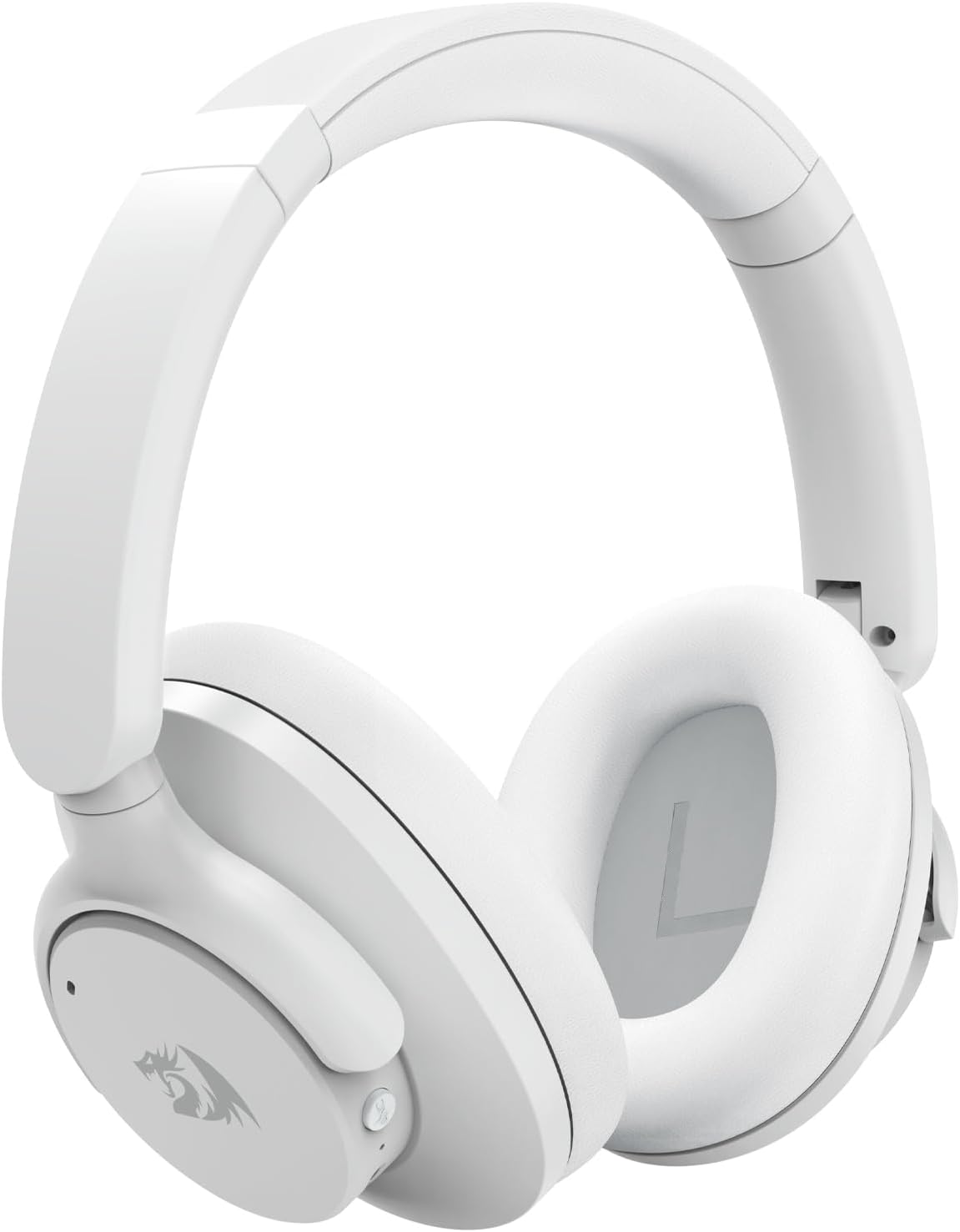
Zdjęcie: Szczegółowy front view of the Redragon H610 Wireless Gaming Headset, highlighting its sleek white design and over-ear cups.

Obraz: Wybuch view diagram illustrating the 40mm large moving coil diaphragm, responsible for the headset's sound quality.
4. Konfiguracja
4.1 Ładowanie zestawu słuchawkowego
- Connect the supplied USB-C charging cable to the headset's USB-C port.
- Podłącz drugi koniec kabla do źródła zasilania USB (np. portu USB komputera, zasilacza sieciowego).
- The LED indicator on the headset will show charging status. A full charge provides up to 43 hours of battery life (40 hours Bluetooth playback, 36 hours with ANC on).
4.2 parowanie Bluetooth
- Upewnij się, że zestaw słuchawkowy jest wyłączony.
- Naciśnij i przytrzymaj przycisk zasilania, aż dioda LED zacznie migać na niebiesko i czerwono, wskazując tryb parowania.
- On your device (PC, Mac, PS4/PS5 with compatible adapter, Nintendo Switch with compatible adapter, smartphone), enable Bluetooth and search for new devices.
- Select "Redragon H610" from the list of available devices.
- Po podłączeniu wskaźnik LED zacznie świecić na niebiesko.
4.3 Wired Connection (3.5mm AUX)
- Connect one end of the 3.5mm AUX audio cable to the headset's 3.5mm port.
- Connect the other end to the 3.5mm audio jack on your device (e.g., PC, PS4 controller, smartphone).
- The headset will operate in passive mode, and battery power is not required for basic audio. ANC functionality may be limited or unavailable in wired mode.
5. Instrukcja obsługi
5.1 Włączanie/wyłączanie zasilania
- Włączanie: Naciśnij i przytrzymaj przycisk zasilania przez około 3 sekundy.
- Wyłączone: Naciśnij i przytrzymaj przycisk zasilania przez około 5 sekundy.
5.2 Regulacja głośności
- Zwiększenie głośności: Naciśnij przycisk '+'.
- Ściszanie: Naciśnij przycisk '-'.
5.3 Aktywna redukcja szumów (ANC)
The H610 features advanced ANC technology to reduce ambient noise by -35 to -40 dB.
- Aktywuj/Dezaktywuj ANC: Press the dedicated ANC button (usually marked with an 'ANC' icon). The LED indicator will change to confirm activation.
5.4 Tryby audio
Switch between different audio modes to optimize your listening experience:
- Tryby przełączania: Press the 'M' (Mode) button to cycle through Noise Reduction, Game, and Music modes.
- Tryb redukcji szumów: Enhances ANC performance.
- Tryb gry: Optimizes audio for gaming, emphasizing directional sound cues.
- Tryb muzyczny: Zapewnia zrównoważony dźwięk profesjonalnyfile for music listening.

Image: A user wearing the Redragon H610 headset, demonstrating its use during a gaming session with a computer.
6. Konserwacja
6.1 Czyszczenie
- Do czyszczenia zestawu słuchawkowego należy używać miękkiej, suchej ściereczki.
- Nie używaj ostrych środków chemicznych, rozpuszczalników czyszczących ani silnych detergentów.
- Unikaj dostania się wilgoci do otworów.
6.2 Przechowywanie
- Przechowuj zestaw słuchawkowy w chłodnym, suchym miejscu, z dala od bezpośredniego światła słonecznego i ekstremalnych temperatur.
- The headset features a foldable design for easy storage and transport. Gently fold the earcups inward as shown in the diagram.

Image: An illustration demonstrating how the Redragon H610 headset can be folded for compact storage and portability.
7. Rozwiązywanie Problemów
If you encounter issues with your Redragon H610 headset, please refer to the following common solutions:
| Problem | Możliwe rozwiązanie |
|---|---|
| Brak dźwięku w zestawie słuchawkowym |
|
| Mikrofon nie działa |
|
| Połączenie Bluetooth jest niestabilne lub nie działa |
|
| Aktywna redukcja szumów (ANC) nie jest skuteczna |
|
| Headset not compatible with PS5 |
|
8. Specyfikacje
| Funkcja | Szczegół |
|---|---|
| Model | H610 (VIBECORE) |
| Łączność | Bluetooth 5.3, 3.5 mm AUX (przewodowy) |
| Rozmiar kierowcy | 40mm przetworniki dynamiczne |
| Odpowiedź częstotliwościowa | 20 Hz - 20 kHz |
| Kontrola hałasu | Aktywne usuwanie hałasu (ANC) |
| ANC Capability | -35 do -40 dB |
| Mikrofon | Wbudowany |
| Żywotność baterii | Up to 43 hours (Bluetooth playback), 36 hours (with ANC on) |
| Port ładowania | USB-C |
| Tworzywo | Polyurethane (PU) leather, ABS plastic |
| Waga | 0.62 kg (1.36 funta) |
| Umieszczenie ucha | Nauszne |
| Kompatybilne urządzenia | Gaming Consoles, Laptops, Desktops, Tablets, Smartphones |
9. Gwarancja i wsparcie
For warranty information and customer support, please refer to the documentation included with your purchase or visit the official Redragon webWarunki gwarancji mogą się różnić w zależności od regionu i sprzedawcy.
If you require further assistance or have questions not covered in this manual, please contact Redragon customer service through their official channels.


