Wstęp
This manual provides detailed instructions for the setup, operation, maintenance, and troubleshooting of your realme GT 7T Smartphone. Please read this guide thoroughly to ensure proper use and to maximize the device's capabilities.
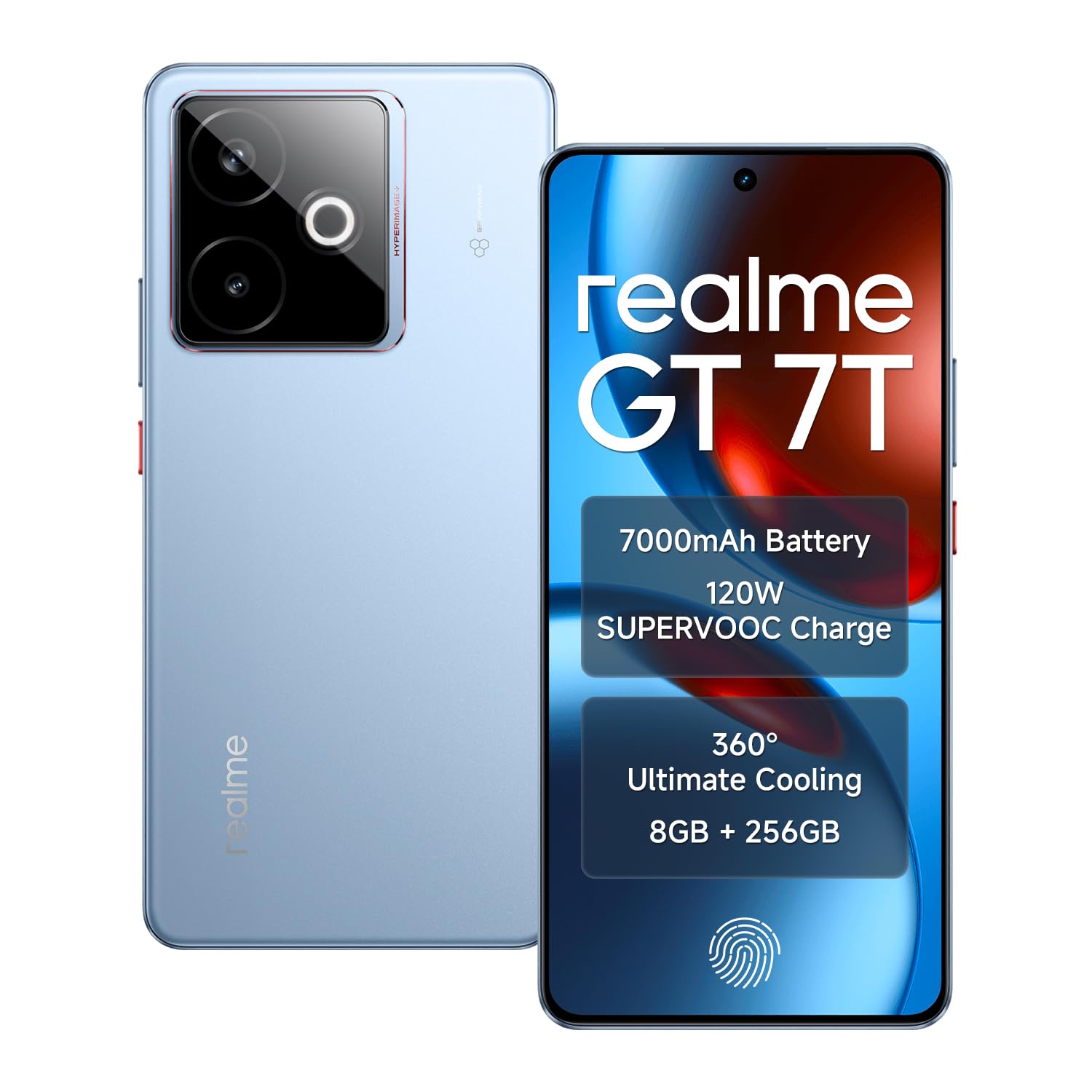
Image: The realme GT 7T Smartphone, showcasinze względu na jego wygląd i kolor.
The realme GT 7T features a 6.8-inch 120Hz display, MediaTek Dimensity 8400-MAX processor, 7000mAh battery with 120W UltraDART charging, a 50MP AI Triple Camera system, and IP69 durability. It operates on Android 15.
Co jest w pudełku
Sprawdź, czy w opakowaniu znajdują się wszystkie elementy:
- smartfon realme GT 7T
- Kabel danych USB
- Charger (120W UltraDART)
- Szybki przewodnik
Organizować coś
1. Włóż kartę SIM
- Znajdź tackę na kartę SIM znajdującą się z boku urządzenia.
- Otwórz tackę za pomocą dołączonego narzędzia do wyjmowania karty SIM.
- Place your Nano-SIM cards (supports Dual 5G SIM) into the tray with the gold contacts facing down.
- Ostrożnie włóż tackę z powrotem do telefonu.
2. Ładowanie początkowe
Before first use, it is recommended to fully charge your realme GT 7T.
- Connect the USB data cable to the phone's charging port and the 120W UltraDART charger.
- Podłącz ładowarkę do gniazdka elektrycznego.
- The device supports 120W fast charging, allowing for rapid power-up.
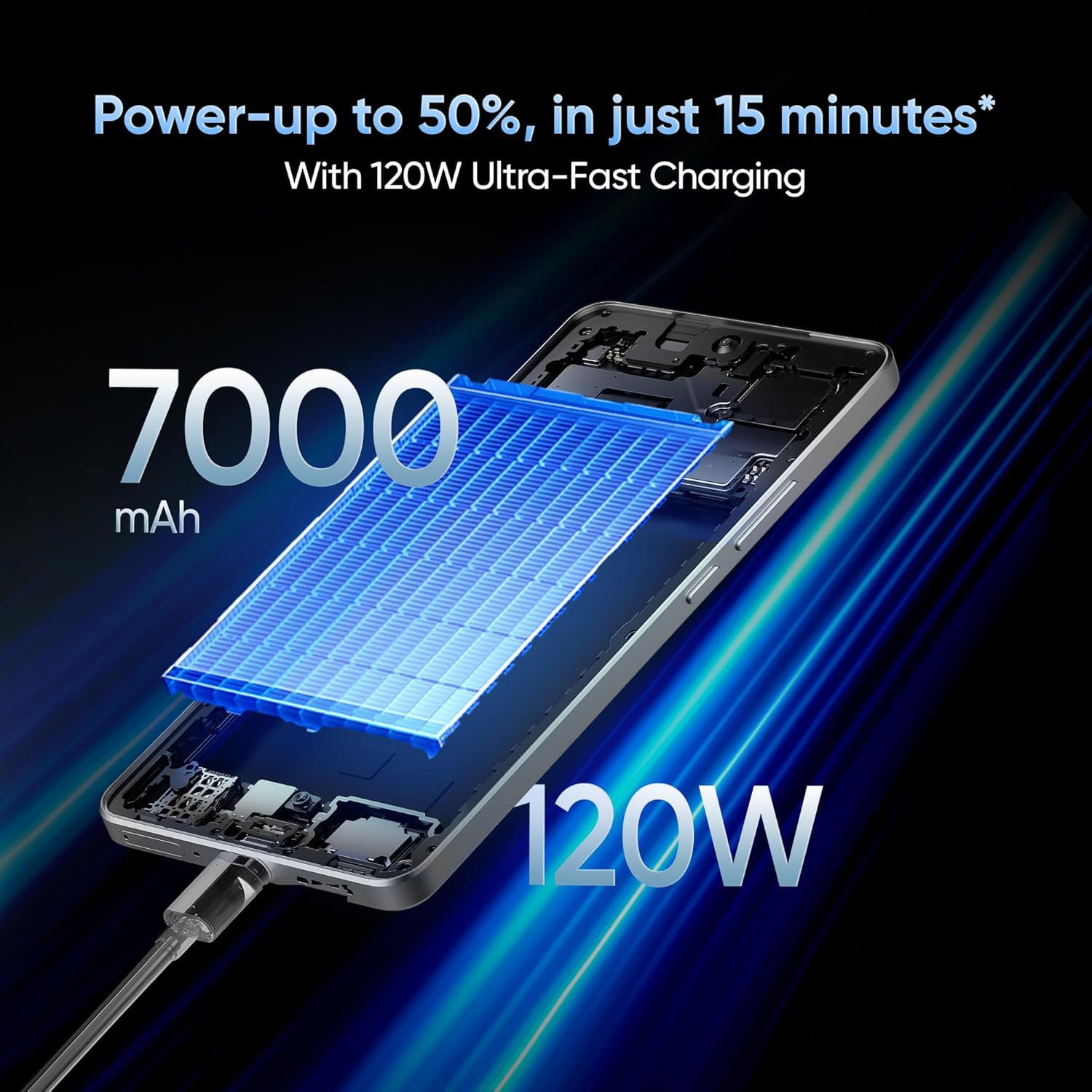
Image: The realme GT 7T connected to its 120W Ultra-Fast Charger, illustrating the rapid charging capability.
3. Włączanie i konfiguracja początkowa
- Naciśnij i przytrzymaj przycisk zasilania, aż pojawi się logo realme.
- Postępuj zgodnie z instrukcjami wyświetlanymi na ekranie, aby dokończyć konfigurację początkową, obejmującą wybór języka, połączenie Wi-Fi, logowanie do konta Google i ustawienia zabezpieczeń.
Instrukcja obsługi
Wyświetlacz i nawigacja
The realme GT 7T features a 6.8-inch display with a 120Hz refresh rate for smooth visuals and a 2160Hz high-frequency PWM dimming to reduce eye strain.
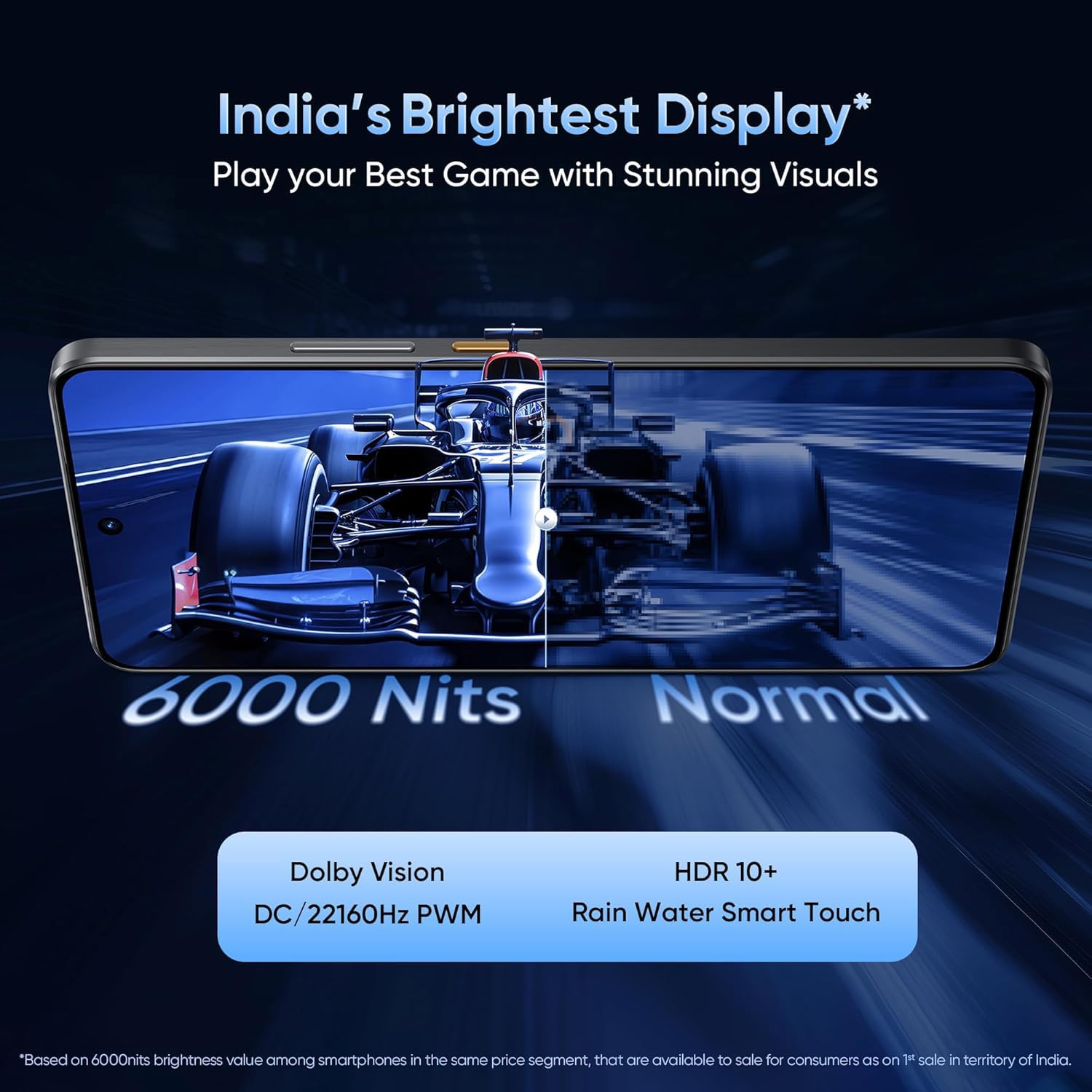
Image: The realme GT 7T's 6.8-inch display showcasing its vibrant colors and smooth 120Hz refresh rate.
Wydajność
Powered by the MediaTek Dimensity 8400-MAX 4nm chipset and 8GB RAM, the device offers high performance for multitasking and demanding applications.

Obraz: szczegółowy view of the MediaTek Dimensity 8400-MAX Flagship Chipset, highlighting its advanced architecture.
Korzystanie z aparatu
The AI Camera system includes a 50MP OIS main camera. Utilize features like AI Landscape Mode for enhanced scenery, AI Swift Capture for fast-moving subjects, and AI Reflection Elimination for clear shots through glass or water.
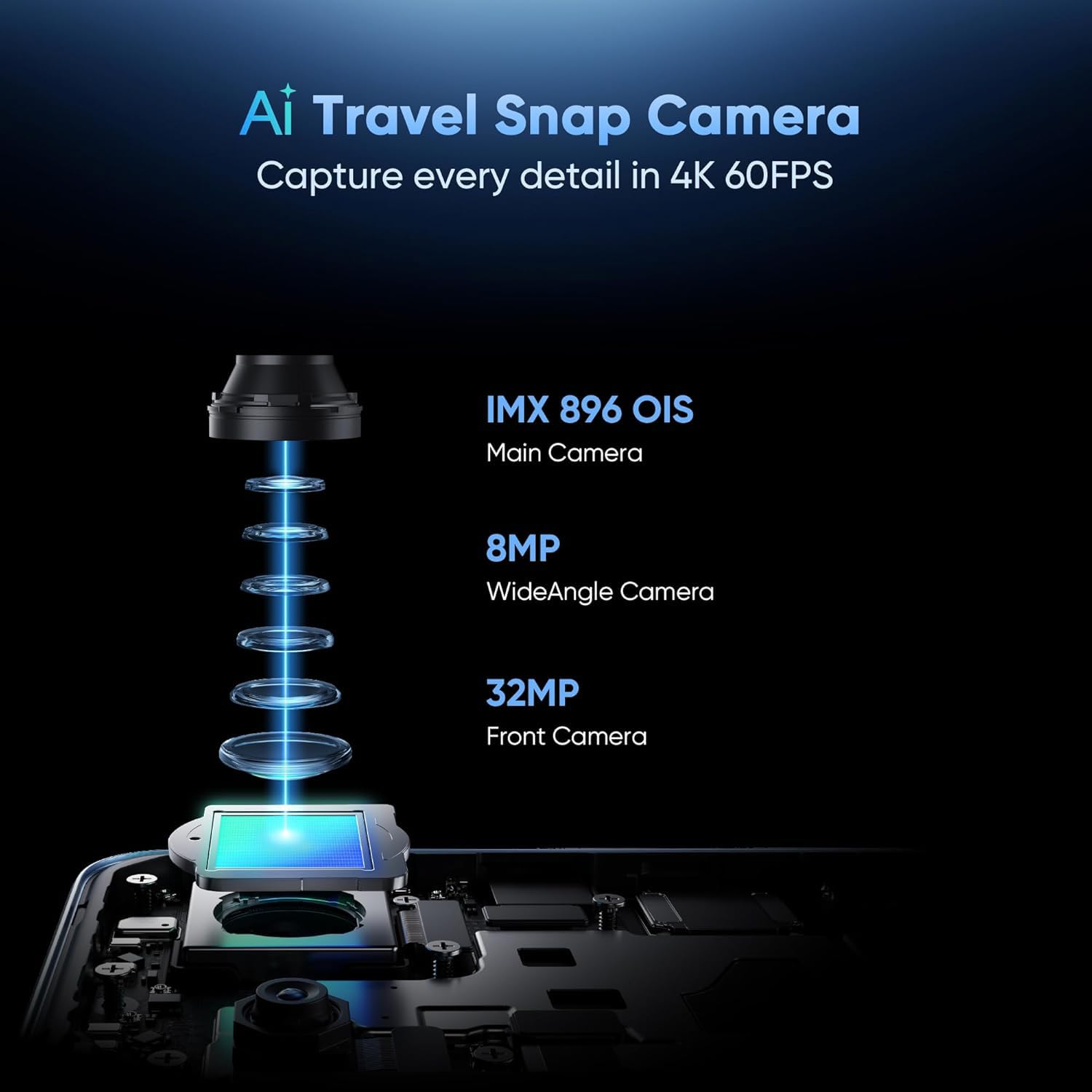
Obraz: Wybuchowy view of the AI Travel Snap Camera system, detailing its IMX 896 OIS Main Camera, Wide Angle Camera, and Front Camera.
Łączność
The device supports various connectivity options including Bluetooth, NFC, USB, Wi-Fi, and Dual 5G SIM for high-speed internet access.
Konserwacja
Czyszczenie urządzenia
- Do przecierania ekranu i obudowy należy używać miękkiej, niepozostawiającej włókien ściereczki.
- Unikaj stosowania silnych środków chemicznych i materiałów ściernych.
- The device has an IP69 rating for dust and water resistance, but avoid intentional submersion.

Image: The realme GT 7T highlighting its IP69 rating and ArmorShell™ Glass for enhanced durability.
Aktualizacje oprogramowania
Regularly check for and install software updates to ensure optimal performance, security, and access to new features. Updates are typically found in the device's Settings menu under "System" or "About Phone."
Układ chłodzenia
The IceSense graphene cooling system helps dissipate heat. Ensure the device's vents (if any) are not obstructed during heavy use.

Image: Two realme GT 7T phones illustrating the Graphene Cover IceSense Design for 360° Ultimate Cooling.
Rozwiązywanie problemów
Typowe problemy i rozwiązania
- Urządzenie nie włącza się: Upewnij się, że bateria jest naładowana. Naciśnij i przytrzymaj przycisk zasilania przez co najmniej 10 sekund.
- Ekran nie reaguje: Restart the device. If the issue persists, perform a force restart (refer to Quick Start Guide for specific key combinations).
- Szybkie rozładowywanie baterii: Close background applications, reduce screen brightness, disable unnecessary connectivity features (Bluetooth, GPS, Wi-Fi) when not in use. Check battery usage in Settings to identify power-hungry apps.
- Przegrzanie podczas użytkowania: Avoid using the device in direct sunlight or poorly ventilated areas. Close demanding applications. The IceSense cooling system is designed to manage heat, but prolonged heavy use can still generate warmth.
- Problemy z łącznością sieciową: Check if Airplane Mode is off. Restart the device. Verify SIM card insertion. Contact your network provider if problems persist.
For more complex issues, consider performing a factory reset (Uwaga: Spowoduje to usunięcie wszystkich danych z urządzenia. Przed kontynuacją wykonaj kopię zapasową ważnych informacji.) or contact realme customer support.
Specyfikacje
| Funkcja | Szczegół |
|---|---|
| Numer modelu | realme GT 7T |
| System operacyjny | Android 15 |
| Edytor | MediaTek Dimensity 8400-MAX 4nm |
| BARAN | 8 GB |
| Wyświetlacz | 6.8-inch, 120Hz Refresh Rate, 2160Hz PWM Dimming, 2560 x 1080 Resolution |
| Główna kamera | 50MP OIS AI Camera |
| Pojemność baterii | 7000mAh |
| Ładowanie | 120W UltraDART Fast Charging |
| Łączność | Bluetooth, NFC, USB, Wi-Fi, Dual 5G SIM |
| Trwałość | IP69 Water and Dust Resistance, ArmorShell™ Glass |
| Wymiary | Wymiary 16.24 x 7.6 x 0.82 cm |
| Waga | 202 gramów |
Gwarancja i wsparcie
Informacje o gwarancji
Your realme GT 7T Smartphone comes with a standard manufacturer's warranty. Please refer to the warranty card included in your product packaging for specific terms, conditions, and duration. Keep your proof of purchase for warranty claims.
Obsługa klienta
Aby uzyskać dalszą pomoc, wsparcie techniczne lub zapytania dotyczące serwisu, odwiedź oficjalną stronę pomocy realme webodwiedź witrynę lub skontaktuj się z infolinią obsługi klienta.
Oficjalny realme Webstrona: Wsparcie realme (Byłyample link, rzeczywisty link może się różnić w zależności od regionu)


