1. Wprowadzenie
Thank you for choosing the UGREEN Nexode Pro 200W 25000mAh Power Bank. This portable power bank is designed to provide high-capacity, fast charging for a wide range of devices, including laptops, tablets, and smartphones. Please read this manual carefully before use to ensure proper operation and to maximize the lifespan of your device.
2. Koniec produktuview
Główne cechy:
- 25000mAh Duża pojemność: Capable of recharging a MacBook Air 13" approximately 1.3 times, an iPhone 17 Pro 4.7 times, a Galaxy S25 Ultra 3.4 times, or an iPad Pro 11" 1.8 times.
- Całkowita moc wyjściowa 200 W: Delivers a total output of 200W, allowing simultaneous charging of up to two laptops.
- 100W Fast Charging per USB-C: USB-C1 and USB-C2 ports/cables each support PD3.0 100W, charging a MacBook Pro 16'' to 54% in 30 minutes.
- 4-in-1 Simultaneous Charging: Features 2 built-in USB-C cables (USB-C1, USB-C2) and 2 additional USB ports (USB-C3, USB-A) for charging up to 4 devices concurrently.
- Intelligent TFT Display: Provides real-time information on battery level, current, voltage, and power output for each interface, along with battery health and cycle count.
- Tryb niskoprądowy: Activate with a 3-second long press of the button for charging delicate accessories like AirPods and smartwatches.
- Rapid Recharge: The power bank can be fully recharged in 2.2 hours when using a 100W+ charger (not included).
- System wielu zabezpieczeń: Built with flame-retardant material and ThermalGuard system, offering protection against overvoltage, overcurrent, overcharge, over-discharge, high temperatures, and short circuits.
Zawartość opakowania:
- UGREEN Nexode Pro 200W 25000mAh Power Bank (Model PB728)
- Integrated USB-C Cables (2)
- Instrukcja obsługi
Schemat produktu:
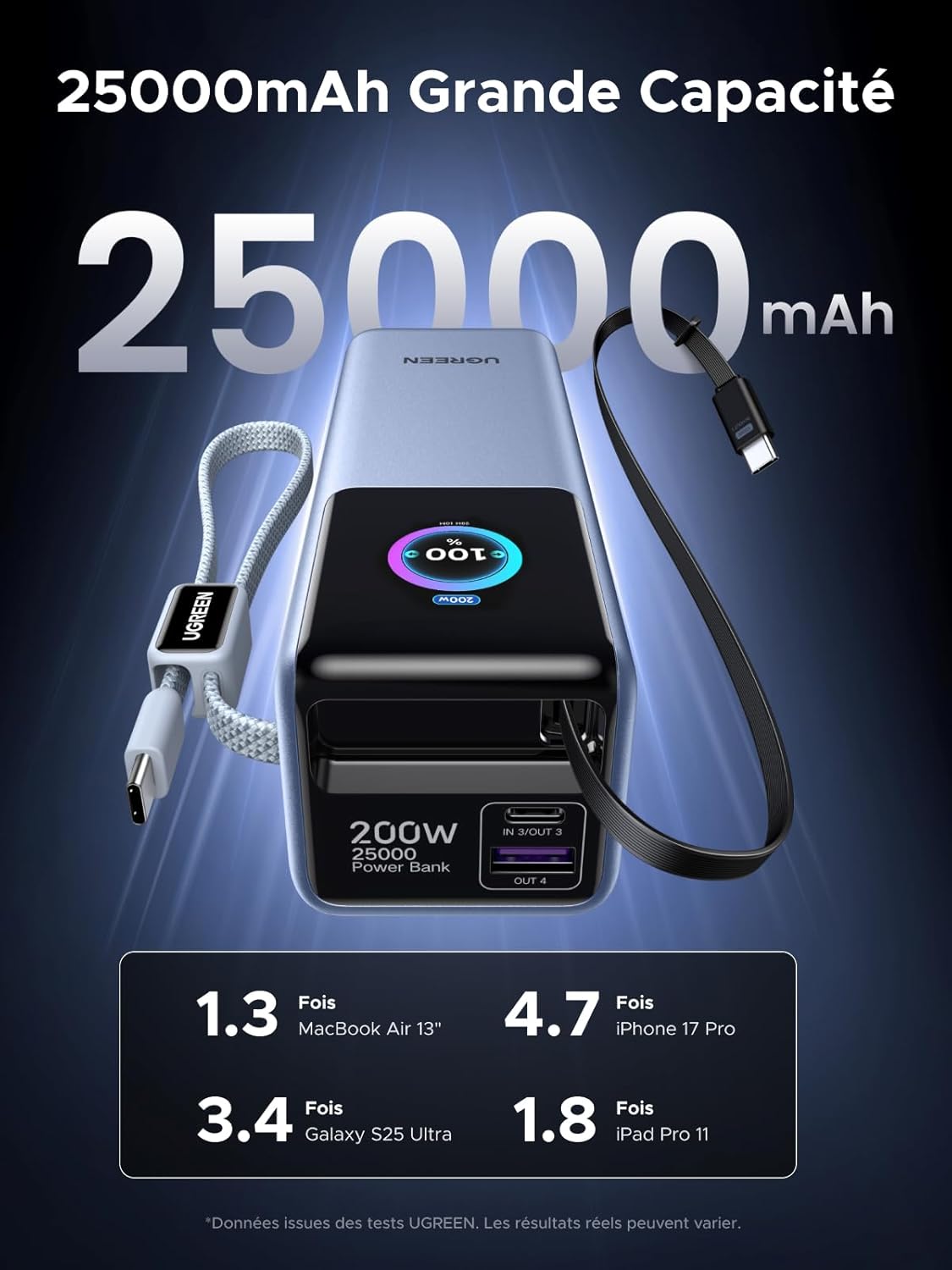 Image: The UGREEN Nexode Pro 200W 25000mAh Power Bank, showcasing its compact design and integrated USB-C cables.
 Image: A diagram illustrating the power bank simultaneously charging a laptop, tablet, phone, and earphones using its two built-in USB-C cables and two additional USB ports.
3. Konfiguracja
The UGREEN Nexode Pro Power Bank comes pre-charged to some extent, but it is recommended to fully charge it before first use.
Ładowanie powerbanku:
- Connect a USB-C charger (100W+ recommended, not included) to one of the power bank's USB-C input ports (USB-C1 or USB-C2 built-in cables, or USB-C3 port).
- Podłącz ładowarkę do gniazdka ściennego.
- The TFT display will show the charging status and estimated time to full charge. The power bank will be fully charged in approximately 2.2 hours with a 100W+ charger.
 Image: The UGREEN Nexode Pro Power Bank connected to a wall charger for recharging, illustrating its fast recharge capability.
4. Instrukcja obsługi
Ładowanie urządzeń:
- Connect your device to one of the power bank's output ports/cables:
- Use the built-in USB-C1 or USB-C2 cables for devices supporting USB-C.
- Use the USB-C3 port for devices requiring a separate USB-C cable.
- Use the USB-A port for devices requiring a separate USB-A cable.
- The power bank will automatically begin charging your device. The TFT display will show the real-time output power for each connected device.
- Aby zatrzymać ładowanie, wystarczy odłączyć urządzenie.
 Image: The UGREEN Nexode Pro Power Bank connected to a MacBook Pro, demonstrating its 100W fast charging capability for laptops.
Tryb niskoprądowy:
Ten tryb idealnie nadaje się do ładowania urządzeń o niskim poborze mocy, takich jak bezprzewodowe słuchawki douszne, smartwatche i trackery fitness.
- With no devices connected, press and hold the power button for 3 seconds until the low-current mode icon appears on the TFT display.
- Connect your low-power device to any available port.
- To exit low-current mode, press and hold the power button for 3 seconds again, or disconnect all devices and the mode will automatically deactivate after a short period.
5. TFT Display Information
The intelligent TFT display provides comprehensive information about the power bank's status:
- Poziom naładowania baterii: Pokazuje pozostały procent bateriitage.
- Real-time Power Output/Input: Wyświetla aktualną temperaturętage being delivered to or received from devices for each port (C1 IN/OUT, C2 IN/OUT, C3 IN/OUT, A OUT).
- Tomtage i prąd: Szczegółowy tomtage and current readings for active ports.
- Stan baterii: Indicates the overall health of the internal battery.
- Liczba cykli: Tracks the number of charge/discharge cycles.
- Pozostały czas: Estimated time to full charge (when charging the power bank) or estimated remaining usage time (when discharging).
- Low-Current Mode Indicator: Icon appears when low-current mode is active.
 Obraz: szczegółowy view of the power bank's TFT display, highlighting indicators for real-time power, battery percentage, remaining charge time, and battery health.
6. Konserwacja
- Trzymaj powerbank z dala od wody, ognia i ekstremalnych temperatur.
- Unikaj upuszczania i narażania urządzenia na silne uderzenia.
- Czyść powerbank suchą, miękką ściereczką. Nie używaj żrących środków czyszczących.
- Store the power bank in a cool, dry place when not in use. For long-term storage, it is recommended to keep the battery level between 50% and 70%.
- Do not attempt to disassemble, repair, or modify the power bank yourself.
7. Rozwiązywanie Problemów
| Problem | Możliwa przyczyna | Rozwiązanie |
|---|---|---|
| Power bank nie ładuje urządzeń. | Low battery on power bank; incorrect cable; device not compatible; low-current mode not activated for small devices. | Recharge the power bank; ensure cable is functional and correctly connected; check device compatibility; activate low-current mode for small devices. |
| Powerbank nie ładuje się. | Charger not powerful enough; faulty charger/cable; loose connection. | Use a 100W+ PD charger; try a different charger and cable; ensure all connections are secure. |
| TFT display is off or unresponsive. | Power bank is off; battery is completely depleted; temporary software glitch. | Press the power button to turn on; recharge the power bank; try restarting by connecting/disconnecting a charger. |
| Niska prędkość ładowania. | Device does not support fast charging; multiple devices connected; cable limitation. | Ensure your device and cable support fast charging protocols; disconnect other devices to maximize output to one device. |
8. Specyfikacje
| Funkcja | Szczegół |
|---|---|
| Numer modelu | PB728 |
| Pojemność baterii | 25000mAh |
| Całkowita moc wyjściowa | 200 W (maks.) |
| Wyjście USB-C1/C2 | PD3.0 100W (Max per port) |
| Wyjście USB-C3 | PD3.0 100W (Max) |
| Wyjście USB-A | 22.5 W (maks.) |
| Input (USB-C1/C2/C3) | 100 W (maks.) |
| Typ baterii | Litowo-jonowy |
| Wymiary (dł. x szer. x wys.) | Wymiary 15.8 x 5.4 x 5 cm |
| Waga | 631 gramów |
| Cechy specjalne | Digital Display, Fast Charging, Integrated Cables, Multi-Protection |
9. Informacje dotyczące bezpieczeństwa
- Do not expose the power bank to direct sunlight, heat sources, or high humidity.
- Avoid using the power bank in environments with extreme temperatures (below 0°C or above 45°C).
- Przechowywać w miejscu niedostępnym dla dzieci.
- Nie zwieraj power banku.
- Powerbank należy utylizować zgodnie z lokalnymi przepisami. Nie należy wyrzucać go razem z odpadami domowymi.
- Jeśli powerbank puchnie, przecieka lub wydziela nietypowy zapach, należy natychmiast zaprzestać jego używania.
 Image: The UGREEN Nexode Pro Power Bank highlighting its multi-protection features, including safeguards against overvoltage, overcurrent, overcharge, over-discharge, high temperatures, and short circuits.
10. Gwarancja i wsparcie
UGREEN products come with a standard warranty. For detailed warranty information, product support, or technical assistance, please refer to the official UGREEN website or contact UGREEN customer service directly. Please have your model number (PB728) and purchase information ready when contacting support.


