Wstęp
This manual provides detailed instructions for the setup, operation, maintenance, and troubleshooting of your Satechi OntheGo Bluetooth Keyboard with Adjustable Stand. Please read thoroughly before use to ensure optimal performance and longevity of your device.
Organizować coś
1. Ładowanie klawiatury
The Satechi OntheGo Bluetooth Keyboard is equipped with a 360mAh rechargeable battery and supports USB-C charging. A USB-C to USB-C charging cable is included.
- Connect the included USB-C charging cable to the keyboard's USB-C port.
- Podłącz drugi koniec kabla do kompatybilnego zasilacza USB-C (nie ma go w zestawie).
- The keyboard will fully charge in approximately 2.5 hours. A full charge provides up to 4 months of standby time.
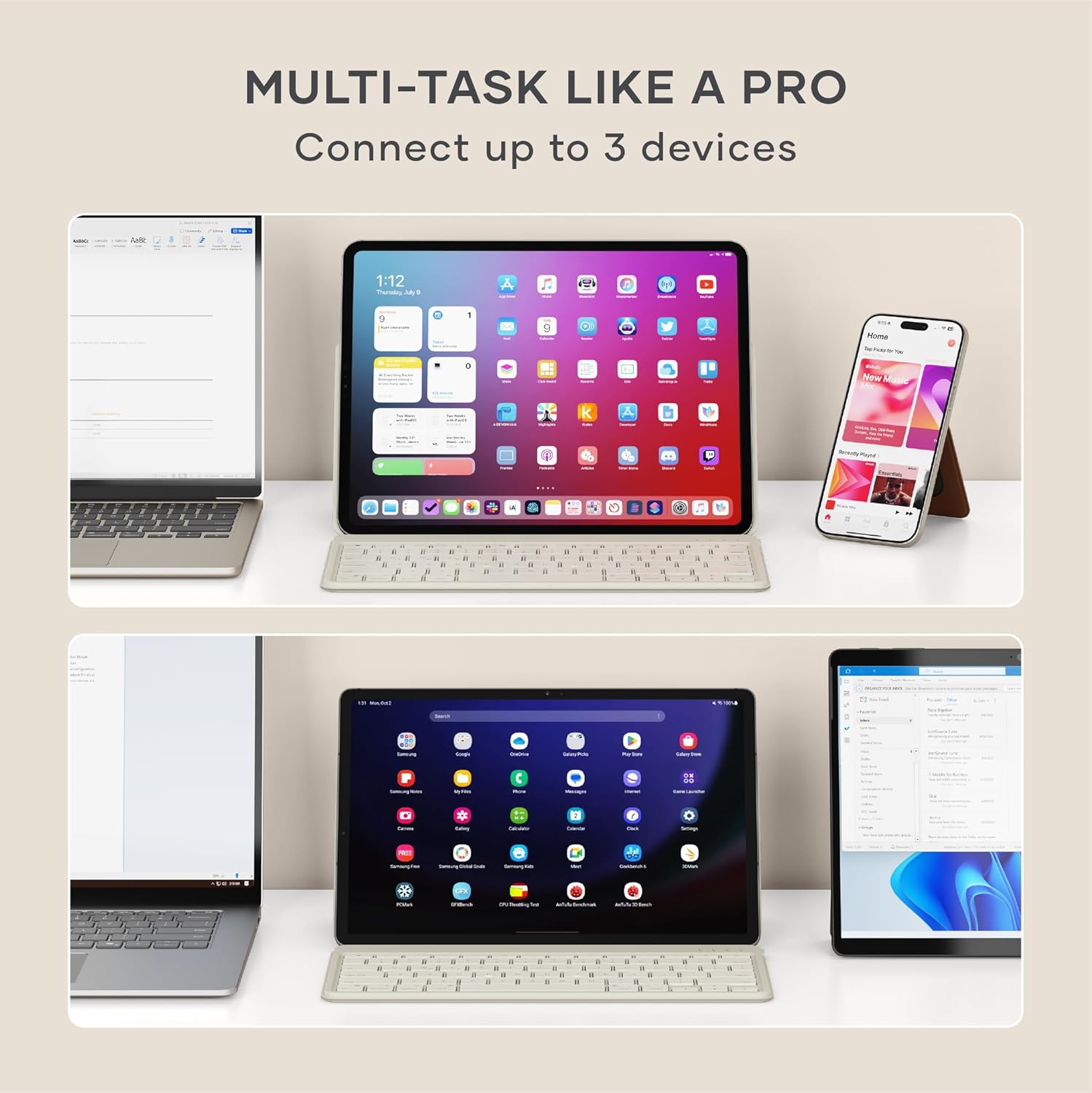
Image: Satechi OntheGo Keyboard connected to a USB-C charging cable.

Image: The Satechi OntheGo Keyboard charging via USB-C, illustrating its long battery life.
2. Parowanie Bluetooth
Klawiatura obsługuje technologię Bluetooth 5.1 i może łączyć się jednocześnie z maksymalnie 3 urządzeniami.
- Turn on the keyboard using the power switch located on the top right.
- Naciśnij i przytrzymaj Fn klawisz wraz z jednym z klawiszy urządzenia Bluetooth (Q, W, Lub E) for 3-5 seconds until the corresponding LED indicator above the key starts blinking. This indicates pairing mode.
- On your device (iPad, tablet, smartphone, laptop), navigate to Bluetooth settings.
- Wybierz „Klawiatura Satechi OntheGo” z listy dostępnych urządzeń.
- Follow any on-screen prompts to complete the pairing process. The LED indicator will stop blinking and remain solid once connected.
- Repeat these steps for up to two additional devices using the other Bluetooth device keys (W or E).

Image: The Satechi OntheGo Keyboard highlighting Bluetooth 5.1 and 3-device connectivity.

Image: A user switching between an iPad and a smartphone using the keyboard's multi-device feature.
Obsługa klawiatury
1. Korzystanie z regulowanej podstawki
The keyboard features an integrated adjustable stand that supports tablets and smartphones up to 13 inches in both portrait and landscape modes, offering viewing angles from 30° to 150°.
- Gently unfold the stand from the back of the keyboard.
- Place your tablet or smartphone into the stand's groove.
- Adjust the angle of the stand to your preferred viewing position. The reinforced metal hinge ensures stability.

Image: The keyboard in use with an iPad, demonstrating its ergonomic design.
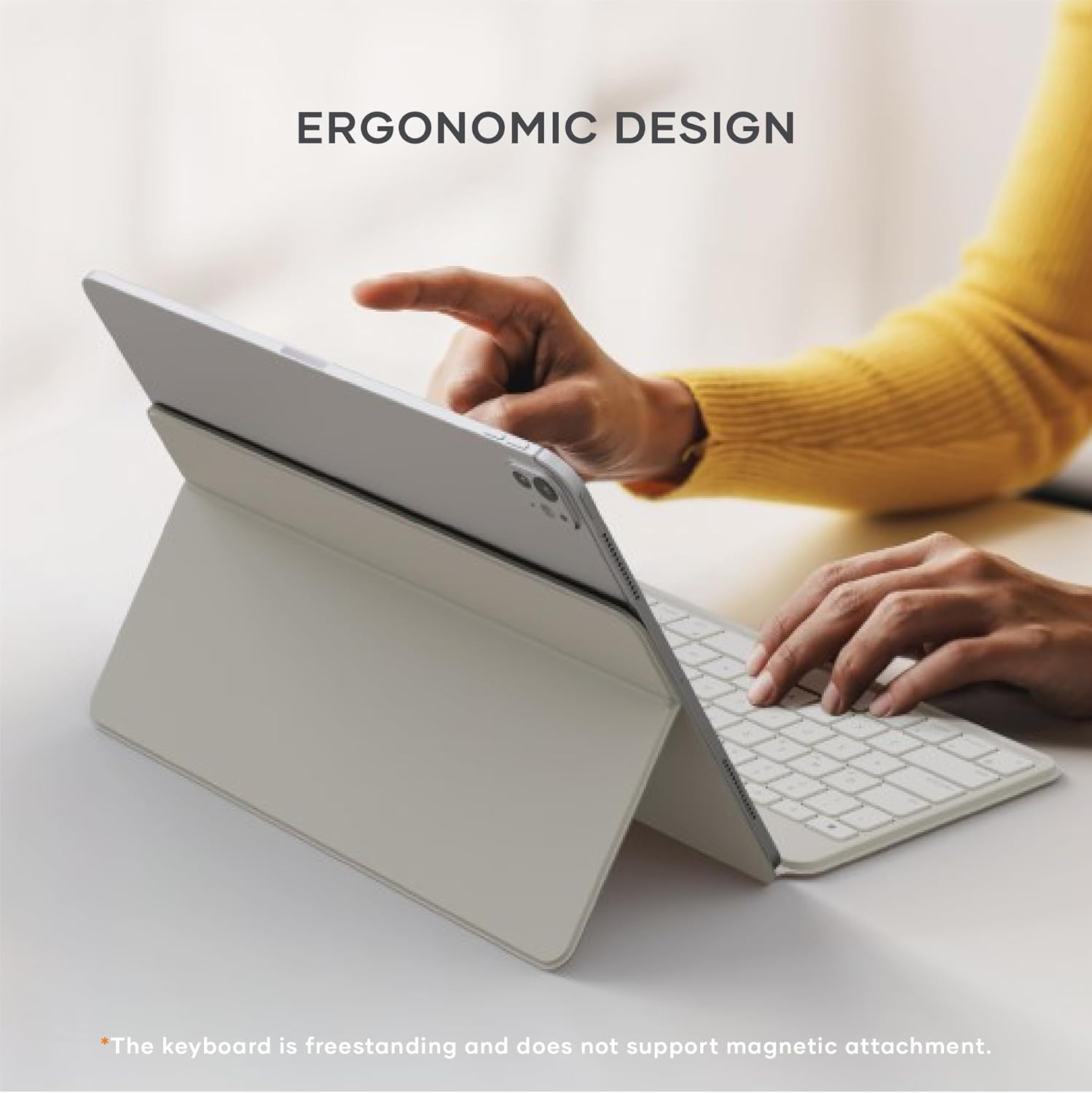
Image: Diagram illustrating the adjustable viewing angles of the keyboard's integrated stand.
2. Przełączanie między urządzeniami
To switch between your paired Bluetooth devices:
- Naciśnij Fn key along with the corresponding Bluetooth device key (Q, W, Lub E) for the desired device. The keyboard will quickly switch its connection.

Image: The keyboard demonstrating multi-device connectivity with an iPad, laptop, and smartphone.
3. Keyboard Layout and Features
Klawiatura ma niski poziom kompatybilnościfile scissor switches for a smooth and quiet typing experience. It includes standard function keys and is compatible with iOS, iPadOS, Android, MacOS, and ChromeOS.
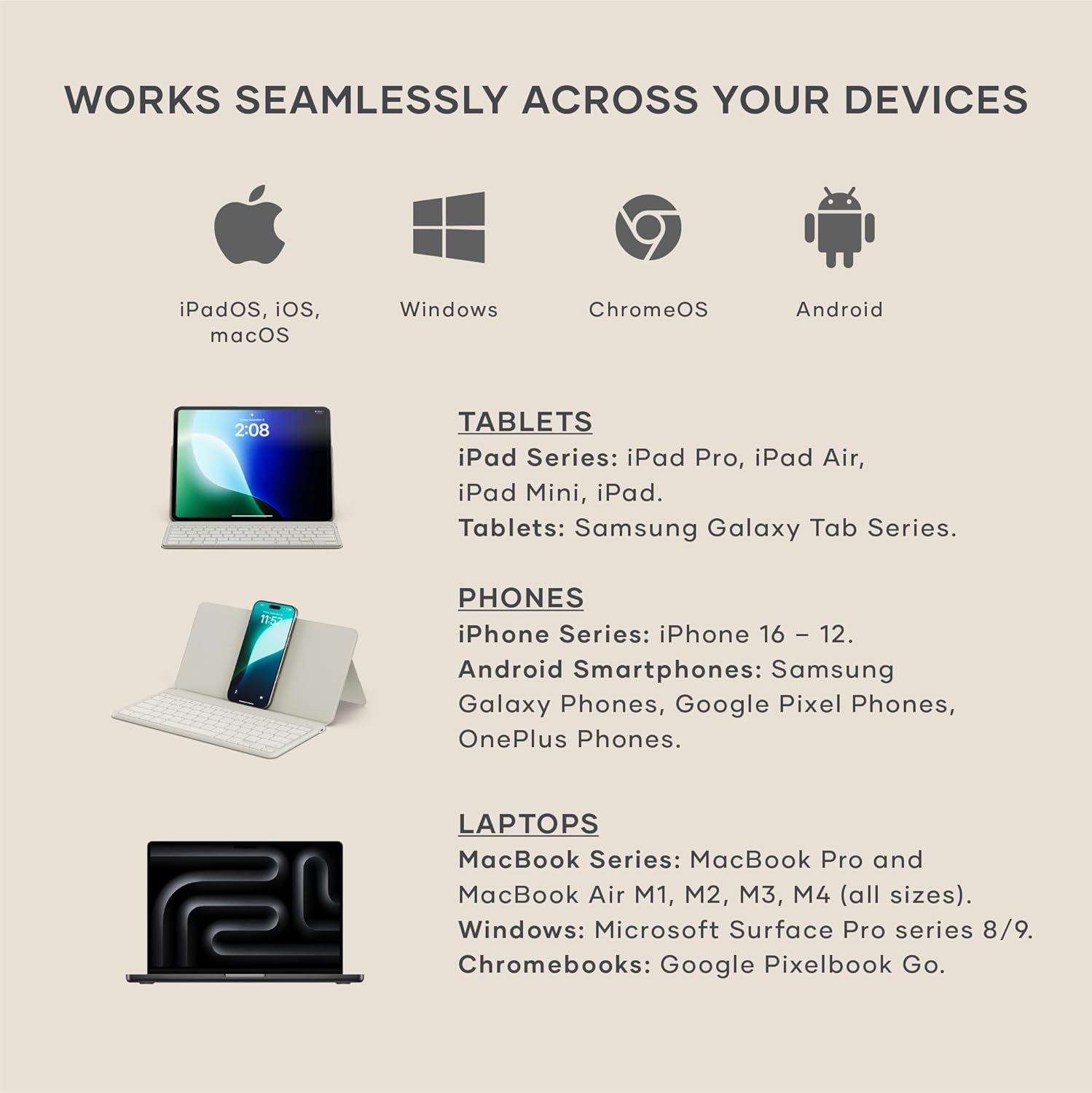
Image: Visual representation of the keyboard's broad compatibility across different operating systems and device types.
Konserwacja
1. Czyszczenie
Aby zachować wygląd i funkcjonalność klawiatury:
- Do czyszczenia powierzchni klawiatury należy używać miękkiej, niepozostawiającej włókien ściereczki.
- W przypadku uporczywych plam, delikatnieamppl szmatkę wodą lub łagodnym, nieściernym środkiem czyszczącym.
- Unikaj nadmiernej wilgoci i nie rozpylaj środków czyszczących bezpośrednio na klawiaturę.
2. Pielęgnacja baterii
Aby zmaksymalizować czas pracy baterii i wydajność:
- Przed pierwszym użyciem należy całkowicie naładować klawiaturę.
- Unikaj częstego całkowitego rozładowywania baterii.
- Jeśli klawiaturę nie używasz przez dłuższy czas, przechowuj ją w chłodnym i suchym miejscu.
Rozwiązywanie problemów
1. Problemy z łącznością
- Klawiatura nie łączy się: Ensure the keyboard is in pairing mode (LED blinking). Check your device's Bluetooth settings to ensure Bluetooth is enabled and the keyboard is visible. Try forgetting the device on your host device and re-pairing.
- Przerywane połączenie: Ensure the keyboard is within the 10-meter Bluetooth range of your device. Avoid obstructions between the keyboard and device. Check for interference from other wireless devices.
2. Key Functionality
- Klawisze nie reagują: Ensure the keyboard is charged. Try turning the keyboard off and on again. If connected to multiple devices, ensure you have switched to the correct device channel (Fn + Q/W/E).
- Nieprawidłowy wpis klawiszy: Verify that the keyboard layout on your device matches the physical layout of the Satechi keyboard.
Specyfikacje
- Wymiary produktu: 11.31" dł. x 5.88" szer. x 0.5" wys. (28.74 cm x 14.94 cm x 1.27 cm)
- Waga przedmiotu: 1.21 funta (546.4 g)
- Technologia łączności: Bluetooth 5.1
- Bateria: 360mAh rechargeable (included), up to 4 months standby, 2.5 hours charge time
- Zgodne urządzenia: MacBook Pro 14/16-inch (2025 M5/M4/M3/M2/M1), MacBook Air 13/15-inch (2025 M4/M3/M2/M1), iPad Pro 11/13-inch (2025 M5/M4/M2/M1), iPad Air 11/13-inch (2025 M3/M2/M1), iPad Mini (2024 A17/6th Gen), iPhone 17, iPhone Air, iPhone 17 Pro, iPhone 17 Pro Max, iPhone 16/15/14/13/12 Series, Mac Mini (2024 M4/M2/M1), iMac (2024 M4/M3/M1), Mac Studio (2025 M4/M3/M2/M1), Lenovo ThinkPad, Microsoft Surface, Google Pixelbook, Google Pixel Pro 8/9, Samsung S24/Z Flip 5, and other iOS, iPadOS, Android, MacOS, ChromeOS devices.
- Cechy szczególne: Ergonomiczny, składany, Low-Profile Key, Portable, Rechargeable, Adjustable Stand (30°-150° viewing angles)
- Tworzywo: Materiał premium (nakładki na klawisze ABS, wzmocniony metalowy zawias)
- Zawartość zestawu: 1 x Satechi OntheGo Bluetooth Keyboard, 1 x USB-C to USB-C charging cable

Image: The keyboard in its compact, folded state, with dimensions and weight indicated.
Oficjalne filmy produktowe
Satechi OntheGo Keyboard Overview
Wideo: Oficjalnyview klawiatury Bluetooth Satechi OntheGo, pokażasinjego projekt i kluczowe cechy.
Satechi OntheGo Keyboard Features
Video: A short video highlighting various features and usage scenarios of the Satechi OntheGo Bluetooth Keyboard.
Gwarancja i wsparcie
Satechi products are backed by a 2-year limited warranty, protecting against defects in materials and workmanship under normal use.
For customer service or additional support, please refer to the contact information provided in your product packaging or visit the official Satechi webstrona.


