1. Wprowadzenie
This manual provides essential information for setting up, operating, maintaining, and troubleshooting your HP OMEN 16L TG03 Gaming Desktop. Please read this guide thoroughly to ensure proper use and to maximize your system's performance and longevity.
2. Co znajduje się w pudełku
Przed przystąpieniem do instalacji sprawdź, czy wszystkie komponenty są obecne:
- HP OMEN 16L Gaming Tower Desktop
- Thunderobot KG3089R Gaming Keyboard
- Kabel zasilający
- Dokumentacja (skrócony przewodnik, informacje o gwarancji)
3. Przewodnik konfiguracji
3.1 Rozpakowywanie i umieszczanie
Carefully remove the desktop and keyboard from their packaging. Place the desktop on a stable, flat surface with adequate ventilation around all sides to prevent overheating.
3.2 Podłączanie urządzeń peryferyjnych
- Podłącz monitor: Za pomocą kabla HDMI lub DisplayPort podłącz monitor do portów karty graficznej znajdujących się z tyłu komputera stacjonarnego.
- Podłącz klawiaturę: Plug the Thunderobot KG3089R Gaming Keyboard's USB cable into an available USB port on the desktop.
- Podłącz mysz: Plug your mouse's USB cable into an available USB port.
- Połącz sieć (opcjonalnie): For a wired internet connection, connect an Ethernet cable from your router/modem to the RJ-45 port on the rear of the desktop. For wireless, ensure Wi-Fi is enabled during OS setup.
- Podłącz zasilanie: Podłącz kabel zasilający do gniazda zasilania komputera stacjonarnego, a następnie do uziemionego gniazdka elektrycznego.
3.3 Pierwsze włączenie zasilania i konfiguracja systemu operacyjnego
- Naciśnij przycisk zasilania znajdujący się z przodu komputera stacjonarnego.
- Follow the on-screen instructions to complete the Windows 11 Home setup process. This includes selecting your region, language, creating a user account, and connecting to a network.
- Once Windows is set up, ensure all drivers are installed and updated. The OMEN Gaming Hub application can assist with system and driver updates.

Figure 1: HP OMEN 16L TG03 Gaming Desktop with Thunderobot Keyboard.
4. Korzystanie z komputera stacjonarnego
4.1 Ogólne użytkowanie
Your HP OMEN 16L TG03 is equipped with an Intel Ultra 7 265F processor and NVIDIA RTX 5060 graphics, making it suitable for demanding tasks such as gaming, music production, and AI-ready workloads. Windows 11 Home provides a modern and efficient operating environment.
4.2 Główne cechy
- Procesor o wysokiej wydajności: Intel Core Ultra 7 265F (20 Cores, 20 Threads, up to 5.30GHz) for exceptional multitasking and processing power.
- Advanced Graphics: NVIDIA GeForce RTX 5060 with 8GB GDDR7 for realistic visuals and accelerated AI tasks.
- Szybka pamięć: 32GB DDR5 RAM (4800 MHz) ensures smooth application performance.
- Rapid Storage: 1TB PCIe NVMe M.2 SSD for quick boot times and fast data access.
- Łączność: Comprehensive port selection including USB Type-A, USB Type-C, HDMI, DisplayPort, RJ-45, Wi-Fi 6, and Bluetooth.

Figure 2: Key internal specifications of the OMEN 16L TG03 Desktop.
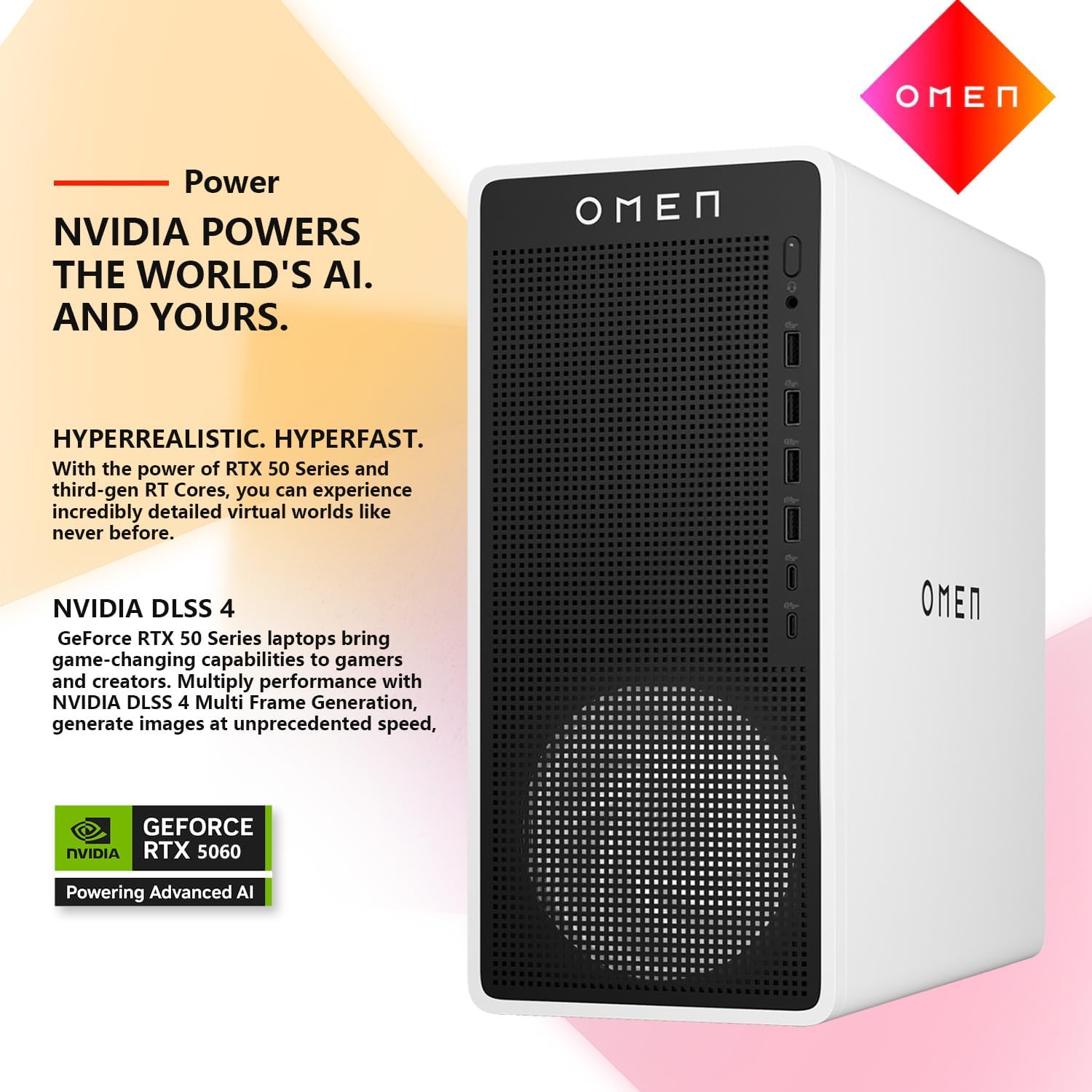
Figure 3: NVIDIA RTX 5060 graphics card features, including AI-powered creativity and DLSS 4 for enhanced performance.
4.3 OMEN Gaming Hub
The OMEN Gaming Hub is a pre-installed application designed to enhance your gaming experience. It provides tools for system monitoring, performance optimization, and customizable RGB lighting. Explore its features to fine-tune your desktop for specific games and applications.

Figure 4: The OMEN Gaming Hub interface for system management and optimization.
4.4 Thunderobot KG3089R Gaming Keyboard
The bundled Thunderobot KG3089R Gaming Keyboard features a compact 89-key layout with RGB mechanical switches. It offers game lighting effects and an ergonomic design for comfortable use. Refer to the keyboard's specific documentation for advanced customization.

Figure 5: Thunderobot KG3089R Gaming Keyboard with examples of shortcut key combinations (e.g., FN+F9 for lighting effects, FN+Win to lock the Windows key).
5. Konserwacja
5.1 Czyszczenie
- Regularnie czyść zewnętrzną część komputera stacjonarnego miękką, suchą ściereczką.
- Use compressed air to clear dust from ventilation grilles and ports to maintain optimal airflow and prevent overheating.
- Clean the keyboard and mouse as needed to ensure proper function.
5.2 Aktualizacje oprogramowania
Keep your operating system, drivers, and OMEN Gaming Hub software updated. Regular updates improve performance, security, and compatibility. Windows Update can manage OS updates, while OMEN Gaming Hub can assist with driver updates.
5.3 System Performance Monitoring
Utilize the OMEN Gaming Hub to monitor CPU and GPU temperatures, fan speeds, and resource usage. This helps identify potential performance issues early.
6. Rozwiązywanie Problemów
If you encounter issues with your HP OMEN 16L TG03 Gaming Desktop, consider the following basic troubleshooting steps:
- Brak zasilania: Ensure the power cable is securely connected to both the desktop and the electrical outlet. Test the outlet with another device.
- Brak wyświetlacza: Verify that the monitor is powered on and correctly connected to the graphics card. Try a different cable or monitor if available.
- Spowolnienie systemu: Check for background applications consuming resources using Task Manager (Ctrl+Shift+Esc). Ensure sufficient free storage space and update drivers.
- Urządzenie peryferyjne nie odpowiada: Try connecting the keyboard or mouse to a different USB port. Restart the desktop.
- Problemy z łącznością internetową: For wired connections, check the Ethernet cable and router. For Wi-Fi, ensure the network is selected and the password is correct. Restart your router/modem.
W przypadku bardziej złożonych problemów należy skontaktować się z pomocą techniczną HP webodwiedź witrynę lub skontaktuj się z działem obsługi klienta HP.
7. Specyfikacje
Detailed technical specifications for the HP OMEN 16L TG03 Gaming Desktop (Model: HSC-F007MT):
| Część | Specyfikacja |
|---|---|
| Edytor | Intel Core Ultra 7 265F (20 Cores, 20 Threads, 1.80GHz base, up to 5.30GHz max turbo) |
| Grafika | NVIDIA GeForce RTX 5060 (8 GB GDDR7) |
| BARAN | 32 GB DDR5 (4800 MHz) |
| Składowanie | Dysk SSD PCIe NVMe M.2 o pojemności 1 TB |
| System operacyjny | Windows 11 Home |
| Porty przednie | 1x Headphone/MIC combo jack, 4x USB Type-A (5Gbps), 2x USB Type-C (10Gbps) |
| Tylne porty | 3x Headphone/MIC combo jack, 1x HDMI, 3x DisplayPort, 4x USB Type-A 2.0, 1x RJ-45 (Ethernet) |
| Łączność bezprzewodowa | Wi-Fi 6, Bluetooth |
| Wymiary (dł. x szer. x wys.) | 13.26 x 12.12 x 6.1 cala |
| Waga | 13.91 funta |

Figure 6: Front and rear port configurations of the OMEN 16L TG03 Desktop.
8. Gwarancja i wsparcie
8.1 Gwarancja na produkt
Your HP OMEN 16L TG03 Gaming Desktop comes with a standard manufacturer's warranty. Please refer to the warranty documentation included with your product for specific terms, conditions, and duration.
8.2 Wsparcie techniczne
Aby uzyskać pomoc techniczną, pobrać sterowniki lub uzyskać więcej informacji, odwiedź oficjalną stronę pomocy technicznej HP website or contact HP customer service. Have your product model number (HSC-F007MT) and serial number ready when seeking support.
Wsparcie HP Webstrona: wsparcie.hp.com
9. Oficjalne filmy o produktach
No official seller-provided product videos were found for this model that meet the embedding criteria.