1. Wprowadzenie
This manual provides detailed instructions for the RUIZU D18 MP3 Player. Please read it carefully to ensure proper use and to fully utilize all features of your device. Keep this manual for future reference.
The RUIZU D18 is a versatile MP3 player featuring Bluetooth 5.3 connectivity, a 2.4-inch display, metal housing, HiFi sound quality, touch buttons, an integrated speaker, FM radio, and voice recording capabilities. It supports MicroSD cards up to 128GB for expanded storage.
2. Zawartość opakowania
Proszę sprawdzić, czy w paczce znajdują się następujące elementy:
- RUIZU D18 MP3 Player
- Kabel ładujący USB-C
- Instrukcja obsługi (ten dokument)
- (Headphones may be included depending on package variant)
3. Koniec produktuview
Zapoznaj się z cechami fizycznymi i elementami sterowania urządzenia.

Obraz 3.1: Przód i tył view odtwarzacza MP3 RUIZU D18, pokażasing its sleek design and metal housing.

Obraz 3.2: Z bliska view of the RUIZU D18 MP3 Player highlighting its curved brilliance and metallic edge, with a visible integrated speaker grille.

Obraz 3.3: Diagram illustrating the physical features of the RUIZU D18 MP3 Player, including the 2.4-inch curved TFT color display, touch buttons, volume controls, lock/power button, USB-C port, 3.5mm headphone jack, and integrated speaker. Dimensions are approximately 11cm length, 5cm width, and 1cm thickness.
3.1. Przyciski i porty
- 2.4-inch Curved TFT Color Display: Main screen for navigation and content viewing.
- Przyciski dotykowe: Located below the screen for navigation and playback control.
- Przyciski głośności: Dedykowane przyciski do regulacji głośności dźwięku.
- Lock/On/Off Button: Used to power the device on/off and lock the screen.
- Port USB-C: Do ładowania i przesyłania danych.
- 3.5mm Plug Jack: Do podłączenia przewodowych słuchawek.
- Zintegrowany głośnik: Do odtwarzania dźwięku bez słuchawek.
- Gniazdo kart Micro SD: Do rozszerzenia pamięci do 128 GB.
4. Konfiguracja
4.1. Ładowanie urządzenia
Before first use, fully charge the MP3 player. Connect the provided USB-C cable to the device's USB-C port and the other end to a USB power adapter (not included) or a computer's USB port. A full charge takes approximately 2.5 hours.
The battery provides up to 48 hours of playback with headphones (screen off) or 6.5 hours in Bluetooth mode.
4.2. Włączanie/wyłączanie zasilania
- Włączanie: Press and hold the Lock/On/Off button until the screen lights up.
- Aby wyłączyć: Press and hold the Lock/On/Off button until the power-off option appears on the screen, then confirm.
- Aby zablokować/odblokować ekran: Briefly press the Lock/On/Off button during operation.
4.3. Instalowanie karty MicroSD
The device has 32GB of internal memory. To expand storage, you can insert a MicroSD card (up to 128GB, sold separately) into the designated slot. Ensure the card is inserted correctly until it clicks into place.

Obraz 4.1: Visual representation of the 32GB internal memory and support for up to 128GB MicroSD card, alongside the device's long battery life (up to 50 hours playing time indicated).
5. Instrukcja obsługi
5.1. Podstawowa nawigacja
Use the touch buttons below the screen to navigate through menus. The central button typically acts as "Enter" or "Select," while the surrounding buttons are for directional movement (up, down, left, right) and "Back" or "Menu."
5.2. Odtwarzanie muzyki
The RUIZU D18 supports various audio formats including MP3, WMA, APE, FLAC, and WAV. It features a professional noise cancellation chip for clear, detailed sound.
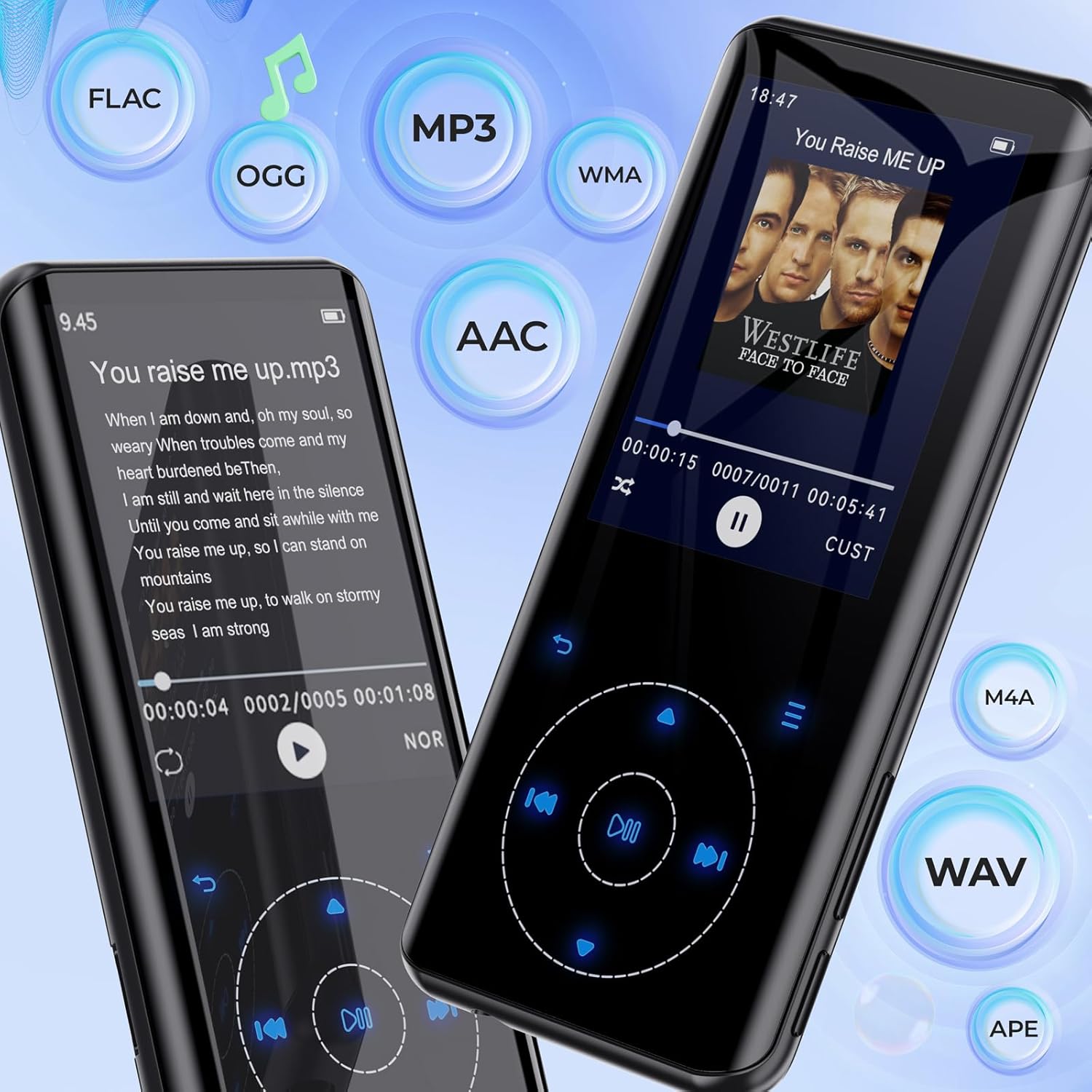
Obraz 5.1: The RUIZU D18 MP3 Player showcasing its compatibility with various audio formats such as FLAC, MP3, WMA, AAC, M4A, WAV, and APE, along with lyric display functionality.
- From the main menu, select "Music."
- Browse your music by "All Songs," "Artists," "Albums," "Genres," or "Playlists."
- Wybierz utwór, aby rozpocząć odtwarzanie.
- During playback, use the touch buttons to play/pause, skip tracks, or adjust volume.
5.2.1. Equalizer and Playback Options
Access the equalizer settings to customize sound profiles. The player also supports A-B repeat, shuffle, and lyric display.

Obraz 5.2: Wiele views of the RUIZU D18 MP3 Player's music interface, highlighting features like adding bookmarks, repeat modes (all songs, resume, A-B repeat), shuffle, album/genre/playlist browsing, and a graphic equalizer display.
5.3. Parowanie Bluetooth
The device features Bluetooth 5.3 for stable and fast wireless connections to headphones or speakers. It includes a memory function to automatically reconnect to previously paired devices.

Obraz 5.3: The RUIZU D18 MP3 Player demonstrating its Bluetooth 5.3 capability, indicating a stable and faster connection with an auto-reconnect function for paired devices like wireless earbuds.
- From the main menu, select "Bluetooth."
- Włącz Bluetooth.
- Odtwarzacz przeskanuje dostępne urządzenia.
- Wybierz żądane urządzenie Bluetooth z listy, aby je sparować.
- Po sparowaniu dźwięk będzie przesyłany strumieniowo bezprzewodowo.
5.4.Radio FM
Listen to your favorite radio stations. Headphones must be connected to act as an antenna for optimal reception.
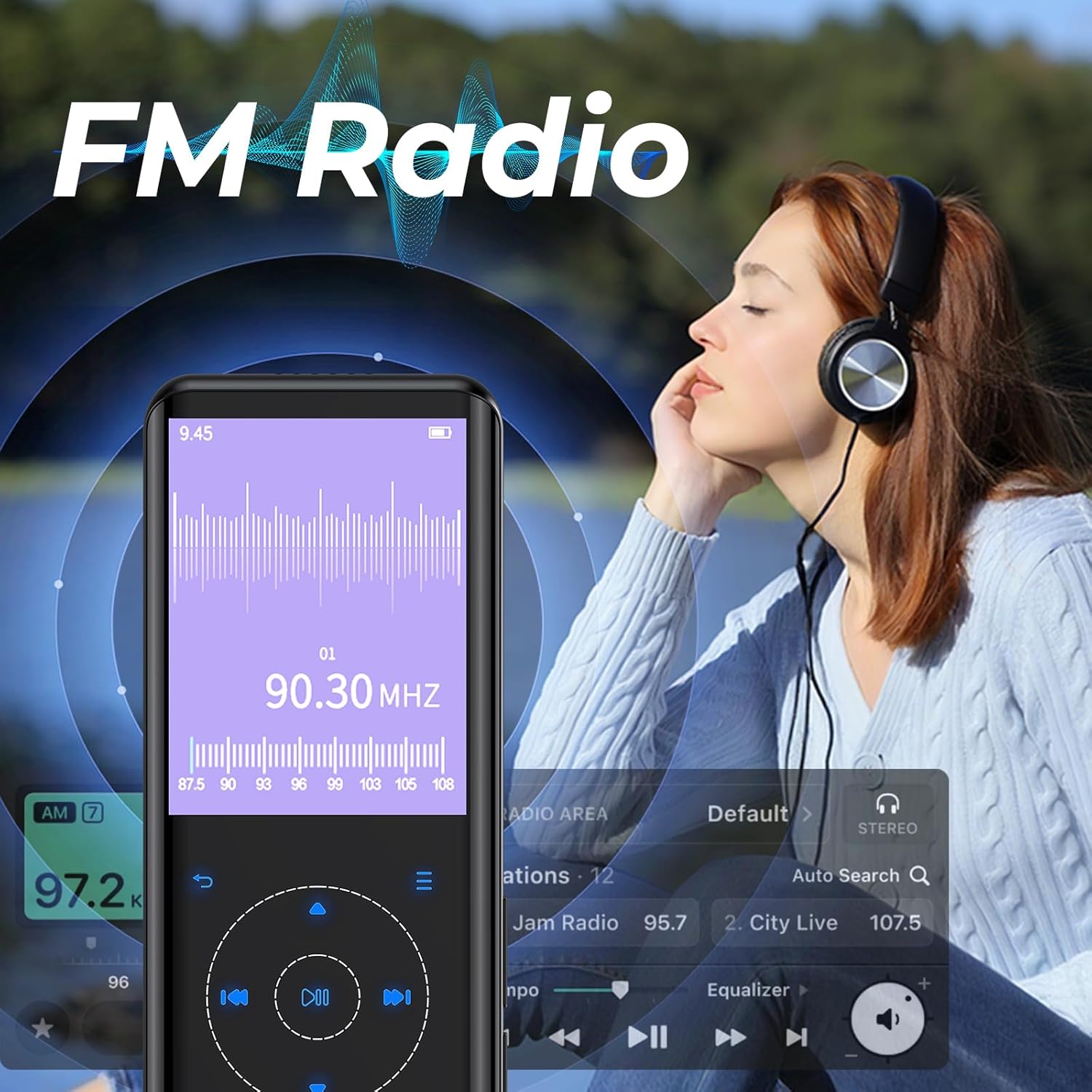
Obraz 5.4: The RUIZU D18 MP3 Player displaying its FM Radio interface, showing frequency tuning and station presets. A user is shown enjoying the radio with headphones.
- Connect wired headphones (required for antenna).
- From the main menu, select "FM Radio."
- Use the auto-search function to find and save available stations.
- Navigate through saved stations or manually tune to a frequency.
5.5. Nagrywanie głosu
The integrated voice recorder allows you to capture audio notes or lectures.
- From the main menu, select "Recorder."
- Aby rozpocząć, wybierz „Rozpocznij nagrywanie głosu”.
- Naciśnij odpowiedni przycisk, aby zatrzymać i zapisać nagrywanie.
5.6. Inne funkcje
The RUIZU D18 offers several additional features:
- E-book Reader (TXT): Przeczytaj tekst filebezpośrednio na urządzeniu.
- Video Playing (AVI/AMV): Watch supported video formats.
- Zdjęcie Viewer (JPG/BMP): View obraz files.
- Budzik: Ustaw alarmy.
- Krokomierz: Śledź swoje kroki.
- Kalendarz: View aktualną datę.
- Stoper: Use as a timer.
- Wyłącznik czasowy: Automatically turn off the device after a set period.
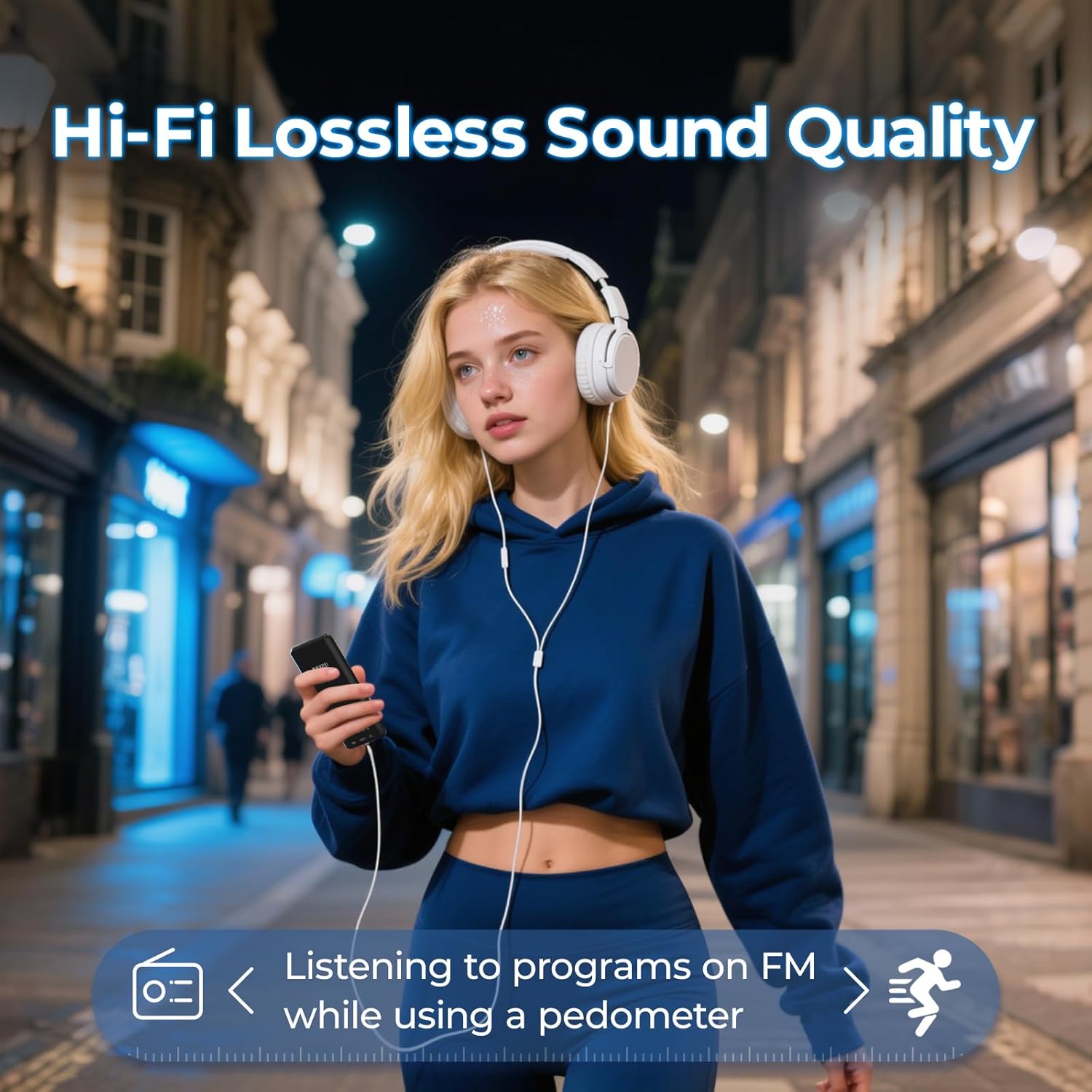
Obraz 5.5: A user enjoying music with the RUIZU D18 MP3 Player, highlighting its Hi-Fi lossless sound quality and the integrated pedometer function for tracking activity while listening to FM radio.
6. Konserwacja
- Przechowuj urządzenie w suchym miejscu. Wilgoć może uszkodzić podzespoły elektroniczne.
- Unikaj ekstremalnych temperatur.
- Czyść ekran i obudowę miękką, suchą ściereczką. Nie używaj silnych środków chemicznych.
- Chroń urządzenie przed upadkami i uderzeniami.
- Nie próbuj samodzielnie demontować ani naprawiać urządzenia. Spowoduje to unieważnienie gwarancji.
7. Rozwiązywanie Problemów
7.1. Device Will Not Turn On
- Upewnij się, że bateria jest naładowana. Podłącz urządzenie do źródła zasilania na co najmniej 30 minut.
- Try pressing and holding the Lock/On/Off button for 10-15 seconds to perform a hard reset.
7.2. Nie można połączyć się przez Bluetooth
- Ensure Bluetooth is enabled on both the MP3 player and the target device.
- Make sure the target device is in pairing mode.
- Przysuń urządzenia bliżej siebie.
- Usuń poprzednie sparowania na obu urządzeniach i spróbuj sparować ponownie.
- Some Bluetooth devices may have compatibility issues.
7.3. Brak dźwięku
- Sprawdź poziom głośności.
- If using headphones, ensure they are properly plugged in or paired via Bluetooth.
- Przetestuj z różnymi słuchawkami i głośnikami.
- Zapewnij dźwięk file format jest obsługiwany.
7.4. MicroSD Card Not Detected
- Ensure the MicroSD card is inserted correctly and fully.
- Spróbuj ponownie włożyć kartę.
- Test with a different MicroSD card to rule out card issues.
- Ensure the card is formatted to a compatible file system (np. FAT32).
8. Specyfikacje
| Numer modelu | D18 |
| Marka | RUIZU |
| Pamięć wewnętrzna | 32 GB |
| Rozszerzalna pamięć | Up to 128 GB (MicroSD card, not included) |
| Wersja Bluetooth | 5.3 |
| Wyświetlacz | 2.4-calowy kolorowy wyświetlacz TFT |
| Obsługiwane formaty audio | MP3, WMA, APE, FLAC, WAV, AAC, M4A, OGG |
| Obsługiwane formaty wideo | AVI, AMV |
| Obsługiwane formaty obrazu | JPG, BMP |
| Typ baterii | Polimer litowy |
| Czas ładowania | Około 2.5 godzin |
| Playback Time (Headphones, Screen Off) | Do 48 godzin |
| Playback Time (Bluetooth Mode) | Do 6.5 godzin |
| Wymiary produktu | 0.39 x 1.97 x 4.33 cala (ok. 1 x 5 x 11 cm) |
| Waga przedmiotu | 7 uncji |
9. Gwarancja i wsparcie
Specific warranty information is not provided in this manual. Please refer to the product packaging or the retailer's webSzczegóły dotyczące warunków gwarancji i zakresu gwarancji można znaleźć na stronie internetowej.
For technical support or further assistance, please contact RUIZU customer service through the official RUIZU webwitryna lub platforma, na której zakupiono produkt.


