1. Wprowadzenie
Thank you for choosing the Pro Breeze 40L Smart Dehumidifier. This manual provides important information regarding the safe operation, installation, use, and maintenance of your appliance. Please read this manual thoroughly before use and retain it for future reference.
This dehumidifier is designed to efficiently remove excess moisture from the air, helping to prevent mold, mildew, and condensation in spaces up to 50 m².
2. Ważne instrukcje bezpieczeństwa
Aby zmniejszyć ryzyko pożaru, porażenia prądem i obrażeń, należy zawsze przestrzegać podstawowych zasad bezpieczeństwa podczas korzystania z urządzeń elektrycznych.
- Przed przystąpieniem do obsługi urządzenia przeczytaj uważnie wszystkie instrukcje.
- Upewnij się, że objętośćtagWartość podana na etykiecie znamionowej odpowiada napięciu sieci zasilającejtage.
- Nie zanurzaj urządzenia, przewodu zasilającego ani wtyczki w wodzie ani innych płynach.
- Do not operate the appliance with a damaged cord or plug, or after it malfunctions or has been dropped or damaged in any manner.
- Przechowywać urządzenie w miejscu niedostępnym dla dzieci i zwierząt domowych.
- Always unplug the appliance when not in use, before cleaning, or before moving.
- Upewnij się, że urządzenie jest ustawione na stabilnej, płaskiej powierzchni.
- Nie blokuj wlotów ani wylotów powietrza. Zachowaj co najmniej 20 cm wolnej przestrzeni wokół urządzenia.
- To urządzenie jest przeznaczone wyłącznie do użytku wewnątrz pomieszczeń.
- Do not use in bathrooms or other excessively humid environments where water may splash onto the unit.
3. Koniec produktuview
3.1 Składniki
The Pro Breeze 40L Smart Dehumidifier features a compact design with integrated controls and a water tank. It includes a continuous drainage option and mobility wheels for easy placement.
Obraz: Przód view of the Pro Breeze 40L Smart Dehumidifier, highlighting its dimensions (52cm height, 28cm depth, 35.5cm width) and key features like smart app control, laundry mode, 5.5L tank, and low energy consumption.
3.2 Panel sterowania i wyświetlacz
The dehumidifier is equipped with an intuitive touch control panel and an LED display for easy operation and monitoring of humidity levels.

Image: A hand interacting with the touch control panel of the dehumidifier, showing the digital display and various function buttons.
4. Konfiguracja
4.1 Rozpakowanie
- Ostrożnie wyjmij osuszacz powietrza z opakowania.
- Usuń wszystkie materiały opakowaniowe, w tym folie ochronne i taśmy.
- Inspect the appliance for any signs of damage. If damaged, do not operate and contact customer support.
4.2 Umieszczenie
Place the dehumidifier on a firm, level surface in the desired room. Ensure there is at least 20 cm of clear space around all sides of the unit to allow for proper airflow.

Image: A person easily moving the dehumidifier across a wooden floor in a living room, demonstrating its portability with four swivel wheels.
4.3 Połączenie zasilania
Podłącz przewód zasilający do uziemionego gniazdka elektrycznego. Upewnij się, że gniazdko spełnia wymagania dotyczące zasilania określone w sekcji „Specyfikacja”.
4.4 Ciągły drenaż (opcjonalnie)
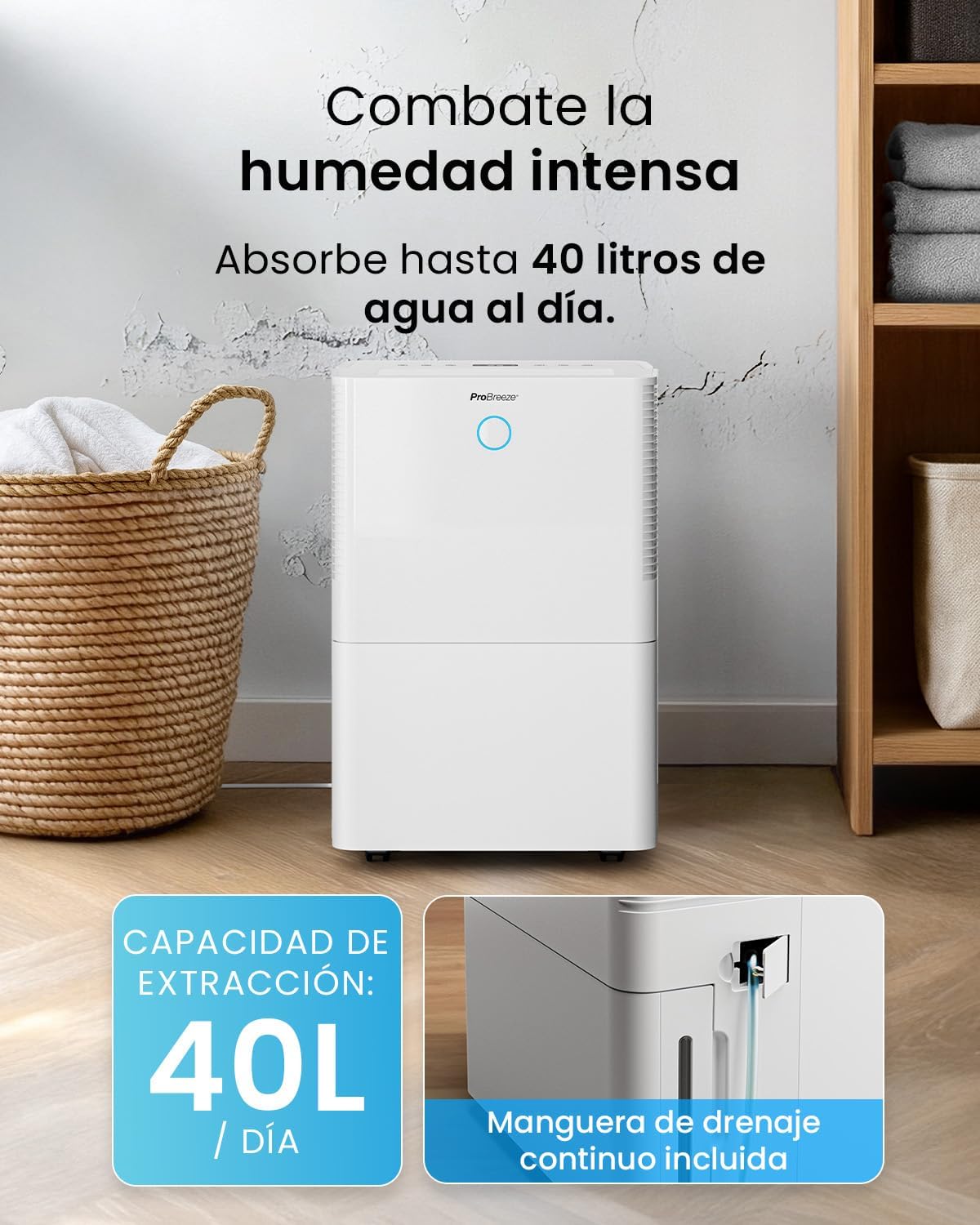
For continuous operation without needing to empty the water tank, attach the included drainage hose. Connect one end to the drainage port on the back of the unit and the other end to a suitable drain or container that is lower than the drainage port.

Obraz: Zbliżenie view of the dehumidifier's side, showing the continuous drainage hose connected and leading to a floor drain.
5. Instrukcja obsługi
5.1 Włączanie/wyłączanie zasilania
Naciśnij Moc przycisk na panelu sterowania, aby włączyć lub wyłączyć urządzenie.
5.2 Ustawianie pożądanej wilgotności
The dehumidifier features an automatic sensor that continuously measures room humidity. Use the Wilgotność przyciski umożliwiające ustawienie pożądanego poziomu wilgotności w zakresie od 30% do 80%.

Image: A family relaxing in a living room with the dehumidifier operating. An overlay illustrates the humidity indicator lights: Blue for >50% (Low), Green for 50-70% (Medium), and Red for <70% (High).
5.3 tryby pracy
- Tryb automatyczny: Urządzenie automatycznie dostosuje swoją pracę, aby utrzymać ustawiony poziom wilgotności.
- Tryb ciągły: The dehumidifier will operate continuously regardless of the humidity level, ideal for very damp warunki.
- Tryb prania: This mode is designed to accelerate the drying of clothes indoors by running at maximum fan speed and continuous dehumidification.
- Tryb uśpienia: Reduces fan speed and dims the display for quiet operation during the night.

Image: A woman smiling while placing clothes on a drying rack next to the dehumidifier, illustrating the accelerated laundry drying feature.

Image: A family watching television in a dimly lit living room, with the dehumidifier operating quietly in the foreground, indicating its silent operation and night mode features.
5.4 Funkcja timera
Użyj Regulator czasowy button to set a 24-hour timer for automatic power on or off. This allows you to schedule operation according to your needs.

Image: A close-up of a smartphone screen displaying the Pro Breeze app's 24-hour timer function, allowing users to schedule the dehumidifier's operation.
6. Łączność Wi-Fi i sterowanie aplikacją
The Pro Breeze 40L Smart Dehumidifier can be controlled remotely via the free Pro Breeze app, compatible with both Alexa and Google Home.
6.1 Instalacja i parowanie aplikacji
- Download the Pro Breeze app from your smartphone's app store.
- Follow the in-app instructions to create an account and pair your dehumidifier.
- Ensure your dehumidifier is powered on and your smartphone is connected to a 2.4GHz Wi-Fi network during the pairing process.
6.2 Funkcje pilota zdalnego sterowania
Za pomocą aplikacji możesz:
- Włączanie/wyłączanie osuszacza powietrza.
- Dostosuj ustawienia wilgotności.
- Select operating modes (Auto, Continuous, Laundry, Sleep).
- Set and manage the 24-hour timer.
- Monitoruj aktualną wilgotność powietrza w pomieszczeniu.

Image: A woman using a smartphone to control the dehumidifier, with icons for Amazon Alexa and Google Home indicating voice control compatibility.
7. Konserwacja
Regularna konserwacja gwarantuje optymalną wydajność i długą żywotność osuszacza powietrza.
7.1 Czyszczenie filtra powietrza
Filtr powietrza należy czyścić co dwa tygodnie lub częściej, w zależności od intensywności użytkowania i jakości powietrza.
- Wyłącz osuszacz powietrza i odłącz go od zasilania.
- Wyjmij filtr powietrza znajdujący się z tyłu urządzenia.
- Umyj filtr ciepłą wodą z mydłem. Dokładnie wypłucz i pozostaw do całkowitego wyschnięcia przed ponownym włożeniem.
- Nie należy używać osuszacza powietrza bez zamontowanego filtra.
7.2 Opróżnianie i czyszczenie zbiornika na wodę
When the water tank is full, the unit will automatically shut off and an indicator light will illuminate. Empty the tank and clean it regularly to prevent mold and bacteria growth.
- Ostrożnie wyciągnij zbiornik na wodę z przodu urządzenia.
- Wylej zebraną wodę.
- Clean the tank with mild detergent and water. Rinse thoroughly.
- Reinsert the dry tank firmly into the dehumidifier.

Image: The dehumidifier in operation, with an overlay indicating its 40L/day extraction capacity and the continuous drainage hose option.
7.3 Czyszczenie zewnętrzne
Przetrzyj zewnętrzną część osuszacza miękką, damp ściereczka. Nie należy używać środków czyszczących o właściwościach ściernych ani rozpuszczalników.
8. Rozwiązywanie Problemów
If you encounter issues with your dehumidifier, refer to the following table before contacting customer support.
| Problem | Możliwa przyczyna | Rozwiązanie |
|---|---|---|
| Osuszacz powietrza nie włącza się. | No power; Power cord not plugged in; Water tank full or not correctly inserted. | Sprawdź zasilanie; Podłącz przewód zasilający; Opróżnij i ponownie włóż prawidłowo zbiornik na wodę. |
| Nie zebrano wody. | Room humidity too low; Temperature too low; Air filter blocked; Continuous drainage hose connected. | Increase desired humidity setting; Ensure room temperature is above 5°C; Clean air filter; Disconnect continuous drainage hose if collecting water in tank. |
| Urządzenie jest głośne. | Unit not on a level surface; Air filter blocked; Fan obstruction. | Umieść na płaskiej, stabilnej powierzchni; Wyczyść filtr powietrza; Sprawdź, czy w obszarze wentylatora nie ma przeszkód. |
| Problemy z połączeniem Wi-Fi. | Nieprawidłowe hasło Wi-Fi; Brak połączenia z siecią 2.4 GHz; Router znajduje się za daleko. | Verify password; Connect to 2.4GHz Wi-Fi; Move unit closer to router or use a Wi-Fi extender. |
9. Specyfikacje
- Marka: Profesjonalna bryza
- Nazwa modelu: PB-D-32W-W
- Ekstrakcja wilgoci: Do 40 litrów dziennie
- Pojemność zbiornika na wodę: 5.3 litrów
- Zalecany rozmiar pokoju: Do 50 m² (538 stóp kwadratowych)
- Wymiary (dł. x szer. x wys.): Wymiary 27.5 x 35.5 x 52.2 cm
- Waga: 16.36 kilogramów
- Liczba prędkości: 3
- Cechy szczególne: Smart App Control, Automatic Humidity Sensor, Automatic Shut-off, 24-hour Timer, Laundry Mode, Sleep Mode, Continuous Drainage
- Poziom hałasu: <49dB
10. Gwarancja i wsparcie
For warranty information and customer support, please refer to the documentation included with your purchase or visit the official Pro Breeze website. Ensure you have your model number (PB-D-32W-W) and proof of purchase available when contacting support.
Producent: Jedna grupa detaliczna


