1. Wprowadzenie
Thank you for choosing the BUGANI OWSB11 Open Ear Wireless Bluetooth Headphones. These headphones are designed to provide a comfortable listening experience while maintaining awareness of your surroundings. Featuring advanced Bluetooth 5.4 technology, immersive HiFi sound, and an IPX5 waterproof rating, they are ideal for various activities including workouts, cycling, and daily use. This manual provides detailed instructions for setup, operation, and maintenance to ensure optimal performance and longevity of your device.

Image: BUGANI B18 Open Ear Headphones banner. This image displays the product name and a tagline, showcasing the sleek design of the headphones and charging case.
2. Zawartość opakowania
Proszę sprawdzić, czy w paczce znajdują się następujące elementy:
- BUGANI OWSB11 Open Ear Wireless Bluetooth Headphones (Left & Right)
- Etui ładujące
- Kabel ładujący USB-C
- Instrukcja obsługi
3. Koniec produktuview
Familiarize yourself with the components of your BUGANI OWSB11 headphones and charging case.

Image: BUGANI OWSB11 Open Ear Wireless Headphones in their charging case. This image shows both earbuds securely placed within the compact charging case, ready for use or charging.
Elementy słuchawek dousznych:
- Haczyk na ucho: Zapewnia bezpieczne i wygodne dopasowanie do ucha.
- Obszar kontrolny: Touch-sensitive surface for various functions.
- Mikrofon: Do połączeń i poleceń głosowych.
- Wskaźnik LED: Displays status (pairing, charging, etc.).
Elementy etui ładującego:
- Port ładowania (USB-C): Do podłączenia kabla ładującego.
- Wskaźnik LED ładowania: Pokazuje stan naładowania etui.
4. Rozpoczęcie pracy
4.1. Ładowanie urządzenia
For optimal performance, fully charge your headphones and charging case before first use.
- Ładowanie obudowy: Connect the provided USB-C cable to the charging port on the case and to a USB power adapter (not included). The case's LED indicator will show charging status and turn solid when fully charged.
- Ładowanie słuchawek: Place the earbuds into the charging case. Ensure they are correctly seated. The earbuds will automatically begin charging. The LED indicators on the earbuds will show their charging status.
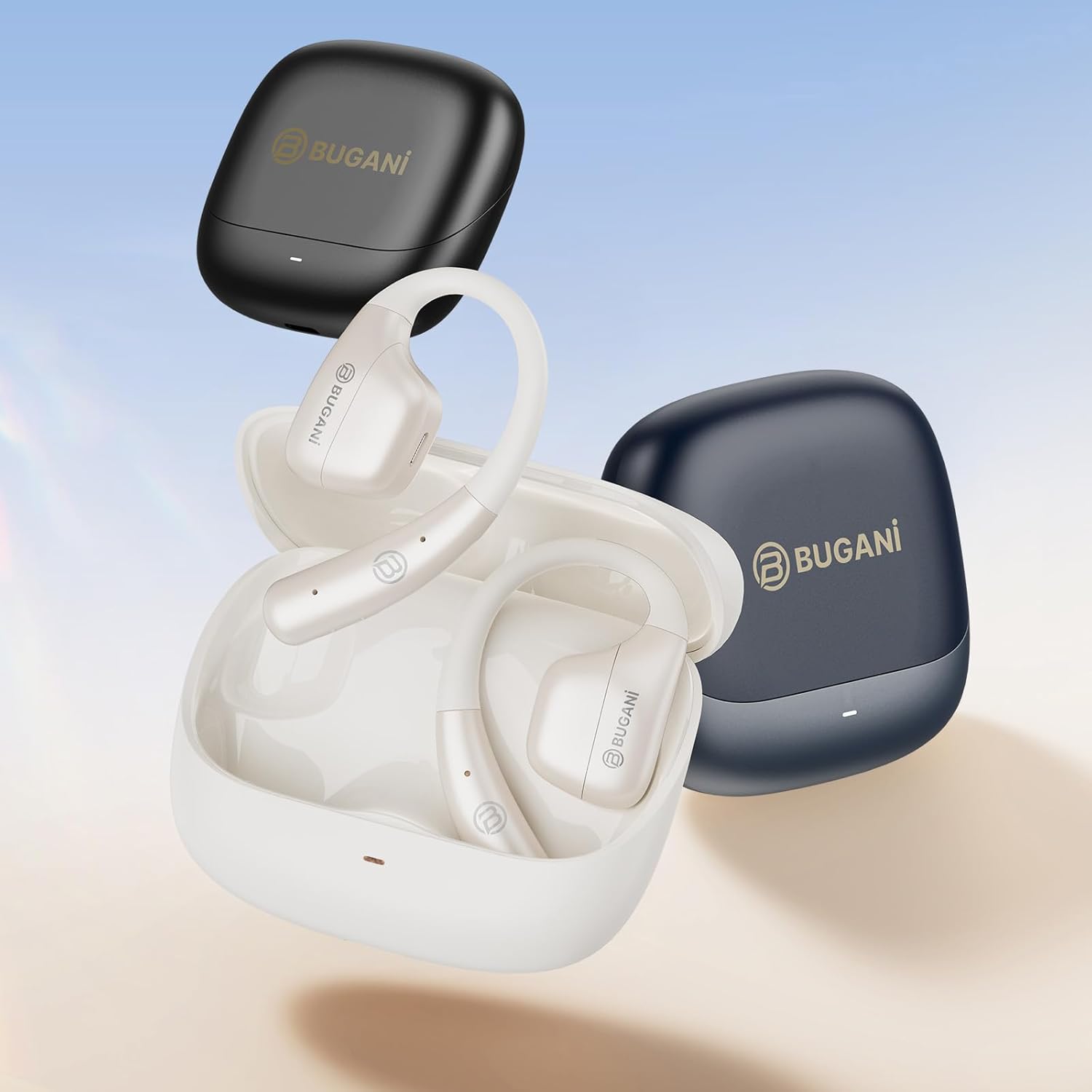
Image: An illustration showing the extended battery life cycle of the BUGANI OWSB11 headphones and charging case. This graphic highlights the 6.5 hours of music time, 1.5 hours of charging time, and 26 hours of total cycle playtime.
4.2. Włączanie/wyłączanie zasilania
- Włączanie: Otwórz etui ładujące, a słuchawki włączą się automatycznie. Możesz również nacisnąć i przytrzymać obszar sterowania dotykowego na obu słuchawkach przez 3 sekundy.
- Wyłączone: Włóż słuchawki douszne z powrotem do etui ładującego i zamknij pokrywę. Wyłączą się automatycznie. Możesz również nacisnąć i przytrzymać obszar sterowania dotykowego na obu słuchawkach przez 5 sekund.
4.3. Parowanie Bluetooth
The BUGANI OWSB11 headphones utilize Bluetooth 5.4 for a fast and stable connection.
- Parowanie po raz pierwszy:
- Otwórz etui ładujące. Słuchawki automatycznie przejdą w tryb parowania, a ich diody LED zaczną migać.
- Włącz Bluetooth na swoim urządzeniu (smartfonie, tablecie itp.).
- Szukaj "BUGANI OWSB11" in the list of available Bluetooth devices and select it to connect.
- Once connected, the earbud LED indicators will turn off or flash slowly.
- Ponowne łączenie: After initial pairing, the earbuds will automatically connect to the last paired device when removed from the charging case and Bluetooth is enabled on your device.

Image: Diagram illustrating the Bluetooth 5.4 technology chip for stable connectivity. This image highlights the advanced Bluetooth 5.4 chip, emphasizing its role in providing a fast and reliable wireless connection.
5. Korzystanie ze słuchawek
The touch control area on each earbud allows you to manage music playback, calls, and other functions.
5.1. Odtwarzanie muzyki
- Odtwórz/Pauza: Pojedyncze dotknięcie dowolnej słuchawki.
- Następny utwór: Kliknij dwukrotnie prawą słuchawkę.
- Poprzedni utwór: Kliknij dwukrotnie lewą słuchawkę.
5.2. Zarządzanie połączeniami
- Odbieranie/kończenie połączeń: Pojedyncze dotknięcie dowolnej słuchawki.
- Odrzuć połączenie: Naciśnij i przytrzymaj przycisk na dowolnej słuchawce przez 2 sekundy.
5.3. Regulacja głośności
Volume control is typically managed directly from your connected device. Some models may support earbud-based volume control; refer to specific product details if available.
5.4. Situational Awareness (Open-Ear Design)
The open-ear design of the BUGANI OWSB11 allows you to hear your audio while remaining aware of your surroundings. This feature enhances safety during outdoor activities and allows for easy conversations without removing the earbuds.

Image: A person wearing the BUGANI OWSB11 Open Ear Wireless Headphones, demonstrating the secure and comfortable fit. This image illustrates how the open-ear design sits on the ear, allowing for situational awareness.
6. Pielęgnacja i konserwacja
6.1. Czyszczenie
Regular cleaning helps maintain the performance and hygiene of your headphones.
- Wytrzyj słuchawki douszne i etui ładujące miękką, suchą i niepozostawiającą włókien ściereczką.
- Nie należy używać środków czyszczących o właściwościach ściernych, alkoholu ani rozpuszczalników chemicznych.
- Upewnij się, że styki ładowania są czyste i suche.
6.2. Wodoodporność (IPX5)
The BUGANI OWSB11 headphones are rated IPX5, meaning they are protected against low-pressure water jets from any direction. This makes them suitable for workouts and light rain.
- Nie zanurzaj słuchawek w wodzie.
- Unikaj narażenia na działanie słonej wody i innych żrących płynów.
- If wet, dry thoroughly before placing them back in the charging case or charging.

Image: The BUGANI OWSB11 Open Ear Wireless Headphones with water droplets, highlighting their IPX5 waterproof rating. This image visually confirms the product's resistance to sweat and splashes.
6.3. Przechowywanie
Gdy nie używasz słuchawek, przechowuj je w etui ładującym, aby je chronić i utrzymać naładowanie.
7. Rozwiązywanie Problemów
Jeśli napotkasz jakiekolwiek problemy, zapoznaj się z poniższymi typowymi rozwiązaniami:
| Problem | Możliwe rozwiązanie |
|---|---|
| Słuchawki nie włączają się. | Ensure the charging case and earbuds are charged. Place earbuds in the case and close/open the lid. |
| Nie można sparować z urządzeniem. | Make sure Bluetooth is enabled on your device. Ensure earbuds are in pairing mode. Forget "BUGANI OWSB11" from your device's Bluetooth list and try pairing again. |
| Brak dźwięku w jednej lub obu słuchawkach. | Check device volume. Ensure earbuds are properly paired. Try resetting the earbuds (refer to manufacturer's web(w razie potrzeby odwiedź naszą stronę, aby uzyskać szczegółowe instrukcje dotyczące resetowania). |
| Problemy z ładowaniem. | Check the USB-C cable and power adapter. Ensure charging contacts on earbuds and case are clean and dry. |
8. Specyfikacje
Technical details of your BUGANI OWSB11 Open Ear Wireless Bluetooth Headphones:
- Numer modelu: OWSB11
- Wersja Bluetooth: 5.4
- Pojemność baterii słuchawek: 70mAh (każdy)
- Pojemność baterii etui ładującego: 500mAh
- Czas odtwarzania słuchawek: 8-10 godzin (po jednym ładowaniu)
- Całkowity czas odtwarzania (z etui): Do 60 godzin
- Stopień wodoodporności: IPX5
- Waga przedmiotu: 6.3 uncji
- Wymiary opakowania: 5.12 x 4.45 x 1.85 cala
9. Informacje dotyczące bezpieczeństwa
Please read and follow these safety guidelines to prevent damage or injury:
- Nie rozmontowuj, nie naprawiaj ani nie modyfikuj produktu.
- Trzymać produkt z dala od ekstremalnych temperatur, bezpośredniego światła słonecznego i otwartego ognia.
- Unikaj słuchania przy wysokim poziomie głośności przez dłuższy czas, aby zapobiec uszkodzeniu słuchu.
- Przechowywać w miejscu niedostępnym dla dzieci i zwierząt domowych.
- Produkt i baterie należy utylizować w sposób odpowiedzialny, zgodnie z lokalnymi przepisami.
10. Gwarancja i wsparcie
BUGANI products are designed for reliability and performance. For warranty information, technical support, or customer service inquiries, please refer to the contact information provided on the BUGANI official website or your purchase platform. Please retain your proof of purchase for warranty claims.
Aby uzyskać dalszą pomoc, odwiedź stronę Sklep BUGANI na Amazon.


