1. Wprowadzenie
The Midland ENERPUMP is a compact and portable air compressor designed for convenient inflation of various items, including vehicle tires, bicycle tires, sports balls, and inflatable mattresses. Featuring a built-in 4000mAh battery, it offers cordless operation and can also function as a power bank for charging electronic devices. With a maximum pressure of 10 bar (150 PSI), it provides efficient inflation for on-the-go needs.

Rycina 1: Przód view of the Midland ENERPUMP Portable Air Compressor, showing the digital display and control buttons.
2. Zawartość opakowania
Proszę sprawdzić, czy w paczce znajdują się następujące elementy:
- Midland ENERPUMP Portable Air Compressor (Model C1651)
- Kabel ładujący (USB-C)
- Wąż przedłużający
- Various End Pieces (nozzles for different inflation needs)
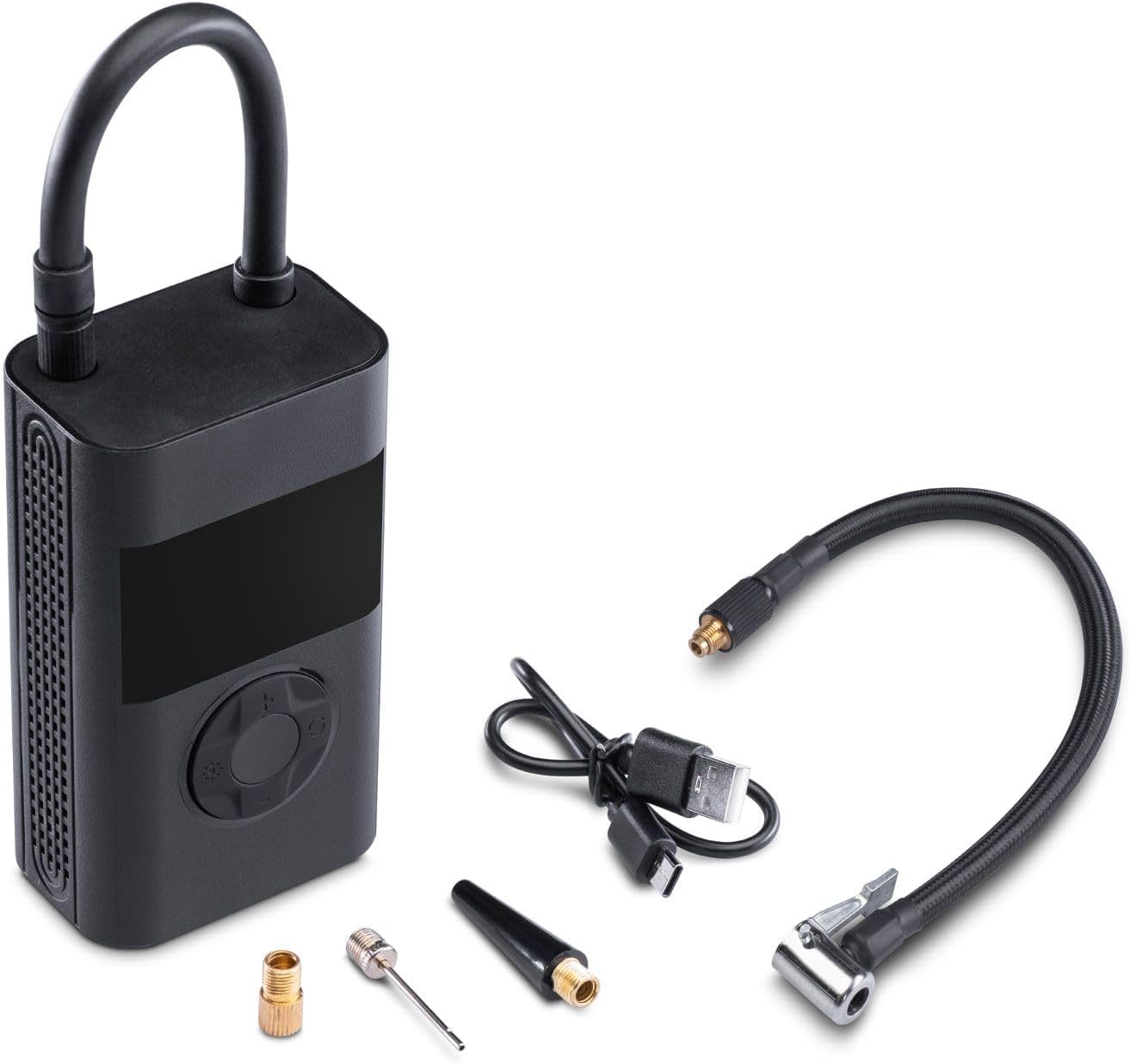
Figure 2: The Midland ENERPUMP compressor shown with its charging cable, extension hose, and various inflation nozzles.
3. Funkcje produktu
- Szybka inflacja: Capable of inflating up to 10 bar (150 PSI), suitable for cars, motorcycles, bicycles, balloons, and mattresses.
- Zintegrowana bateria 4000mAh: Provides cordless operation and can function as a power bank for external devices.
- Kompaktowa i przenośna konstrukcja: Łatwe do przechowywania i transportu.
- Zintegrowane oświetlenie LED: For visibility during use in low-light conditions or emergencies.
- Akumulator USB-C: Convenient charging via the included USB-C cable.
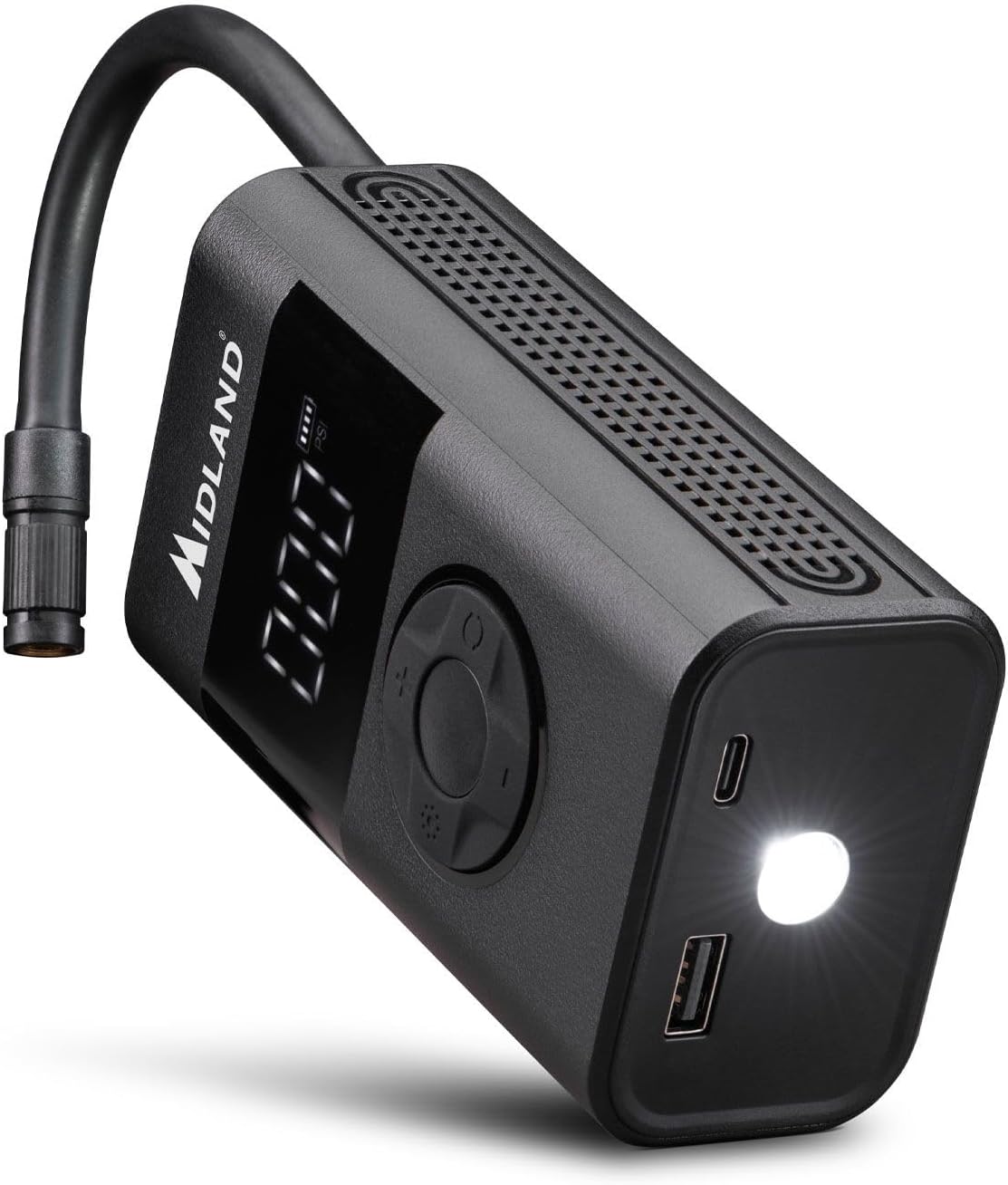
Rysunek 3: Kątowy view of the compressor highlighting the USB charging ports and the integrated LED light for dark environments.
4. Konfiguracja
4.1 Ładowanie urządzenia
- Connect the provided USB-C charging cable to the compressor's USB-C port.
- Connect the other end of the cable to a suitable USB power adapter (not included) or a powered USB port.
- The battery indicator on the display will show the charging status. Ensure the device is fully charged before first use.
4.2 Podłączanie węża i dysz
- Screw the extension hose securely onto the air outlet port of the compressor.
- Wybierz odpowiednią dyszę do przedmiotu, który chcesz napompować.
- Attach the selected nozzle to the free end of the extension hose.
5. Instrukcja obsługi
5.1 Włączanie/wyłączanie
- To power on, press and hold the power button (usually the central button) for a few seconds until the display illuminates.
- To power off, press and hold the power button again until the display turns off. The device may also power off automatically after a period of inactivity.
5.2 Ustawianie żądanego ciśnienia
- Once powered on, the display will show the current pressure unit (e.g., PSI, Bar). Use the mode button (often indicated by a gear or unit symbol) to cycle through available pressure units.
- Use the '+' and '-' buttons to adjust the target pressure value. Refer to the item's manufacturer recommendations for correct pressure.
5.3 Proces inflacji
- Connect the hose with the appropriate nozzle to the item you wish to inflate. Ensure a secure connection to prevent air leakage.
- The display will show the current pressure of the connected item.
- Press the start/stop button (often indicated by a play/pause symbol or the power button) to begin inflation.
- Kompresor zatrzyma się automatycznie po osiągnięciu zadanej wartości ciśnienia.
- Odłącz wąż od przedmiotu.
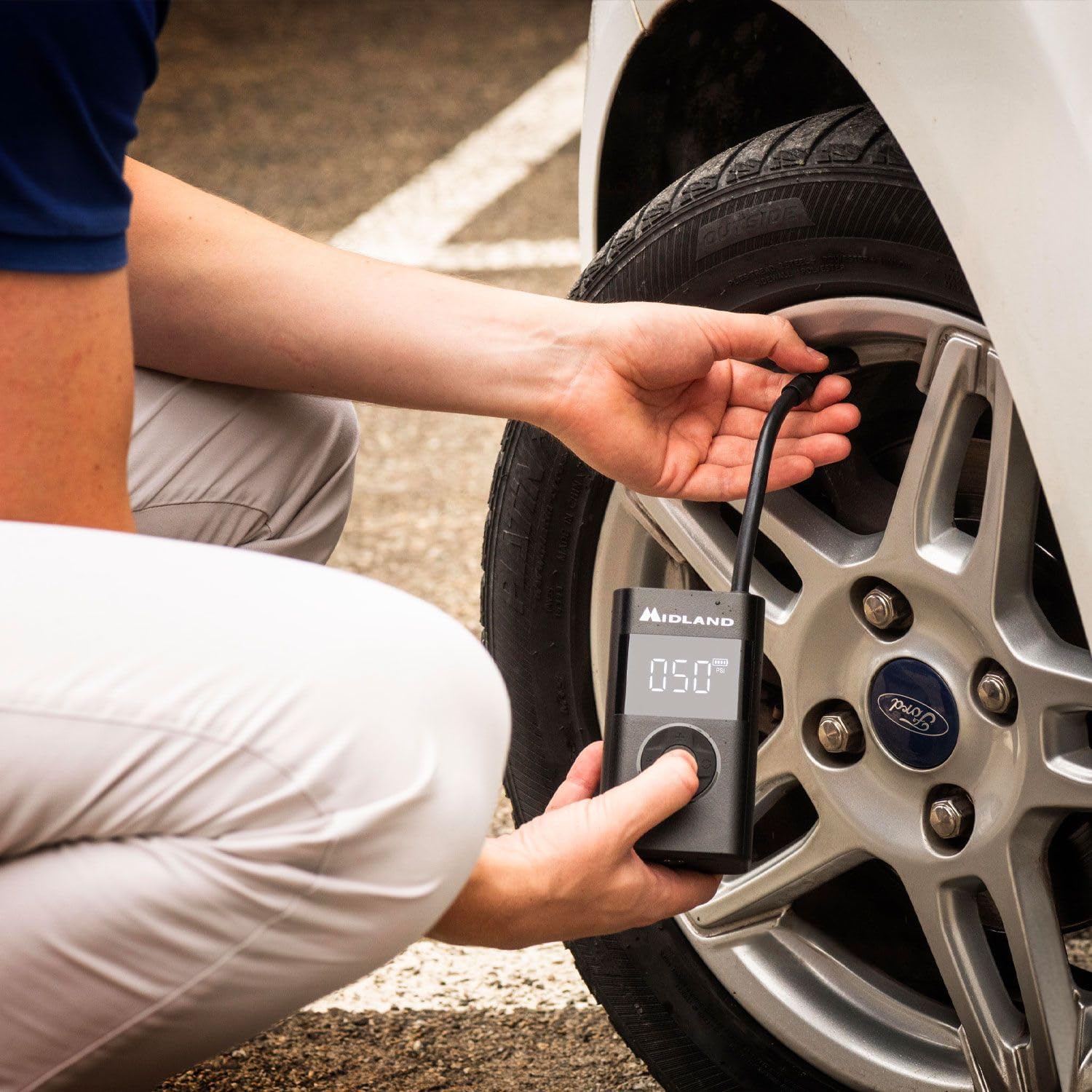
Figure 4: A user demonstrating the inflation of a car tire using the Midland ENERPUMP portable air compressor.

Rysunek 5: Zbliżenie view of the Midland ENERPUMP in use, showing the digital display indicating the pressure during tire inflation.
5.4 Używanie jako powerbanku
The ENERPUMP can charge other electronic devices. Connect your device's charging cable to the USB-A output port on the compressor. The compressor's battery will then supply power to your device.
5.5 Korzystanie ze światła LED
Press the dedicated light button (if available, or a long press on a specific button) to turn the integrated LED light on or off. This is useful for illuminating your work area in dark conditions.
6. Konserwacja
- Czyszczenie: Przetrzyj zewnętrzną część sprężarki miękką,amp cloth. Do not use harsh chemicals or abrasive cleaners. Ensure no water enters the ports.
- Składowanie: Przechowuj kompresor w chłodnym, suchym miejscu, z dala od bezpośredniego światła słonecznego i ekstremalnych temperatur. Trzymaj go poza zasięgiem dzieci.
- Pielęgnacja baterii: To prolong battery life, charge the device fully at least once every three months, even if not in regular use. Avoid completely draining the battery frequently.
7. Rozwiązywanie Problemów
| Problem | Możliwa przyczyna | Rozwiązanie |
|---|---|---|
| Kompresor się nie włącza. | Niski poziom baterii lub urządzenie jest wyłączone. | Charge the battery. Press and hold the power button to turn on. |
| No air is being pumped. | Hose not securely attached, nozzle blocked, or target pressure already reached. | Ensure hose and nozzle are tightly connected. Check for obstructions. Verify target pressure setting. |
| Inflacja jest niska. | Low battery or large volume item. | Ensure battery is fully charged. Inflation time varies based on item size. |
| Odczyt ciśnienia jest niedokładny. | Luźne połączenie lub problem z czujnikiem. | Ensure hose is securely connected. If problem persists, contact customer support. |
8. Specyfikacje
| Numer modelu | C1651 |
| Wymiary produktu | Wymiary 6 x 4 x 35 cm |
| Waga przedmiotu | 560 gramów |
| Tworzywo | Aluminium |
| Źródło zasilania | Zasilany bateryjnie |
| Pojemność baterii | 4000mAh |
| Maksymalne ciśnienie | 10.34 barów (150 PSI) |
| Długość węża | 19 centymetrów |
| Port ładowania | USB-C |
| Port wyjściowy | USB-A (funkcja powerbanku) |
9. Informacje dotyczące bezpieczeństwa
Przed użyciem produktu należy przeczytać i zrozumieć wszystkie instrukcje bezpieczeństwa. Nieprzestrzeganie tych instrukcji może spowodować porażenie prądem, pożar lub poważne obrażenia.
- Trzymaj urządzenie z dala od wody i wilgoci.
- Nie należy używać sprężarki w atmosferach wybuchowych, na przykład w obecności łatwopalnych cieczy, gazów lub pyłów.
- Always ensure the correct pressure setting for the item being inflated to prevent over-inflation and potential bursting.
- Nie pozostawiać działającej sprężarki bez nadzoru.
- Keep children and pets away from the compressor during use.
- Do not modify or attempt to repair the device yourself. Contact qualified service personnel for repairs.
- Use only the provided or recommended charging cable and accessories.
- Unikaj wystawiania baterii na działanie ekstremalnych temperatur lub bezpośredniego światła słonecznego.
10. Gwarancja i wsparcie
Midland products are manufactured to high-quality standards. For warranty information, technical support, or service inquiries, please refer to the warranty card included with your purchase or visit the official Midland webStrona. Zachowaj dowód zakupu na wypadek roszczeń gwarancyjnych.


