1. Wprowadzenie
This manual provides detailed instructions for the installation, operation, and maintenance of your Hawkrown H05 Bathroom Exhaust Fan. This unit integrates a powerful exhaust fan with a humidity sensor, odor sensor, 3CCT LED light, 7 LED color options, and remote control functionality. Please read this manual thoroughly before installation and use to ensure safe and efficient operation.
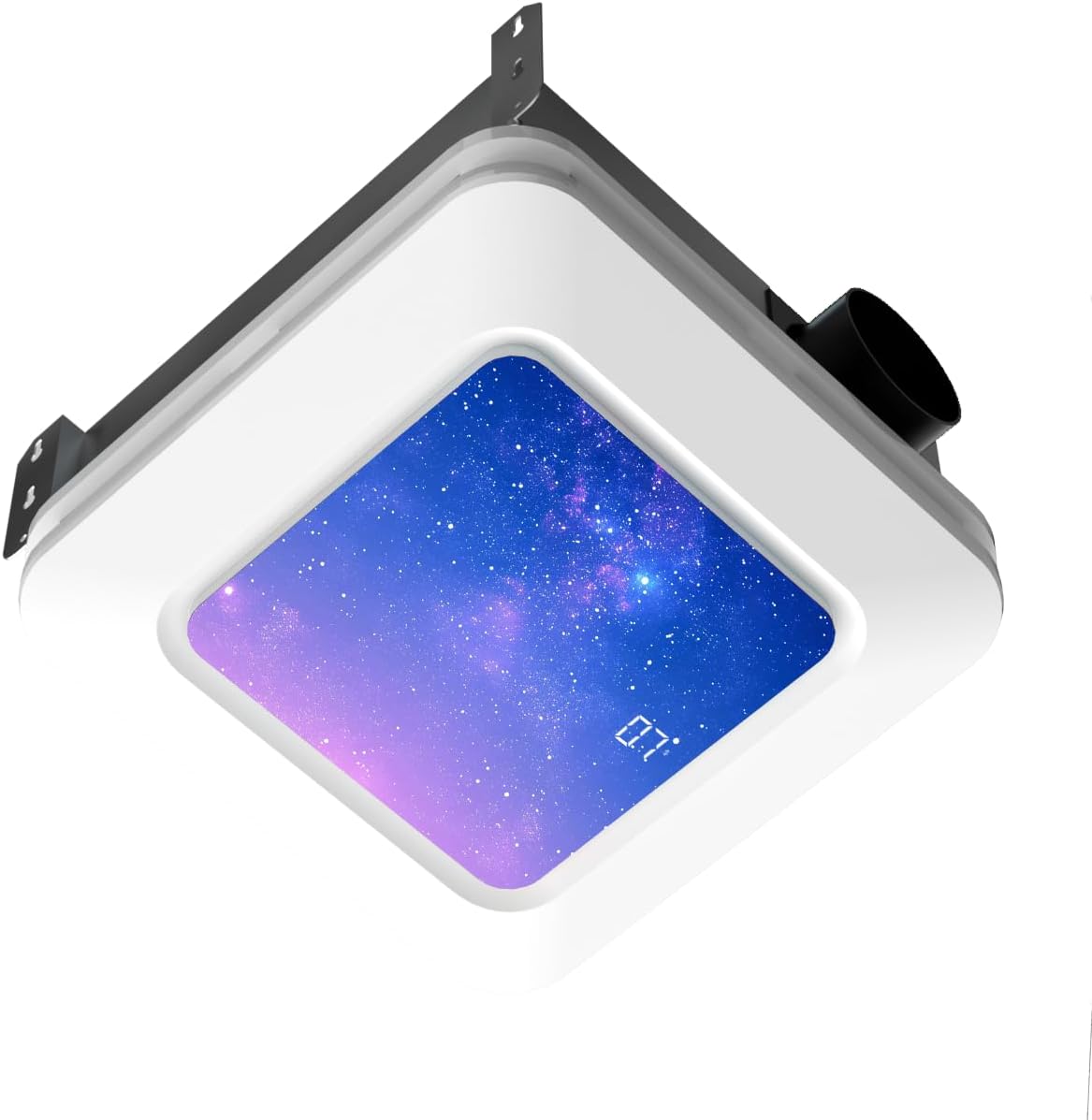
Image 1.1: Hawkrown H05 Bathroom Exhaust Fan with LED light and digital display.
2. Informacje dotyczące bezpieczeństwa
- Always disconnect power at the circuit breaker before installing, servicing, or cleaning the unit.
- Instalację powinien wykonać wykwalifikowany elektryk, zgodnie ze wszystkimi lokalnymi i krajowymi przepisami dotyczącymi instalacji elektrycznych.
- Podczas montażu należy nosić odpowiedni sprzęt ochrony osobistej, obejmujący rękawice i okulary ochronne.
- Aby zapobiec porażeniu prądem elektrycznym, należy upewnić się, że urządzenie jest prawidłowo uziemione.
- Do not use this fan in areas where it may be exposed to water spray from a shower or bathtub unless specifically rated for such use.
- Trzymaj dzieci i zwierzęta domowe z dala od miejsca instalacji.
- Nie wkładaj palców ani obcych przedmiotów do kratki wentylatora.
3. Zawartość opakowania
Przed rozpoczęciem instalacji sprawdź, czy wszystkie komponenty są obecne:
- Main Exhaust Fan Unit
- Panel świetlny LED
- Zdalne sterowanie
- Ventilation Pipe (Flexible Duct)
- Metal Hoop (Duct Clamp)
- Self-tapping Screws and Washers
- Taśma klejąca
- Opaski kablowe
- Instrukcja obsługi

Image 3.1: All components included in the Hawkrown H05 package.
4. Specyfikacje
| Funkcja | Specyfikacja |
|---|---|
| Marka | Hawkrown |
| Nazwa modelu | H05 |
| Przepływ powietrza | 230 stopy sześcienne na minutę |
| Poziom hałasu | 1.0 Sone |
| Źródło zasilania | AC |
| Tomtage | 120 V (AC) |
| Cotage | 36 watów |
| Wymiary produktu | 10.62" gł. x 10.98" szer. x 7.08" wys. |
| Ceiling Opening Requirement | 11.22" x 11.22" |
| Typ montażu | Montaż sufitowy |
| Cechy specjalne | Digital Display, Remote Controlled, Humidity Sensor, Odor Sensor, 3CCT LED Light, 7 LED Colors |
5. Instrukcja instalacji
For a visual guide, please refer to the official installation video below. Professional installation is recommended.
Video 5.1: Official Hawkrown Humidity Sensor Exhaust Fan Installation Guide. This video demonstrates the step-by-step process for installing the exhaust fan, including preparing the ceiling, connecting the ductwork, and securing the unit.
5.1. Przygotowanie
- Upewnij się, że zasilanie na wyłączniku jest wyłączone.
- Gather all necessary tools: measuring tape, utility knife, screwdriver, power drill, safety gloves, and eye protection.
- Rozpakuj wszystkie komponenty i sprawdź je na liście zawartości opakowania.

Image 5.1.1: Product dimensions and required ceiling opening (11.22" x 11.22").
5.2. Otwór sufitowy
- Measure and cut an 11.22 x 11.22 inch hole in the ceiling. Use a ruler to ensure accuracy.
- Ensure there is at least 11 inches of roof-to-ceiling clearance for proper installation.
5.3. Ductwork Connection
- Slip the metal hoop over the flexible ventilation pipe.
- Expand the ventilation pipe and align it with the air outlet of the main unit, then slip it over the outlet.
- Tighten the metal hoop with power tools to secure the connection.
- For additional security, fix the air duct with adhesive tape and then use cable ties or hoops for fixation.
5.4. Instalacja elektryczna
- Always unplug the power before connecting terminals.
- Connect the wires: Green to green (Ground), White to white (Neutral), Black to black (Live).
- The socket wire is a power cord and cannot be used as a control wire. Control is handled by the remote.
- The intermediate terminal block can be used as an intermediate medium. Pull it gently to ensure it is fully secured.

Image 5.4.1: Electrical wiring connections.
5.5. Montaż urządzenia
- Insert one side of the ventilation pipe into the ceiling first. Insert it diagonally from the side.
- Push the air duct into the pre-reserved ventilation pipeline at home and wind it with adhesive tape to make sure there is no air leakage.
- Position the main unit correctly, connect the corresponding motherboard cables, press the spring clips on both sides, and sequentially press them into the pre-reserved spring slots of the main unit.
- If installing directly on attic or frame wooden beams, use long self-tapping screws and washers at the installation auxiliary feet. Install the four holes in sequence to ensure stable installation.
- Organize the cables, and the installation is complete.
5.6. Parowanie pilota
- After powering on the unit, within 30 seconds, long-press the standby button (power button) on the remote for 3 seconds.
- A long "Beep" sound indicates successful pairing. If unsuccessful, unplug and retry.
6. Instrukcja obsługi
The Hawkrown H05 is controlled via the included wireless remote. The remote has a maximum range of 19 ft, with an ideal working distance within 6 ft.

Image 6.1: Remote Control Functions.
6.1. Włączanie/wyłączanie zasilania
- Naciśnij Włączanie/wyłączanie zasilania przycisk, aby włączyć lub wyłączyć urządzenie.
6.2. Ventilation (Fan) Control
- Naciśnij Wentylator przycisk, aby włączyć lub wyłączyć wentylator.
- The fan operates at 230 CFM with a quiet 1.0 Sone noise level.

Image 6.2.1: 230 CFM Powerful Exhaust Fan in action.

Image 6.2.2: 1.0 Sone Whisper-Quiet Operation.
6.3. Humidity and Odor Sensing (Purification)
- Short Press Purification Button: Turns purification mode (humidity/odor sensing) ON/OFF.
- Long Press Purification Button (≥2s): Cycles through humidity levels 30% → 60% → 80%.
- When the bathroom humidity reaches the selected level, the fan automatically turns on.
- The fan also automatically starts ventilation when unpleasant odors are detected.
- A green indicator light on the panel provides real-time feedback on the system's working status.
- Notatka: Ventilation and purification are two independent modes that cannot be activated simultaneously; only one can be switched on at a time.

Image 6.3.1: Humidity & Odor Sensor functionality.
6.4. Sterowanie oświetleniem
- Short Press Lamp Przycisk: Turns the main LED lamp włącz/wyłącz.
- Naciśnij długo Lamp Przycisk: Customizes the color temperature (3000K Warm, 4500K Natural, 6500K Cool).
- +/- Buttons (Long Press): Adjusts brightness (stepless dimming).
- The unit also features a nightlight mode (200lm).

Image 6.4.1: Stepless Light Control: Brightness & Color Temperature.
6.5. Sterowanie oświetleniem RGB
- Short Press RGB Button: Turns RGB modes ON/OFF.
- Long Press RGB Button: Switches between 3 RGB dynamic lighting modes (Aurora, Breathing, Blinking) and 7 static LED colors.

Image 6.5.1: RGB Dynamic Lighting Modes.

Image 6.5.2: 7 LED Color Options.
6.6. Funkcja timera
- Short Press Timer Button: Turns the timer ON/OFF.
- Long Press Timer Button: Cycles through automatic shutoff times from 1 to 4 hours in 1-hour increments. This helps save energy.
7. Konserwacja
Regularna konserwacja zapewnia optymalną wydajność i długą żywotność wentylatora wyciągowego.
- Cleaning the Grille and Light Panel: Periodically wipe the exterior grille and light panel with a soft, damp ściereczka. Nie należy używać środków czyszczących o właściwościach ściernych ani rozpuszczalników.
- Czyszczenie łopatek wentylatora: If accessible, gently clean the fan blades with a soft brush or cloth to remove dust and debris. Ensure power is disconnected before attempting this.
- Inspekcja kanałów wentylacyjnych: Co roku należy sprawdzać przewody wentylacyjne pod kątem wszelkich blokad, załamań lub odłączeń, które mogłyby utrudniać przepływ powietrza.
- Połączenia elektryczne: Periodically check electrical connections for tightness and signs of wear. Ensure power is disconnected before inspection.
8. Rozwiązywanie Problemów
Zapoznaj się z poniższymi typowymi problemami i rozwiązaniami:
- Jednostka nie włącza się:
- Ensure all connectors are securely reattached. Match wire colors: Green to green, white to white, black to black.
- Podłącz ponownie przewód zasilający.
- Check the circuit breaker for tripped circuits.
- Fan not working:
- Check if the fan is in purification (auto) mode. It only activates when indoor humidity reaches the preset level (30%/60%/80%) or when odors are detected.
- In manual mode, press the ventilator button to turn ventilation on/off.
- Remote control is paired but not working:
- Try pressing the standby button first, then long-press any function button.
- Sprawdź, czy w pilocie są nowe baterie.
- Insufficient airflow:
- Check for obstructions in the ductwork or fan grille.
- Ensure the ductwork is properly sealed and free of leaks.

Image 8.1: Usage Guidelines and Troubleshooting Tips.
9. Gwarancja i wsparcie
The Hawkrown H05 Bathroom Exhaust Fan is certified by UL and FCC, ensuring safe and reliable use. Hawkrown provides 24-hour online customer service and a worry-free after-sales guarantee.
For any questions, issues, or warranty claims, please contact Hawkrown customer service through the retailer where the product was purchased or visit the official Hawkrown webwitryna wsparcia.


