1. Wprowadzenie
This manual provides essential information for the safe and effective operation of your SOOMFON SK2 Mini Projector. Please read this manual thoroughly before using the product and retain it for future reference.
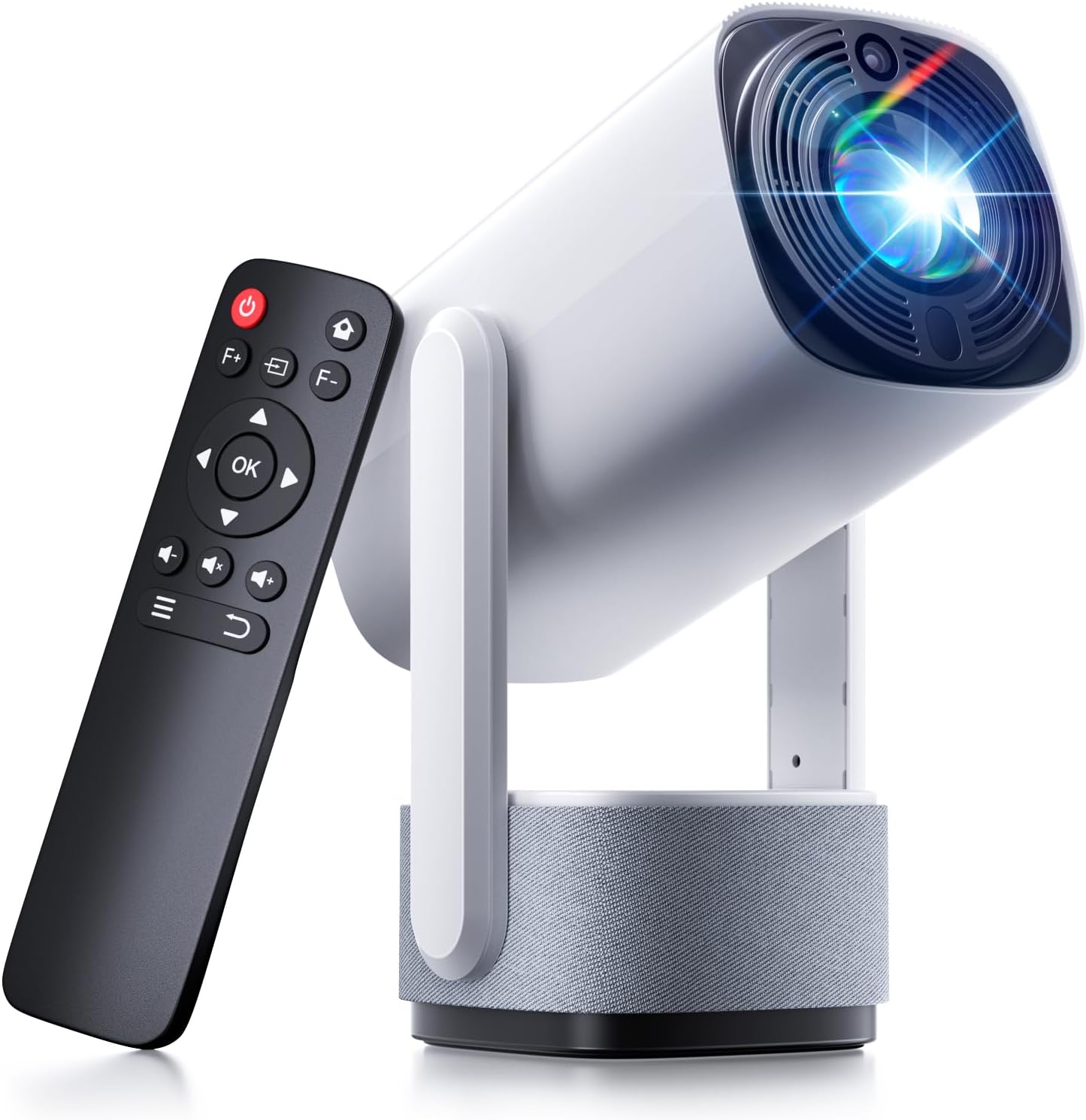
Image: The SOOMFON SK2 Mini Projector shown with its remote control.
2. Zawartość opakowania
Sprawdź, czy w przesyłce znajdują się wszystkie elementy wymienione poniżej:
- SOOMFON SK2 Projector
- Kabel HDMI (1.5 m)
- Przewód zasilający (1.5 m)
- Instrukcja obsługi
- Szybka porada
- Remote Control (2x AAA batteries not included)

Image: Contents of the SOOMFON SK2 Mini Projector package.
3. Koniec produktuview
The SOOMFON SK2 Mini Projector is designed for versatile media projection, featuring a compact form factor and multiple connectivity options.
Główne cechy:
- Technologia wyświetlania: Advanced LCD with uniform illumination.
- Rezolucja: Native 720p (1280 x 720), supports 4K and 1080p input.
- Jasność: 260 lumenów ANSI.
- Rozmiar projekcji: Up to 150 inches.
- Ruchliwość: Compact design (7.5 x 4 x 4 inches) and lightweight (1.3 lbs).
- Obrót: 270° rotatable stand for flexible projection angles (wall-to-ceiling).
- Audio: Integrated dual 3W high-fidelity speakers.
- Łączność: HDMI, USB, Audio ports, Wi-Fi, Bluetooth (two-way for input/output).
- Dublowanie ekranu: Supports Miracast and AirPlay for wireless screen sharing.
- Korekta obrazu: Automatyczna korekcja trapezu.
- Ochrona oczu: Diffuse reflection imaging technology.
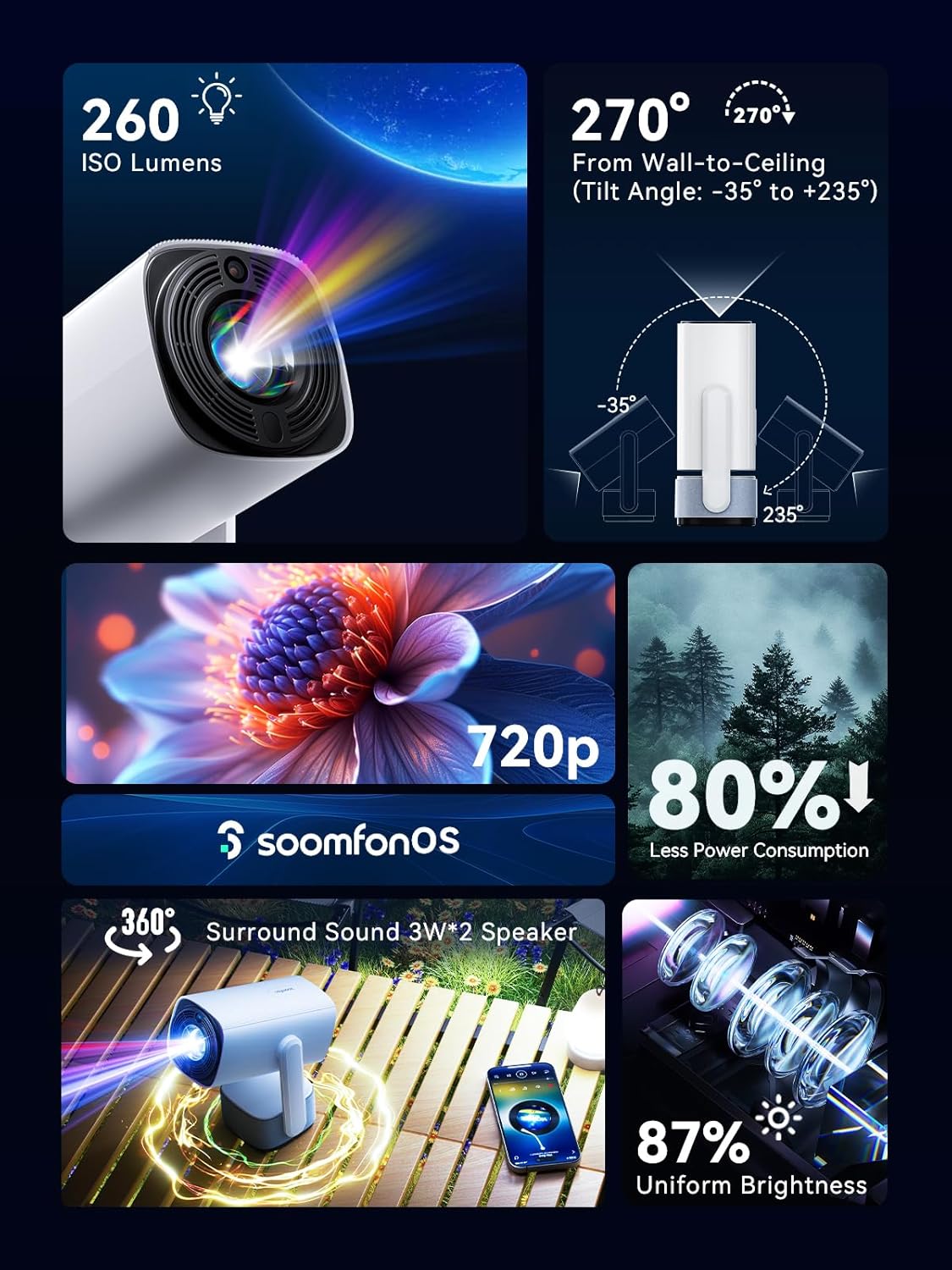
Obraz: Ponadview z głównych funkcji projektora.
4. Konfiguracja
4.1 Połączenie zasilania
- Podłącz dostarczony przewód zasilający do wejścia zasilania projektora.
- Podłącz drugi koniec przewodu zasilającego do odpowiedniego gniazdka elektrycznego.
4.2 Umieszczenie
Position the projector on a stable, flat surface. The 270° rotatable stand allows for flexible projection angles, including wall and ceiling projection.

Image: Projector positioned for wall-to-ceiling projection.
4.3 Pierwsze włączenie zasilania
- Naciśnij przycisk zasilania na projektorze lub pilocie, aby włączyć urządzenie.
- The projector will boot up and display the main interface (SoomfonOS).
5. Instrukcja obsługi
5.1 Regulacja ostrości
Adjust the image clarity using the F+ and F- buttons on the remote control. This is a manual adjustment.
5.2 Korekcja trapezowa
The projector features automatic keystone correction. It will automatically adjust the image to be rectangular even if the projector is placed at an angle. Manual adjustments may also be available in the settings menu if needed.

Image: Automatic keystone correction in action.
5.3 Łączność
5.3.1 Połączenie HDMI
Connect an HDMI cable from your source device (e.g., laptop, game console, TV stick) to the HDMI port on the projector. Select the HDMI input source from the projector's menu.
5.3.2 Połączenie USB
Insert a USB flash drive into the USB port. The projector supports FAT32 formatted drives up to 32GB. Navigate to the USB section in the SoomfonOS to access media files.
5.3.3 Wi-Fi and Screen Mirroring
Connect the projector to your Wi-Fi network via the settings menu. Once connected, you can use Miracast (for Android) or AirPlay (for iOS) to wirelessly mirror your smartphone or tablet screen to the projector.

Image: Streaming content from a phone to the projector.
5.3.4 Połączenie Bluetooth
The projector supports two-way Bluetooth functionality:
- Bluetooth Input (Audio Mode): Connect your smartphone or other Bluetooth audio device to the projector to use it as a Bluetooth speaker. Access this mode from the homepage.
- Wyjście Bluetooth: Connect the projector to external Bluetooth speakers or headphones for enhanced audio. Access this in the settings menu.

Image: Two-way Bluetooth connectivity options.
5.4 SoomfonOS Navigation
The projector operates on SoomfonOS, a user-friendly interface. Use the remote control's directional buttons and OK button to navigate through menus and select options. The main screen provides access to input sources, settings, and media playback options.

Image: The SoomfonOS user interface.
6. Konserwacja
6.1 Czyszczenie
- Obiektyw: Używaj miękkiej, niepozostawiającej włókien ściereczki przeznaczonej specjalnie do soczewek optycznych. Nie używaj środków czyszczących ani rozpuszczalników o właściwościach ściernych.
- Zewnętrzny: Przetrzyj zewnętrzną część projektora miękką, suchą ściereczką. W przypadku uporczywych zabrudzeń, delikatnie przetrzyj.amp Można użyć ściereczki, a następnie wytrzeć do sucha.
- Wentylacja: Aby zapobiec przegrzaniu, należy upewnić się, że otwory wentylacyjne są czyste, bez kurzu i przeszkód.
6.2 Przechowywanie
When not in use, store the projector in a cool, dry place away from direct sunlight and extreme temperatures. If possible, use the original packaging or a protective case to prevent dust accumulation and damage.
7. Rozwiązywanie Problemów
- Brak obrazu/słaba jakość obrazu:
- Sprawdź, czy przewód zasilający jest prawidłowo podłączony i czy projektor jest włączony.
- Check the input source selection (HDMI, USB, etc.) matches your connected device.
- Adjust the focus using the F+ and F- buttons on the remote.
- Ensure the room is sufficiently dark for optimal viewing, especially for larger screen sizes.
- Brak dźwięku:
- Sprawdź poziom głośności projektora i urządzenia źródłowego.
- If using external speakers, ensure they are properly connected via Bluetooth or audio cable.
- For HDMI sources, verify the audio output settings on your source device.
- Cannot Stream from Netflix/Prime Video via Screen Mirroring:
- Due to HDCP (High-bandwidth Digital Content Protection) restrictions, direct screen mirroring of certain streaming services (like Netflix, Prime Video, Hulu) may not work or may only provide audio.
- Rozwiązanie: Use an external streaming device (e.g., Amazon Fire Stick, Roku, Google TV) connected to the projector's HDMI port for these services.
- Problemy z połączeniem Wi-Fi:
- Sprawdź, czy hasło Wi-Fi zostało wprowadzone poprawnie.
- If experiencing issues with long Wi-Fi passwords, check the SOOMFON official website for potential firmware updates.
- Hałas wentylatora:
- The projector's fan noise is noticeable during operation. This is normal for cooling the internal components.
- For a more immersive audio experience, consider connecting external Bluetooth speakers.
8. Specyfikacje
| Funkcja | Specyfikacja |
|---|---|
| Marka | SOOMMON |
| Numer modelu | SK2 |
| Waga przedmiotu | 1.69 funta |
| Wymiary produktu | 9.65 x 4.53 x 3.74 cala |
| Natywna rozdzielczość wyświetlania | 1280x720p |
| Obsługiwana rozdzielczość wejściowa | Do 4 tys. |
| Jasność | 260 ANSI Lumen |
| Technologia łączności | HDMI, USB, Audio, Wi-Fi, Bluetooth |
| Cechy specjalne | Built-In Speaker, Built-In Wi-Fi, Portable, 270° Rotatable Stand, Automatic Keystone Correction |
| Zalecane zastosowania | Biznes, Edukacja, Gry, Kino domowe |
9. Gwarancja i wsparcie
SOOMFON is committed to providing quality products and customer satisfaction.
9.1 Wsparcie techniczne
Lifetime technical support is available for your SOOMFON SK2 Mini Projector.
Informacje kontaktowe 9.2
- E-mail: service@soomfon.com
- Czat na żywo: Available on the official SOOMFON website, Monday-Friday, 9 AM - 5 PM (PST).


