Wstęp
Thank you for choosing the EBTOOLS 720P USB Dash Camera DVR. This device is designed to enhance your driving safety and provide reliable video recording on the road. Featuring a 720P resolution, a 170-degree wide-angle lens, and Advanced Driver Assistance System (ADAS) functions, it captures clear footage and offers intelligent driving support. Its compact, curved zinc alloy body ensures discreet installation. Please read this manual thoroughly to understand the product's functions and ensure proper use.
Cechy produktu
- Crystal Clear Recordings: Captures high-definition 720P video and images, even at high speeds.
- Durable Alloy Exterior: Features a sophisticated curved zinc alloy body, designed for durability and aesthetics.
- Łatwy w użyciu: Simple plug-and-play operation with no additional wiring required. Records automatically upon vehicle ignition.
- ADAS Driving Assistance: Includes features such as fatigue detection, front car start reminder, and lane departure warning for safer driving.
- Hidden Mini Design: Compact size allows for discreet installation behind the rearview mirror, ensuring an unobstructed view and enhanced safety.

Obraz: Ponadview of the EBTOOLS USB Dash Camera highlighting its key features.
Zawartość opakowania
Proszę sprawdzić, czy w paczce znajdują się następujące elementy:
- 1 x Main Unit (Dash Camera)
- 1 x kabel USB
- 1 x Instrukcja obsługi
Organizować coś
- Włóż kartę TF: Locate the TF memory card socket on the device. Insert a compatible TF card (up to 32GB, not included) into the slot. Ensure the card is inserted in the correct direction.
- Montowanie: Wybierz odpowiednie miejsce na przedniej szybie, zazwyczaj za tylną szybą.view lustro, aby zapewnić niezakłócony widok view. Use the fixed adhesive provided to securely attach the dash camera.
- Podłącz zasilanie: Insert the USB cable into the dash camera's USB port and connect the other end to your car's USB power source or a compatible car charger.
- Connect to Navigation System (Optional): If your car has a compatible retrofitting navigation system, insert the USB cable into it to enable viewing and control via the car's display.
- Dostosuj kąt kamery: The camera head offers 90° rotation. Adjust the video head to capture the desired field of view.

Image: Labeled diagram of the dash camera components and connection points.
Instrukcja obsługi
- Automatyczne nagrywanie: Once the dash camera is connected to power and the vehicle ignition is turned on, the device will automatically power on and begin recording.
- ViewNagrania: Do view recorded videos or photos, you can either connect the dash camera to a computer using the USB cable (it will function as a removable disk) or remove the TF card and insert it into a card reader connected to a computer.
- Funkcja czujnika G: The built-in G-sensor detects sudden movements or impacts (e.g., collisions) and automatically locks the current video file to prevent it from being overwritten during loop recording.
- Funkcje ADAS: The Advanced Driver Assistance System provides alerts for various driving conditions. These may include lane departure warnings, front vehicle start reminders, and fatigue detection. Ensure the camera has a clear view of the road for optimal ADAS performance.
- Nagrywanie głosu: The device supports voice recording, capturing audio inside the vehicle along with video footage.

Image: Visual representation of the ADAS system in action, detecting vehicles and potential hazards.
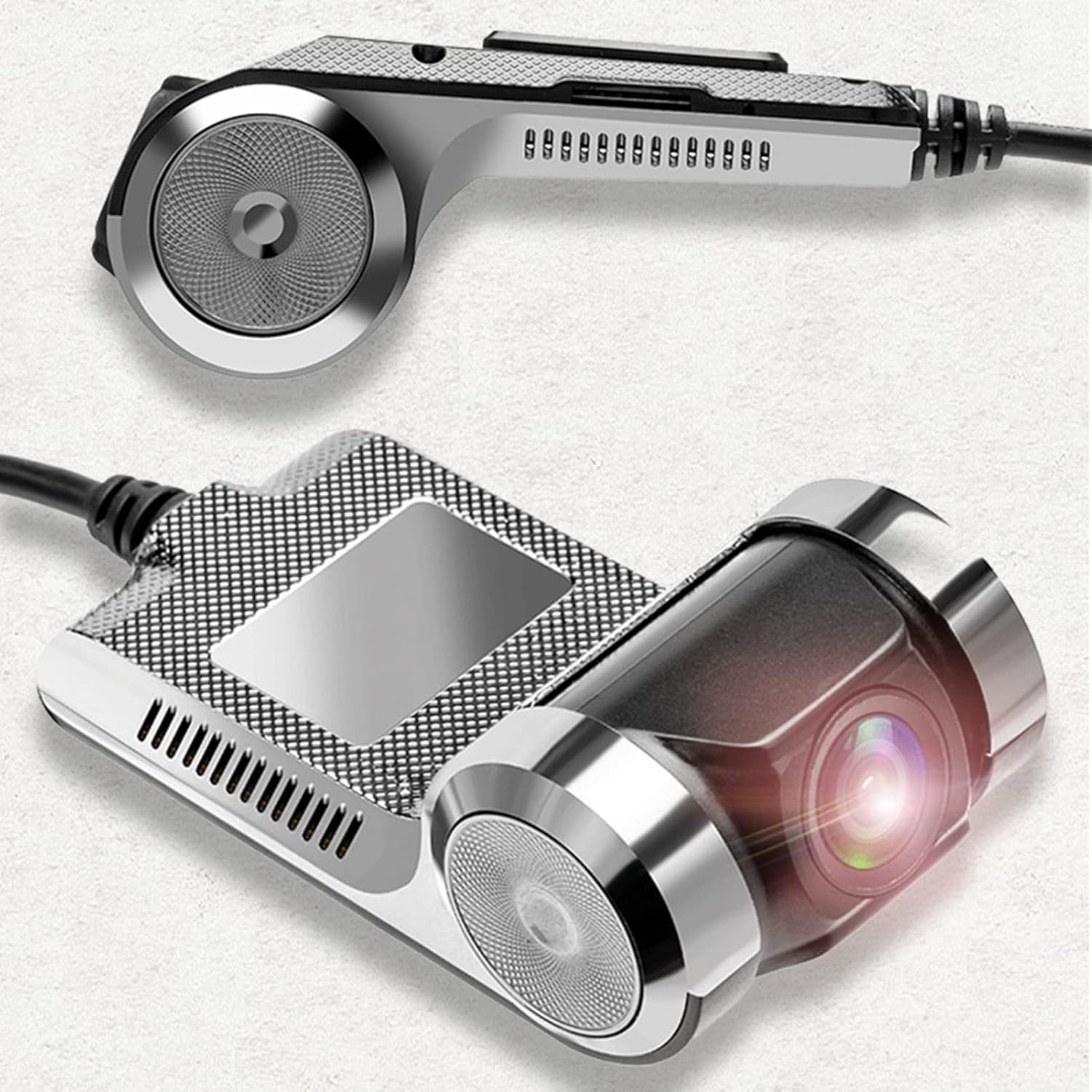
Image: Explanation of specific ADAS functions provided by the dash camera.
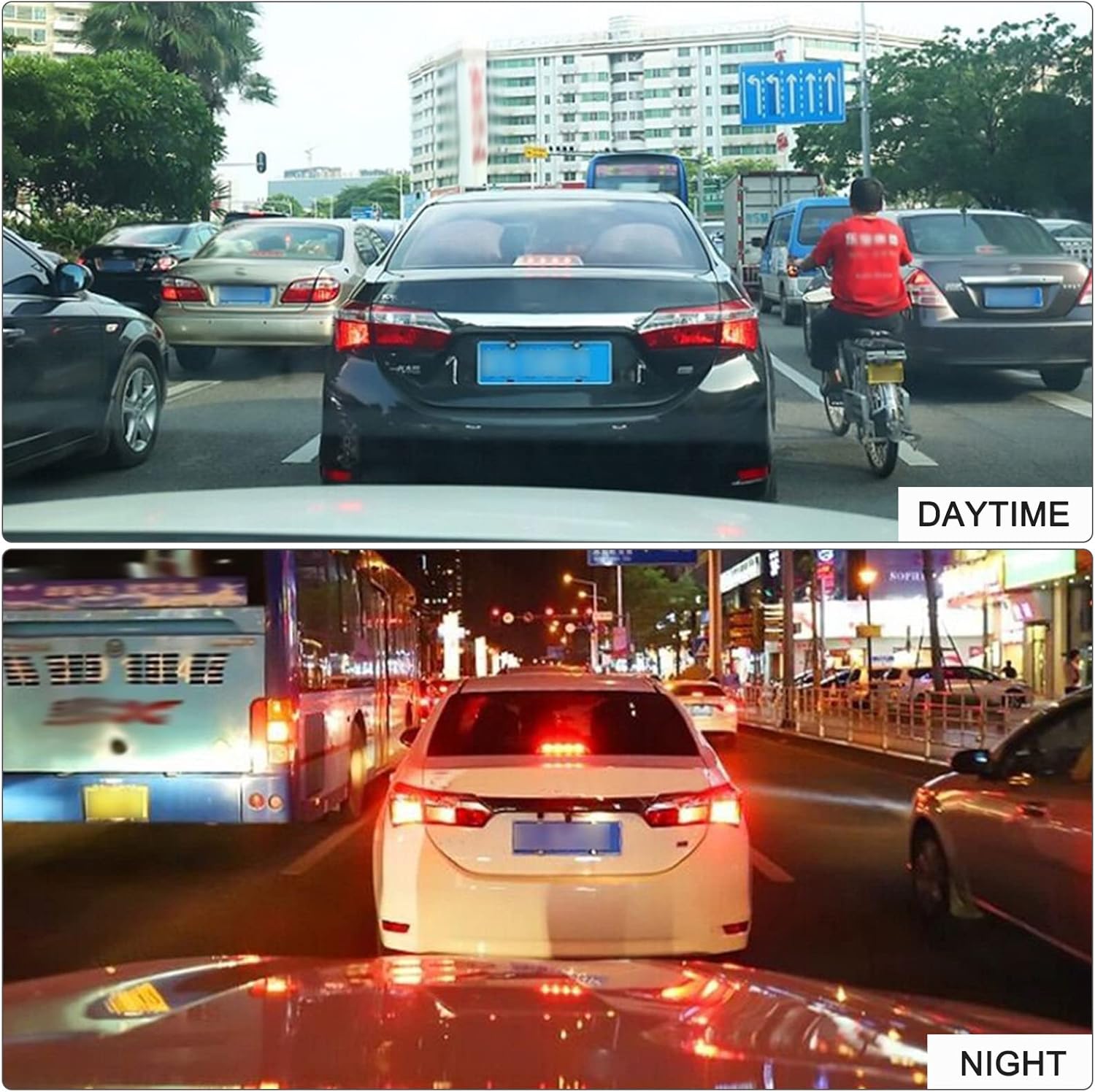
Obraz: Byłyamples of daytime and nighttime recording quality.
Konserwacja
- Czyszczenie: Use a soft, dry cloth to clean the camera lens and body. Avoid using abrasive cleaners or solvents that may damage the device.
- Zarządzanie kartami pamięci: Regularly format your TF card (at least once a month) to ensure optimal performance and prevent data corruption. Back up important recordings before formatting.
- Temperatura: Avoid exposing the device to extreme temperatures, direct sunlight for prolonged periods, or high humidity, as this can affect its lifespan and performance.
- Aktualizacje oprogramowania układowego: Sprawdź producenta webOdwiedzaj tę witrynę okresowo, aby sprawdzić, czy są dostępne aktualizacje oprogramowania sprzętowego, dzięki czemu będziesz mieć pewność, że Twoje urządzenie ma najnowsze funkcje i poprawki błędów.
Rozwiązywanie problemów
- Urządzenie się nie włącza:
- Ensure the USB cable is securely connected to both the dash camera and a working power source in your vehicle. Check the vehicle's power outlet or USB port for functionality.
- Recording is not starting:
- Verify that a TF card is properly inserted and that it has sufficient free space. If the card is full, format it (after backing up important data). Ensure the vehicle ignition is on.
- Jakość wideo jest słaba:
- Clean the camera lens. Ensure the protective film has been removed from the lens. Check if the camera angle is correctly adjusted and not obstructed.
- ADAS features are not working correctly:
- Upewnij się, że kamera ma czyste i niezakłócone pole widzenia. view of the road ahead. ADAS performance can be affected by weather conditions, lighting, and road markings. Recalibrate if an option is available.
- Device freezes or malfunctions:
- Try resetting the device by disconnecting and reconnecting the power. If the issue persists, format the TF card. Contact customer support if the problem continues.
Specyfikacje
| Nazwa marki | EBTOOLS |
| Numer modelu | EBTOOwqkxysdoaz |
| Kolor | Czarny |
| Tworzywo | Stop cynku |
| Kąt obrotu | 90° |
| Ekran wyświetlacza | NIE |
| Procesor | JR3272 (High-end chip) |
| Rozdzielczość nagrywania | 720P (1280 * 960) |
| Format zdjęcia | Plik JPEG |
| Obsługa kart pamięci | TF Card, Max 32GB (not included) |
| Głośnik | Tak |
| G-czujnik | Utrzymany |
| Removable Disk Function | Utrzymany |
| Nagrywanie głosu | Utrzymany |
| GPS | NIE |
| Back Camera Support | NIE |
| ADAS | ADAS Intelligent Driving Support |
| Wymiary opakowania | Wymiary 14 x 10 x 5 cm |
| Waga paczki | 185 gramów |
Gwarancja i wsparcie
EBTOOLS products are designed for reliability and performance. For warranty information, please refer to the specific terms provided at the time of purchase or contact your retailer. If you encounter any issues or have questions regarding your EBTOOLS 720P USB Dash Camera DVR, please reach out to the seller or EBTOOLS customer support for assistance. Keep your purchase receipt as proof of purchase for any warranty claims.