1. Wprowadzenie
This manual provides essential information for the safe and efficient use of your Lenovo IdeaPad Slim 3 Business Laptop. This model features an AMD Ryzen 7 7730U processor, a 15.6-inch Full HD display, 16GB of RAM, and a 1TB PCIe SSD, running on Windows 11. Please read this manual thoroughly before operating your device.

Figure 1: Lenovo IdeaPad Slim 3 Laptop overview, highlighting key features like Windows 11, AMD Ryzen 7 processor, and the included WOWPC Recovery USB.
2. Konfiguracja
2.1 Rozpakowanie i wstępna inspekcja
Carefully remove all components from the packaging. Verify that all items listed in the packing list are present and undamaged. If any items are missing or damaged, contact your retailer immediately.

Rysunek 2: Koniecview of the Lenovo IdeaPad Slim 3 Laptop's main specifications, including Operating System, Processor, Graphics, RAM, Storage, Wi-Fi, Bluetooth, and WOWPC Recovery USB.
2.2 Połączenie zasilania
- Podłącz zasilacz do portu zasilania laptopa.
- Podłącz zasilacz do odpowiedniego gniazdka elektrycznego.
- Przed pierwszym użyciem należy ładować akumulator przez co najmniej 30 minut lub do momentu, aż wskaźnik poziomu naładowania akumulatora wskaże wystarczający poziom naładowania.
2.3 Początkowy rozruch i konfiguracja systemu Windows 11
- Naciśnij przycisk zasilania, aby włączyć laptopa.
- Follow the on-screen instructions to complete the Windows 11 setup process. This includes selecting your language, region, connecting to a network, and creating a user account.
- The included WOWPC recovery USB can be used for system restoration or troubleshooting if needed.
3. Działanie
3.1 Funkcje wyświetlacza
Your laptop is equipped with a 15.6-inch Full HD (1920x1080) TN display with 250 nits brightness and an anti-glare coating. This design reduces reflections and enhances visibility, providing a clear and comfortable viewzdobywania doświadczenia.
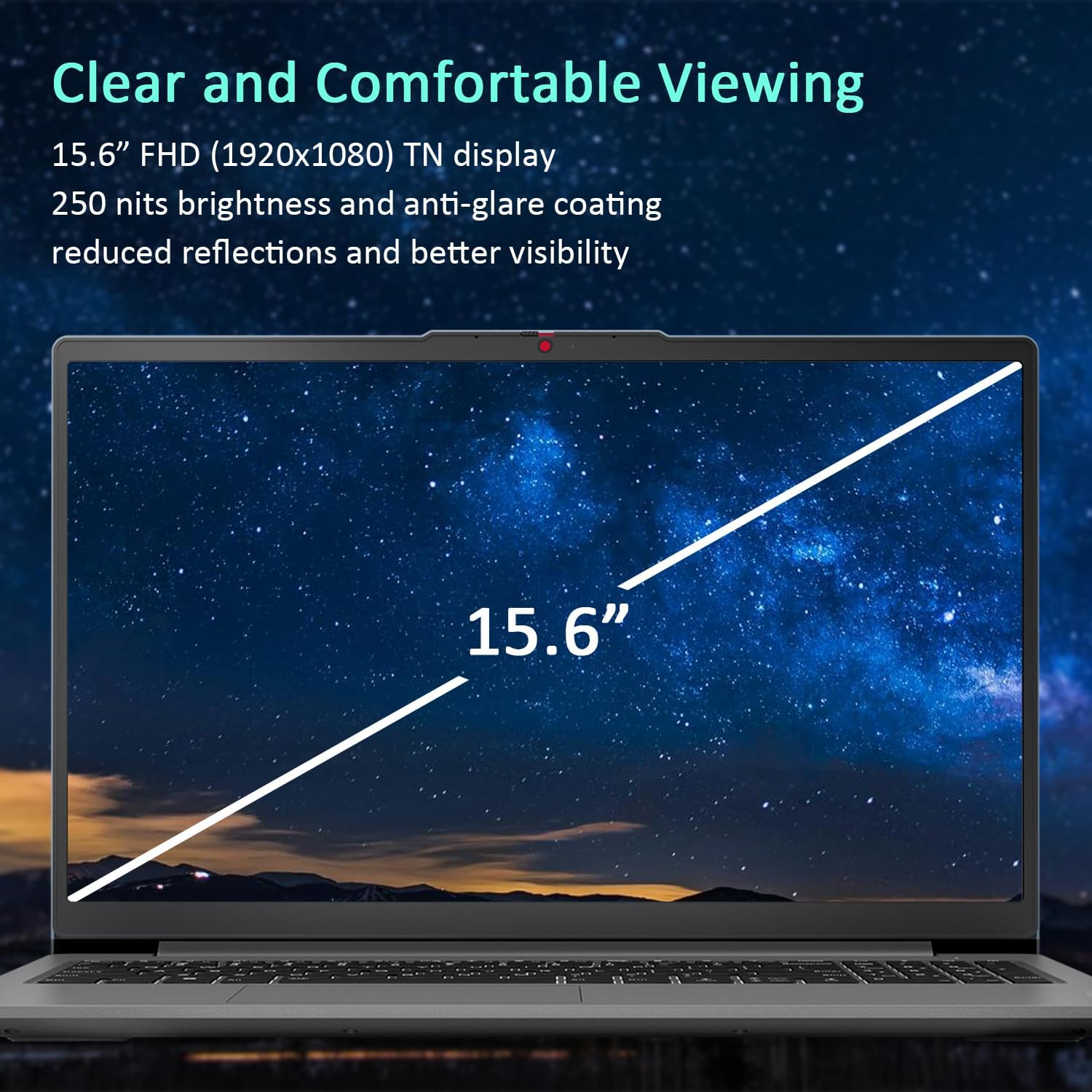
Figure 3: The 15.6-inch Full HD TN display with anti-glare coating for clear and comfortable viewing.
3.2 Procesor i wydajność
The AMD Ryzen 7 7730U Processor, with 8 cores and 16 threads, delivers reliable performance for various tasks, from daily productivity to more demanding applications. Coupled with 16GB of DDR4 RAM and integrated AMD Radeon Graphics, the system ensures smooth multitasking and efficient operation.
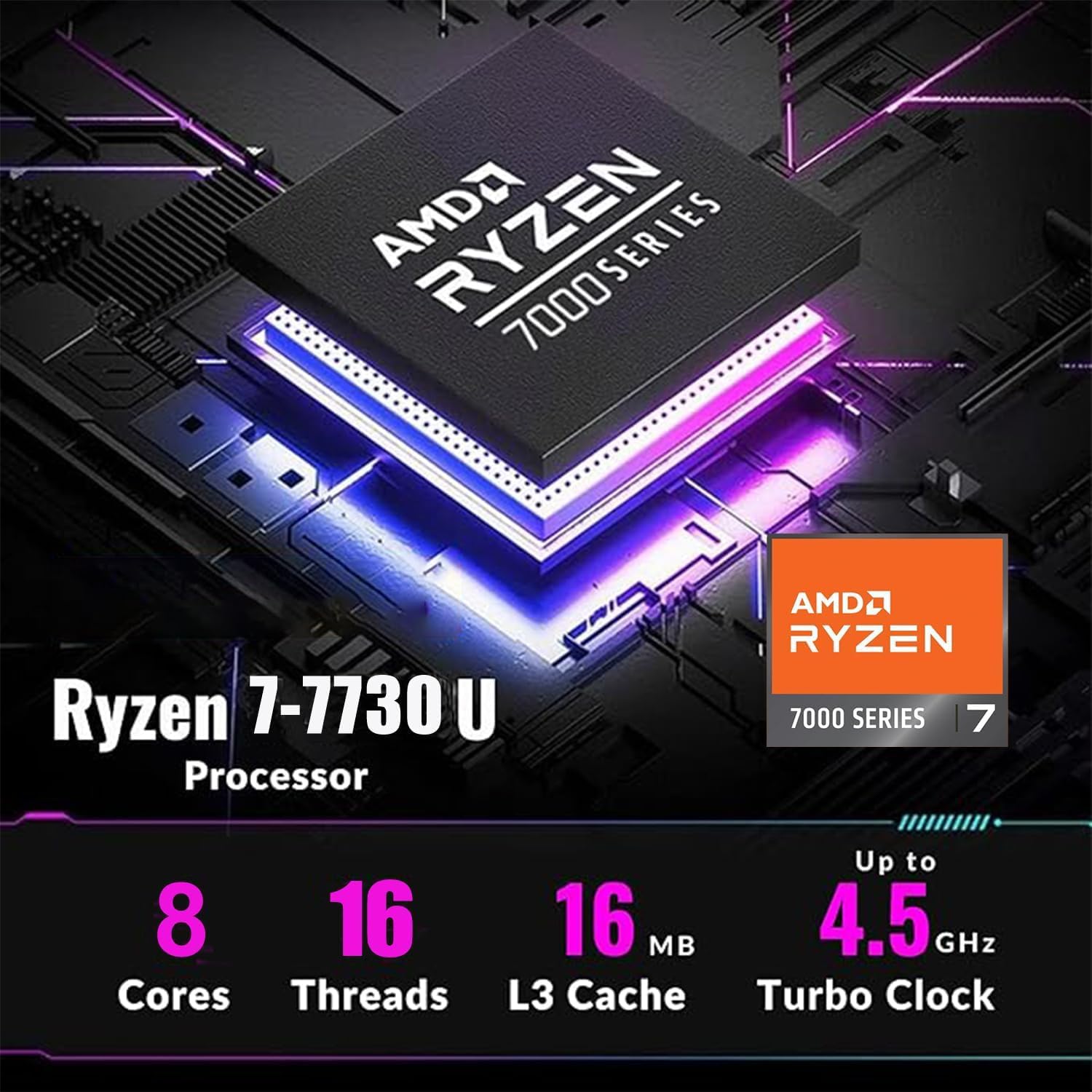
Figure 4: Detailed specifications of the AMD Ryzen 7 7730U Processor, emphasizing its core count, thread count, and turbo clock speed.

Figure 5: The laptop efficiently handles multiple applications simultaneously, showcasing its multitasking capabilities powered by the AMD Ryzen 7 7730U and AMD Radeon Graphics.
3.3 Łączność
The IdeaPad Slim 3 offers comprehensive connectivity options:
- Porty: 1x USB-C 3.2 Gen 1, 2x USB-A 3.2, 1x HDMI 1.4 Output, 1x Headphone/microphone combo jack, 1x SD Card Reader.
- Bezprzewodowy: Wi-Fi 6 (802.11ax 2x2) and Bluetooth 5.2 for fast and stable wireless connections.

Rysunek 6: Strona view illustrating the available ports for connecting external devices and peripherals.

Figure 7: Highlighting the advanced Wi-Fi 6 and Bluetooth 5.2 capabilities for seamless connectivity.
3.4 Klawiatura i touchpad
The laptop features a US English keyboard and a responsive touchpad for navigation. The keyboard is designed for comfortable typing.
3.5 Webkamera z osłoną prywatności
A built-in HD 720p webcam is included for video calls and conferences. For enhanced privacy, a physical privacy shutter is integrated, allowing you to block the camera lens when not in use.
4. Konserwacja
4.1 Czyszczenie laptopa
- Do czyszczenia ekranu i powierzchni zewnętrznych należy używać miękkiej, niepozostawiającej włókien ściereczki.
- W przypadku uporczywych plam delikatnieampWyczyść ściereczkę wodą lub środkiem czyszczącym do ekranów.
- Unikaj stosowania silnych środków chemicznych, materiałów ściernych i rozpuszczalników.
4.2 Pielęgnacja baterii
- Aby przedłużyć żywotność baterii, należy unikać częstego całkowitego rozładowywania baterii.
- Jeśli laptop nie będzie używany przez dłuższy czas, należy go przechowywać w chłodnym i suchym miejscu.
4.3 Aktualizacje oprogramowania
Regularnie sprawdzaj dostępność aktualizacji systemu operacyjnego i sterowników oraz instaluj je, aby zapewnić optymalną wydajność i bezpieczeństwo.
5. Rozwiązywanie Problemów
5.1 Typowe problemy i rozwiązania
- Laptop się nie włącza: Upewnij się, że zasilacz jest prawidłowo podłączony, a bateria jest wystarczająco naładowana. Spróbuj użyć innego gniazdka elektrycznego.
- Brak wyświetlacza: Podłącz zewnętrzny monitor, aby sprawdzić, czy problem dotyczy ekranu laptopa. Uruchom ponownie laptopa.
- Niska wydajność: Close unnecessary applications, check for malware, or consider using the WOWPC recovery USB for a system refresh if performance issues persist.
- Problemy z łącznością sieciową: Verify Wi-Fi is enabled, restart your router, or check network adapter settings in Windows.
5.2 Korzystanie z dysku USB odzyskiwania WOWPC
Your device includes a WOWPC recovery USB. This tool is designed to assist with system restoration, driver installation, and other troubleshooting steps. Refer to the instructions provided with the USB for detailed usage.
6. Specyfikacje
| Funkcja | Szczegół |
|---|---|
| Edytor | AMD Ryzen 7 7730U (8 rdzeni, 16 wątków, do 4.5 GHz) |
| Grafika | Zintegrowana karta graficzna AMD Radeon |
| System operacyjny | Windows 11 Pro |
| Pamięć (RAM) | 16GB Soldered DDR4-3200 RAM |
| Składowanie | 1TB PCIe NVMe SSD (Up to 2TB SSD M.2 PCIe NVMe supported) |
| Wyświetlacz | 15.6" FHD (1920x1080) TN 250nits Anti-glare Display |
| Łączność | Wi-Fi 6 (802.11ax 2x2), Bluetooth 5.2 |
| Porty | 1x USB-C 3.2 Gen 1, 2x USB-A 3.2, 1x HDMI 1.4, 1x Headphone/microphone combo jack, 1x Card reader |
| Webkrzywka | HD 720p z migawką chroniącą prywatność |
| Audio | User-facing stereo speakers, 1.5W x2, optimized with Dolby Audio |
| Kolor | Arktyczna szarość |
| Wymiary (dł. x szer. x wys.) | 14.15 x 9.25 x 0.70 cala |
| Waga | Od 3.57 funta |
| Akcesorium | USB do odzyskiwania WOWPC |

Figure 8: Physical dimensions and weight of the Lenovo IdeaPad Slim 3 Laptop, highlighting its slim design.
7. Gwarancja i wsparcie
7.1 Gwarancja na produkt
This product is typically covered by a manufacturer's warranty. For specific warranty terms and conditions, please refer to the documentation included with your purchase or visit the official Lenovo support webRozszerzone plany ochrony mogą być również dostępne do zakupu.
7.2 Obsługa klienta
For technical assistance, troubleshooting, or service inquiries, please contact Lenovo customer support. You can find contact information on the official Lenovo webstronie lub w dokumentacji produktu.
Return Policy: This product typically has a 30-day return/replacement policy. Please check with your retailer for specific return details.


