1. Koniec produktuview
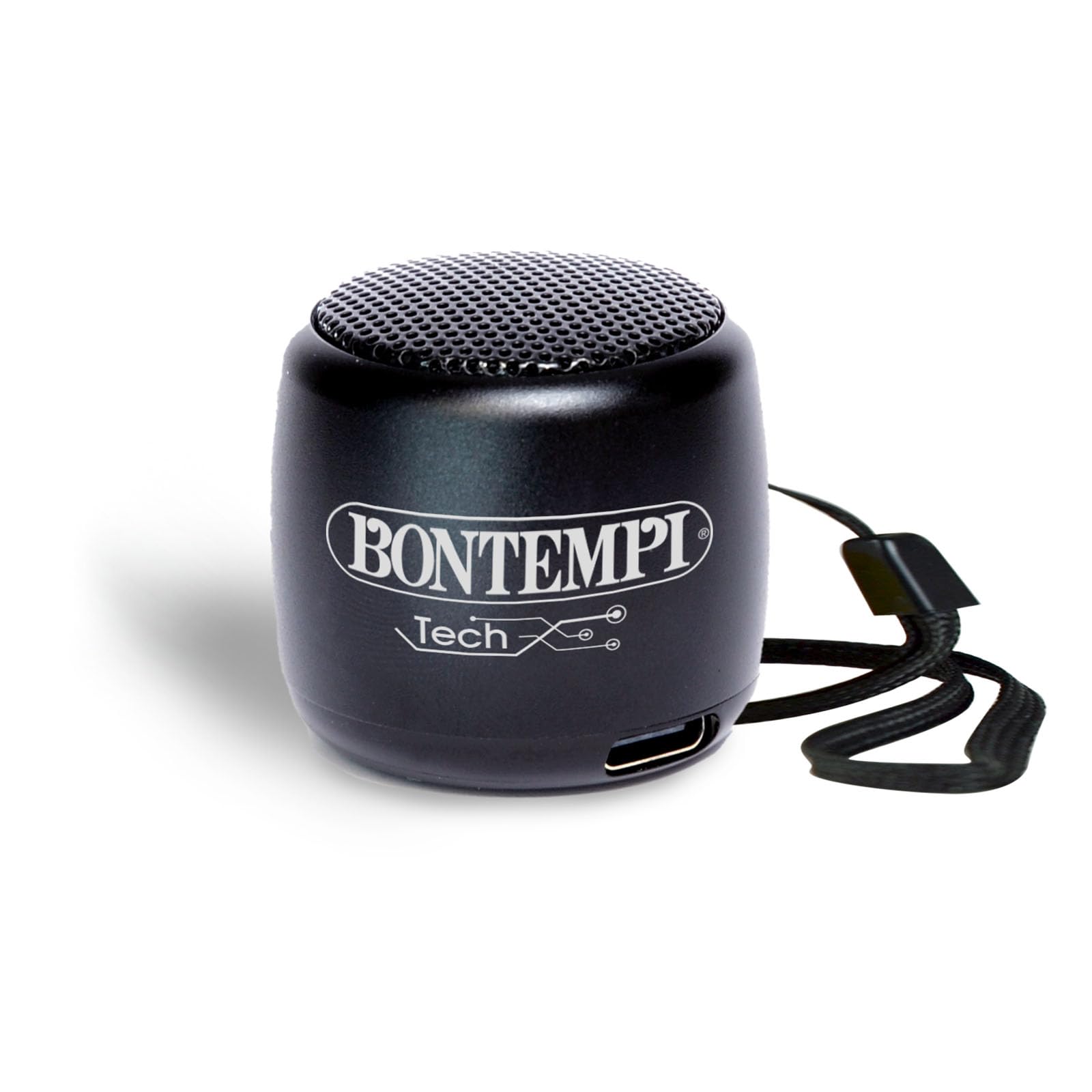
The Bontempi Mini Wireless Speaker is a compact and lightweight portable audio device designed for easy connectivity and clear sound. It features Bluetooth wireless technology for seamless pairing with smartphones and tablets, making it ideal for various occasions.
Zawartość opakowania
- 1x Bontempi Mini Wireless Speaker (Black)
- Kabel ładowania USB 1x
- Instrukcja obsługi

2. Informacje dotyczące bezpieczeństwa
This product is intended for use under adult supervision. Ensure proper handling and charging to prevent damage or injury. Do not expose the speaker to extreme temperatures or direct sunlight. Keep away from water unless the charging port cover is securely closed.

3. Konfiguracja
Ładowanie głośnika
Connect the provided USB charging cable to the speaker's charging port and to a compatible USB power adapter (0.5-5W recommended). A full charge takes approximately 2 hours. The LED indicator will show charging status.
Włączanie/wyłączanie
To power on the speaker, press and hold the power button located on the bottom of the speaker until the LED indicator lights up. To power off, press and hold the power button again.
4. Instrukcja obsługi
Parowanie Bluetooth
- Sprawdź, czy głośnik jest włączony i znajduje się w trybie parowania (dioda LED będzie migać).
- Na smartfonie lub tablecie włącz Bluetooth i wyszukaj dostępne urządzenia.
- Select "Bontempi Speaker" (or similar name) from the list to connect. The LED indicator will turn solid when connected.
Odtwarzanie dźwięku
Once paired, audio from your connected device will play through the speaker. Use your device to control music playback (play, pause, skip tracks).
Kontrola głośności
The speaker features touch controls for volume adjustment. Gently tap or swipe the designated area on the speaker to increase or decrease the volume.
Rozmowy bez użycia rąk
When connected to a smartphone, the speaker can be used for hands-free calls. Press the multi-function button (often integrated with the power button or a dedicated touch area) to answer or end calls.


5. Konserwacja
To ensure the longevity of your speaker, keep it clean and dry. Use a soft, dry cloth for cleaning. Avoid exposing it to extreme temperatures or direct sunlight.
The speaker is resistant to splashes but should not be submerged in water. Ensure the charging port cover is securely closed when not charging to maintain water resistance.
6. Rozwiązywanie Problemów
Głośnik nie włącza się.
- Upewnij się, że bateria jest naładowana. Podłącz głośnik do źródła zasilania za pomocą kabla USB.
Nie można sparować z urządzeniem Bluetooth.
- Upewnij się, że głośnik jest w trybie parowania (migająca dioda LED).
- Upewnij się, że Bluetooth w Twoim urządzeniu jest włączony i znajduje się w zasięgu.
- Zapomnij o poprzednich parowaniach na swoim urządzeniu i spróbuj sparować je ponownie.
Brak dźwięku lub niski poziom głośności.
- Sprawdź poziom głośności głośnika i podłączonego urządzenia.
- Sprawdź, czy głośnik jest prawidłowo sparowany.
- Spróbuj ponownie uruchomić głośnik i urządzenie.
7. Specyfikacje
| Funkcja | Szczegół |
|---|---|
| Marka | Bontempi |
| Numer modelu | 49 01101 |
| Wymiary | 3 x 3 x 3 cm; 70 gramów |
| Rozmiar głośnika | 30 centymetrów |
| Technologia łączności | Bluetooth |
| Komunikacja bezprzewodowa | Bluetooth |
| Metoda kontroli | Dotykać |
| Źródło zasilania | Zasilany bateryjnie |
| Tryb wyjścia audio | Stereofoniczny |
| Typ montażu | Blat stołu |
| Tworzywo | Plastikowy |
| Kolor | Czarny |
| Wodoodporny | FAŁSZ |
| Kompatybilne urządzenia | Smartfon, Tablet |
| Zawarte komponenty | Mini wireless acoustic speaker BLACK |
8. Gwarancja i wsparcie
This Bontempi Mini Wireless Speaker comes with a Ograniczona gwarancja. For detailed warranty information and customer support, please refer to the contact details provided in the product packaging or visit the official Bontempi webstrona.
For technical assistance or inquiries, please contact Bontempi customer service through their official channels.


