Produkt ponadview
The RadioShack AM/FM 2-Band Vintage Radio with Bluetooth Function and USB/TF Ports (Black) is a versatile audio device designed for both classic radio listening and modern digital media playback. It features a vintage aesthetic combined with contemporary functionalities like Bluetooth connectivity and USB/TF card support.

Przód view of the RadioShack Vintage Radio, showcasing its classic design and LED display.
Co jest w pudełku
- 1 x RadioShack Vintage Radio (Model 1202265)
- 1 x kabel ładujący USB typu C

The package includes the RadioShack Vintage Radio and its Type-C charging cable.
Cechy produktu
- AM/FM 2-Band Radio with LED Display: For clear reception of radio stations.
- Funkcjonalność Bluetooth: Bezprzewodowe przesyłanie strumieniowe dźwięku z kompatybilnych urządzeń.
- Wszechstronne odtwarzanie multimediów: Obsługuje format MP3 files via USB/TF ports and AUX-in.
- High Power Dual Speakers: Delivers rich sound with preset EQ function.
- Przenośna konstrukcja: Features a rechargeable battery, built-in antenna, and carry handle.

Key features of the radio include a rechargeable battery, Bluetooth connectivity, AM/FM radio, and AUX input.
Organizować coś
1. Ładowanie akumulatora
Before first use, fully charge the radio's internal rechargeable battery. Connect the supplied Type-C USB cable to the radio's charging port and the other end to a compatible USB power adapter (not included) or a computer USB port. The LED indicator will show charging status.
2. Konfiguracja anteny
For optimal radio reception, extend the telescopic antenna fully. Adjust its direction to improve signal clarity for both AM and FM bands.
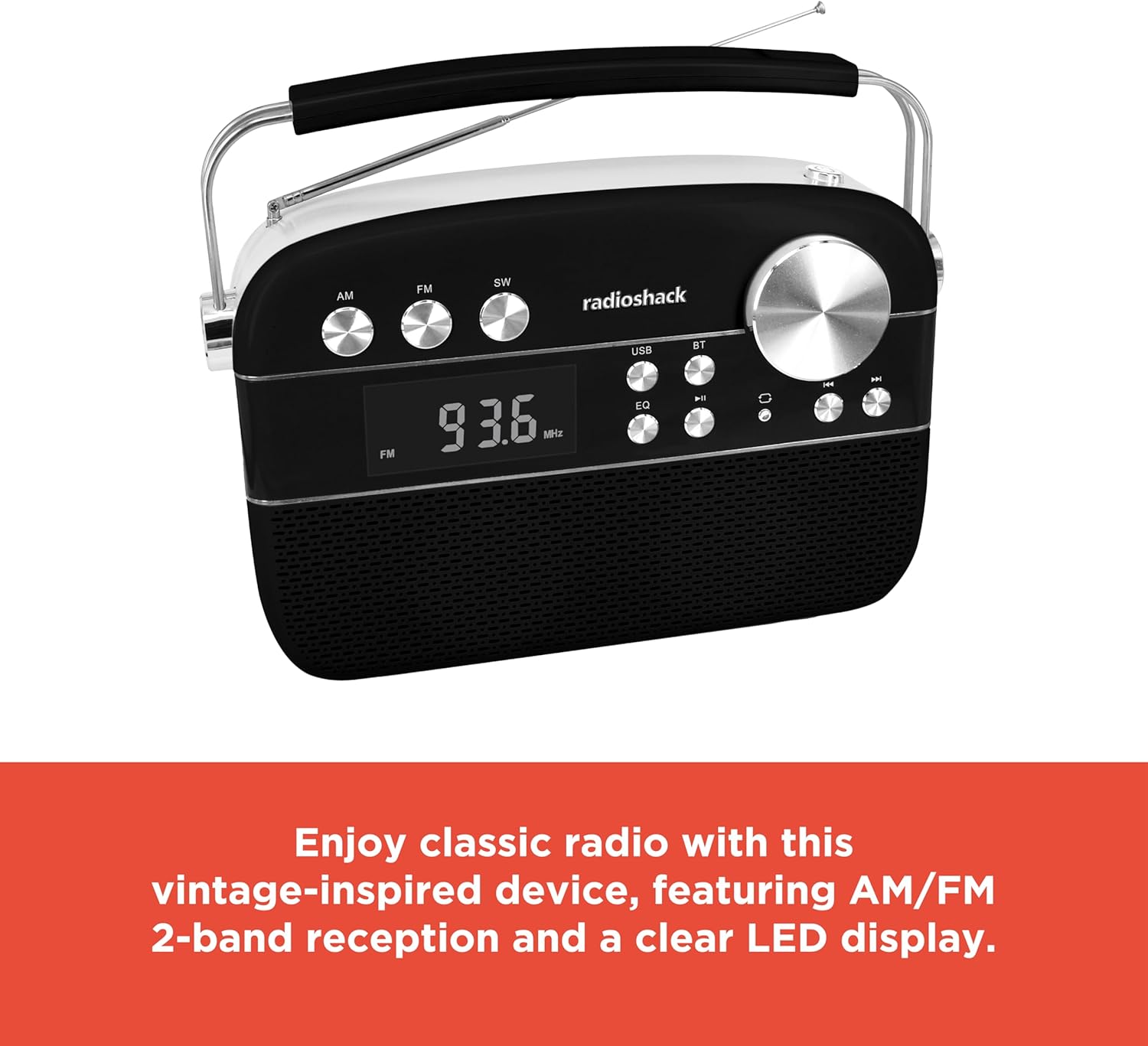
The radio features an extendable antenna for improved reception and a clear LED display for tuning.
Instrukcja obsługi
Włączanie/wyłączanie zasilania
Press the Power button to turn the radio on or off.
Wybór trybu
Use the Mode button to switch between FM, AM, Bluetooth (BT), USB/TF, and AUX input modes. The LED display will indicate the current mode.
Obsługa radia (AM/FM)
- Switch to FM or AM mode using the Mode button.
- Rotate the Tuning knob to scan for available radio stations. The frequency will be displayed on the LED screen.
- Ustaw pokrętło głośności tak, aby uzyskać pożądany poziom głośności.
Parowanie Bluetooth
- Switch the radio to Bluetooth (BT) mode. The display will show "BLUE" and the Bluetooth indicator will flash, indicating it's ready for pairing.
- Na smartfonie lub tablecie włącz Bluetooth i wyszukaj dostępne urządzenia.
- Select "RadioShack" from the list of devices. Once paired, the Bluetooth indicator will stop flashing and remain solid.
- Teraz możesz bezprzewodowo przesyłać strumieniowo dźwięk ze swojego urządzenia do radia.
Odtwarzanie z karty USB/TF
- Insert a USB flash drive or TF (microSD) card containing MP3 audio files do odpowiedniego portu.
- Switch the radio to USB/TF mode. The radio will automatically detect and begin playing the audio files.
- Użyj przycisków Poprzedni/Następny, aby poruszać się pomiędzy utworami.
- Naciśnij przycisk Odtwarzaj/Pauza, aby wstrzymać lub wznowić odtwarzanie.
- The "ONE/ALL/RND" button allows you to cycle through playback modes (single track repeat, all tracks repeat, random playback).
- The "FOLDER" button allows navigation through folders on the storage device.
Tryb wejścia AUX
Connect an external audio device (e.g., MP3 player, smartphone) to the radio's AUX-in port using a 3.5mm audio cable (not included). Switch the radio to AUX mode to play audio from the connected device.
Funkcja korektora (EQ).
Press the EQ button to cycle through preset equalizer modes, adjusting the audio output to suit different music genres or personal preferences.

Szczegółowy view of the control panel, highlighting the various buttons and the tuning knob for different playback options.
Film demonstracyjny produktu
This video demonstrates the key features and operation of the RadioShack Vintage Radio, including tuning to FM stations and connecting via Bluetooth.
Konserwacja
Czyszczenie
Wipe the exterior of the radio with a soft, dry cloth. Do not use abrasive cleaners, waxes, or solvents as they may damage the finish. Avoid getting moisture into any openings.
Pielęgnacja baterii
To prolong battery life, avoid fully discharging the battery frequently. If the radio will not be used for an extended period, charge it periodically (e.g., every 3 months) to maintain battery health.
Rozwiązywanie problemów
| Problem | Możliwa przyczyna | Rozwiązanie |
|---|---|---|
| Brak zasilania | Akumulator jest rozładowany. | Naładuj radio za pomocą dołączonego kabla USB typu C. |
| Brak dźwięku | Głośność jest zbyt niska lub wyciszona. Wybrano nieprawidłowy tryb. | Increase the volume. Ensure the correct input mode (FM, AM, BT, USB/TF, AUX) is selected. |
| Słaby odbiór radia | Antenna not extended or positioned incorrectly. Weak signal area. | Całkowicie rozłóż i wyreguluj antenę teleskopową. Spróbuj przenieść radio w inne miejsce. |
| Bluetooth nie łączy się | Radio not in pairing mode. Device too far. Previously paired device connected. | Ensure radio is in BT mode and "BLUE" is flashing. Move device closer. Disconnect from other Bluetooth devices. |
| USB/TF playback not working | Błędny file format. USB/TF card not inserted correctly or corrupted. | Zapewnić files are in MP3 format. Reinsert the USB/TF card. Try a different USB/TF card. |
Specyfikacje
| Funkcja | Szczegół |
|---|---|
| Marka | RadioShack |
| Numer modelu | 1202265 |
| Wymiary produktu | 4.53 x 11.42 x 7.36 cala |
| Waga przedmiotu | 3.41 funta |
| Źródło zasilania | Rechargeable Battery (included), Corded Electric |
| Obsługiwane pasma radiowe | AM/FM 2-Band |
| Technologia łączności | Bluetooth, USB, karta TF, wejście AUX |
| Kolor | Czarny |
Gwarancja i wsparcie
For warranty information and customer support, please refer to the documentation provided with your purchase or visit the official RadioShack webZachowaj dowód zakupu na wypadek roszczeń gwarancyjnych.


