Wstęp
This manual provides detailed instructions for the setup, operation, and maintenance of your SABLUTE KC782 Large Print Backlit Keyboard. Please read this manual thoroughly before using the product to ensure proper function and longevity. This keyboard is designed for enhanced visibility and comfortable typing across various computing environments.
Co jest w pudełku
- SABLUTE KC782 Large Print Backlit Keyboard
- Instrukcja obsługi
Organizować coś
Podłączanie klawiatury
The SABLUTE KC782 keyboard is a plug-and-play device. No special drivers are required for most operating systems.
- Locate an available USB-A port on your computer (desktop, laptop, PC).
- Insert the USB-A connector of the keyboard cable into the USB-A port.
- The keyboard will be automatically recognized by your operating system and ready for use.
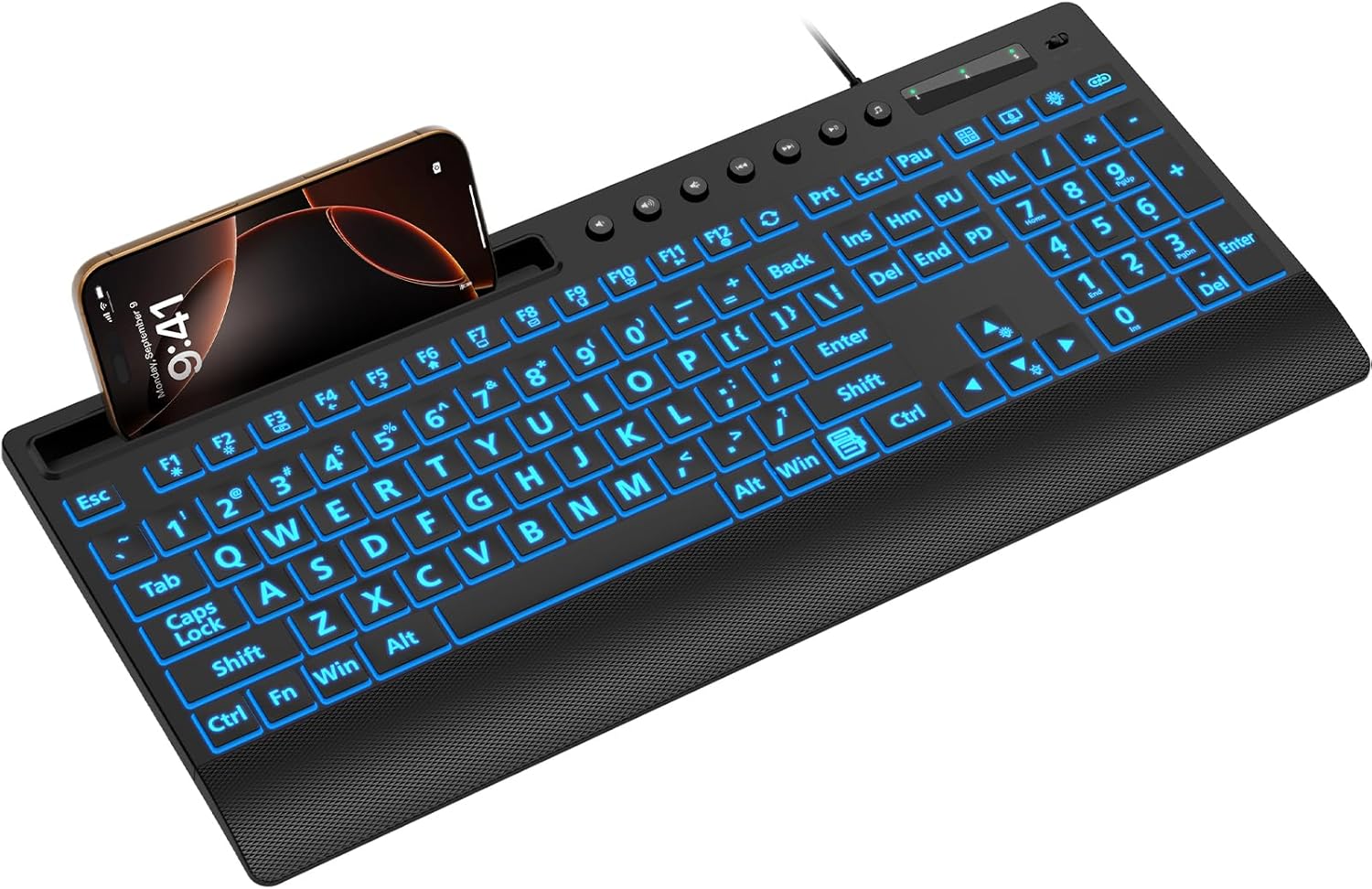
Image: The SABLUTE KC782 keyboard connected via USB, featuring its large print keys and integrated device holder.
Instrukcja obsługi
Kontrola podświetlenia
The keyboard features a 7-color LED backlight with adjustable brightness and two lighting modes.
- One-Key Adjustment: Use the dedicated backlight control key (often located near the number pad or function keys) to cycle through backlight settings.
- Wybór kolorów: Press the backlight control key to change between 7 vibrant colors.
- Poziomy jasności: The backlight offers 3 brightness levels. Adjust by pressing the backlight control key or using a combination with the 'Fn' key if indicated on the keyboard.
- Tryby oświetlenia: Switch between static (solid color) and gradient (color cycling) modes using the backlight control key.
- Podświetlenie włączone/wyłączone: Press and hold the backlight control key, or use a specific key combination, to turn the backlight on or off.
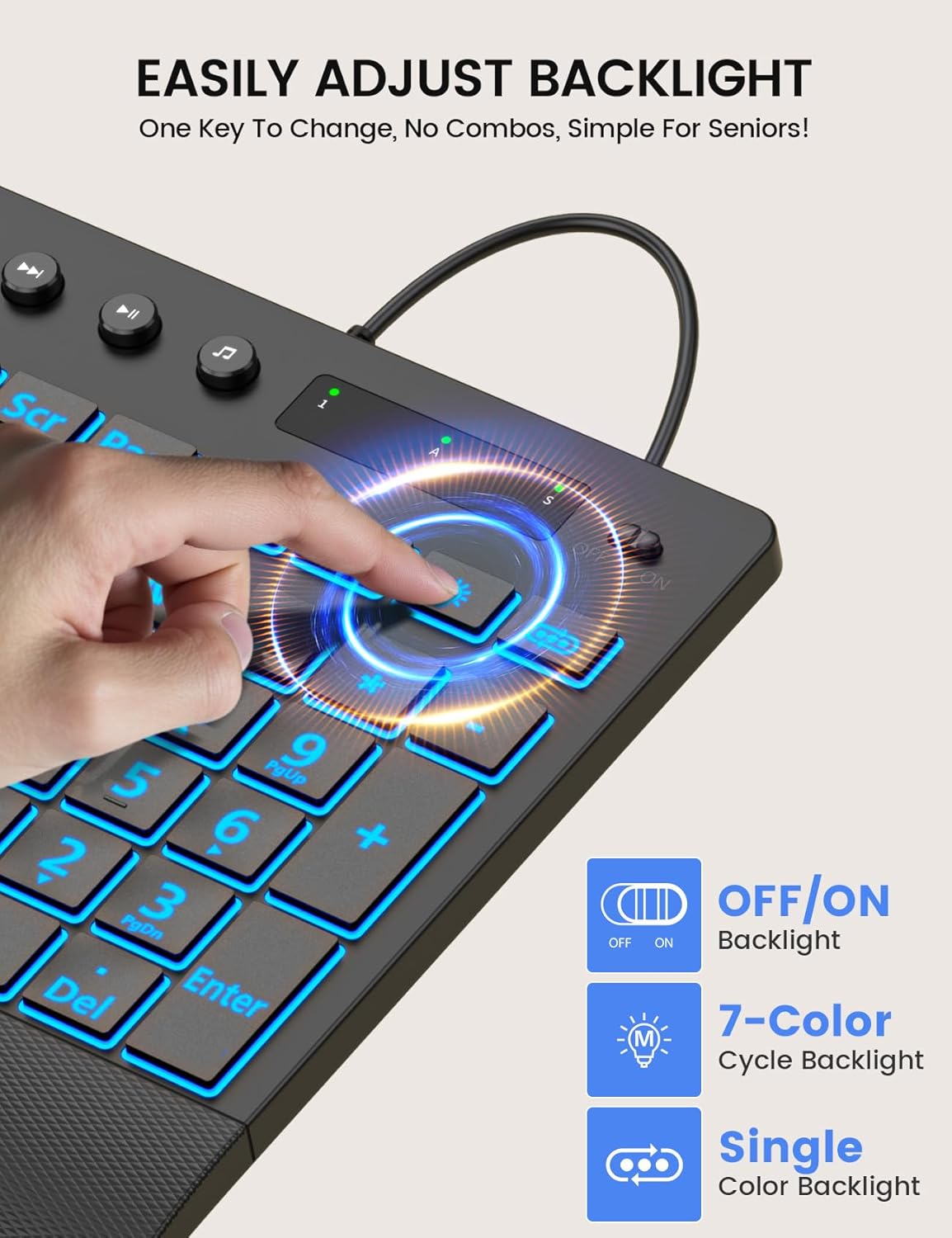
Image: Demonstrating the single-key backlight adjustment for easy control of colors and modes.
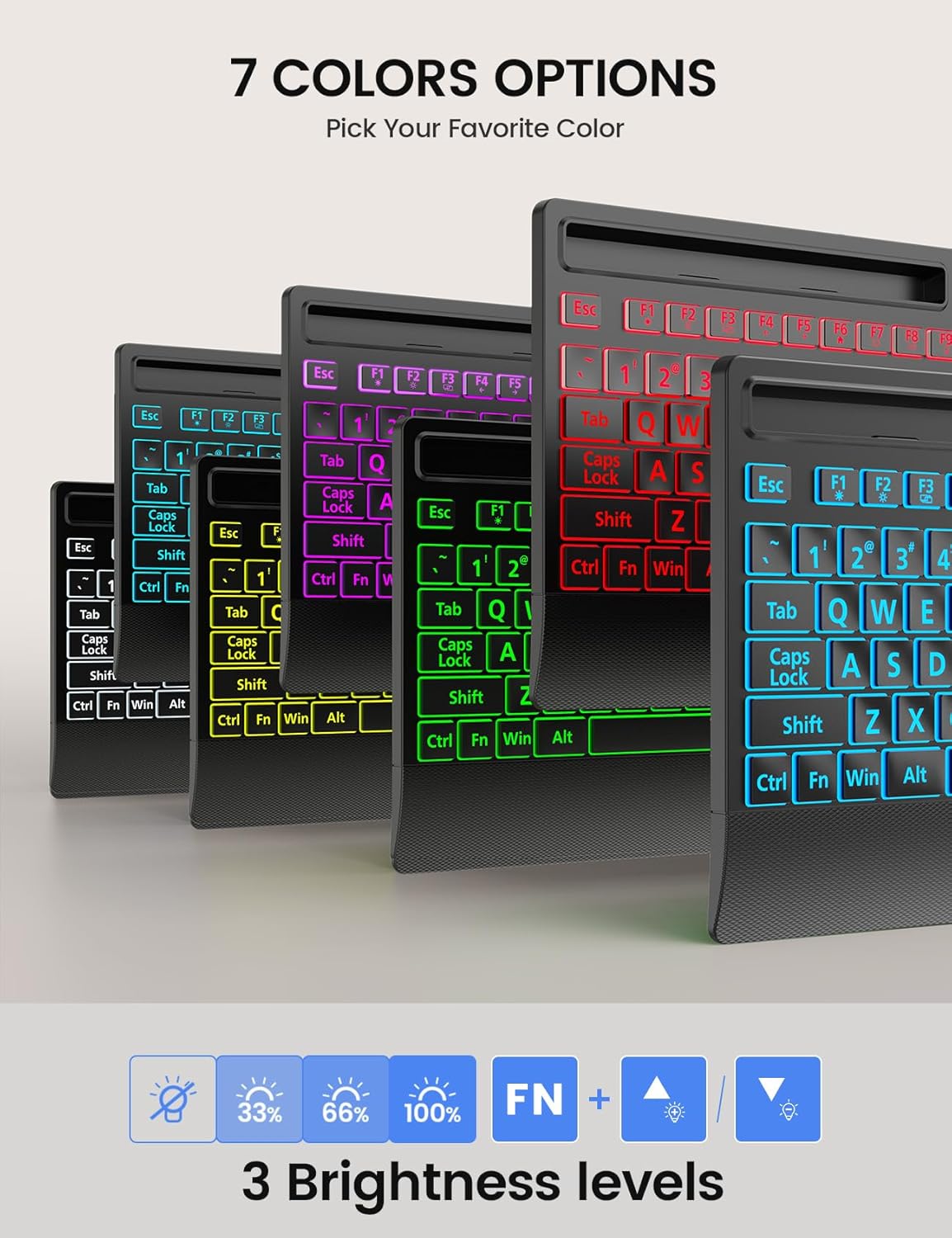
Image: The keyboard offers 7 distinct backlight color options to suit user preference.
Backlight Memory Function
The keyboard is equipped with a memory function that retains your last backlight settings. After powering off or rebooting your computer, the backlight brightness, color, and mode will automatically restore to your previously selected configuration.
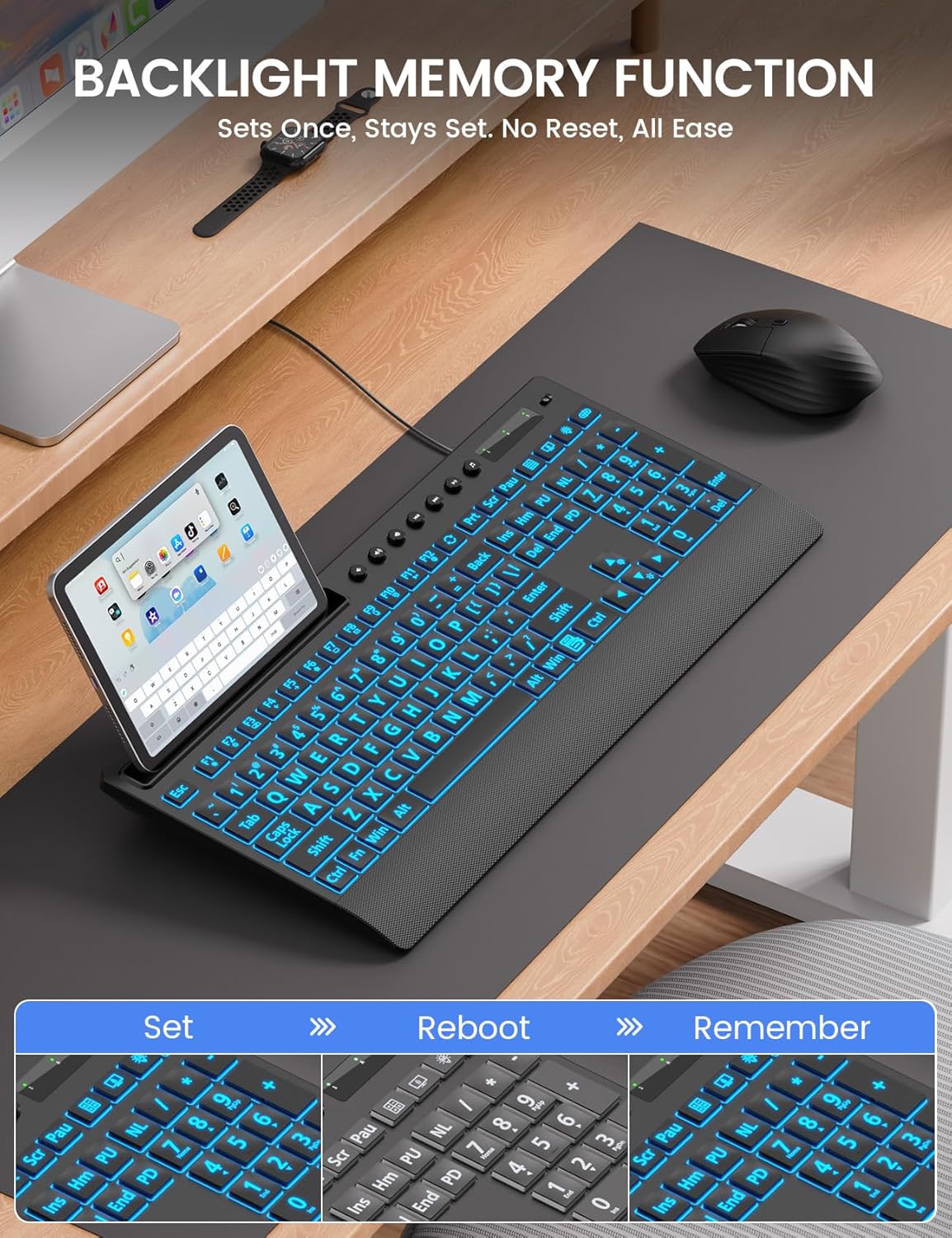
Image: The backlight memory function ensures your preferred settings are retained even after a system restart.
Zintegrowany uchwyt urządzenia
The keyboard features a built-in holder designed to accommodate smartphones and tablets up to 11.5 inches. This allows for convenient multitasking, keeping your mobile devices visible and accessible while typing.
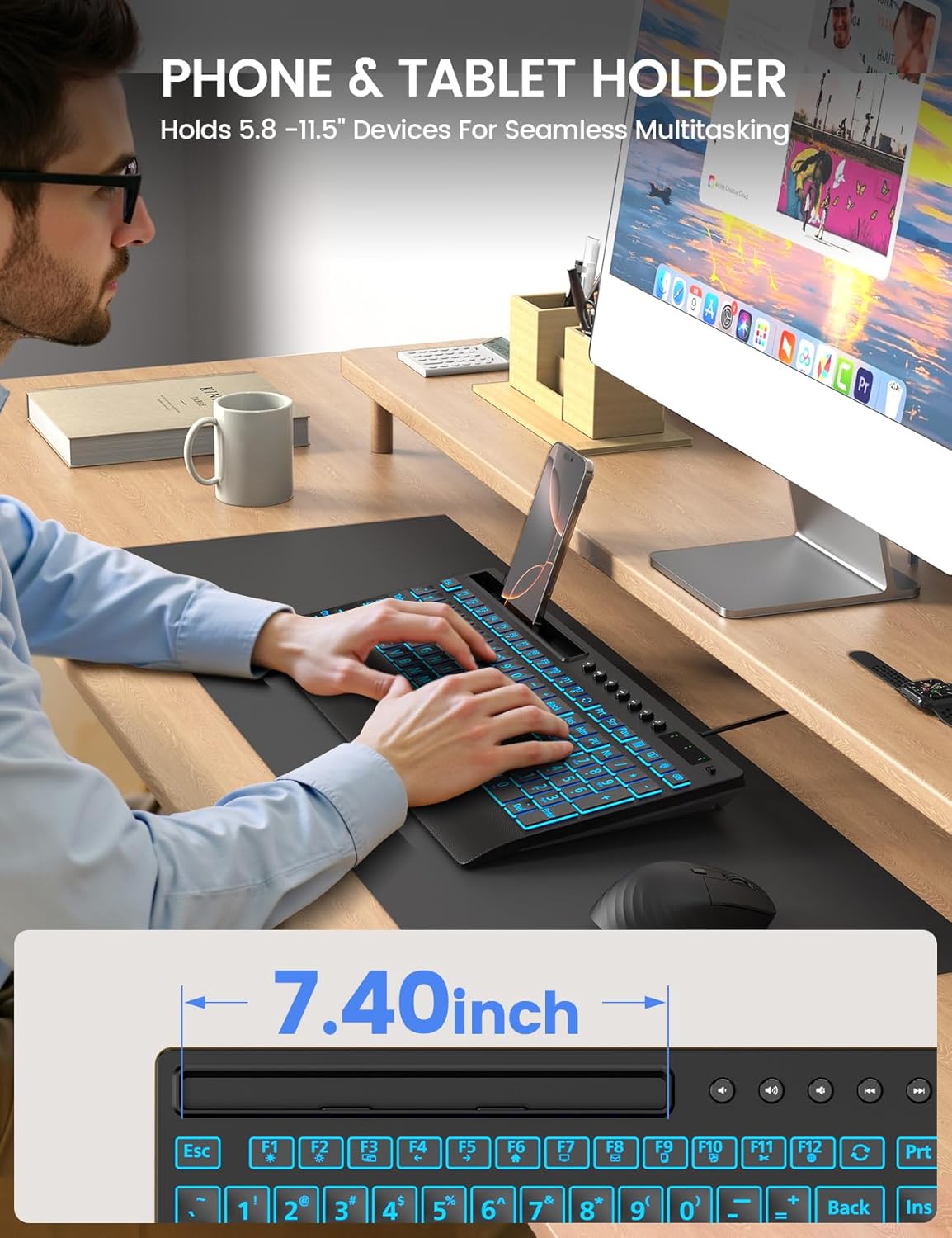
Image: The integrated device holder supports phones and tablets for enhanced productivity.
Ergonomiczna konstrukcja
The keyboard is designed with user comfort in mind, featuring a wrist rest and foldable stands for adjustable typing angles.
- Podkładka pod nadgarstek: The integrated wrist rest helps reduce strain during extended typing sessions.
- Stojaki składane: Unfold the stands at the back of the keyboard to achieve an optimal typing angle, further enhancing ergonomic comfort.
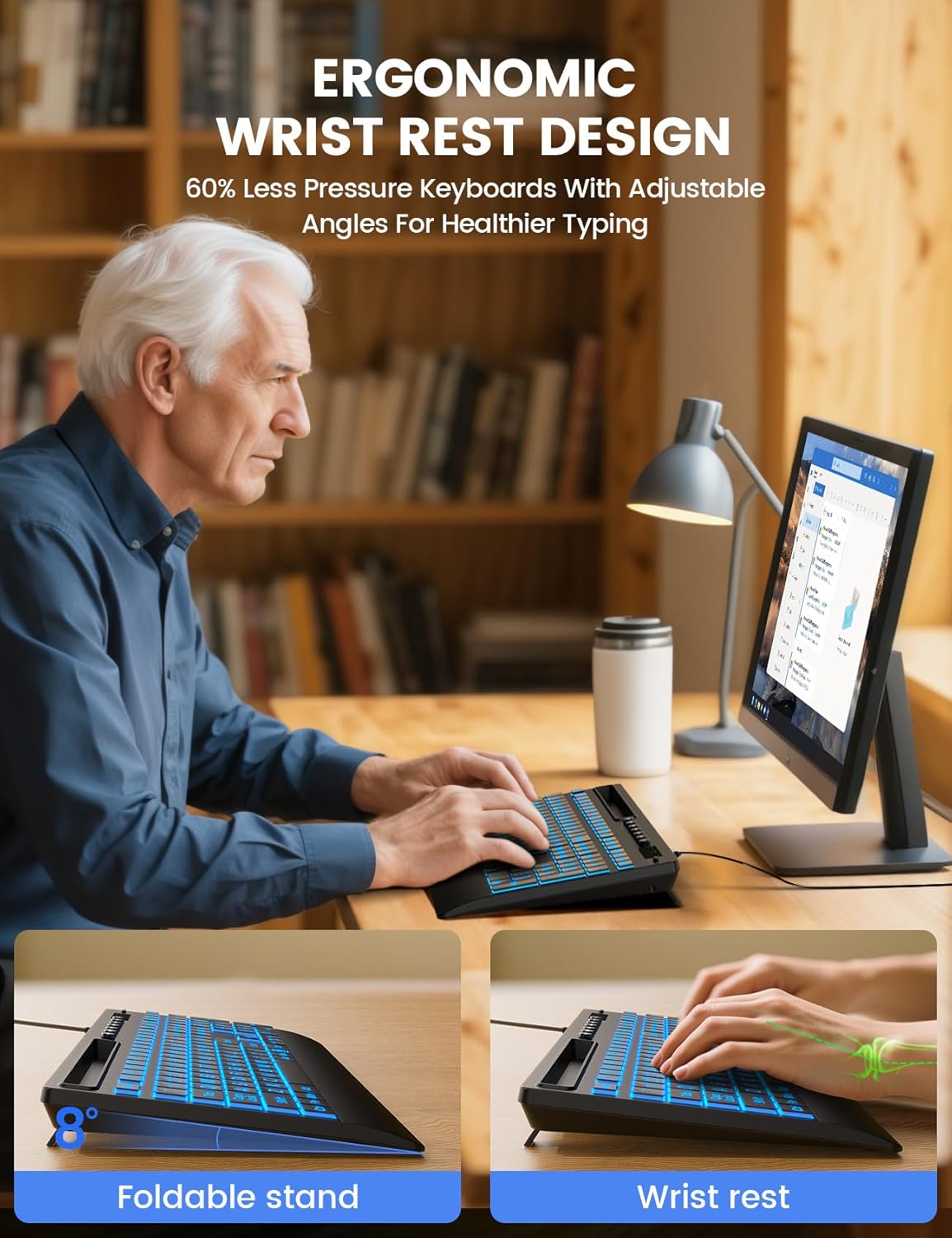
Image: The keyboard's ergonomic design, including a wrist rest and adjustable angle, promotes comfortable typing.
Klawisze multimedialne
The keyboard includes dedicated multimedia keys for quick access to common functions such as volume control, playback, and media applications. These keys are typically located above the function row (F1-F12).
Zgodność
The SABLUTE KC782 keyboard is compatible with a wide range of operating systems:
- Windows 2000/XP/7/8/10
- Widok
- Raspberry Pi 3/4
- Mac OS (Note: Multimedia keys may not be fully compatible with Mac OS)
Konserwacja
Aby zapewnić długowieczność i optymalną wydajność klawiatury, należy przestrzegać poniższych wskazówek dotyczących konserwacji:
- Czyszczenie: Use a soft, dry cloth to wipe the surface of the keyboard. For deeper cleaning, a slightly damp Można użyć ściereczki zwilżonej łagodnym mydłem, upewniając się, że żaden płyn nie dostanie się do przełączników kluczykowych ani elementów wewnętrznych.
- Usuwanie kurzu: Za pomocą sprężonego powietrza usuń kurz i zanieczyszczenia spomiędzy klawiszy.
- Unikaj płynów: Nie rozlewaj płynów na klawiaturę. W przypadku przypadkowego zalania, natychmiast odłącz klawiaturę od komputera i pozostaw ją do całkowitego wyschnięcia przed ponownym podłączeniem.
- Składowanie: Przechowuj klawiaturę w chłodnym, suchym miejscu, z dala od bezpośredniego światła słonecznego i ekstremalnych temperatur.
Rozwiązywanie problemów
If you encounter issues with your SABLUTE KC782 keyboard, please refer to the following common solutions:
- Klawiatura nie odpowiada:
- Sprawdź, czy kabel USB jest prawidłowo podłączony do klawiatury i komputera.
- Spróbuj podłączyć klawiaturę do innego portu USB w komputerze.
- Uruchom ponownie komputer.
- Przetestuj klawiaturę na innym komputerze, aby ustalić, czy problem dotyczy klawiatury czy oryginalnego komputera.
- Podświetlenie nie działa lub jest nieprawidłowe:
- Press the backlight control key to ensure it is turned on and to cycle through colors and brightness levels.
- If the backlight memory function is active, ensure your desired settings were saved correctly before the last power cycle.
- Klucze nie są rejestrowane:
- Check for any debris or obstructions under the affected keys.
- Upewnij się, że klawiatura jest czysta i nie ma na niej żadnych płynów.
Jeśli wykonanie tych czynności nie rozwiąże problemu, skontaktuj się z działem obsługi klienta, aby uzyskać dalszą pomoc.
Specyfikacje
| Wymiary produktu | 16.85 x 7.44 x 1.42 cala (42.8 x 18.9 x 3.6 cm) |
| Waga przedmiotu | 1.85 funtów (0.84 kg) |
| Technologia łączności | USB-A przewodowy |
| Opis klawiatury | Large Print Backlit Keyboard with Backlight Memory Function, Wrist Palm, 7-Color Lighted, Phone Stand |
| Kolory podświetlenia | 7 Colors (RGB) |
| Poziomy jasności | 3 |
| Tryby oświetlenia | Static, Gradient |
| Kompatybilne urządzenia | Laptop, PC, Windows, Mac (Note: Multimedia keys may not be fully compatible with Mac OS), Raspberry Pi 3/4 |
| Cechy specjalne | Large Print keys, Backlight Memory Function, Hotkeys and Media Keys, One-Key Backlight Adjustment, Wrist Rest, Phone/Tablet Holder |
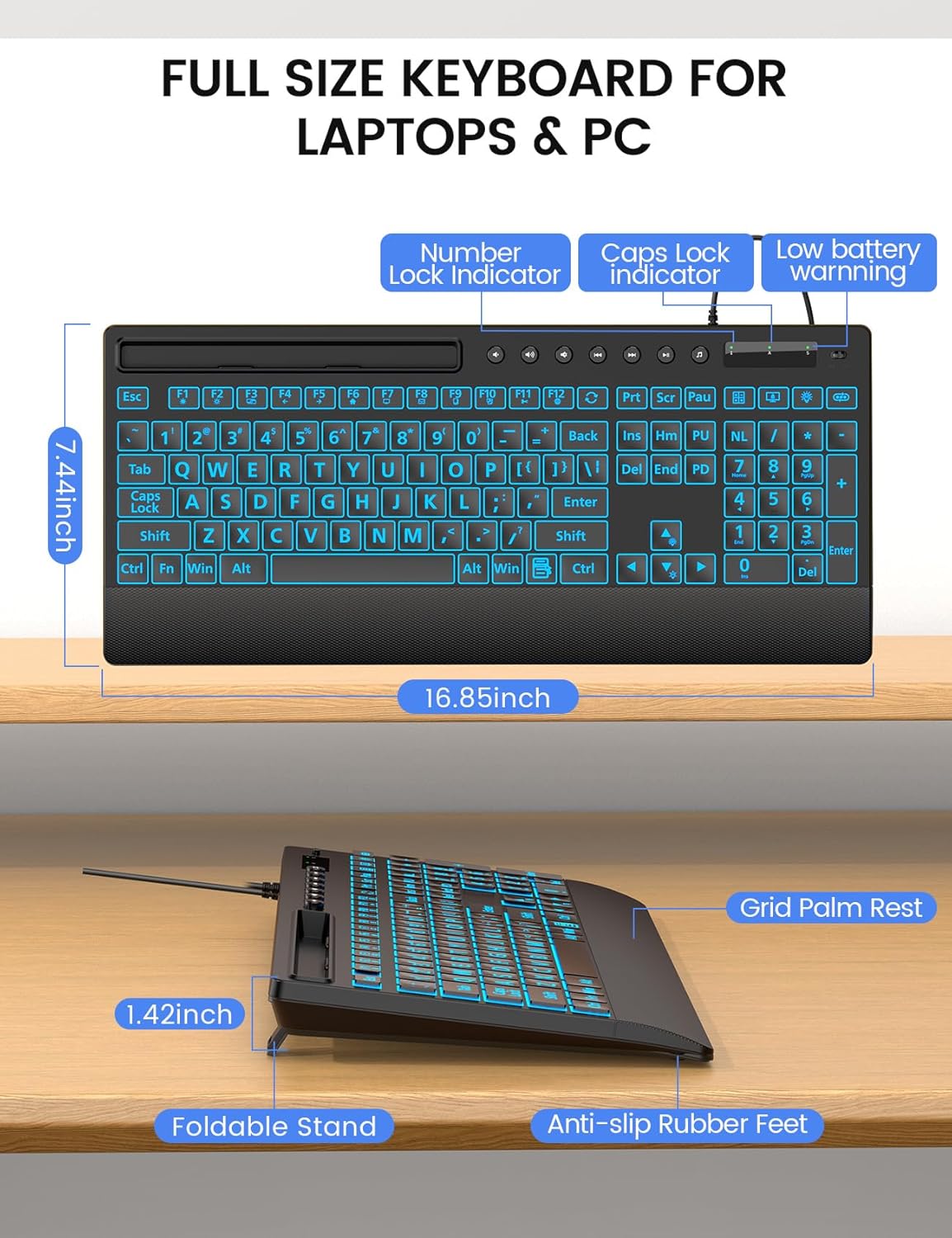
Obraz: Szczegółowy view of the keyboard's dimensions and physical features.
Gwarancja i wsparcie
SABLUTE is committed to providing quality products and customer satisfaction. Your KC782 keyboard comes with the following support:
- Zasady wymiany: 90-day replacement for eligible issues.
- Gwarancja producenta: 360-day manufacturer warranty.
- Pielęgnacja marki: Dedicated brand care support.
Informacje kontaktowe
For product consultation, quick repairs, accessory redelivery, returns, or exchanges, please contact us:
- Wsparcie e-mailowe: Usługi sabluteservices@outlook.com
- Wsparcie telefoniczne (USA): +1-213-296-1273 (Monday-Friday, 9 AM-1 PM PST, 2 PM-6 PM PST)

Image: SABLUTE customer support information and services.


