1. Wprowadzenie
This manual provides essential information for the setup, operation, maintenance, and troubleshooting of your LG gram 16-inch Thin and Lightweight Laptop Computer. This model features a Copilot+ PC experience, powered by an Intel Evo Edition Intel Core Ultra9 288V Processor, Windows 11 Home, 32GB RAM, and a 2TB SSD. Please read this manual thoroughly before using your device to ensure proper function and longevity.
2. Konfiguracja
2.1 Rozpakowanie i wstępna kontrola
Carefully remove all components from the packaging. Verify that all items listed in the 'What's in the Box' section are present and undamaged. If any items are missing or damaged, contact your retailer.
2.2 Podłączanie zasilacza
Connect the power adapter to the laptop's power input port (USB-C Thunderbolt 4 port) and then plug the adapter into a wall outlet. It is recommended to fully charge the battery before initial use.
2.3 Pierwsze uruchomienie i konfiguracja systemu Windows
Naciśnij przycisk zasilania, aby włączyć laptopa. Postępuj zgodnie z instrukcjami wyświetlanymi na ekranie, aby ukończyć proces konfiguracji systemu Windows 11 Home. Obejmuje to wybór regionu i języka, połączenie z siecią i utworzenie konta użytkownika.
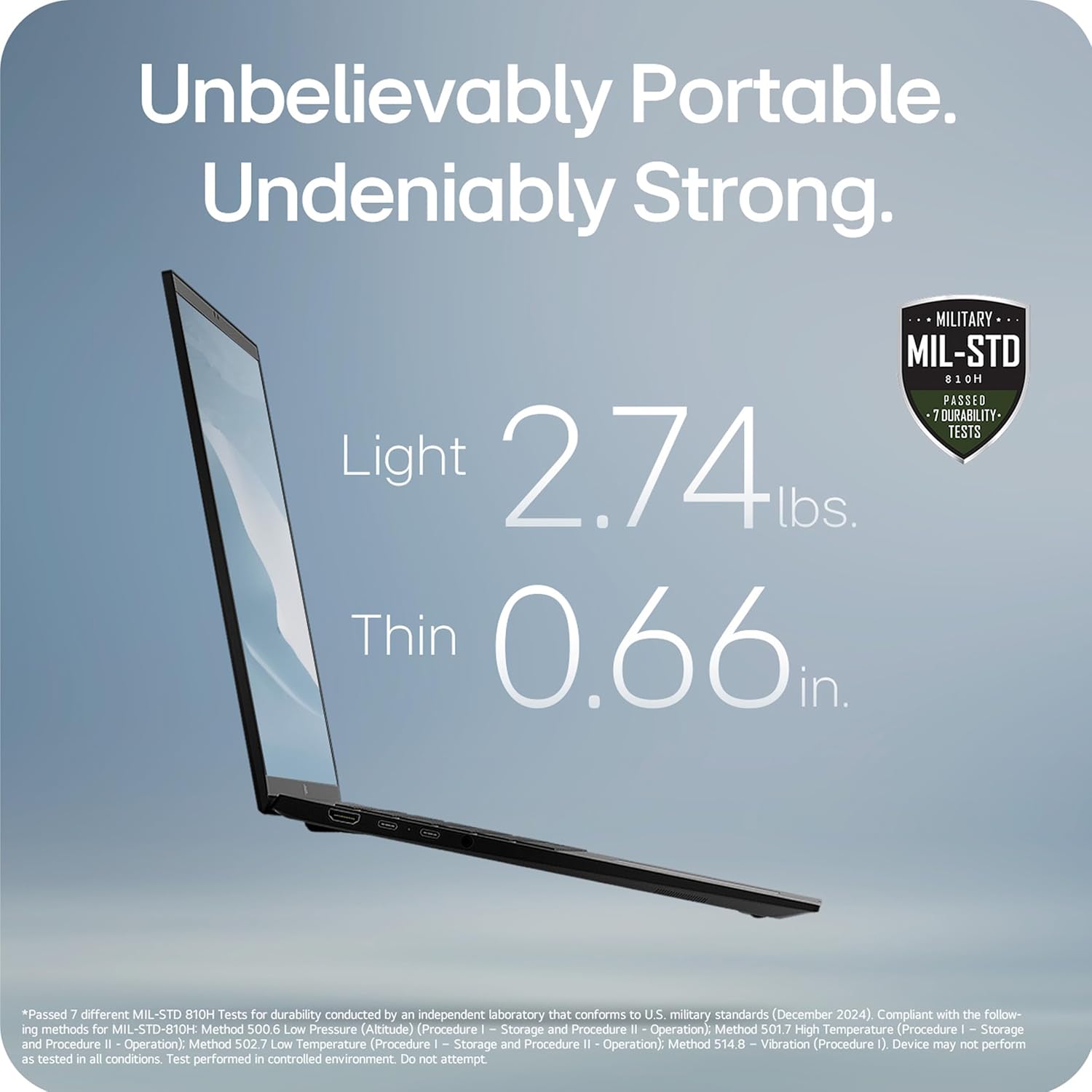
Image: The LG gram 16-inch laptop, showcasindzięki eleganckiemu wzornictwu i otwartemu wyświetlaczowi.
3. Instrukcja obsługi
3.1 AI Performance and Copilot+ PC
Your LG gram laptop is a Copilot+ PC, designed for enhanced AI performance. It integrates local and cloud AI capabilities to improve productivity and efficiency. Utilize the dedicated Copilot key on the keyboard to access AI-powered features within Windows 11.

Image: The LG gram laptop screen showing the Windows 11 interface with Copilot+ PC features, emphasizing AI tools.
3.2 Hybrid AI: On-Device and Cloud Synergy
The LG gram features a hybrid AI solution. gram chat On-Device manages local tasks such as smart hard drive searches and system adjustments. gram chat Cloud provides generative AI responses for tasks like document creation, data analysis, and scheduling. These features are accessible through intuitive interactions.

Image: A visual representation of the LG gram's hybrid AI, showing both on-device and cloud-based AI functionalities.
3.3 Intel Core Ultra 9 Processor
Equipped with an Intel Evo Edition Intel Core Ultra 9 processor (Series 2) with 48 NPU TOPS, this laptop delivers powerful AI performance. This dedicated AI processor efficiently handles machine learning tasks and provides an enhanced Copilot+ PC experience.

Image: The LG gram laptop with a visual overlay highlighting the Intel Core Ultra processor, indicating its AI processing power.
3.4 Przenośność i trwałość
The LG gram laptop is designed for portability, weighing 2.74 lbs and measuring 0.66 inches thin. It has passed seven military-grade standards (MIL-STD 810H) for resilience and durability, making it suitable for various environments.

Image: The LG gram laptop's side profile, illustrating its thinness and lightness, along with a military-grade durability certification.
3.5 Żywotność baterii
The laptop is equipped with a 77Wh battery, providing up to 28.5 hours of video playback. Actual battery life may vary based on usage and settings.

Image: The LG gram laptop screen showing a graphic indicating 28.5 hours of battery life.
3.6 16-inch Touchscreen Display
The laptop features a large 16-inch touchscreen display with a 16:10 aspect ratio and 2560x1600 resolution. The anti-glare screen and up to 99% DCI-P3 color gamut provide clear and vibrant visuals.

Image: The LG gram 16-inch laptop with its screen open, displaying a colorful image.
3.7 LG grama Łącznik
The LG gram Link app allows seamless connection with up to 10 devices across Android and iOS. This enables file sharing, screen expansion, display mirroring, and unified control for enhanced multitasking. App installation is required; visit LG.com/support do pobrania.
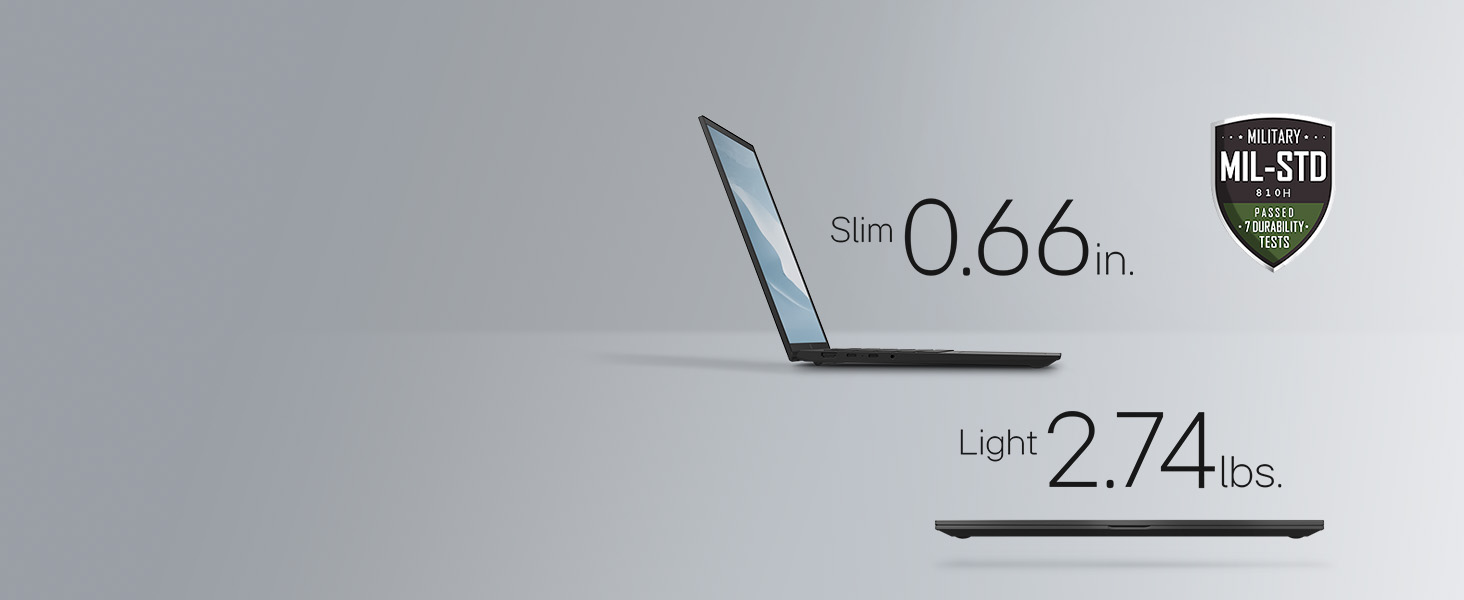
Image: The LG gram laptop shown with a tablet and smartphone, illustrating the LG gram Link feature for multi-device integration.
3.8 Funkcje audio
The laptop includes four built-in speakers for rich sound. Dolby Atmos 3D Surround Sound, powered by a 4-channel amplifier, provides an immersive audio experience.

Image: A user enjoying the LG gram laptop, with a visual representation of Dolby Atmos 3D Surround Sound.
3.9 Flexible Connectivity
The LG gram Z90TL offers multiple ports for connectivity:
- Two Thunderbolt 4 (USB-C) ports for ultra-fast data transfer and up to 5K resolution display support.
- Dwa porty USB 3.2.
- One HDMI port.
- One headphone jack.

Obraz: Lewa strona view of the LG gram laptop, highlighting the USB-C (Thunderbolt 4) and headphone/mic ports.

Obraz: Prawa strona view of the LG gram laptop, highlighting the USB 3.2 and HDMI ports.
4. Konserwacja
4.1 Czyszczenie
To clean the laptop, use a soft, lint-free cloth. For the screen, use a screen-specific cleaner applied to the cloth, not directly to the screen. Avoid harsh chemicals or abrasive materials.
4.2 Aktualizacje oprogramowania
Regularly check for and install operating system and driver updates to ensure optimal performance and security. Windows Update can be accessed through the Settings menu.
4.3 Pielęgnacja baterii
To prolong battery life, avoid fully discharging the battery frequently. Store the laptop in a cool, dry place when not in use for extended periods. If storing for a long time, ensure the battery is charged to approximately 50-60%.
5. Rozwiązywanie Problemów
5.1 Problemy z zasilaniem
- Laptop się nie włącza: Ensure the power adapter is securely connected and the wall outlet is functional. Try a different outlet. If the battery is completely drained, it may take a few minutes of charging before the laptop can power on.
- Bateria nie ładuje się: Verify the power adapter and cable are not damaged. Ensure the charging port is clean and free of debris.
5.2 Problemy z wyświetlaniem
- Brak wyświetlacza: Podłącz zewnętrzny monitor, aby sprawdzić, czy problem dotyczy wewnętrznego wyświetlacza laptopa. Upewnij się, że jasność wyświetlacza nie jest ustawiona na minimum.
- Migotanie ekranu: Zaktualizuj sterowniki karty graficznej. Dostosuj częstotliwość odświeżania ekranu w ustawieniach systemu Windows.
5.3 Problemy z łącznością
- Brak połączenia Wi-Fi: Restart the laptop and your router. Ensure Wi-Fi is enabled in Windows settings. Check for updated wireless drivers.
- Urządzenia USB nie zostały rozpoznane: Try connecting the device to a different USB port. Restart the laptop. Ensure device drivers are installed.
6. Specyfikacje
| Funkcja | Specyfikacja |
|---|---|
| Nazwa modelu | 16Z90TL-G.AUB9U1 |
| Rozmiar ekranu | 16 cali |
| Rozdzielczość ekranu | 2560 x 1600 pikseli |
| Edytor | Intel Core Ultra 9 (3.3 GHz) |
| BARAN | 32 GB pamięci LPDDR5 |
| Dysk twardy | Dysk SSD 2TB |
| Karta graficzna | Intel Arc |
| System operacyjny | Windows 11 Home |
| Waga przedmiotu | 2.74 funta |
| Wymiary produktu | 13.98 x 9.54 x 0.66 cala |
| Średnia żywotność baterii | 28.5 godzin |
| Typ bezprzewodowy | 802.11ax |
| Kolor | Czarny obsydian |
7. Oficjalne filmy o produktach
7.1 LG gram Laptop - Features
Wideo: Ponadview of the key features of the LG gram laptop. This video highlights various functionalities and design aspects.
7.2 LG gram Laptop - Product Video
Video: A detailed product video showcasing the LG gram laptop in action. It provides a visual demonstration of its capabilities and user experience.
7.3 LG 16Z90TL-G.AUB9U1 gram AI Laptop - Intro
Video: An introductory video for the LG gram AI Laptop, model 16Z90TL-G.AUB9U1. It highlights the initial setup and key AI functionalities.
8. Gwarancja i wsparcie
Your LG gram laptop comes with a standard manufacturer's warranty. For specific warranty terms, registration, and support, please refer to the warranty card included in your product packaging or visit the official LG webmiejsce na LG.com/support. You can also find drivers, software, and additional troubleshooting resources there.