1. Wprowadzenie
The Radiomaster XR3 Nano Multi-Frequency ExpressLRS Receiver is a compact and versatile receiver designed for remote control applications, offering robust signal stability and extended range. It supports both 2.4GHz and Sub-G 900MHz frequency bands, making it suitable for various setups. This manual provides essential information for the proper installation, operation, and maintenance of your XR3 receiver.
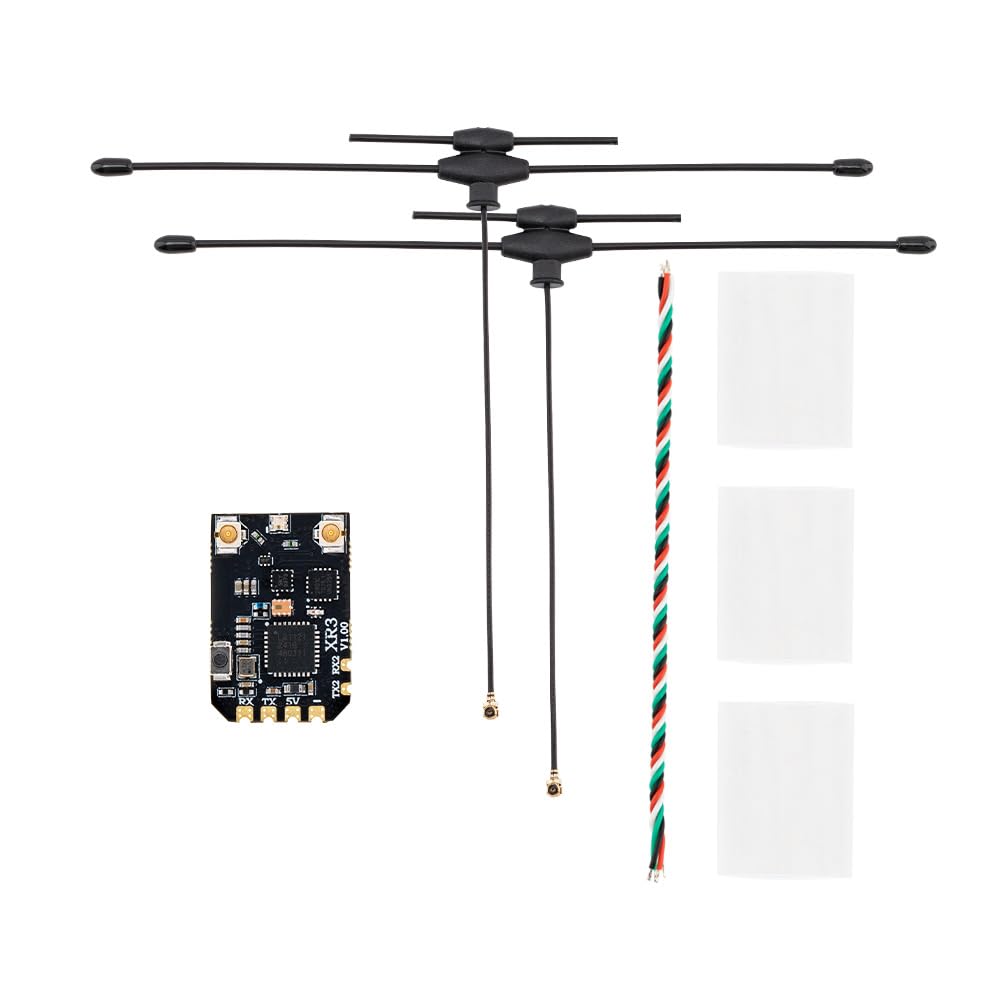
Image 1.1: Radiomaster XR3 Nano Multi-Frequency ExpressLRS Receiver with connected dual-band antennas.
2. Informacje dotyczące bezpieczeństwa
Please refer to this instruction manual before use. Improper handling or installation may lead to equipment damage or personal injury. Ensure all connections are correct and secure before powering on the device. This product is recommended for users aged 18 years and up.
3. Funkcje
- Różnorodność anten: Utilizes two antennas for improved signal stability and extended range, featuring a Skyworks RFX2401C for enhanced receiver performance and telemetry.
- Obsługa wielu częstotliwości: Operates on both 2.4GHz and Sub-G 900MHz bands.
- Wysokowydajny mikrokontroler: Equipped with an ESP32C3 microcontroller.
- Advanced Transceiver: Features a Semtech LR1121 transceiver.
- Dodatkowa łączność: Includes an additional UART port and secondary port for advanced functionality.
- Easy Soldering: Designed with castled pads for convenient soldering.
- Integrated WiFi: Built-in WiFi for effortless configuration and firmware updates via an intuitive WebUI.
- Kompaktowa konstrukcja: Ultra-compact dimensions (22mm x 15mm x 4mm) and lightweight (1.3g without antennas).

Obraz 3.1: Koniecview of the XR3 receiver highlighting its multi-frequency, antenna diversity, LR1121, and ExpressLRS features.
4. Zawartość opakowania
Sprawdź, czy w przesyłce znajdują się wszystkie elementy:
- 1 * XR3 Nano Antena wieloczęstotliwościowa Diversity ExpressLRS Odbiornik
- 2 * T Antenna (Either 2.4GHz, 900Mhz, or Dual-band, depending on selected package)
- 1 * Przewód CRSF
- 3 * Rurka termokurczliwa
- 1 * Karta instrukcji
5. Konfiguracja
5.1 połączenie fizyczne
Connect the XR3 receiver to your flight controller or other compatible device using the provided CRSF wire. Ensure correct polarity and pin assignments for 5V, TX (Transmit), and RX (Receive).
- 5V: Power input (DC 4.5-8.4V)
- Teksas: Telemetry data output from receiver
- Odbiór: Control data input to receiver
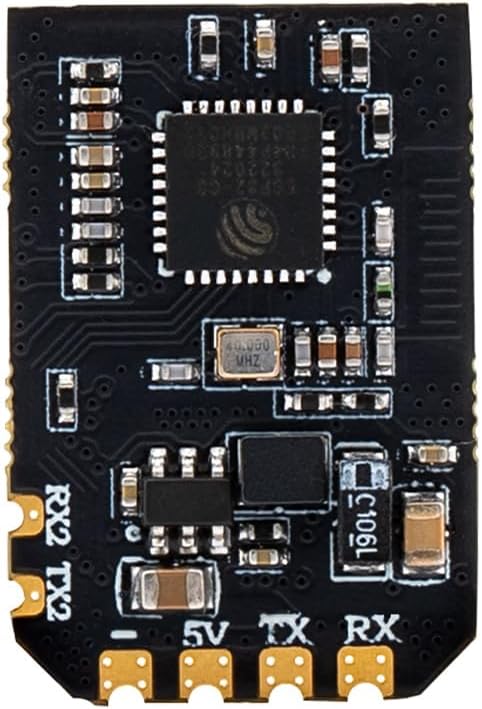
Obraz 5.1: Zbliżenie view of the XR3 receiver board, indicating the 5V, TX, and RX pads for connection.
5.2 Instalacja anteny
Carefully connect the two T-antennas to the IPEX-1 connectors on the receiver board. Ensure they are securely attached. Position the antennas to maximize signal reception, typically at a 90-degree angle to each other for optimal diversity.
5.3 Binding (Pairing)
The XR3 receiver uses the ExpressLRS protocol for binding. Follow these general steps:
- Power on your receiver three times, cycling power quickly. The LED on the receiver should flash rapidly, indicating it is in bind mode.
- On your ExpressLRS compatible transmitter, initiate the binding process. Refer to your transmitter's manual for specific instructions.
- Po nawiązaniu połączenia dioda LED na odbiorniku zacznie świecić światłem ciągłym, co będzie oznaczać, że połączenie zostało nawiązane.
Alternatively, the XR3 features a bind button. Press and hold the bind button while powering on the receiver to enter bind mode. The receiver also supports binding via WiFi.

Obraz 5.2: Widok z góry na dół view of the XR3 receiver board, showing the location of the bind button.
5.4 aktualizacji oprogramowania sprzętowego
The XR3 receiver supports firmware updates via its built-in WiFi. Connect to the receiver's WiFi network using a PC or mobile device and access the WebUI to manage settings and update firmware. Ensure you are using the correct firmware target: "RadioMaster XR3 2.4/900 Diversity RX".
6. Obsługa
6.1 Wybór częstotliwości
The XR3 receiver is capable of operating on either 2.4GHz or Sub-G 900MHz frequencies. The type of antenna included with your package determines the primary operating frequency. If you have a dual-band antenna, the receiver can switch between 2.4GHz and 900MHz without requiring an antenna change. Ensure your transmitter is configured to match the receiver's operating frequency.
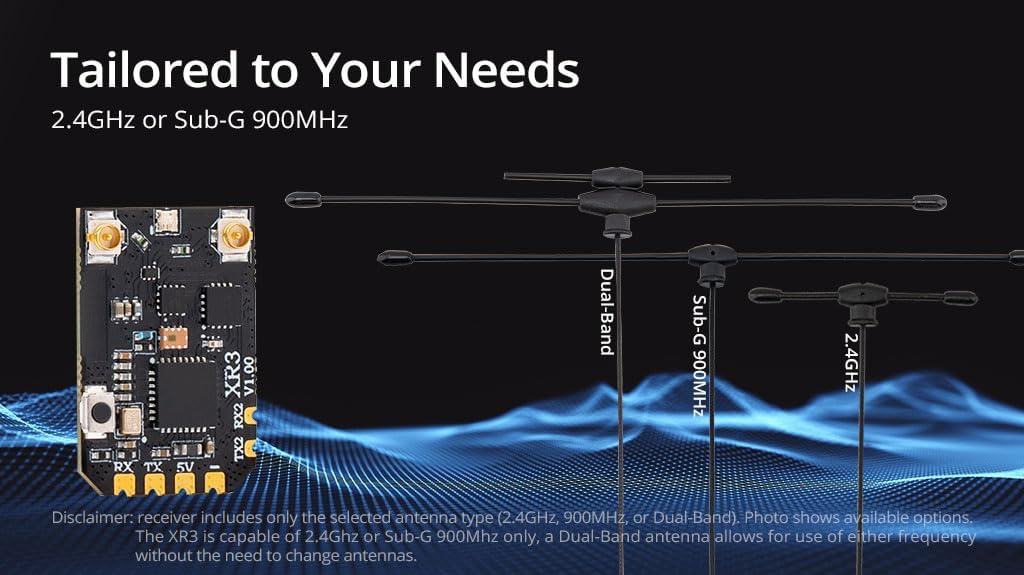
Image 6.1: The XR3 receiver supports various antenna types for 2.4GHz, Sub-G 900MHz, or Dual-Band operation.
6.2 Funkcjonalność ExpressLRS
Once bound, the XR3 receiver will communicate with your ExpressLRS transmitter, providing control and telemetry data. The antenna diversity feature automatically selects the best signal from the two antennas, enhancing link quality and range, especially in challenging RF environments. The telemetry power output is 100mW.
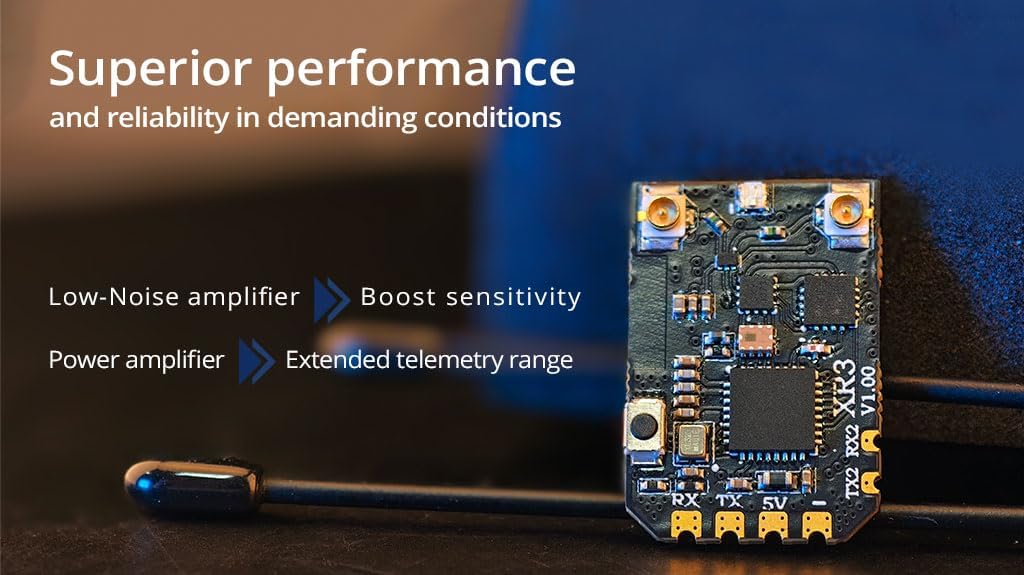
Image 6.2: The XR3 receiver incorporates a Low-Noise amplifier to boost sensitivity and a Power amplifier for extended telemetry range.
7. Konserwacja
The XR3 receiver is designed for durability, but proper care can extend its lifespan:
- Utrzymuj odbiornik w czystości, wolny od kurzu, brudu i wilgoci.
- Unikaj wystawiania odbiornika na działanie ekstremalnych temperatur lub bezpośredniego światła słonecznego przez dłuższy czas.
- Ensure antenna connections are secure but do not overtighten.
- Regularly check for any visible damage to the board or antennas.
8. Rozwiązywanie Problemów
If you encounter issues with your XR3 receiver, consider the following:
- Brak wiązania: Ensure the receiver is in bind mode (rapidly flashing LED) and your transmitter is attempting to bind on the correct ExpressLRS firmware version and frequency. Check power connections.
- Słaby sygnał/zasięg: Verify antenna connections and positioning. Ensure no obstructions are blocking the signal path. Check for local RF interference. Confirm the correct frequency band (2.4GHz or 900MHz) is selected on both receiver and transmitter.
- Brak telemetrii: Check the TX/RX wiring between the receiver and flight controller. Ensure CRSF protocol is correctly configured in your flight controller and transmitter.
- Odbiornik się nie włącza: Sprawdź zasilanie voltage (DC 4.5-8.4V) and polarity. Inspect for any short circuits or damaged components.
9. Specyfikacje
| Specyfikacja | Szczegół |
|---|---|
| Przedmiot | XR3 Nano Antena wieloczęstotliwościowa Diversity ExpressLRS Odbiornik |
| Typ | ISM2.4, FCC915 |
| MCU | ESP32C3 |
| Chip RF | LR1121 |
| Złącze RF | IPEX-1 X 2 |
| Antena | 2x T-Antenna (2.4GHz, 900Mhz, or Dual-band) |
| Zakres częstotliwości | 2.4GHz / Sub-G 900MHz |
| Moc telemetrii | 100mW |
| Maksymalna częstotliwość odświeżania odbioru | DK500Hz / K1000Hz |
| Minimalna częstotliwość odświeżania odbiornika | 25 Hz |
| Objętość roboczatage | DC 4.5-8.4V |
| Waga | 1.3g (bez anteny) |
| Wymiar | 22mm * 15mm * 4mm |
| Wersja oprogramowania | ExpressLRS v3.5.1 zainstalowany fabrycznie |
| Docelowy FW | RadioMaster XR3 2.4/900 Różnorodność RX |
| Interfejs magistrali 1 | CRSF |
| Interfejs magistrali 2 | UART |
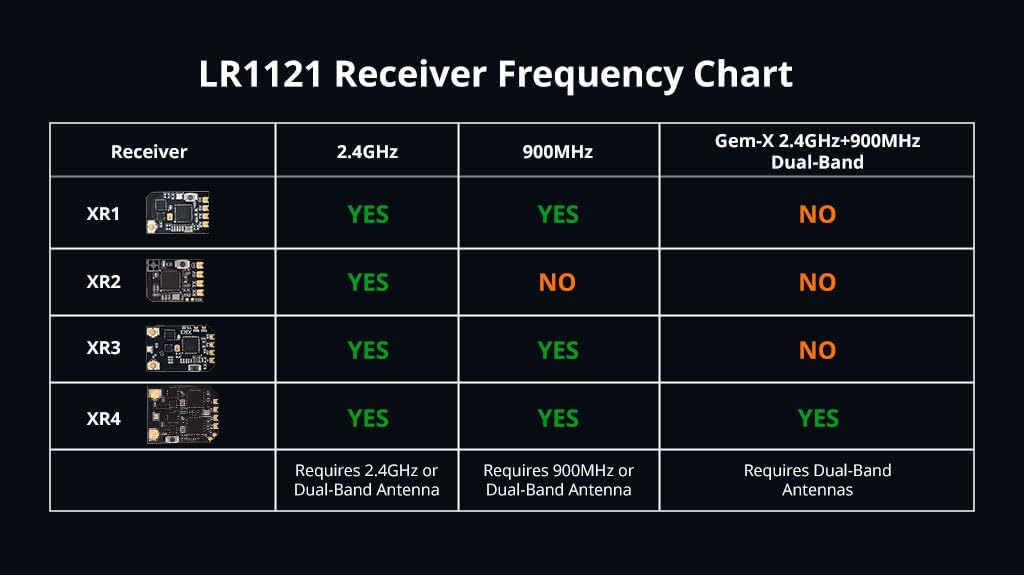
Image 9.1: LR1121 Receiver Frequency Chart, showing compatibility across different XR models.
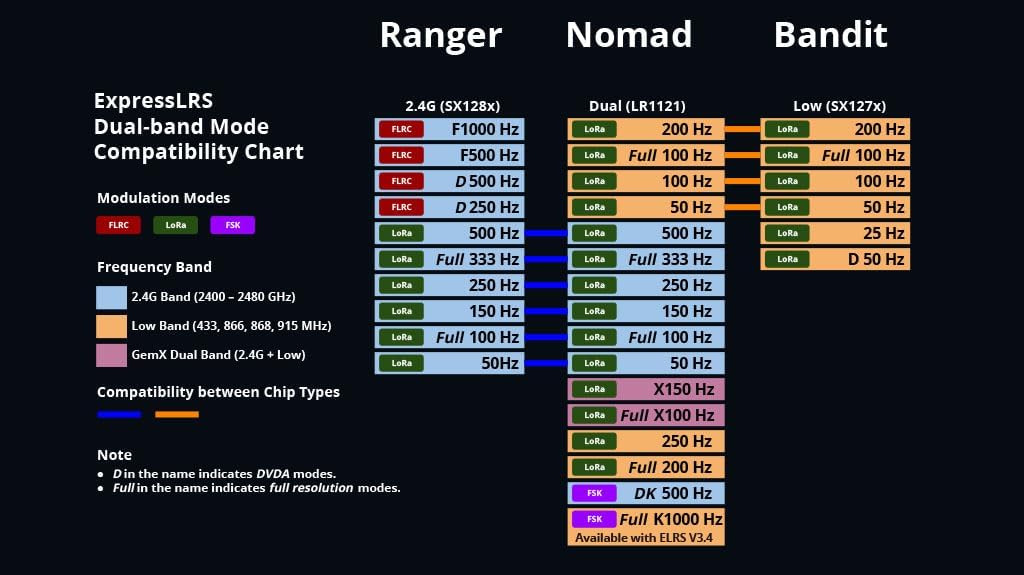
Image 9.2: ExpressLRS Dual-band Mode Compatibility Chart, detailing modulation modes and frequency bands for various modules.
10. Gwarancja i wsparcie
Aby uzyskać informacje dotyczące gwarancji i pomocy technicznej, zapoznaj się z oficjalną stroną Radiomaster webOdwiedź witrynę lub skontaktuj się z autoryzowanym dealerem. Zachowaj dowód zakupu na wypadek roszczeń gwarancyjnych.