1. Wprowadzenie
The Dell 27 Monitor SE2725HM offers a 27-inch Full HD (1920x1080) display with a 16:9 aspect ratio and a 100Hz refresh rate. Featuring an IPS panel, it delivers 16.70 million colors and wide viewing angles. Designed with ComfortView Plus and TÜV Rheinland 3-star certification, it minimizes harmful blue light exposure without compromising color accuracy, ensuring a comfortable viewing experience. The anti-glare screen further enhances usability.
Główne cechy:
- Częstotliwość odświeżania 100 Hz: Provides less flicker, seamless scrolling, and smoother motion for an improved viewzdobywania doświadczenia.
- KomfortView Plus: Built-in technology that reduces harmful blue light emissions while maintaining color accuracy.
- In-Plane Switching (IPS) Technology: Ensures excellent color accuracy and consistency across wide viewkąty.
- Zintegrowane zarządzanie kablami: Features a built-in power supply unit and cable holder for a tidy workspace.
- Elastyczny Viewing: Allows easy tilt adjustments for optimal viewing angles and is compatible with VESA mounts.
2. Co znajduje się w pudełku
Upon unboxing your Dell 27 Monitor SE2725HM, please ensure all the following components are present:
- Monitor z podstawką
- Kabel zasilający
- 1 x HDMI cable - 1.8 m
- Karta QR
- Informacje dotyczące bezpieczeństwa
3. Instrukcje konfiguracji
3.1 Montaż podstawy monitora
- Aby zapobiec porysowaniu, połóż panel monitora ekranem do dołu na miękkiej, czystej szmatce.
- Attach the stand riser to the stand base. Ensure it clicks securely into place.
- Align the assembled stand with the mounting slots on the back of the monitor panel. Push firmly until the stand locks into place.

Figure 1: Dell 27 Monitor SE2725HM with stand assembled.
3.2 Podłączanie kabli
Connect the necessary cables to your monitor and computer. The monitor supports both HDMI and VGA connections.
- Przewód zasilający: Connect one end of the power cable to the power connector on the back of the monitor and the other end to a power outlet.
- Video Cable (HDMI or VGA):
- HDMI: Connect the provided HDMI cable from the HDMI port on your computer to the HDMI port on the monitor.
- VGA: If using VGA, connect a VGA cable (not included) from the VGA port on your computer to the VGA port on the monitor.
- Zarządzanie kablami: Utilize the built-in cable holder on the stand to route your cables neatly, reducing clutter.

Rysunek 2: Tył view of Dell 27 Monitor SE2725HM showing power, HDMI, and VGA ports.
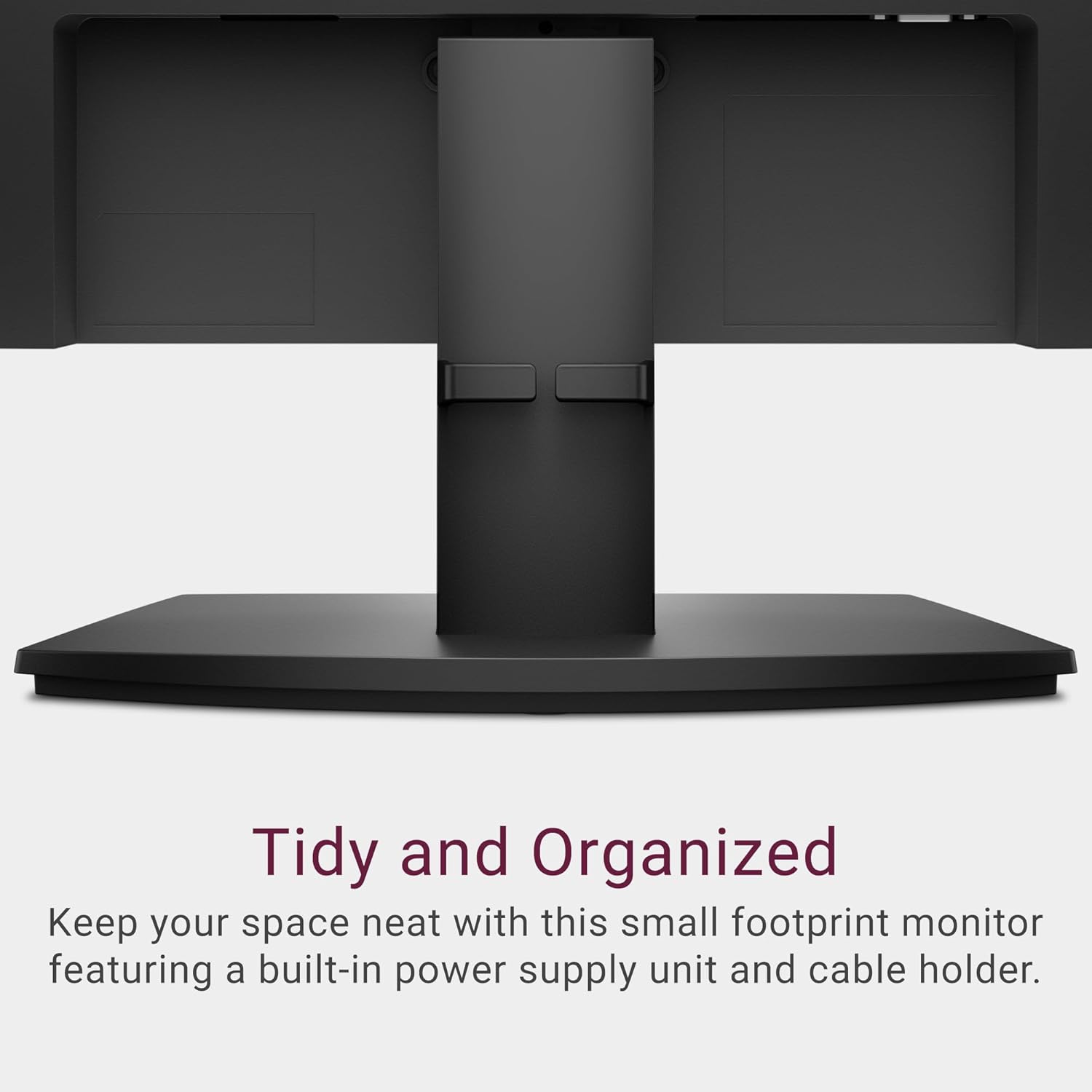
Figure 3: Cables routed through the integrated cable holder on the monitor stand.
4. Instrukcja obsługi
4.1 Włączanie/wyłączanie
Press the power button, usually located on the bottom right side of the monitor bezel, to turn the monitor on or off. The power LED will indicate the monitor's status.
4.2 Menu ekranowe (OSD)
The OSD menu allows you to adjust various monitor settings. Use the buttons located on the bottom bezel to navigate and select options.
- Jasność/Kontrast: Adjust the display's brightness and contrast levels to your preference.
- Źródło sygnału wejściowego: Manually select between HDMI and VGA input sources if the monitor does not auto-detect.
- Ustawienia kolorów: Fine-tune color temperature, gamma, and other color-related options.
- Ustawienia wyświetlania: Adjust aspect ratio, sharpness, and response time.
- KomfortView Plus: This feature is always on to reduce blue light. No manual adjustment is typically needed.
4.3 Regulacja Viewing kąt
The monitor stand allows for tilting the screen to achieve your desired viewing angle. Gently hold both sides of the monitor and tilt it forwards or backwards.
5. Konserwacja
5.1 Czyszczenie monitora
To clean your Dell monitor, follow these guidelines:
- Always unplug the monitor from the electrical outlet before cleaning.
- Delikatnie użyj miękkiej, niestrzępiącej się szmatki dampCzyścić wodą lub nieściernym środkiem do czyszczenia ekranów.
- Delikatnie przetrzyj ekran. Unikaj nadmiernego nacisku.
- Do not use harsh chemicals, abrasive cleaners, or aerosol sprays directly on the screen or casing.
6. Rozwiązywanie Problemów
If you encounter issues with your Dell 27 Monitor SE2725HM, refer to the following common troubleshooting steps:
- Brak zasilania: Upewnij się, że kabel zasilający jest prawidłowo podłączony zarówno do monitora, jak i do gniazdka elektrycznego. Sprawdź, czy gniazdko elektryczne działa.
- Brak obrazka: Verify that the video cable (HDMI or VGA) is correctly connected to both the monitor and the computer. Ensure the correct input source is selected in the OSD menu.
- Migotanie ekranu: Check the video cable connection. Adjust the refresh rate settings on your computer to 100Hz if not already set.
- Słaba jakość obrazu: Adjust brightness, contrast, and color settings via the OSD menu. Ensure your computer's display resolution is set to 1920x1080.
- Przyciski nie odpowiadają: Power cycle the monitor by unplugging it for a few seconds and then plugging it back in.
For more detailed troubleshooting or persistent issues, please visit the official Dell support webodwiedź witrynę lub skontaktuj się z działem obsługi klienta firmy Dell.
7. Specyfikacje
| Funkcja | Specyfikacja |
|---|---|
| Numer modelu | SE2725HM |
| Rozmiar ekranu | 27 cali |
| Typ panelu | IPS |
| Rezolucja | 1920x1080 (Pełna rozdzielczość HD) |
| Proporcje obrazu | 16:9 |
| Częstotliwość odświeżania | 100 Hz |
| Obsługa kolorów | 16.70 milionów kolorów |
| Powierzchnia ekranu | Anti-Glare, Matte |
| Porty wideo | 1 x HDMI, 1 x VGA |
| Wymiary (dł. x szer. x wys.) | 7.87 x 24.06 x 17.86 cala |
| Waga przedmiotu | 9.69 funta |
| Kolor | Czarny |
| Cechy specjalne | TÜV Rheinland 3-Star Certified, ComfortView Plus, VESA Mount Compatible |
8. Gwarancja i wsparcie
Your Dell 27 Monitor SE2725HM is covered by Dell's standard warranty. For specific warranty terms, registration, and technical support, please refer to the documentation included with your product or visit the official Dell support website. Dell provides comprehensive support resources, including drivers, manuals, and troubleshooting guides, to ensure optimal performance and longevity of your monitor.


