Wstęp
Thank you for choosing the Pro Breeze 25L Smart Dehumidifier. This appliance is designed to efficiently remove excess moisture from your indoor environment, helping to prevent mold, mildew, and dampness. Featuring smart Wi-Fi connectivity, a digital display, and multiple operating modes, this dehumidifier offers advanced control and convenience. Please read this manual thoroughly before operation to ensure safe and optimal performance.
Ważne instrukcje bezpieczeństwa
Aby zmniejszyć ryzyko pożaru, porażenia prądem i obrażeń, należy zawsze przestrzegać podstawowych zasad bezpieczeństwa podczas korzystania z urządzeń elektrycznych.
- Upewnij się, że zasilanie jest zgodne z objtage podano na tabliczce znamionowej.
- Nie należy używać osuszacza powietrza, jeśli przewód lub wtyczka są uszkodzone.
- Keep the appliance at least 20 cm (8 inches) away from walls and other objects to ensure proper airflow.
- Nie zanurzaj urządzenia, przewodu zasilającego ani wtyczki w wodzie ani innych płynach.
- Odłącz osuszacz powietrza od zasilania przed czyszczeniem, konserwacją lub gdy nie jest używany.
- To urządzenie jest przeznaczone wyłącznie do użytku wewnątrz pomieszczeń.
- Nie blokować wlotu ani wylotu powietrza.
- Nadzoruj dzieci i upewnij się, że nie bawią się urządzeniem.
- Nie próbuj samodzielnie naprawiać ani modyfikować urządzenia. Skontaktuj się z wykwalifikowanym personelem serwisowym.
Cechy produktu

Image: The Pro Breeze 25L Smart Dehumidifier, showcasing its compact design and highlighting features such as Wi-Fi compatibility, 25L extraction rate, energy efficiency, and laundry mode. Dimensions are also indicated.
- Potężne osuszanie: Extracts up to 25 liters of moisture per day, effectively combating persistent humidity, mold, and condensation in large rooms.
- Duży zbiornik na wodę: Features a 5.5-liter water tank with automatic shut-off when full. A drainage hose is included for continuous operation.
- Energooszczędny: Utilizes a high-performance compressor, 24-hour timer, and automatic stop system to reduce energy consumption.
- Cicha praca: Designed with silent technology, making it suitable for use in bedrooms, living rooms, offices, and other quiet environments.
- Inteligentne sterowanie za pomocą aplikacji: Manage all functions remotely using the free Pro Breeze app or voice commands with Alexa and Google Home (compatible with iPhone and Android).
- Digital Display & Humidity Sensor: An intuitive LED screen allows selection of fan speed and humidity levels between 30% and 80%. The smart sensor displays real-time humidity and automatically stops the dehumidifier once the target is reached.
- Wiele trybów pracy: Includes a 24-hour timer and 4 operating modes, including a dedicated Tryb suszenia prania. Also features a Blokada dziecięca, Automatic Defrost Mode, I Wyświetlacz nocny.

Image: The Pro Breeze dehumidifier positioned next to a large 25-liter water bottle, visually representing its daily moisture extraction capacity and the benefit of fewer tank emptying cycles.
Zawartość opakowania
Proszę zaznaczyć pole dotyczące następujących elementów:
- Pro Breeze 25L Smart Dehumidifier Unit
- Wąż odprowadzający ciągły
- Instrukcja obsługi
Organizować coś
- Rozpakowywanie: Ostrożnie wyjmij osuszacz powietrza z opakowania. Zachowaj opakowanie do późniejszego przechowywania lub transportu.
- Umieszczenie: Place the dehumidifier on a firm, level surface. Ensure there is at least 20 cm (8 inches) of clear space around the air inlet and outlet to allow for efficient airflow. Avoid placing it near heat sources or in direct sunlight.
- Podłączenie zasilania: Podłącz przewód zasilający do uziemionego gniazdka elektrycznego. Upewnij się, że napięcietagodpowiada wymaganiom jednostki.
- Instalacja zbiornika wody: Upewnij się, że zbiornik na wodę jest prawidłowo włożony do urządzenia. Osuszacz powietrza nie będzie działał, jeśli zbiornik nie będzie prawidłowo osadzony lub będzie pełny.
- Ciągły drenaż (opcjonalnie): For continuous operation without emptying the tank, connect the provided drainage hose to the continuous drainage port on the back of the unit. Route the hose to a suitable drain, ensuring it is sloped downwards to allow water to flow freely.
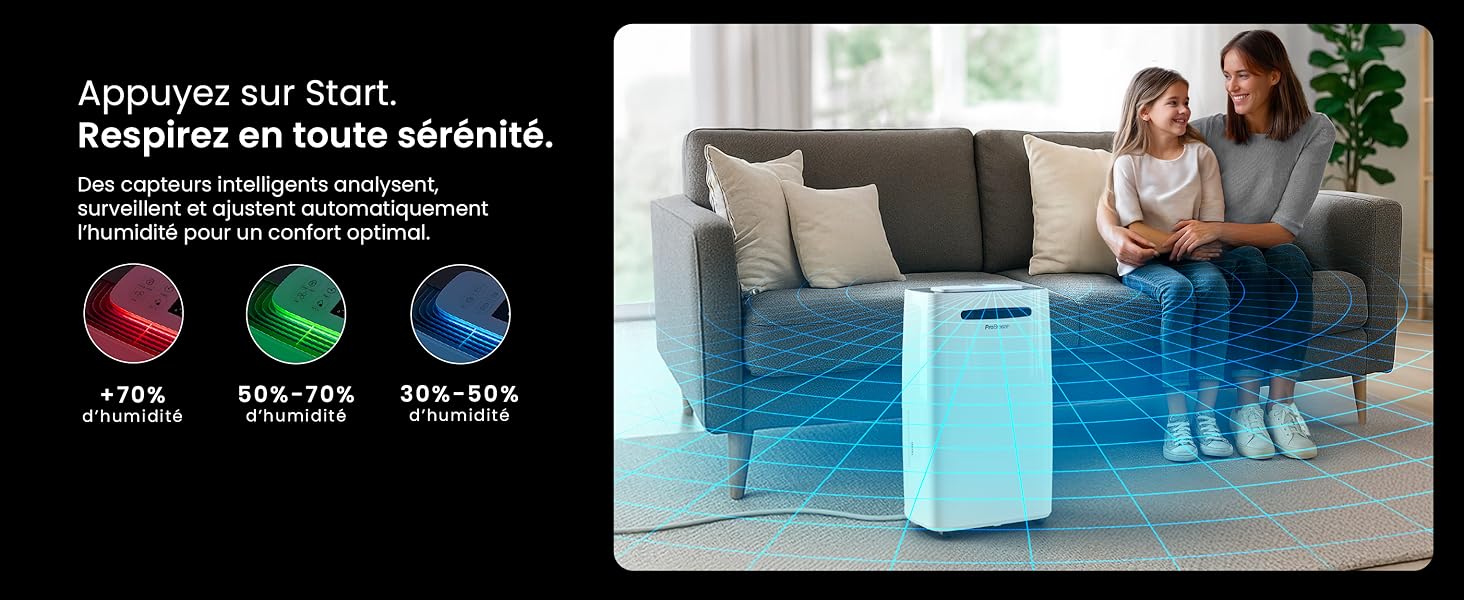
Image: The dehumidifier shown in different environments such as a garage, home office, and laundry room, illustrating its versatility and suitability for various spaces. Icons for continuous drainage and automatic defrost are also present.
Instrukcja obsługi
Panel sterowania nadview

Obraz: szczegółowy view of the dehumidifier's illuminated digital control panel, showing buttons for power, mode, fan speed, timer, child lock, and humidity settings, along with the LED display.
The intuitive LED display and touch controls allow for easy operation.
- Przycisk zasilania: Naciśnij, aby włączyć lub wyłączyć urządzenie.
- Przycisk trybu: Przechodź przez dostępne tryby pracy: Normalna, Laundry Drying, I Tryb nocny.
- Przycisk prędkości wentylatora: Adjust the fan speed between Niski I Wysoki.
- Humidity Setting (SET %): Use the up/down arrows to set your desired humidity level (30% - 80%). The unit will operate until this level is reached.
- Przycisk timera: Set a 24-hour timer for automatic power ON or OFF.
- Przycisk blokady rodzicielskiej: Press and hold to activate/deactivate the child lock, preventing accidental changes to settings.
- Przycisk wyświetlacza: Turn the LED display lights ON or OFF, useful for night mode.
Wi-Fi i sterowanie aplikacją

Image: A user interacting with the Pro Breeze mobile application on a smartphone, demonstrating remote control capabilities for the dehumidifier. The app shows current humidity and temperature settings.
The Pro Breeze 25L Smart Dehumidifier can be controlled remotely via the Pro Breeze app. Download the app from your smartphone's app store and follow the in-app instructions to connect your device to your home Wi-Fi network. Once connected, you can control all functions, set schedules, and monitor humidity levels from anywhere.
The unit is also compatible with Amazon Alexa and Google Home for voice control. Refer to the app's help section for detailed instructions on integrating with these smart home platforms.
Konserwacja
Opróżnianie zbiornika na wodę
When the water tank is full, the dehumidifier will automatically shut off and an indicator light will illuminate. Carefully remove the water tank from the unit, empty the collected water, and reinsert the tank securely. The unit will resume operation.
Czyszczenie filtra powietrza
A clogged filter can reduce efficiency. It is recommended to clean the air filter every two weeks or more frequently depending on usage and air quality.
- Wyłącz osuszacz powietrza i odłącz go od gniazdka elektrycznego.
- Locate and remove the air filter (usually on the back or side of the unit).
- Wyczyść filtr odkurzaczem lub delikatnie umyj go ciepłą wodą z mydłem.
- Dokładnie wypłucz i pozostaw filtr do całkowitego wyschnięcia na powietrzu przed ponownym włożeniem go do urządzenia.
Czyszczenie Zewnętrza
Przetrzyj zewnętrzną część osuszacza miękką, damp ściereczką. Nie używaj silnych środków chemicznych, ściernych środków czyszczących ani rozpuszczalników, ponieważ mogą one uszkodzić powierzchnię.
Składowanie
If storing the unit for an extended period, ensure the water tank is empty and clean, and the filter is clean and dry. Store the dehumidifier in a cool, dry place, preferably in its original packaging.
Rozwiązywanie problemów
| Problem | Możliwa przyczyna | Rozwiązanie |
|---|---|---|
| Osuszacz powietrza nie włącza się. | No power; water tank full or incorrectly inserted; ambient temperature too low. | Check power connection; empty and reinsert water tank; ensure room temperature is above 5°C (41°F). |
| Urządzenie działa, ale nie zbiera wody. | Humidity level too low; air filter clogged; room temperature too low; unit size too small for space. | Adjust desired humidity setting lower; clean air filter; ensure room temperature is adequate; consider if unit is appropriate for room size. |
| Urządzenie jest głośne. | Jednostka nie stoi na równej powierzchni; filtr powietrza jest zatkany; wewnętrzne elementy wibrują. | Umieścić na płaskiej, stabilnej powierzchni; wyczyścić filtr powietrza; jeśli hałas nadal będzie występował, skontaktować się z pomocą techniczną. |
| Problemy z połączeniem Wi-Fi. | Incorrect Wi-Fi password; unit too far from router; router issues; app issues. | Verify Wi-Fi password; move unit closer to router; restart router; reinstall Pro Breeze app. |
| Na cewkach pojawia się szron. | Niska temperatura otoczenia. | Urządzenie posiada funkcję automatycznego rozmrażania. Jeśli szron utrzymuje się, należy zwiększyć temperaturę w pomieszczeniu. |
Specyfikacje
| Specyfikacja | Szczegół |
|---|---|
| Numer modelu | PB-D-37W-W-EU |
| Marka | Profesjonalna bryza |
| Moisture Extraction Capacity | 25 litrów/dzień |
| Pojemność zbiornika na wodę | 5.5 litrów |
| Wymiary (dł. x szer. x wys.) | Wymiary: 38.6 cm x 26 cm x 50 cm |
| Waga | 15.1 kilograma |
| Prędkości wentylatora | 2 |
| Cechy specjalne | Adjustable Humidity Control, Night Mode, Continuous Drainage, Wi-Fi Connectivity, Digital Display, 24h Timer, Laundry Drying Mode, Child Lock, Automatic Defrost |
| Zalecana powierzchnia podłogi | Do 322 stóp kwadratowych (30 m²) |

Image: The Pro Breeze dehumidifier highlighting its elegant and discreet design, along with its dimensions (50cm H, 38.6cm L, 26cm P) and four easy-to-move caster wheels.
Gwarancja i wsparcie
Pro Breeze products are manufactured to the highest standards. This product comes with a standard manufacturer's warranty. For specific warranty details, please refer to the warranty card included in your package or visit the official Pro Breeze webstrona.
If you encounter any issues or have questions regarding your dehumidifier, please contact Pro Breeze customer support. Contact information can typically be found on the Pro Breeze webmiejscu lub na opakowaniu produktu.


