Wstęp
Thank you for choosing the UYIKOO BGL13 1080p HD Hidden Camera Glasses. These glasses are designed for discreet video recording and photo capture in Full HD resolution. Featuring a lightweight and durable design, a built-in rechargeable battery, and a 64GB memory card, they are suitable for various activities such as meetings, travel, sports, and outdoor adventures. This manual provides detailed instructions for setup, operation, and maintenance to ensure optimal performance.
Zawartość opakowania
Sprawdź, czy w przesyłce znajdują się wszystkie elementy wymienione poniżej:
- UYIKOO BGL13 Camera Glasses
- Karta Micro SD 64 GB
- Czytnik kart USB
- Resetuj pin
- Kabel ładujący USB
- Instrukcja obsługi
- Etui do przechowywania
- Ściereczka do czyszczenia

Image: Contents of the UYIKOO BGL13 Camera Glasses package.
Produkt ponadview
The UYIKOO BGL13 glasses integrate a high-definition camera into a discreet, wearable design. Key features include:
- Nagrywanie wideo w jakości Full HD 1080p: Capture clear videos at 1920 x 1080 pixels.
- Ujęcie: Take high-resolution JPEG photos.
- Integrated 64GB Memory: Comes with a 64GB Micro SD card, expandable up to 256GB (Class 10 recommended).
- Akumulator: Built-in lithium-ion battery provides up to 75 minutes of continuous recording on a full charge. Supports recording while charging.
- Obsługa jednym przyciskiem: Simple control for recording videos and taking photos.
- Lekkie i wytrzymałe: Constructed from high-quality ABS plastic for comfort and longevity.
- Nagrywanie w pętli: Automatycznie nadpisuje starsze filegdy karta pamięci jest pełna, zapewniając ciągłe nagrywanie.

Image: UYIKOO BGL13 Hidden Camera Glasses with camera lens highlighted.

Image: The single button control on the UYIKOO BGL13 Camera Glasses.
Organizować coś
- Naładuj urządzenie: Before first use, fully charge the glasses. Connect the USB charging cable to the glasses and a power source (e.g., computer USB port or USB wall adapter). The indicator light will show charging status (refer to the LED indicator section for details).
- Włóż kartę Micro SD: Locate the Micro SD card slot on the glasses. Gently insert the provided 64GB Micro SD card into the slot until it clicks into place. Ensure the card is inserted correctly to avoid damage. The glasses support up to 256GB Micro SD cards (Class 10 recommended for optimal performance).

Image: Inserting the Micro SD card into the glasses.
Instrukcja obsługi
Włączanie/wyłączanie zasilania
- Włączanie: Press and hold the ON/OFF button for approximately 2 seconds until the indicator light illuminates.
- Wyłączone: Press and hold the ON/OFF button for approximately 3-5 seconds until the indicator light turns off.
Nagrywanie wideo
- Rozpocznij nagrywanie: With the device powered on, press and hold the ON/OFF button for 2 seconds. The indicator light will flash, indicating that video recording has started.
- Zatrzymaj nagrywanie: Press the ON/OFF button once. The indicator light will change, and the video file zostanie zbawiony.

Image: One-button operation for video recording and photo capture.
Ujęcie
- Robić zdjęcie: With the device powered on, press the ON/OFF button once. The indicator light will flash briefly, indicating that a photo has been taken and saved.
Łączenie się z komputerem
- Przenosić Files: Connect the glasses to your computer using the provided USB cable. The device will be recognized as a removable disk. You can then access and transfer your video and photo files.
- Zgodność: Kompatybilny z systemami operacyjnymi Windows i macOS.
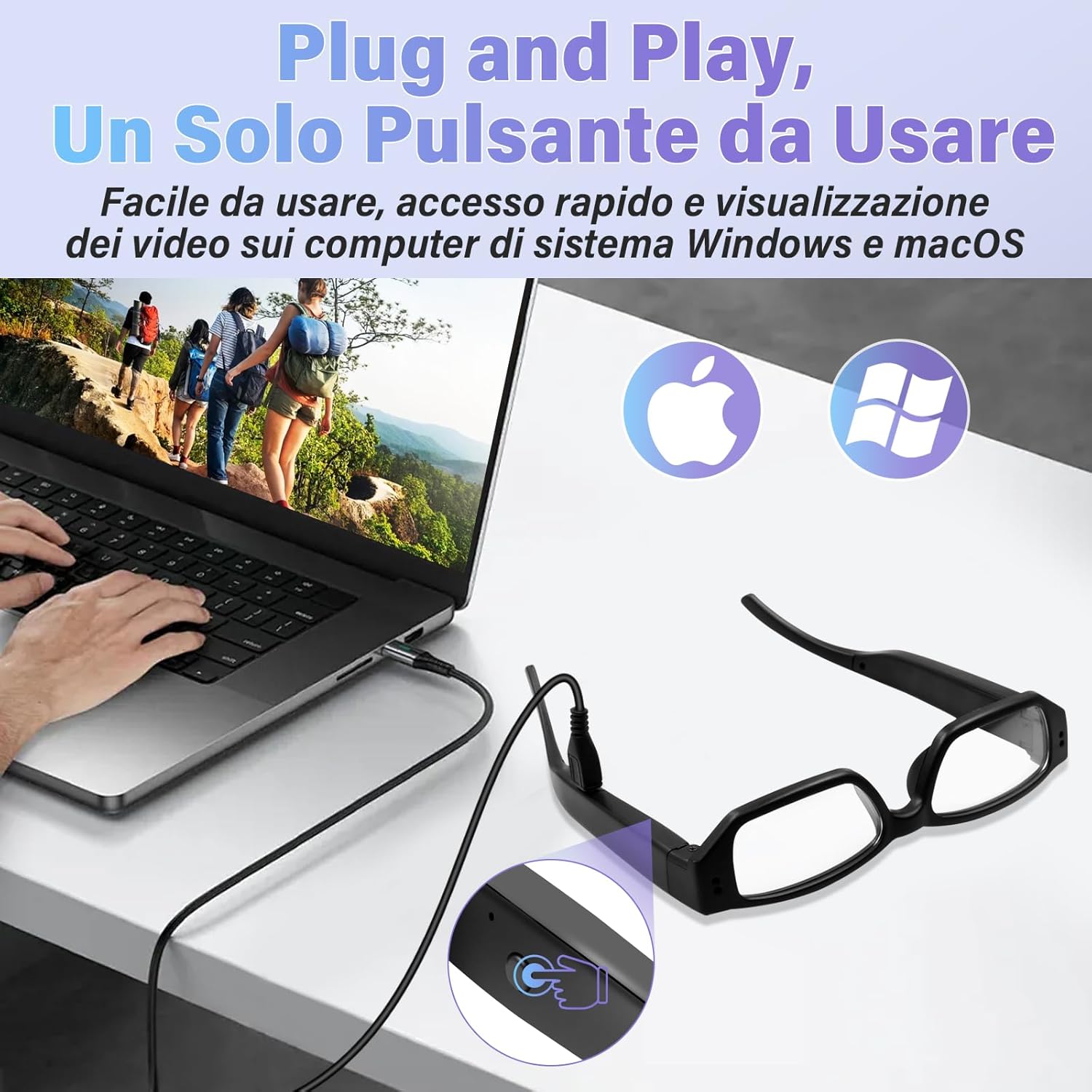
Image: Connecting the glasses to a computer for file dostęp.
Ładowanie
The UYIKOO BGL13 glasses feature a built-in rechargeable lithium-ion battery. To charge:
- Connect the USB charging cable to the charging port on the glasses and a standard USB power source.
- The indicator light will typically show red during charging and turn blue (or off) when fully charged. Refer to the specific LED indicator behavior in your detailed manual for precise information.
- A full charge provides approximately 75 minutes of continuous recording.
- The device supports recording while charging, allowing for extended use when connected to a power bank or wall adapter.

Image: Charging the glasses on the go.
Zarządzanie kartami pamięci
- Pojemność magazynowa: The glasses come with a 64GB Micro SD card. This provides ample space for numerous video and photo files.
- Ekspansja: For increased storage, the device supports Micro SD cards up to 256GB. Ensure to use a Class 10 or higher speed card for reliable recording.
- Nagrywanie w pętli: When the memory card is full, the device will automatically overwrite the oldest files with new recordings. This ensures continuous operation without manual deletion of files.
- Formatowanie: It is recommended to format the Micro SD card periodically to maintain optimal performance and prevent data corruption. This can usually be done via your computer.

Image: Micro SD card slot and battery indicator.

Image: Loop recording functionality.
Konserwacja
- Czyszczenie: Use the provided cleaning cloth to gently wipe the lenses and frame. Avoid using harsh chemicals or abrasive materials.
- Składowanie: Store the glasses in the provided storage case when not in use to protect them from dust, scratches, and impacts.
- Temperatura: Unikaj wystawiania urządzenia na działanie ekstremalnych temperatur, bezpośredniego światła słonecznego lub wysokiej wilgotności.
- Narażenie na działanie wody: The glasses are not waterproof. Avoid contact with water or other liquids.
- Pielęgnacja baterii: Aby przedłużyć żywotność baterii, unikaj częstego całkowitego rozładowywania baterii. Regularnie ładuj urządzenie, nawet jeśli nie jest używane przez dłuższy czas.
Rozwiązywanie problemów
| Problem | Możliwa przyczyna | Rozwiązanie |
|---|---|---|
| Urządzenie nie włącza się. | Niski poziom naładowania baterii; urządzenie zawiesza się. | Charge the battery fully. Use the reset pin to press the reset button if the device is unresponsive. |
| Nie można nagrywać filmów/robić zdjęć. | No Micro SD card; Micro SD card full or corrupted; incorrect operation. | Ensure Micro SD card is inserted correctly. Check available space or format the card. Refer to operating instructions for correct button presses. |
| Komputer nie rozpoznaje urządzenia. | Wadliwy kabel USB, problem ze sterownikiem, nieprawidłowe połączenie. | Try a different USB port or cable. Ensure the glasses are powered on when connecting. Restart your computer. |
| Słaba jakość wideo/zdjęć. | Dirty lens; insufficient lighting; rapid movement. | Clean the camera lens with the provided cloth. Ensure adequate lighting conditions. Minimize sudden movements during recording. |
Specyfikacje
- Model: BGL13
- Rozdzielczość wideo: 1920 x 1080p Full HD
- Format zdjęcia: Plik JPEG
- Format wideo: Plik AVI
- Składowanie: Supports Micro SD/SDHC cards up to 256GB (64GB included)
- Typ baterii: Polimer litowy
- Czas pracy baterii: Approximately 75 minutes continuous recording
- Czas ładowania: (Not specified, typically 1-2 hours)
- Wymiary: 13 x 2 x 5 cm (w przybliżeniu)
- Waga: 140 gramów
- Tworzywo: Wysokiej jakości tworzywo sztuczne ABS
- Łączność: USB for data transfer and charging
- Cechy szczególne: Local recording, portable, 64GB card included

Image: Product dimensions and face shape compatibility.
Gwarancja i wsparcie
For warranty information and technical support, please refer to the documentation included with your purchase or contact UYIKOO customer service through the retailer where the product was purchased. Keep your proof of purchase for warranty claims.


