Wstęp
This manual provides comprehensive instructions for the setup, operation, and maintenance of your Hyperkin Hyper Jammer Wireless Guitar Controller. Designed for use with PlayStation 3 and PC, this controller offers a responsive and immersive experience for rhythm game enthusiasts. Please read this manual thoroughly before use to ensure optimal performance and longevity of your device.
Produkt ponadview
The Hyperkin Hyper Jammer Wireless Guitar Controller features a classic layout for intuitive gameplay. Familiarize yourself with the key components:
- Guziki progowe: Five colored buttons (Green, Red, Yellow, Blue, Orange) located on the neck for note input.
- Bar brzdąkania: A central bar used to activate notes.
- Drążek tremolo: A spring-loaded lever for adding dynamic pitch effects.
- Drążek kierunkowy: Do nawigacji po menu.
- PS3 Home Button: For accessing the PlayStation 3 system menu.
- Select / Start Buttons: For in-game menu functions.
- Guitar Strap Pegs: For attaching a guitar strap (strap not included).

Opis obrazu: A detailed diagram of the Hyperkin Hyper Jammer Wireless Guitar Controller, highlighting and labeling its main components including the fret buttons, strum bar, whammy bar, directional stick, PS3 Home button, and Select/Start buttons.
Organizować coś
1. Instalacja baterii
- Locate the battery compartment on the back of the guitar controller.
- Otwórz pokrywę komory baterii.
- Włóż trzy (3) baterie AA, zwracając uwagę na prawidłową biegunowość (+/-).
- The wireless USB dongle is stored inside the battery compartment. Remove it for use.
- Dokładnie zamknij pokrywę komory baterii.

Opis obrazu: An illustration of the open battery compartment on the back of the Hyperkin Hyper Jammer guitar controller, showing the slots for three AA batteries and the dedicated storage slot for the wireless USB dongle.
2. Connecting to PlayStation 3 or PC
- Insert the wireless USB dongle into an available USB port on your PlayStation 3 console or PC.
- Turn on the guitar controller. The controller should automatically attempt to pair with the dongle.
- Once connected, an indicator light on the controller will confirm successful pairing.

Opis obrazu: The Hyperkin Hyper Jammer guitar controller shown alongside icons representing PlayStation 3 and PC, indicating its dual compatibility with both platforms.
Instrukcja obsługi
Zgodność gry
The Hyperkin Hyper Jammer is compatible with various rhythm games:
- Komputer: Guitar Hero 3 Legends of Rock, Guitar Hero World Tour, Clone Hero, and similar titles.
- PlayStation 3: Guitar Hero 3, Guitar Hero 4, Guitar Hero 5, Rock Band 1 & 2.

Opis obrazu: The official logos for Guitar Hero and Rock Band, illustrating the controller's compatibility with these popular rhythm game franchises.
Podstawowa rozgrywka
- Odtwarzanie nut: Hold down the corresponding fret button(s) and strum the strum bar.
- Whammy Effects: While holding a sustained note, manipulate the whammy bar to alter the pitch.
- Nawigacja po menu: Use the directional stick to navigate in-game menus.
- Pause/Options: Use the Select/Start buttons to access game menus.
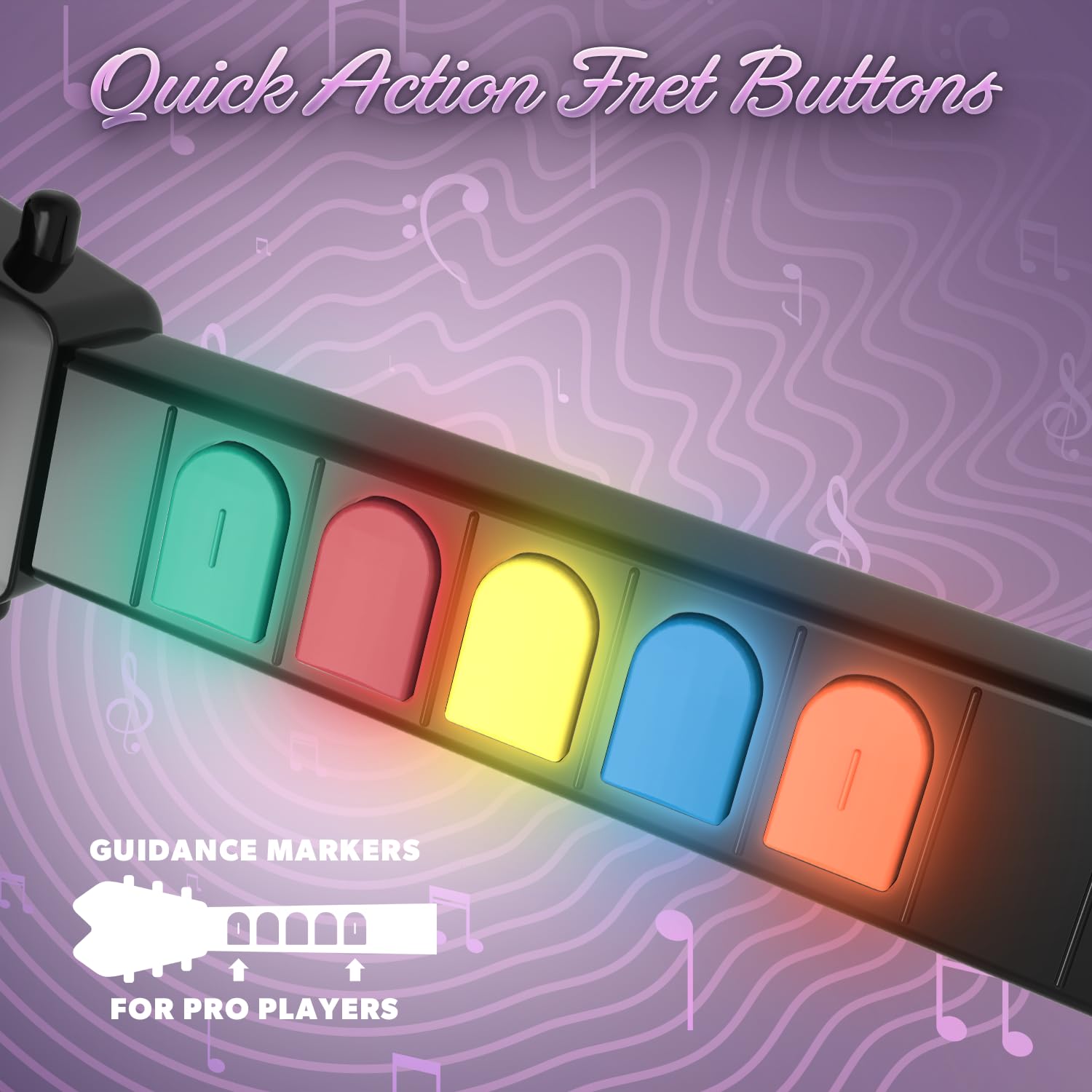
Opis obrazu: Zbliżenie view of the colored quick-action fret buttons on the neck of the Hyperkin Hyper Jammer guitar controller, designed for responsive gameplay.
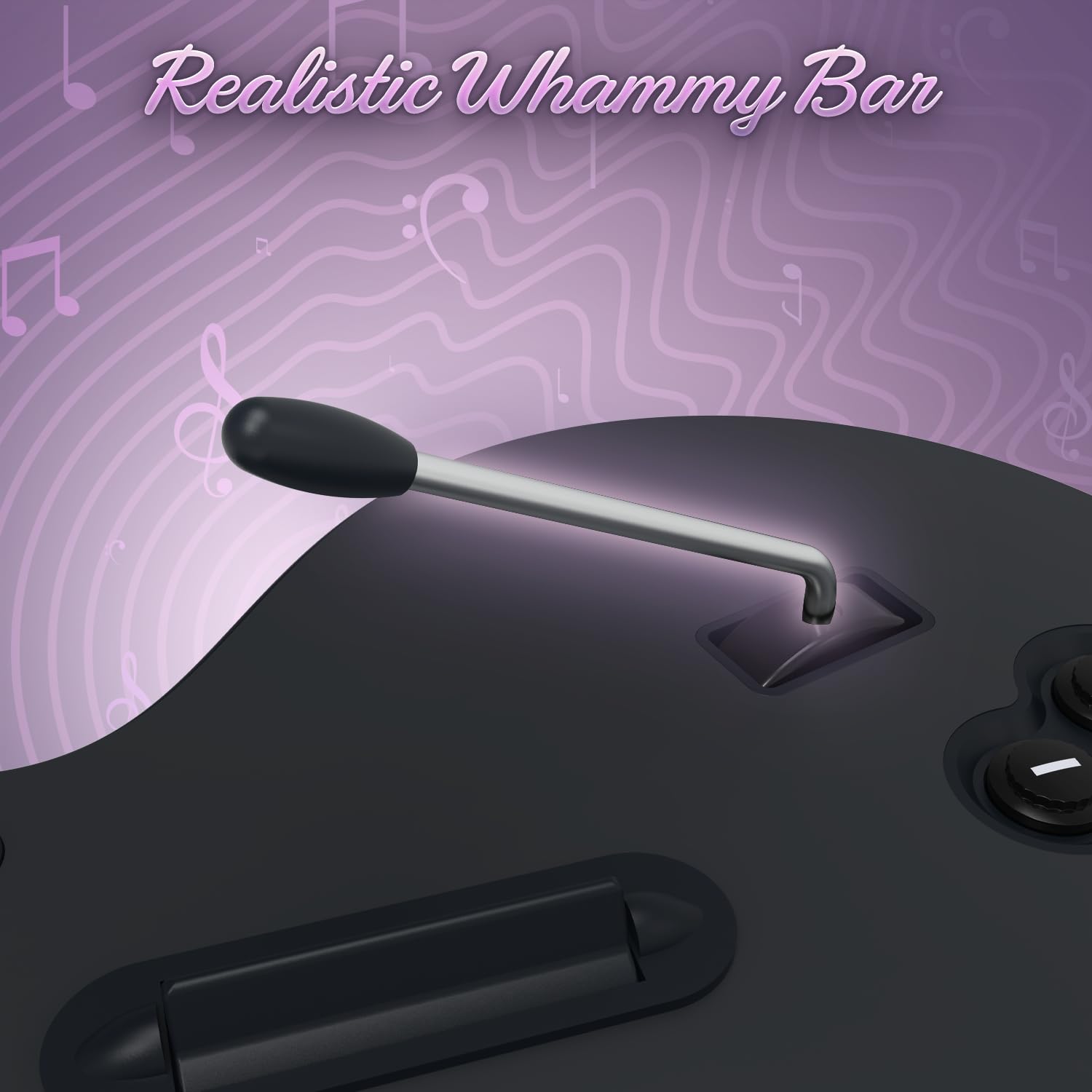
Opis obrazu: Zbliżenie view of the whammy bar on the Hyperkin Hyper Jammer guitar controller, designed to provide realistic pitch-bending effects during gameplay.
Konserwacja
- Czyszczenie: Do czyszczenia kontrolera używaj miękkiej, suchej ściereczki. Unikaj środków czyszczących o właściwościach ściernych i rozpuszczalników.
- Wymiana baterii: Replace batteries when performance degrades or the controller fails to power on. Always use fresh AA batteries.
- Składowanie: Przechowuj kontroler w chłodnym, suchym miejscu, z dala od bezpośredniego światła słonecznego i ekstremalnych temperatur. Wyjmij baterie, jeśli kontroler będzie przechowywany przez dłuższy czas, aby zapobiec wyciekowi.
Rozwiązywanie problemów
- Kontroler nie łączy się:
- Ensure the USB dongle is securely inserted into an active USB port.
- Verify that the controller has fresh batteries and is powered on.
- Try re-pairing the controller by turning it off and on, or by re-inserting the dongle.
- Przetestuj klucz sprzętowy w innym porcie USB.
- Przyciski nie reagują prawidłowo:
- Check for any physical obstructions or debris around the buttons or strum bar.
- Ensure the controller is properly paired and recognized by the system/game.
- For PC games like Clone Hero, you may need to manually map the keys within the game's settings. (Press Space in Clone Hero to access key mapping).
- Przerywane rozłączenia:
- Wymień baterie na nowe.
- Ensure there are no significant obstructions or sources of wireless interference between the controller and the USB dongle.
Specyfikacje
| Numer modelu | M07636 |
| Wymiary | 9.75 x 1.75 x 28.5 cala |
| Waga | 2.38 funta |
| Łączność | Wireless (USB Dongle) |
| Źródło zasilania | 3x baterie AA |
| Zgodność | PlayStation 3, komputer |
| Producent | Hiperkin |
Informacje o gwarancji
For detailed warranty information regarding your Hyperkin Hyper Jammer Wireless Guitar Controller, please refer to the official Hyperkin webOdwiedź stronę internetową lub skontaktuj się bezpośrednio z działem obsługi klienta. Warunki gwarancji mogą się różnić.
Wsparcie
Should you require further assistance or have questions not covered in this manual, please visit the official Hyperkin support webstrona z odpowiedziami na często zadawane pytania, dodatkowymi materiałami i informacjami kontaktowymi.
Oficjalny Hyperkin Webstrona: www.hyperkin.com


