1. Wprowadzenie
Thank you for choosing the EvoFox Deathray v2 Pro Gaming Keyboard. This manual provides detailed instructions for setting up, operating, and maintaining your new gaming keyboard. Please read this manual carefully to ensure optimal performance and longevity of your device.
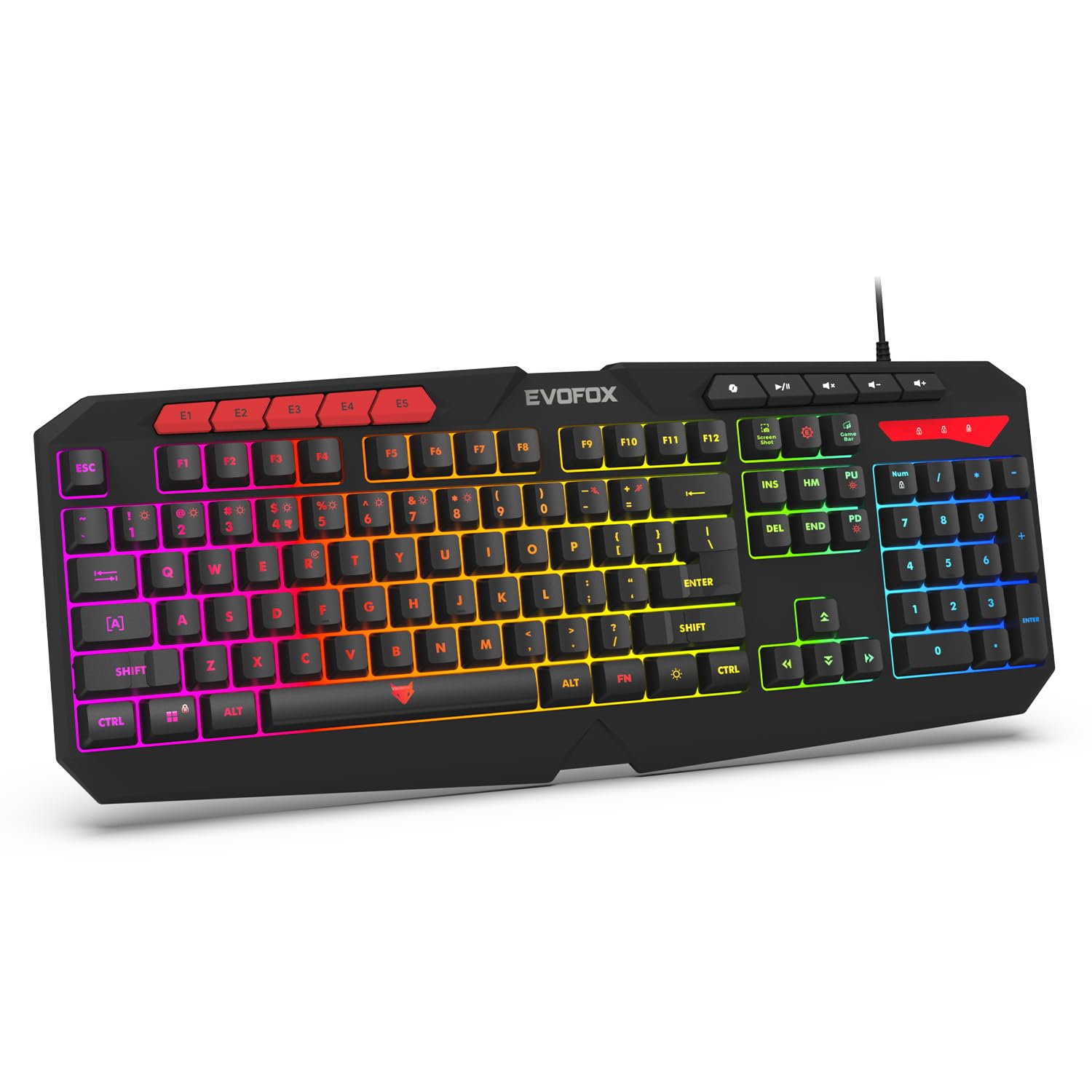
Image 1.1: EvoFox Deathray v2 Pro Gaming Keyboard overview.
2. Zawartość opakowania
- EvoFox Deathray v2 Pro Gaming Keyboard
- Instrukcja obsługi
3. Instrukcje konfiguracji
3.1 Podłączanie klawiatury
- Unpack the EvoFox Deathray v2 Pro Gaming Keyboard from its packaging.
- Znajdź dostępny port USB w swoim komputerze (PC lub laptopie).
- Podłącz wtyczkę USB klawiatury do portu USB.
- The keyboard will automatically install the necessary drivers. This process may take a few moments.
- Once installed, the RGB backlighting will illuminate, indicating the keyboard is ready for use.
The keyboard features a durable 1.8m braided cable for reliable connectivity.

Image 3.1: Keyboard with durable braided cable and soft membrane keys.
4. Instrukcja obsługi
4.1 Personalizacja podświetlenia RGB
The EvoFox Deathray v2 Pro features 6-zone customizable RGB backlighting with 8 dynamic lighting modes. You can personalize your gaming setup for an immersive experience.
- Zmiana trybów oświetlenia: Use the dedicated lighting control keys (often indicated by a sun or lightbulb icon, or through a combination with the Fn key) to cycle through the 8 available dynamic lighting modes.
- Oświetlenie niestandardowe: Refer to the keyboard's software (if available, check the official EvoFox website) for advanced custom lighting profiles and per-key RGB customization.

Obraz 4.1: Pokaz klawiaturyasing 6-zone RGB backlighting with 7 lighting presets and 1 custom lighting option.

Image 4.2: Comparison illustrating the difference between RGB lighting with full color customization per zone and standard rainbow lighting with fixed color zones.
4.2 Programmable Macro Keys
The keyboard includes 5 programmable macro keys (E1-E5) to streamline your gameplay with customizable macros for lightning-fast responses. These keys allow you to record and assign complex sequences of commands to a single key press.
- Nagrywanie makro: Typically, macro recording is initiated by a dedicated macro recording key (often labeled 'MR' or similar, or accessed via Fn key combination). Follow the on-screen prompts or software instructions to record your desired key sequence.
- Assigning Macros: Once recorded, assign the macro to one of the programmable macro keys (E1-E5) using the keyboard's software.

Image 4.3: Highlight of the 5 programmable macro keys (E1-E5) for executing complex commands.
4.3 Specjalne klawisze funkcyjne
Access essential tools quickly with dedicated shortcuts for Screenshot, Macro Recording, and Xbox Game Bar. These functions are typically accessed via specific keys or Fn key combinations.
- Screenshot Key: Zrzut ekranu Twojego wyświetlacza.
- Macro Recording Key: Initiates macro recording.
- Xbox Game Bar Key: Opens the Xbox Game Bar interface for gaming features.
- Klucz drugiego pilota: Activates the Copilot feature (if supported by your operating system).

Image 4.4: Illustration of special function keys for Screenshot, Macro Recording, Xbox Game Bar, and Copilot.
4.4 Klawisze anty-ghostingowe
The keyboard features 19 anti-ghosting keys, ensuring flawless input during high-stakes moments. This technology allows multiple key presses to be registered simultaneously and accurately, preventing missed commands.

Image 4.5: Keyboard layout highlighting the 19 anti-ghosting keys for precise, uninterrupted gameplay.
4.5 Ergonomic Full-Size Layout
Designed for comfort during extended gaming sessions, the keyboard features an ergonomic full-size layout with soft and silent membrane keys. This design aims to provide precision without sacrificing ease of use.
5. Konserwacja
5.1 Czyszczenie klawiatury
- Przed czyszczeniem odłącz klawiaturę od komputera.
- Użyj miękkiej, niestrzępiącej się ściereczki, lekko wyczyśćampPrzetrzyj powierzchnię klawiatury wodą lub łagodnym środkiem czyszczącym.
- Do usuwania kurzu i zanieczyszczeń spomiędzy klawiszy należy użyć sprężonego powietrza.
- Avoid using harsh chemicals, abrasive cleaners, or solvents, as these can damage the keyboard's finish and key legends.
- Przed ponownym podłączeniem klawiatury do komputera należy upewnić się, że jest ona całkowicie sucha.
6. Rozwiązywanie Problemów
6.1 Klawiatura nie odpowiada
- Sprawdź połączenie USB: Upewnij się, że kabel USB jest prawidłowo podłączony do działającego portu USB w komputerze. Spróbuj użyć innego portu USB.
- Restart komputera: Czasami proste ponowne uruchomienie może rozwiązać problemy z łącznością.
- Ponowna instalacja sterownika: If the issue persists, try uninstalling the keyboard drivers from your computer's Device Manager and then reconnecting the keyboard to allow for automatic reinstallation.
6.2 RGB Backlighting Not Working
- Sprawdź ustawienia jasności: Ensure the brightness level is not set to minimum or off. Use the dedicated lighting control keys to adjust brightness.
- Tryby cyklu: Cycle through different RGB modes to see if any mode activates.
- Kontrola oprogramowania: Jeśli używasz niestandardowego profiles, ensure the keyboard software is running and configured correctly.
6.3 Macro Keys Not Functioning
- Konfiguracja oprogramowania: Verify that macros are correctly recorded and assigned to the desired keys within the keyboard's software.
- Oprogramowanie uruchomione: Ensure the keyboard's macro software (if applicable) is running in the background.
7. Specyfikacje
| Funkcja | Specyfikacja |
|---|---|
| Marka | EvoFox |
| Model | 498 |
| Wymiary produktu | Wymiary 44.7 x 17.2 x 2.6 cm |
| Waga przedmiotu | 565 gramów |
| Platforma sprzętowa | Okna |
| Kompatybilne urządzenia | Laptop, komputer osobisty |
| Cechy specjalne | Compact Design, Silent Membrane Keyboard, True Prims RGB |
| Opis klawiatury | Hazard |
| Typ złącza | USB |
| Tworzywo | Tworzywo ABS |
| Kraj pochodzenia | Chiny |
8. Gwarancja i wsparcie
8.1 Informacje o gwarancji
The EvoFox Deathray v2 Pro Gaming Keyboard typically comes with a 1-roczna ograniczona gwarancja od daty zakupu. Niniejsza gwarancja obejmuje wady produkcyjne i zapewnia, że produkt działa zgodnie z przeznaczeniem przy normalnym użytkowaniu. Prosimy zachować dowód zakupu na wypadek roszczeń gwarancyjnych.
8.2 Obsługa klienta
For technical assistance, warranty claims, or any product-related inquiries, please contact EvoFox customer support through their official website or the contact information provided with your product packaging. You may also refer to the Amkette helpline mentioned in some product documentation.


