1. Wprowadzenie
This user manual provides comprehensive instructions for the Headwolf FPad5 Pro Android 14 Tablet. It covers essential information regarding product features, setup, operation, maintenance, and troubleshooting. Please read this manual carefully before using your device to ensure optimal performance and longevity.

Obraz: przód i tył view of the Headwolf FPad5 Pro Tablet, showcasinze względu na jego elegancki wygląd.
2. Koniec produktuview
Główne cechy:
- Helio G99 CPU & Android 14: Equipped with an MTK G99 processor for enhanced performance and power efficiency, supporting smooth multitasking and graphic-intensive applications. Runs on Android 14 with improved privacy protection and GMS certification for full Google Play Store access.
- Widevine L1 & FHD IPS Display: Features an 8.4-inch FHD (1920x1200) IPS display with in-cell technology for clear, vibrant visuals from any angle. Widevine L1 certification enables 1080P HD video playback on major streaming platforms like Netflix, Amazon Prime Video, and Disney+.
- 16GB RAM (8+8GB Expansion) + 256GB ROM + UFS: Offers 8GB physical RAM expandable by up to 8GB from storage, boosting execution speed by 30%. Comes with 256GB internal storage, expandable up to 2TB via SD card. UFS 2.1 storage technology provides 40% faster transfer speeds and lower power consumption compared to EMMC.
- 5500mAh Battery + 8MP/16MP Camera + GPS: Long-lasting 5500mAh cobalt acid lithium battery with low self-discharge. Features an 8MP front camera and a 16MP rear camera for capturing moments. Integrated GPS, BDS, and Galileo support for accurate navigation.
- 4G LTE + 2.4G/5G WiFi + Face Recognition: Dual SIM card slots for 4G LTE communication, allowing calls and SMS without Wi-Fi. Supports strong 2.4GHz and high-speed 5GHz Wi-Fi bands. Face recognition feature enhances device security and convenience.

Image: Visual summary of the tablet's main features including CPU, memory, display, battery, and connectivity.
3. Konfiguracja
3.1 Zawartość opakowania:
Przed rozpoczęciem upewnij się, że w opakowaniu znajdują się wszystkie elementy:
- Headwolf FPad5 Pro Tablet
- Instrukcja obsługi w języku japońskim
- Kod PIN karty SIM
- Adapter ładujący
- Kabel typu C

Image: Illustration of all items included in the Headwolf FPad5 Pro Tablet package.
3.2 Ładowanie początkowe:
It is recommended to fully charge the tablet before first use. Connect the provided Type-C cable to the tablet's charging port and the charging adapter, then plug the adapter into a power outlet.

Image: The Headwolf FPad5 Pro Tablet connected to a Type-C charger, illustrating the charging process.
3.3 SIM Card and SD Card Installation:
Locate the card slot on the side of the tablet. Use the provided SIM card pin to eject the tray. Insert your SIM card(s) and/or microSD card into the designated slots. Ensure the cards are correctly oriented before reinserting the tray.
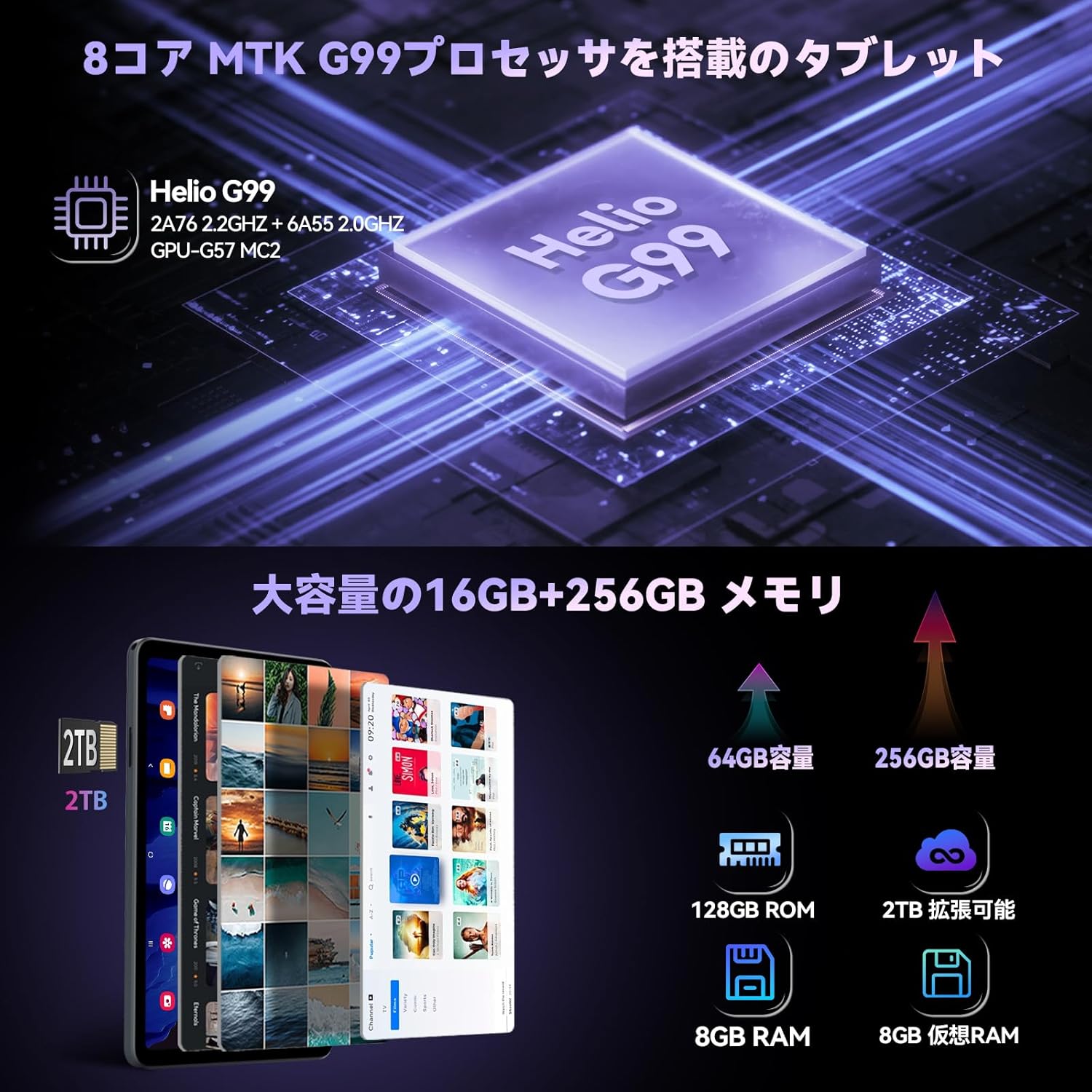
Image: Close-up of the Headwolf FPad5 Pro Tablet's SIM and SD card slot, showing how to insert cards.
3.4 Power On and Initial Setup:
Press and hold the power button until the Headwolf logo appears. Follow the on-screen prompts to select your language, connect to a Wi-Fi network, and complete the initial Android 14 setup process.
4. Instrukcja obsługi
4.1 Podstawowa nawigacja:
The tablet features a responsive touch screen. Use gestures such as tap, swipe, pinch-to-zoom, and long-press to navigate the interface and interact with applications.
4.2 Face Recognition:
To set up face recognition, go to Ustawienia > Bezpieczeństwo i prywatność > Odblokowanie twarzą. Follow the instructions to register your face. Once set up, you can unlock your device by simply looking at the front camera.

Image: Depicts the tablet's 4G LTE connectivity, dual-band Wi-Fi, and face recognition capabilities.
4.3 Connectivity (Wi-Fi, Bluetooth, 4G LTE):
- Wi-Fi: Access Wi-Fi settings from the quick settings panel or Ustawienia > Sieć i Internet > InternetWybierz żądaną sieć i wprowadź hasło.
- Bluetooth: Enable Bluetooth from quick settings or Ustawienia > Podłączone urządzenia > Ustawienia połączenia > Bluetooth. Pair with compatible devices.
- 4G LTE: With a valid SIM card inserted, the tablet will automatically connect to 4G LTE networks for mobile data, calls, and SMS.
4.4 Camera Usage:
The tablet is equipped with an 8MP front camera and a 16MP rear camera. Open the Camera app to capture photos and videos. Various modes and settings are available for different shooting scenarios.

Image: Highlights the tablet's 8MP front and 16MP rear AI cameras, showing examples of photos taken.
4.5 Nawigacja GPS:
The tablet supports GPS, BDS, and Galileo satellite positioning systems, providing accurate location services. Use navigation apps for directions, route planning, and location tracking.

Image: Demonstrates the tablet's GPS capabilities, showing it mounted in a car for navigation, and its GMS certification.
4.6 Split Screen and Screenshots:
- Podzielony ekran: To use split screen, open a recent app, tap its icon at the top of the preview, and select "Split screen". Choose another app to open in the second pane.
- Zrzuty ekranu: Take a screenshot by pressing the Power button and Volume Down button simultaneously. Alternatively, use the three-finger swipe gesture if enabled in settings.

Image: Shows the tablet's split-screen multitasking, Android 14 interface, lift-to-wake function, and the three-finger screenshot gesture.
5. Konserwacja
5.1 Pielęgnacja baterii:
- Unikaj ekstremalnych temperatur (wysokich i niskich), ponieważ mogą one skrócić żywotność baterii.
- Nie należy dopuszczać do zbyt częstego całkowitego rozładowania akumulatora.
- Należy używać wyłącznie dołączonej ładowarki lub certyfikowanej, kompatybilnej ładowarki.
5.2 Czyszczenie:
Do czyszczenia ekranu i obudowy tabletu używaj miękkiej, niepozostawiającej włókien ściereczki. Unikaj stosowania silnych środków chemicznych i materiałów ściernych, które mogłyby uszkodzić powierzchnię.
5.3 Aktualizacje oprogramowania:
Regularnie sprawdzaj dostępność aktualizacji systemu, aby mieć pewność, że Twój tablet ma najnowsze funkcje, poprawki zabezpieczeń i ulepszenia wydajności. Przejdź do Ustawienia > System > Aktualizacja systemu aby sprawdzić dostępność aktualizacji.
6. Rozwiązywanie Problemów
Typowe problemy i rozwiązania:
| Wydanie | Możliwe rozwiązanie |
|---|---|
| Urządzenie nie włącza się | Ensure the battery is charged. Press and hold the power button for 10-15 seconds to force a restart. |
| Aplikacje ulegają awarii lub zawieszają się | Clear the app's cache (Settings > Apps > [App Name] > Storage & cache > Clear cache). Restart the tablet. Ensure apps are updated. |
| Problemy z łącznością Wi-Fi | Uruchom ponownie router Wi-Fi. Usuń sieć z tabletu i połącz się ponownie. Upewnij się, że Wi-Fi jest włączone. |
| Niska wydajność | Zamknij nieużywane aplikacje. Wyczyść pamięć podręczną i pliki tymczasowe. files. Rozważ przywrócenie ustawień fabrycznych jako ostateczność (najpierw wykonaj kopię zapasową danych). |
| Ekran nie odpowiada | Uruchom ponownie urządzenie. Jeśli problem będzie się powtarzał, skontaktuj się z obsługą klienta. |
If you encounter issues not listed here or if the suggested solutions do not resolve the problem, please contact Headwolf customer support.
7. Specyfikacje
| Funkcja | Szczegół |
|---|---|
| Marka | Wilkołak |
| Nazwa modelu | FPad5-JW |
| Numer modelu produktu | F5A |
| System operacyjny | Android 14 |
| Rozmiar ekranu | 8.4 cali |
| Rozdzielczość wyświetlacza | 1920x1200 pixels (FHD IPS) |
| Marka procesora | MediaTek |
| Prędkość procesora | 2.2 GHz |
| Akcelerator grafiki | Mali-G57 MC2 |
| BARAN | 16 GB (8 GB + rozszerzenie 8 GB) |
| Pojemność pamięci masowej | 256 GB (Expandable up to 2TB via SD card) |
| Typ bezprzewodowy | 802.11ac (2.4G/5G WiFi), Bluetooth |
| Rozdzielczość przedniej kamery | 8 MP |
| Rozdzielczość tylnej kamery | 16 MP |
| Pojemność baterii | 5500mAh |
| Waga przedmiotu | 600 gramów |
| Wymiary | Wymiary 21.5 x 13.9 x 4.6 cm |
8. Gwarancja i wsparcie
8.1 Gwarancja na produkt:
Your Headwolf FPad5 Pro Tablet comes with a 1 rok gwarancji jakości from the date of purchase. In case of product defects, free repair or replacement services will be provided. Headwolf is committed to providing comprehensive support to ensure long-term customer satisfaction.
8.2 Dedicated Repair Center:
Headwolf operates a dedicated repair center in Tokyo, Japan, ensuring prompt and high-quality after-sales service. This center handles repairs and exchanges as needed to address customer issues and inquiries efficiently.
8.3 Kontakt z pomocą techniczną:
For any questions, issues, or support requests, please use one of the following methods:
- Through the Product Page: Go to the product page, click on the store name, then click "Ask a question".
- Through Amazon Account: Go to your Amazon account > Order history > Select the relevant order > Contact seller.
Our support team is ready to assist you with any concerns.


