1. Wprowadzenie
This manual provides detailed instructions for the Nitecore NU25 MCT UL 400 Lumen Ultralight USB-C Rechargeable Headlamp. Please read thoroughly before use to ensure proper operation and maintenance.
2. Zawartość opakowania
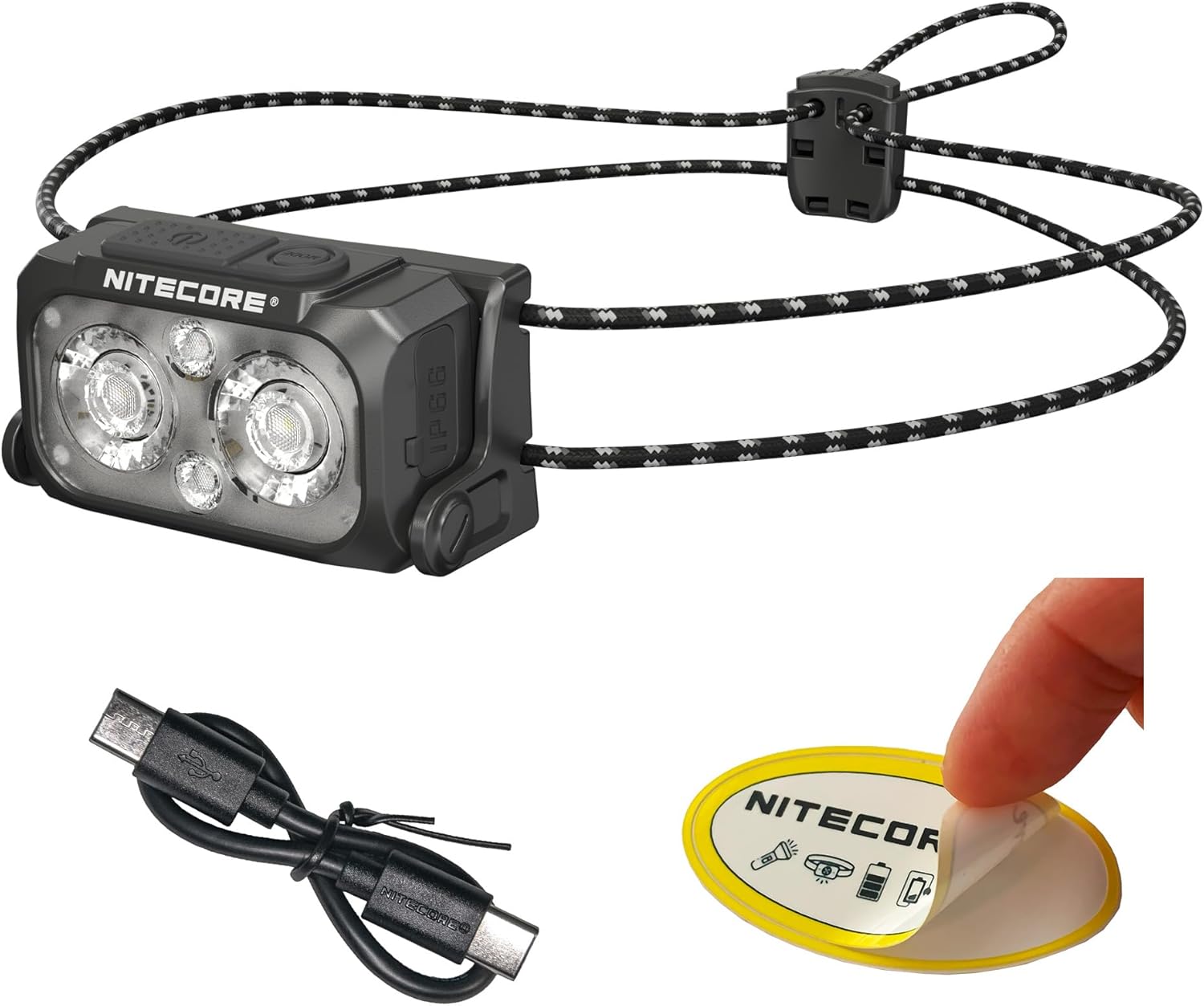
The Nitecore NU25 MCT UL package includes:
- Nitecore NU25 MCT UL Headlamp
- Kabel do ładowania z USB-C na USB-C
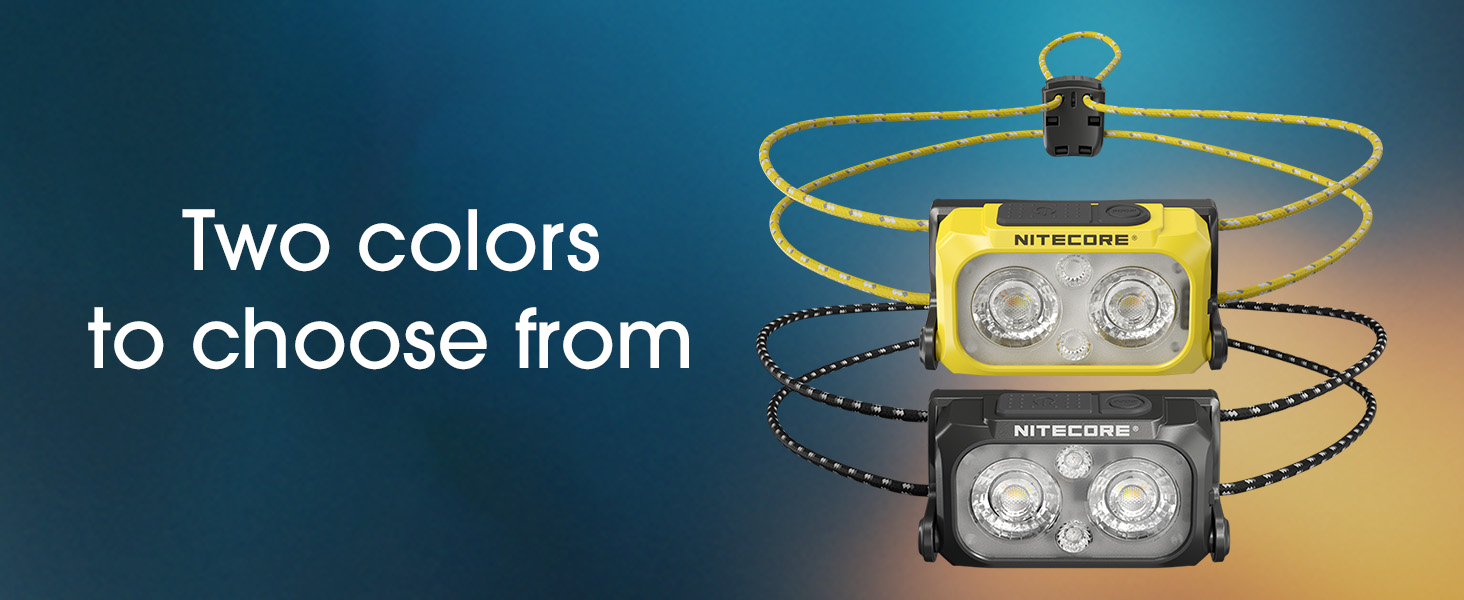
- Elastic Cord Headband (Black)
- Worek rozpraszający
- Naklejka Nitecore
3. Konfiguracja i pierwsze użycie
3.1. Ładowanie głowicyamp
The NU25 MCT UL features a built-in rechargeable Lithium Ion battery.
- Znajdź port ładowania USB-C z boku słuchawki.amp.
- Otwórz osłonę ochronną portu USB-C.
- Connect the included USB-C charging cable to the headlamp and a power source (e.g., USB adapter, computer USB port).
- The power indicator lights will show charging status. A full charge typically takes approximately 1 hour.
- Once fully charged, disconnect the cable and securely close the protective cover to maintain water resistance.
3.2. Regulacja opaski na głowę
Naczelnyamp comes with an elastic cord headband for comfortable and secure fit.
- Umieść głowicęamp na głowie.
- Adjust the elastic cord using the cord lock mechanism at the back to achieve a snug fit without being too tight.
- Naczelnyamp unit can be tilted up or down to direct the beam as needed.

4. Instrukcja obsługi
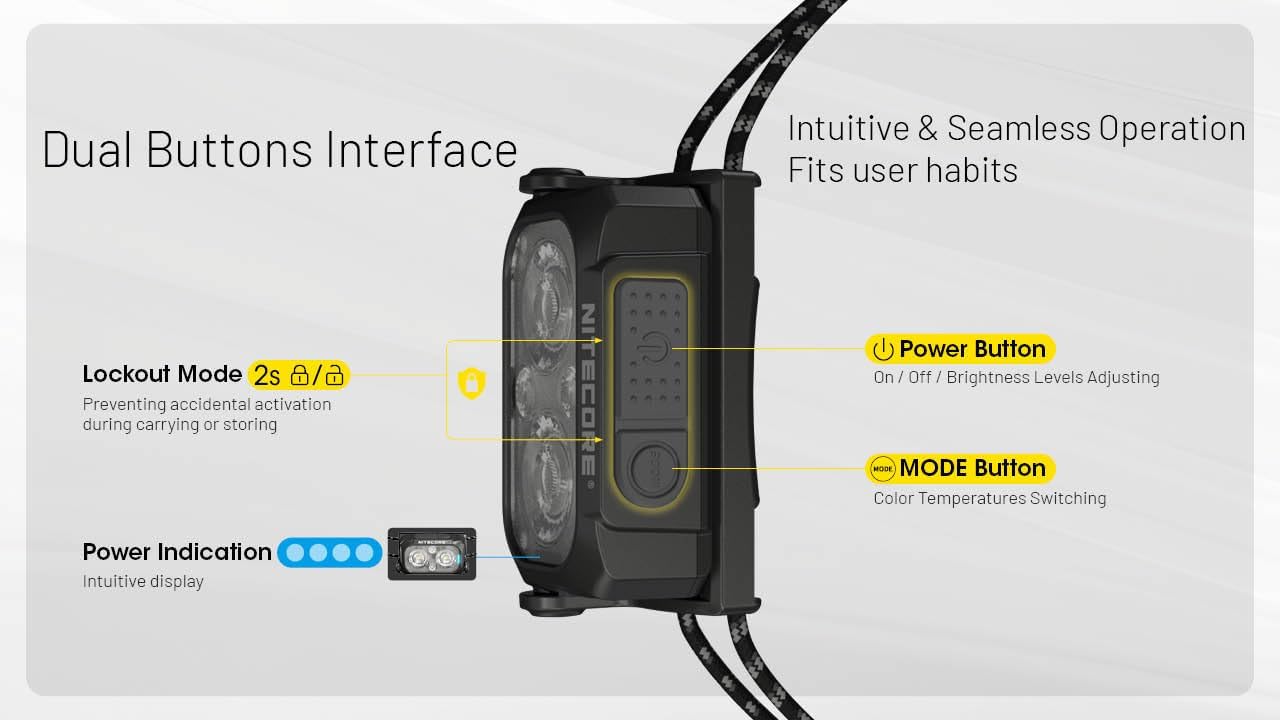
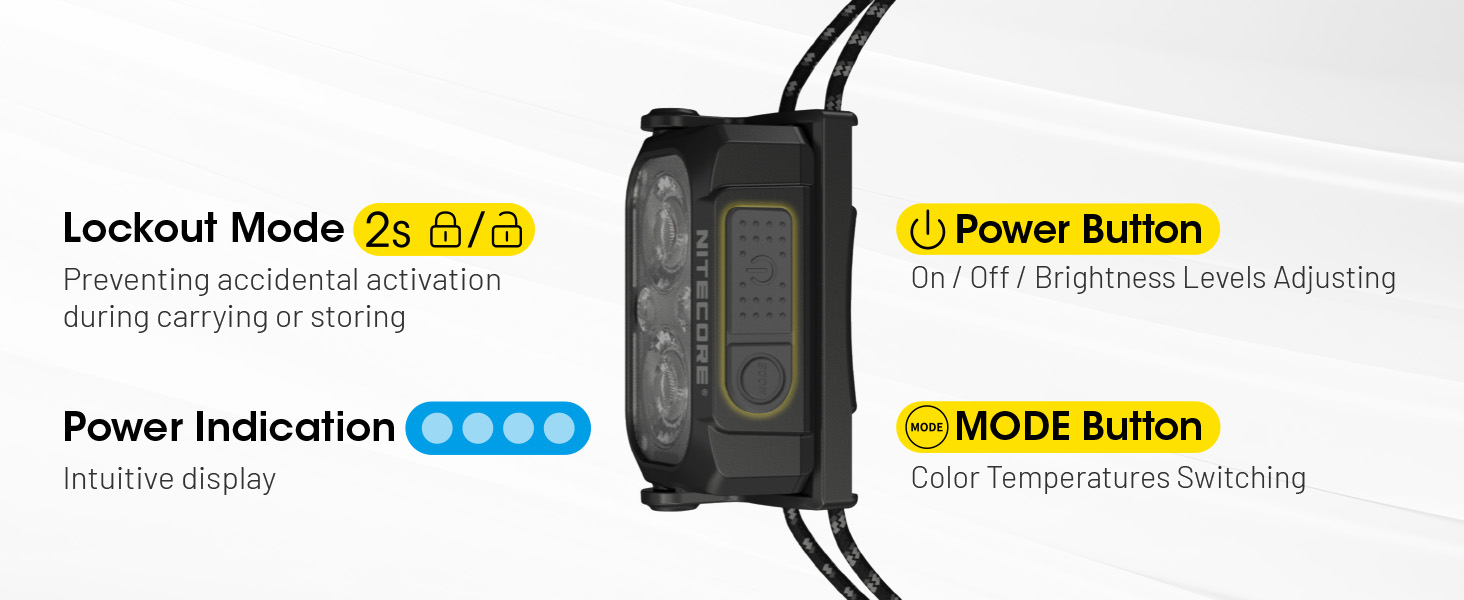
The NU25 MCT UL features a dual-button interface for intuitive control.

4.1. Power On/Off & Brightness Adjustment (White Light)
- Aby włączyć: Long press the Power button (larger button) for 2 seconds. The headlamp will turn on in the last used white light mode (or low neutral white by default).
- Aby dostosować jasność: While the white light is on, short press the Power button to cycle through Ultra Low, Low, Mid, and High brightness levels.
- Aby wyłączyć: Naciśnij i przytrzymaj przycisk zasilania przez 2 sekundy.
4.2. Zmiana temperatury barwowej
Naczelnyamp offers multiple color temperatures for the primary white light.
- While the white light is on, short press the Mode button (smaller button) to cycle through Warm White (3000K), Neutral White (4500K), and Cool White (6500K).
4.3. Tryb czerwonego światła
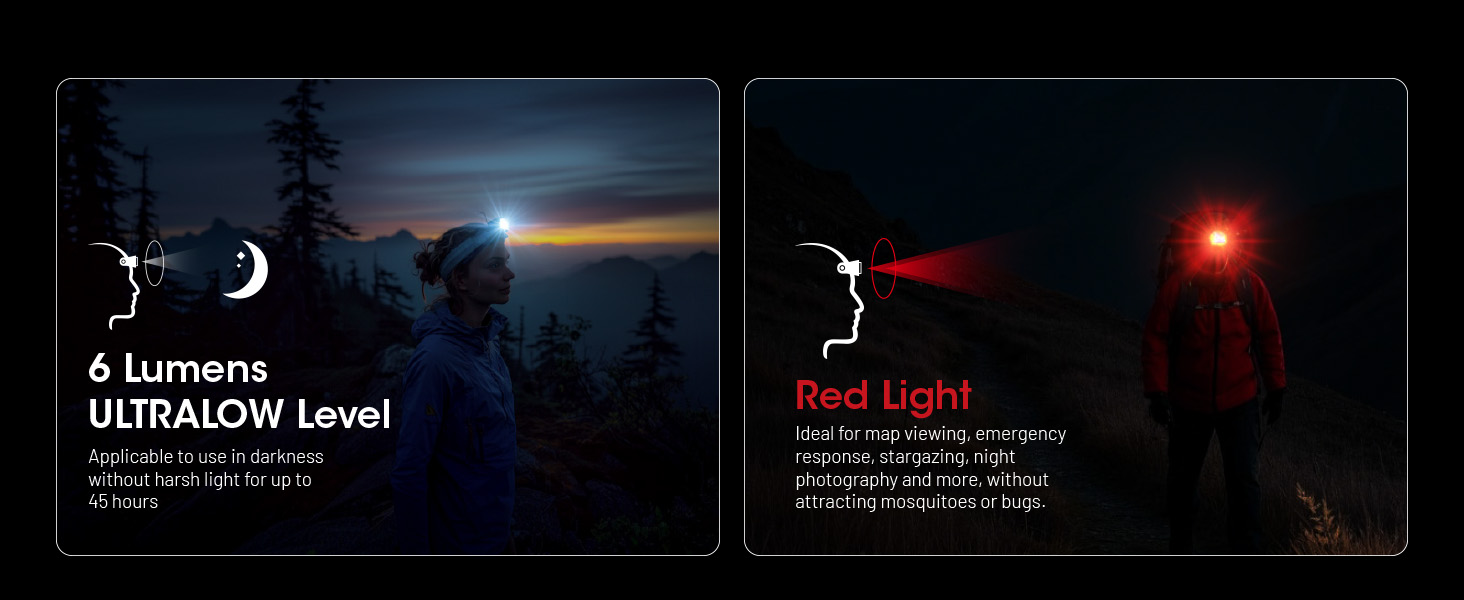
The auxiliary red light is useful for preserving night vision and signaling.
- To turn on red light: Kiedy nagłówekamp is off, long press the Mode button for 2 seconds. It will turn on in Low Red.
- To adjust red light brightness/mode: While the red light is on, short press the Power button to cycle through Low Red, High Red, and Red Flashing.
- To turn off red light: Long press the Mode button for 2 seconds.

4.4. Special Modes (SOS, Beacon)
- To access special modes: Podczas gdy szefamp is off, double press the Mode button. It will activate SOS mode.
- To cycle through special modes: While in SOS mode, short press the Power button to switch to Beacon mode.
- To exit special modes: Long press the Power button or Mode button for 2 seconds.
4.5. Funkcja blokady
To prevent accidental activation during transport or storage:
- Zablokować: Kiedy nagłówekamp is off, simultaneously press and hold both the Power and Mode buttons for 2 seconds. The headlamp mignie jeden raz, aby wskazać, że jest zablokowany.
- Aby odblokować: Simultaneously press and hold both the Power and Mode buttons for 2 seconds. The headlamp will flash once and turn on in Ultra Low mode.
5. Główne cechy
- Ultralekka konstrukcja: Weighing only 1.65 oz (47g) with the elastic cord, designed for maximum comfort during extended use.
- Multiple Color Temperatures (MCT): Offers Warm (3000K), Neutral (4500K), and Cool (6500K) white light options to suit various environments and preferences.
- Wysoka jasność wyjściowa: Up to 400 lumens with a maximum beam distance of 144 yards.
- Akumulator USB-C: Integrated USB-C port for convenient and fast charging.
- Trwała konstrukcja: Crafted from robust PC material, rated IP66 for water and dust resistance, and impact-resistant up to 1 meter.
- Światło czerwone pomocnicze: Preserves night vision and provides signaling capabilities.
- Intuitive Dual-Button Interface: Easy operation for power, brightness, and mode selection.
- Wskaźnik zasilania: Built-in indicator displays battery status.
6. Specyfikacje techniczne
| Tryb | Wyjście | Czas wykonania | Odległość wiązki | Szczytowa intensywność wiązki |
|---|---|---|---|---|
| Primary Light (Neutral White / Warm Light / Cool Light) | ||||
| Wysoki | 400 lumenów | 2 godziny 40 minut | 132m | 4381cd |
| Średni | 200 lumenów | 5h | 94m | 2192cd |
| Niski | 60 lumenów | 13 godz. | 51m | 662cd |
| Ultra niski | 6 lumenów | 45 godz. | 13m | 43cd |
| Pomocnicze czerwone światło | ||||
| Wysoki | 15 lumenów | 10 godz. | -- | -- |
| Niski | 7 lumenów | 26 godz. | -- | -- |
| Powolne miganie | 15 lumenów | -- | -- | -- |
| Tryby specjalne | ||||
| SOS | 400 lumenów | -- | -- | -- |
| Latarnia morska | 400 lumenów | -- | -- | -- |
| Odporność na uderzenia | 1m | |||
| Odporność na wodę | IP66 | |||
Note: Stated data is measured using the built-in 700mAh Li-ion battery (3.85V) in accordance with international flashlight testing standards ANSI/PLATO FL 1-2019 at an ambient temperature of 22°C (72°F) from the NITECORE Lab. The data may vary in real-world use due to different environmental conditions.
This product is equipped with a thermal protection function, which automatically regulates the output of the product according to the working condition to maintain optimal performance.

7. Pielęgnacja i konserwacja
- Wyczyść głowicęamp ciało z miękkim, damp szmatka. Unikać materiałów ściernych.
- Aby zachować wodoodporność, należy upewnić się, że osłona portu USB-C jest szczelnie zamknięta, gdy urządzenie nie jest ładowane.
- Recharge the battery regularly, even if not in use, to prolong battery life. Avoid fully depleting the battery for extended periods.
- Przechowuj głowicęamp w chłodnym i suchym miejscu, z dala od bezpośredniego światła słonecznego i ekstremalnych temperatur.
8. Rozwiązywanie Problemów
- Headliamp nie włącza się:
- Check if the battery is charged. Connect to a USB-C power source.
- Ensure the lockout function is not activated (simultaneously press both buttons for 2 seconds to unlock).
- Moc światła jest słaba lub nierównomierna:
- The battery might be low; recharge the headlamp.
- Naczelnyamp may be in thermal regulation mode if it has been operating at high output for an extended period. Allow it to cool down.
- Wnikanie wody:
- Ensure the USB-C port cover is properly sealed. If water has entered, turn off the device immediately and allow it to dry completely before attempting to use it again. Contact customer support if issues persist.
9. Gwarancja i obsługa klienta
The Nitecore NU25 MCT UL headlamp comes with a limited warranty. For specific warranty terms and conditions, please refer to the warranty card included in your package or visit the official Nitecore webstrona.
For technical support, service, or inquiries, please contact Nitecore customer service or your local distributor.
Manufacturer: Sysmax Innovation Co.


