Wstęp
The VTech PAW Patrol Light-Up Missions Pup Pad is an interactive electronic learning toy designed for children aged 3 years and up. This device features 26 light-up letter buttons and offers various activities to help children learn letters, words, spelling, and counting, all while engaging with their favorite PAW Patrol characters.

Przód view of the VTech PAW Patrol Light-Up Missions Pup Pad, displaying its interactive screen and character details.
Co jest w pudełku
- PAW Patrol Light-Up Missions Pup Pad
- Szybki przewodnik
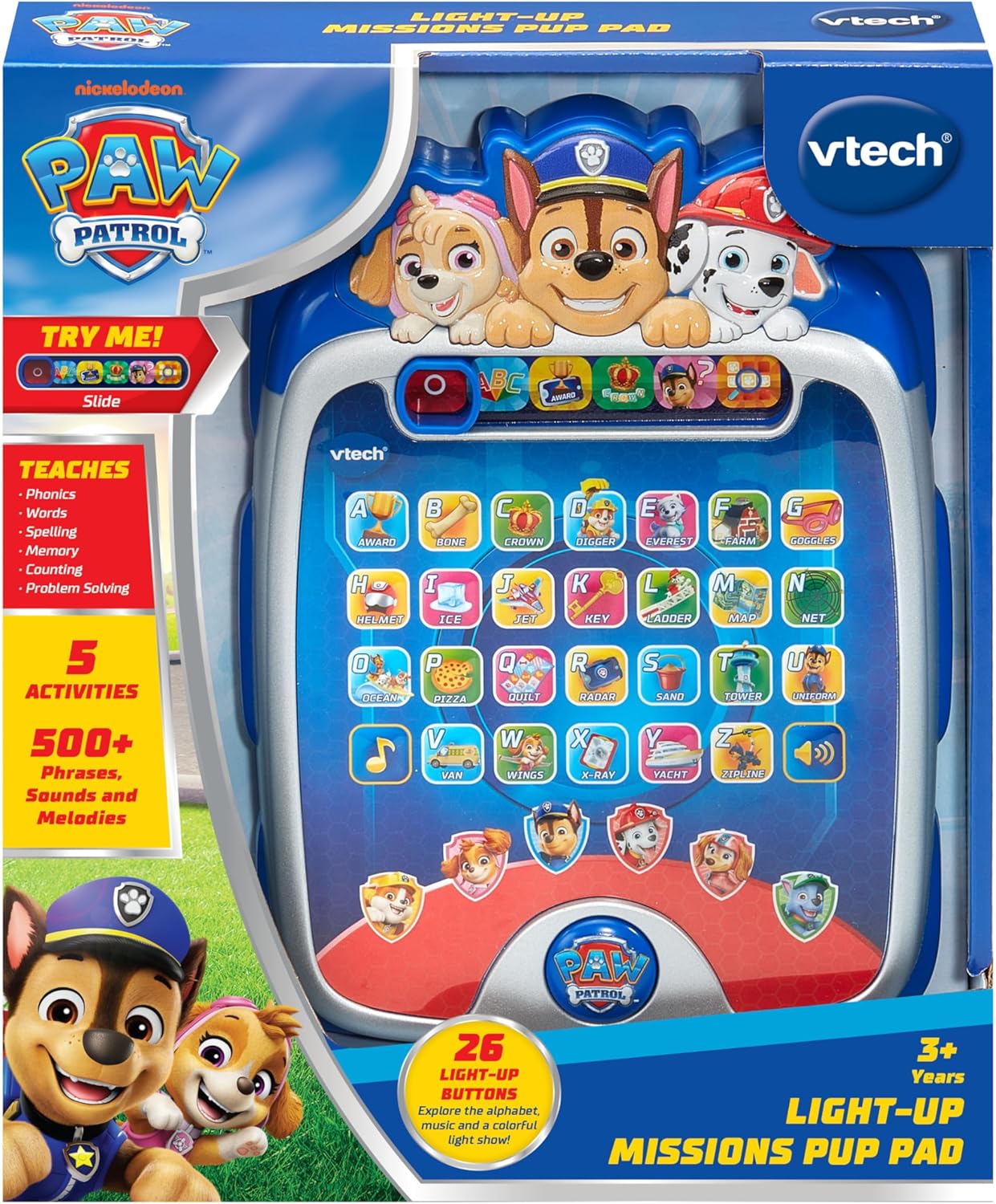
The PAW Patrol Light-Up Missions Pup Pad as it appears in its packaging.
Instalacja baterii
The Pup Pad requires 3 AA batteries for operation. Batteries are included for demonstration purposes only. For regular use, new batteries are recommended.
- Znajdź komorę baterii z tyłu urządzenia.
- Za pomocą śrubokręta odkręć śrubę na pokrywie komory baterii.
- Zdejmij pokrywę.
- Włóż 3 nowych baterii AA, zwracając uwagę na prawidłową biegunowość (+/-).
- Załóż pokrywę komory baterii i dokręć śrubę.
Zawsze używaj nowych baterii zalecanego typu. Nie mieszaj starych i nowych baterii ani baterii różnych typów.
Pierwsze kroki
To power on the Pup Pad, locate the On/Off switch, typically found on the side or top of the device. Slide the switch to the 'On' position. The device will greet you and prompt you to begin an activity.

The Pup Pad screen with all letter buttons lit up, indicating it is ready for play.
Operating Modes and Activities
The Pup Pad offers several interactive learning activities. Use the mode selector buttons at the top of the screen to switch between activities.
1. Explore Letters and Words
Press any of the 26 light-up letter buttons to hear the letter's name, its phonetic sound, and a word starting with that letter. The device will also provide a fun fact about the word.
2. Spelling Practice
In this mode, the Pup Pad will prompt you to spell a word. Press the light-up letter buttons in the correct sequence to spell the word. The device provides guidance and positive reinforcement.
3. Counting Game
Follow the light-up sequence of the letter buttons to practice counting. The device will guide you through the numbers.
4. Guessing Game
Ryder will give clues, and you need to press the correct letter button on the Pup Pad to guess the word or object. This activity encourages problem-solving skills.
5. Pup Character Buttons
Press the six character buttons featuring PAW Patrol pups (Chase, Marshall, Skye, Rubble, Rocky, Liberty) to hear their special skills and learn how to spell their names.

A child engaging with the Pup Pad on the floor.

A child playing with the Pup Pad while seated on a couch.
Oficjalny film o produkcie
This official video demonstrates the various interactive features and learning activities of the VTech PAW Patrol Light-Up Missions Pup Pad.
Konserwacja
- Czyszczenie: Przetrzyj urządzenie lekko damp płótno. Nie używaj ostrych środków chemicznych ani ściernych środków czyszczących.
- Składowanie: Store the Pup Pad in a cool, dry place away from direct sunlight and moisture when not in use.
- Pielęgnacja baterii: Aby zapobiec wyciekowi baterii, wyjmij je, jeśli urządzenie nie będzie używane przez dłuższy czas.
Rozwiązywanie problemów
| Problem | Rozwiązanie |
|---|---|
| Unit does not turn on or respond. | Check battery installation. Ensure batteries are fresh and correctly inserted. Replace if necessary. |
| Dźwięk jest zniekształcony lub zbyt niski/wysoki. | While there is no dedicated volume button, ensure the speaker is not obstructed. Replace batteries if sound issues persist. |
| Lights are not working correctly. | Wymień baterie. Jeśli problem nadal występuje, skontaktuj się z obsługą klienta. |
Specyfikacje
- Wymiary produktu: 7.24 x 9.84 x 1.8 cala
- Waga przedmiotu: 1 funt
- Numer modelu: 80-582400
- Zalecany wiek producenta: 3 lata i więcej
- Baterie: 3 AA batteries (included for demo purposes)
- Producent: VTech
- Data wydania: 5 czerwca 2025 r.
Gwarancja i wsparcie
For warranty information or technical support, please refer to the contact details provided in the Quick Start Guide or visit the official VTech webZachowaj paragon jako dowód zakupu na wypadek ewentualnych roszczeń gwarancyjnych.


