1. Wprowadzenie
The GOBOULT Crown R Pro 2 Smartwatch is designed to enhance your daily life with advanced features and health monitoring capabilities. It features a 1.43-inch HD AMOLED display, Bluetooth Calling 5.2, and a comprehensive health suite. This manual provides instructions for setup, operation, and maintenance of your smartwatch.

Image: The GOBOULT Crown R Pro 2 Smartwatch, showcasindzięki eleganckiemu wzornictwu i żywemu wyświetlaczowi.
2. Co znajduje się w pudełku
Proszę sprawdzić zawartość opakowania po rozpakowaniu:
- GOBOULT Crown R Pro 2 Smartwatch
- Kabel ładujący
- Instrukcja obsługi
- Karta gwarancyjna
3. Rozpoczęcie pracy
3.1. Ładowanie urządzenia
Before initial use, fully charge your smartwatch. Connect the magnetic charging cable to the charging points on the back of the watch and plug the USB end into a power adapter (not included) or a computer's USB port.
- Charging Time: Approximately 150 minutes for a full charge.
- Battery Life: Up to 7 days on a single charge, depending on usage.
3.2. Włączanie/wyłączanie zasilania
- Włączanie: Press and hold the side button for a few seconds until the GOBOULT logo appears.
- Wyłączone: Naciśnij i przytrzymaj przycisk boczny, a następnie wybierz opcję „Wyłącz” na ekranie.
3.3. Instalacja i parowanie aplikacji
To unlock the full potential of your smartwatch, download and install the companion application on your smartphone.
- Scan the QR code in the manual or search for the 'BoultFit' app (or similar, as specified in the included manual) on your smartphone's app store (Google Play Store or Apple App Store).
- Zainstaluj aplikację i załóż konto lub zaloguj się.
- Upewnij się, że Bluetooth jest włączony w Twoim smartfonie.
- Open the app, navigate to 'Device' or 'Add Device', and select 'GOBOULT Crown R Pro 2' from the list of available devices.
- Potwierdź prośbę o sparowanie na smartfonie i smartwatchu.
4. Smartwatch Features and Operation
4.1. Wyświetlacz i tarcze zegarka
The smartwatch features a 1.43-inch HD AMOLED display with 600 Nits brightness for clear visibility in various lighting conditions.
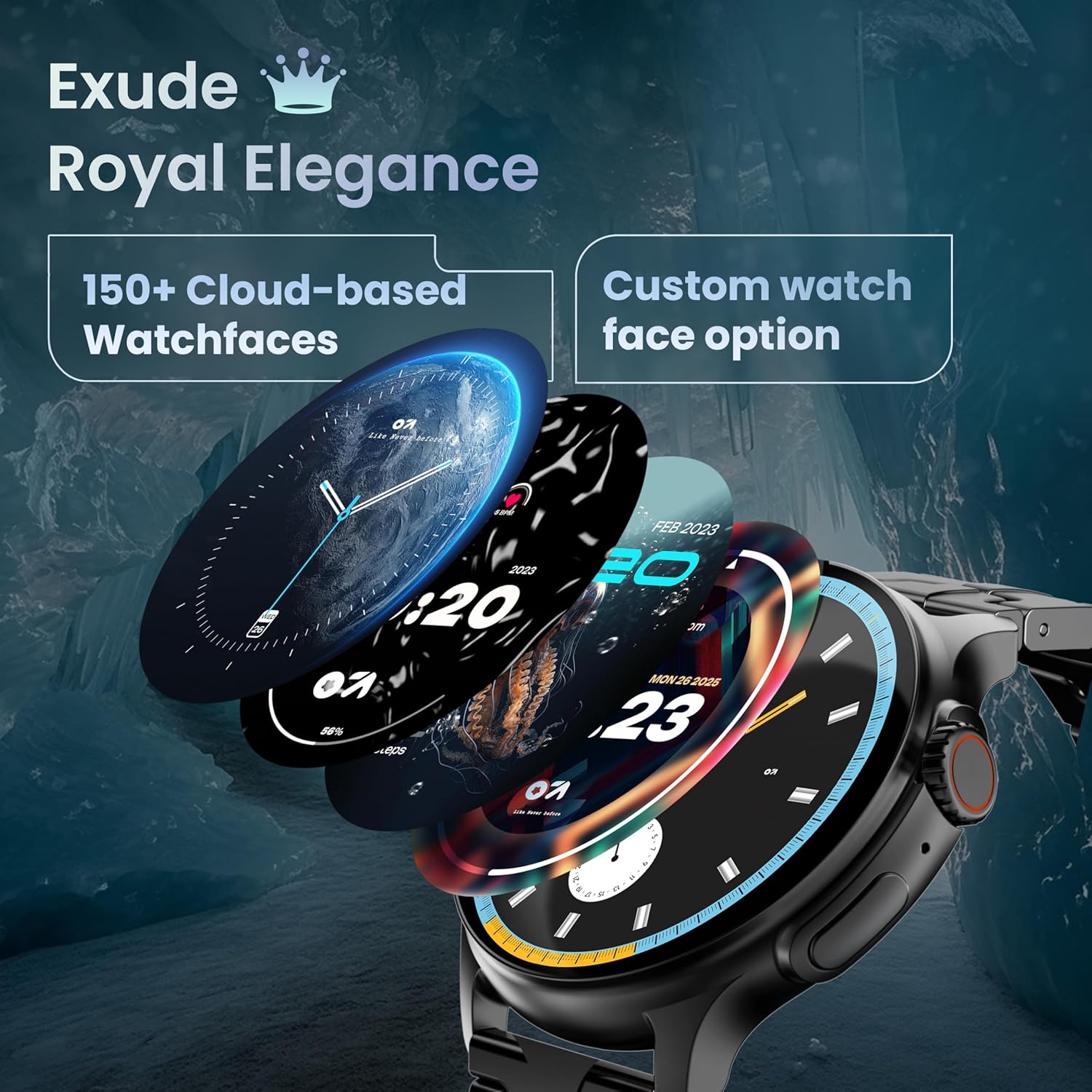
Image: A selection of over 150 watch faces available for customization.
- Zmiana tarcz zegarka: Long-press the home screen to access watch face options. Swipe left or right to browse and tap to select. More watch faces are available through the companion app.
4.2. Nawigacja i sterowanie
Navigate the smartwatch interface using touch gestures and the functional 'Working Crown'.

Image: Detail of the working crown, used for navigation and customization.
- Przesuń w dół: Uzyskaj dostęp do szybkich ustawień (np. jasność, Nie przeszkadzać, oszczędzanie baterii).
- Przesuń palcem w górę: View powiadomienia.
- Przesuń w lewo/w prawo: Access widgets and main features (e.g., activity, heart rate, weather).
- Working Crown: Rotate to scroll through menus or lists. Press to return to the home screen or confirm selections.
4.3. Połączenia Bluetooth
The smartwatch supports Bluetooth Calling v5.2, allowing you to make and receive calls directly from your wrist.

Image: Illustration of the smartwatch's Bluetooth calling capabilities with integrated microphone and speaker.
- Odbieranie połączeń: Tap the green phone icon on the screen when a call comes in.
- Dzwonić: Access the dial pad or contacts list from the smartwatch menu.
- Odrzucanie połączeń: Tap the red phone icon.
4.4. Tryby sportowe
Track over 120 sports and fitness activities with detailed analytics.

Image: The smartwatch interface showing active sports tracking and various sports icons.
- Access the 'Sports' menu to select your desired activity.
- The watch will record data such as duration, calories burned, and heart rate during your workout.
4.5. Monitorowanie stanu zdrowia
Monitor key health metrics in real-time.

Image: The health suite features, including heart rate, SpO2, and sleep monitoring.
- Monitor pracy serca: Provides 24x7 heart rate tracking.
- Monitor saturacji krwi SpO2: Mierzy poziom tlenu we krwi.
- Monitorowanie snu: Monitoruje wzorce i jakość snu.
- Śledzenie cyklu menstruacyjnego u kobiet: Pomaga śledzić i przewidywać cykle menstruacyjne.
- Monitor aktywności: Records steps, distance, and calories burned throughout the day.
- Trening oddechowy: Ćwiczenia oddechowe wspomagające relaksację.
4.6. Asystent głosowy AI
Control your smartwatch hands-free using voice commands.

Image: The AI voice assistant feature, activated by pressing a button for 3 seconds.
- Press the dedicated button (or specified gesture) for 3 seconds to activate the AI voice assistant.
- Use voice commands to ask questions, set reminders, or manage tasks.
4.7. Notifications and Utilities
Receive SMS and push notifications directly on your wrist. The smartwatch also includes useful utilities.

Image: The 'Find My Phone' feature, which causes the connected phone to ring or vibrate.
- Powiadomienia: Ensure notification permissions are enabled in the companion app for your desired applications.
- Kalkulator: Access the calculator from the app menu for quick calculations.
- Znajdź mój telefon: Use this feature from the smartwatch to make your connected phone ring or vibrate, helping you locate it.
4.8. Odporność na wodę i kurz (IP67)
The smartwatch is IP67 rated, providing protection against dust and temporary immersion in water.
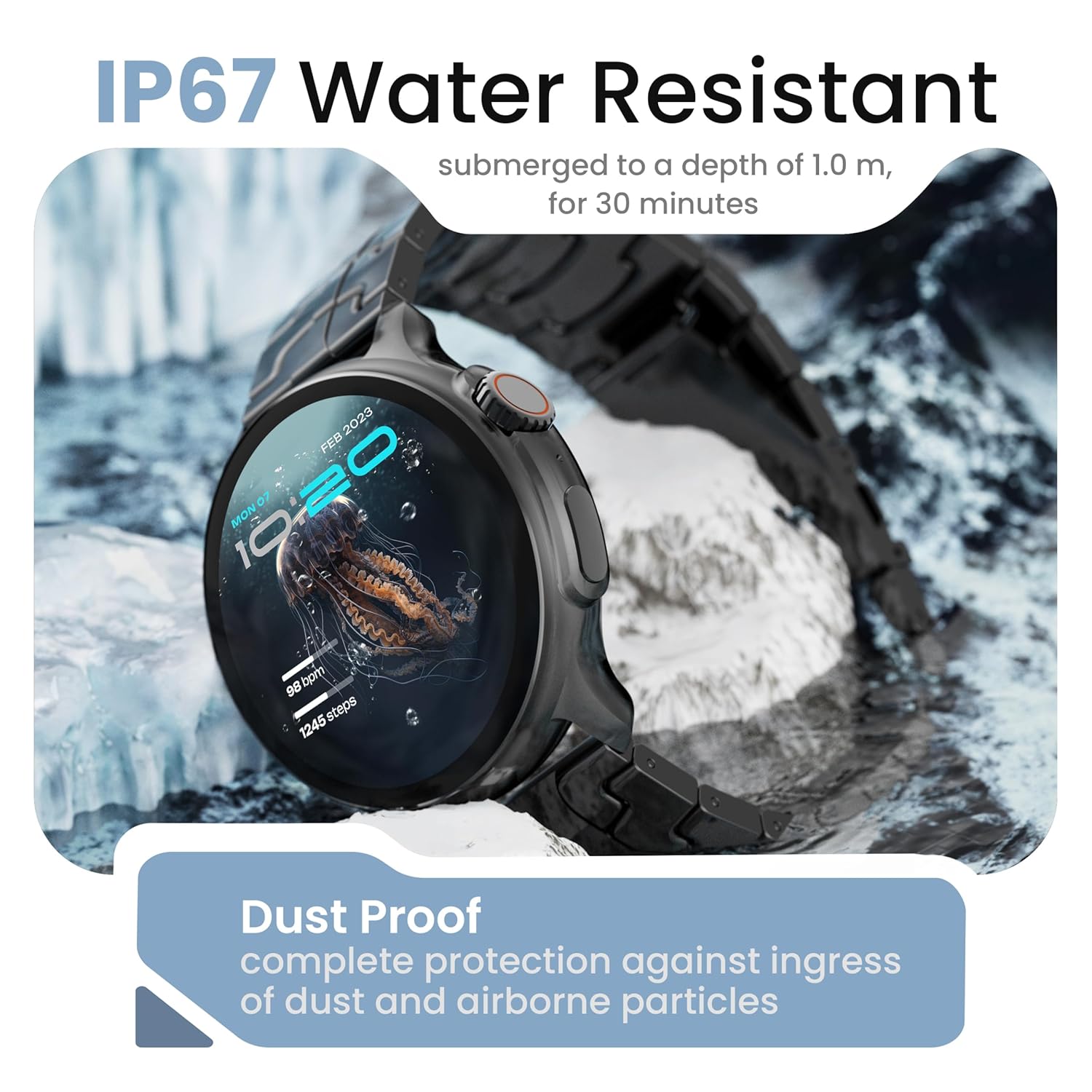
Image: The smartwatch demonstrating its IP67 water resistance, capable of being submerged up to 1 meter for 30 minutes.
- The device is resistant to sweat, splashes, and brief immersion in water up to 1 meter for 30 minutes.
- Avoid using the watch in hot water, saunas, or steam rooms.
- Do not press buttons while the watch is submerged.
5. Pielęgnacja i konserwacja
- Czyszczenie: Regularnie przecieraj zegarek i pasek miękką, suchą ściereczką. W razie potrzeby użyj lekko wilgotnej ściereczki.amp ściereczką i dokładnie osuszyć.
- Unikaj substancji chemicznych: Nie należy używać silnych środków chemicznych, rozpuszczalników czyszczących ani silnych detergentów, gdyż mogą one uszkodzić wykończenie i uszczelnienia zegarka.
- Składowanie: Kiedy nie używasz smartwatcha, przechowuj go w chłodnym i suchym miejscu.
- Ładowanie: Używaj wyłącznie dostarczonego kabla ładującego.
6. Rozwiązywanie Problemów
6.1. Smartwatch Not Turning On
- Upewnij się, że zegarek jest w pełni naładowany. Podłącz go do ładowarki na co najmniej 30 minut.
- Press and hold the side button for an extended period (10-15 seconds) to force a restart.
6.2. Nie można sparować ze smartfonem
- Ensure Bluetooth is enabled on your smartphone and the smartwatch.
- Make sure the smartwatch is within the Bluetooth range of your phone (typically 10 meters).
- Uruchom ponownie smartfon i smartwatch.
- Wyczyść pamięć podręczną Bluetooth w telefonie (jeśli dotyczy) i spróbuj sparować ponownie.
- Upewnij się, że aplikacja towarzysząca jest zaktualizowana do najnowszej wersji.
6.3. Niedokładne dane dotyczące zdrowia
- Upewnij się, że zegarek ściśle przylega do nadgarstka — nie jest za ciasny, ani za luźny.
- Wyczyść czujniki z tyłu zegarka.
- Unikaj nadmiernego ruchu podczas pomiarów.
- Note that smartwatch health data is for reference only and should not be used for medical diagnosis.
6.4. Powiadomienia się nie pojawiają
- Check if notification permissions are granted for the companion app and individual applications on your smartphone.
- Ensure the smartwatch is connected to your phone via Bluetooth.
- Disable 'Do Not Disturb' mode on both your phone and smartwatch.
7. Specyfikacje
| Marka | GOBOULT |
| Nazwa modelu | R Pro 2 |
| Rozmiar wyświetlacza | 1.43 cali |
| Typ wyświetlacza | HD AMOLED |
| Jasność | X NUMX Nits |
| Wersja Bluetooth | 5.2 |
| Odporność na wodę | IP67 |
| Czas pracy baterii (średni) | 7 dni |
| Czas ładowania akumulatora | 150 minut |
| System operacyjny | Android (kompatybilny) |
| Waga przedmiotu | 56.5 gramów |
| Zawarte komponenty | Smartwatch, kabel ładujący, instrukcja obsługi, karta gwarancyjna |
8. Gwarancja i wsparcie
8.1. Informacje o gwarancji
Your GOBOULT Crown R Pro 2 Smartwatch comes with a standard manufacturer's warranty. Please refer to the included Warranty Card for specific terms, conditions, and duration of the warranty.
8.2. Obsługa klienta
For any product-related queries, technical assistance, or warranty claims, please contact GOBOULT customer support through the following channels:
- Webstrona: Visit the official GOBOULT webStrona z odpowiedziami na często zadawane pytania i zasobami pomocy.
- E-mail: Zapoznaj się z kartą gwarancyjną lub oficjalnym webwitryna zawierająca adresy e-mail obsługi klienta.
- Telefon: Contact numbers may be available on the official GOBOULT webstronie internetowej lub karcie gwarancyjnej.
Please have your product model number (R Pro 2) and purchase details ready when contacting support.


