Wstęp
This manual provides detailed instructions for the setup, operation, and maintenance of your GOBOULT Rover Pro Smartwatch. Please read this manual thoroughly before using your device to ensure proper functionality and to maximize your user experience.

Image: GOBOULT Rover Pro Smartwatch, showcasing its sleek design and digital time display.
Zawartość opakowania
Upon opening your GOBOULT Rover Pro Smartwatch package, verify that all items listed below are present:
- Smartwatch GOBOULT Rover Pro
- Kabel ładujący
- Instrukcja obsługi (ten dokument)
Organizować coś
1. Ładowanie smartwatcha
Before initial use, fully charge your GOBOULT Rover Pro Smartwatch. Connect the provided charging cable to the charging port on the back of the smartwatch and to a standard USB power adapter (not included). A full charge typically takes approximately 150 minutes (2.5 hours).

Image: Illustration of the smartwatch charging, highlighting battery life and charging duration.
2. Włączanie/wyłączanie zasilania
- Włączanie: Naciśnij i przytrzymaj przycisk boczny, aż ekran się podświetli.
- Wyłączone: Naciśnij i przytrzymaj przycisk boczny, a następnie wybierz na ekranie opcję „Wyłącz”.
3. Instalacja i parowanie aplikacji
To unlock the full potential of your smartwatch, download and install the companion application on your smartphone. The application can typically be found by scanning a QR code in the watch's settings or by searching for "GloryFit" in your smartphone's app store. Once installed:
- Włącz Bluetooth w swoim smartfonie.
- Otwórz aplikację towarzyszącą i postępuj zgodnie z instrukcjami wyświetlanymi na ekranie, aby dodać urządzenie.
- Select "GOBOULT Rover Pro" from the list of available devices to pair.
- Potwierdź prośbę o sparowanie na smartfonie i smartwatchu.
Aby pobrać aplikację, odwiedź stronę: Pobierz aplikację GloryFit
Obsługa smartwatcha
Wyświetlacz i nawigacja
The GOBOULT Rover Pro features a 1.43-inch AMOLED display with 1000 nits brightness, ensuring clear visibility even in direct sunlight. The display supports an Always-on mode for continuous time display.

Obraz: Szczegółowy view of the smartwatch's 1.43-inch round AMOLED curved display.

Image: Visual comparison highlighting the superior brightness and clarity of the Rover Pro's AMOLED display.
- Przesuń w górę/w dół/w lewo/w prawo: Poruszaj się po menu, powiadomieniach i szybkich ustawieniach.
- Uzyskiwać: Wybierz element lub otwórz aplikację.
- Przycisk boczny: Press to return to the home screen or access the app list.
Monitorowanie zdrowia
The GOBOULT Rover Pro Smartwatch offers comprehensive health tracking features to help you monitor your well-being:
- Monitorowanie tętna 24/7: Stale monitoruje tętno przez cały dzień.
- SpO2 Blood Oxygen Saturation: Mierzy poziom tlenu we krwi.
- Monitorowanie snu: Analizuje wzorce snu, w tym fazę snu głębokiego, płytkiego i porę wybudzenia.
- Śledzenie cyklu menstruacyjnego u kobiet: Provides insights and predictions for menstrual cycles.
- Monitor aktywności: Rejestruje kroki, dystans i spalone kalorie.
- Przypomnienia: Includes reminders to drink water and stay active.
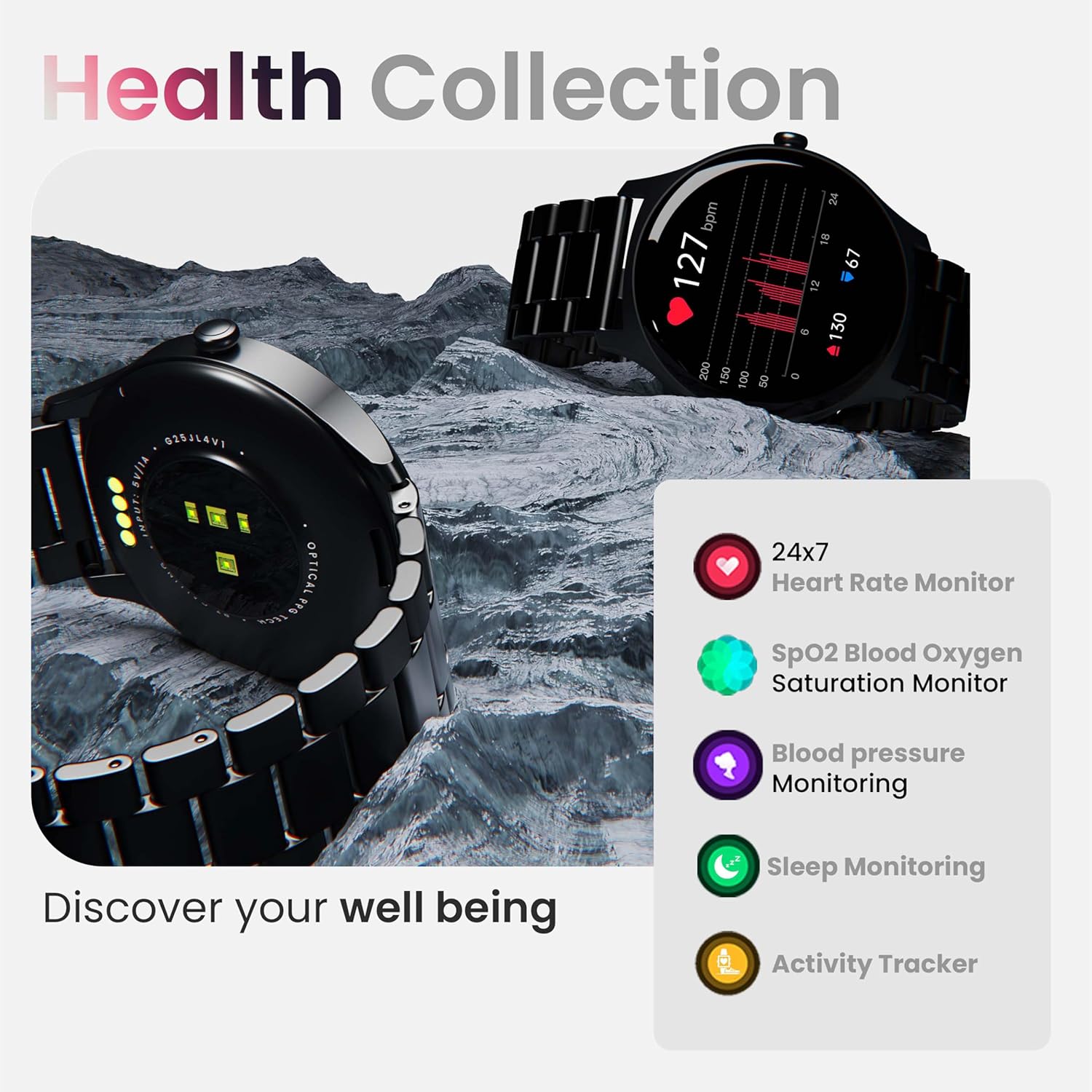
Obraz: Ponadview of the smartwatch's health monitoring capabilities.
Notatka: This device is not a medical instrument. Health data is for reference only and should not be used for medical diagnosis or treatment.
Tryby sportowe
With over 120 sports modes, the GOBOULT Rover Pro Smartwatch is designed to track a wide range of physical activities. Select your desired sport from the watch's menu to record specific metrics such as duration, calories burned, and heart rate during your workout.

Image: Display of various sports modes available on the smartwatch.
Personalizacja
Tarcze zegarka
Personalize your smartwatch with over 150 cloud-based watch faces available through the companion app. You can also create custom watch faces using your own photos.

Obraz: Byłyamples of various watch faces and customization options.
Połączenia Bluetooth
The GOBOULT Rover Pro Smartwatch features Bluetooth 5.2 single-chip technology, enabling direct calls from your wrist. It includes a dedicated speaker and microphone for clear communication.
- Dzwonić: Aby nawiązać połączenie, skorzystaj z klawiatury numerycznej lub listy kontaktów na zegarku.
- Odbieranie/odrzucanie połączeń: Swipe on the screen to answer or reject incoming calls.
- Synchronizacja kontaktów: Sync your phone's contacts to the smartwatch via the companion app.

Image: Visual representation of the smartwatch's Bluetooth calling interface and features.
Asystent głosowy AI
Interact with your smartwatch hands-free using the built-in AI voice assistant. Simply activate the assistant and speak your commands to perform various functions, such as setting alarms, checking weather, or initiating calls. Supports popular voice assistants like Siri and Google Assistant when connected to a compatible smartphone.
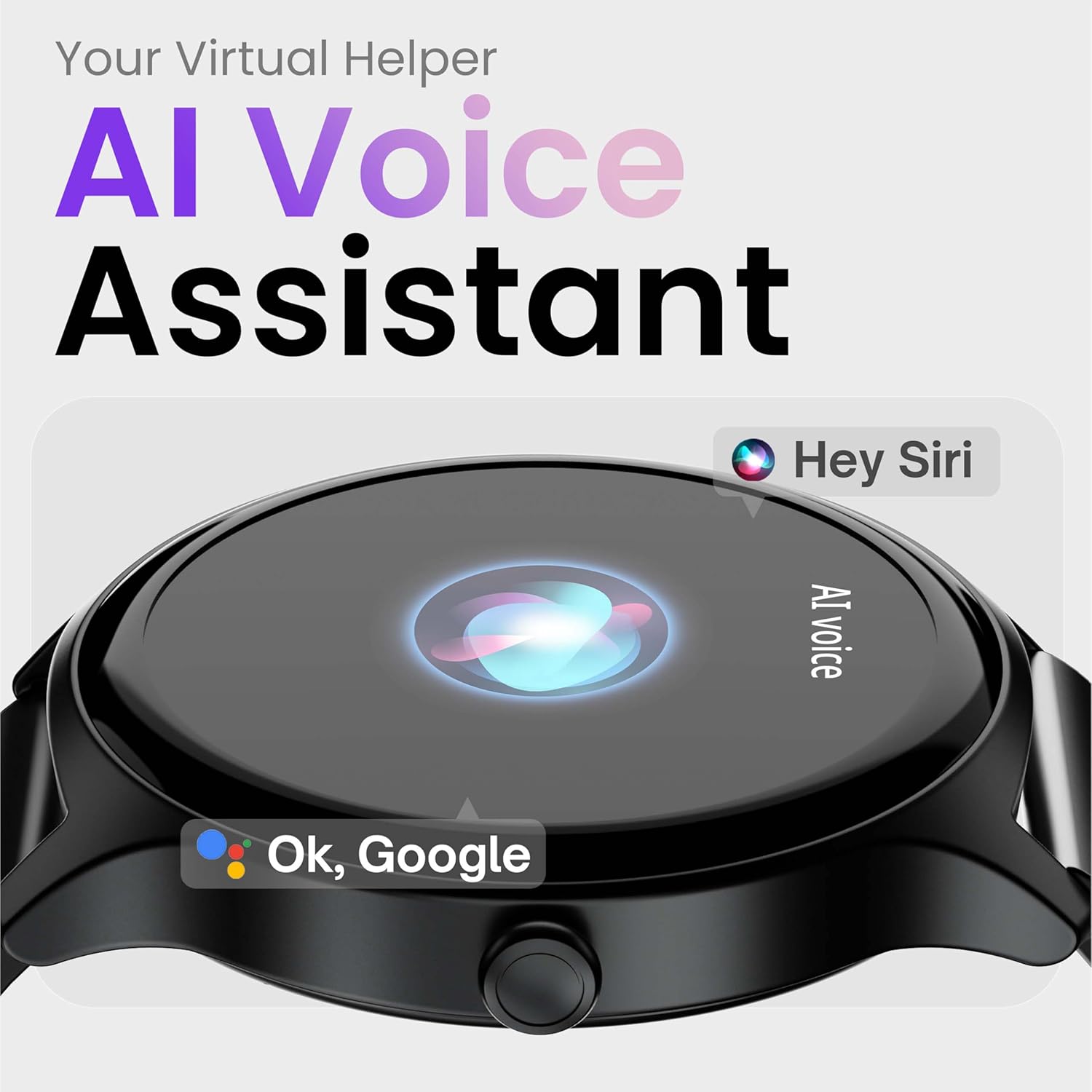
Image: Depiction of the AI Voice Assistant functionality on the smartwatch.
Smart Notifications & Safety Features
Inteligentne powiadomienia
Receive SMS, call, and app notifications directly on your wrist. Manage which notifications appear through the companion app settings.

Image: Smartwatch screen showing notification alerts and the 'Find my phone' function.
Funkcje bezpieczeństwa
- 4-cyfrowy PIN: Secure your smartwatch with a PIN for enhanced privacy.
- One-Tap SOS Alert: In an emergency, activate the SOS feature to notify pre-set emergency contacts.
- Secure Sign-in Methods: Utilize easy and secure methods for accessing your device.
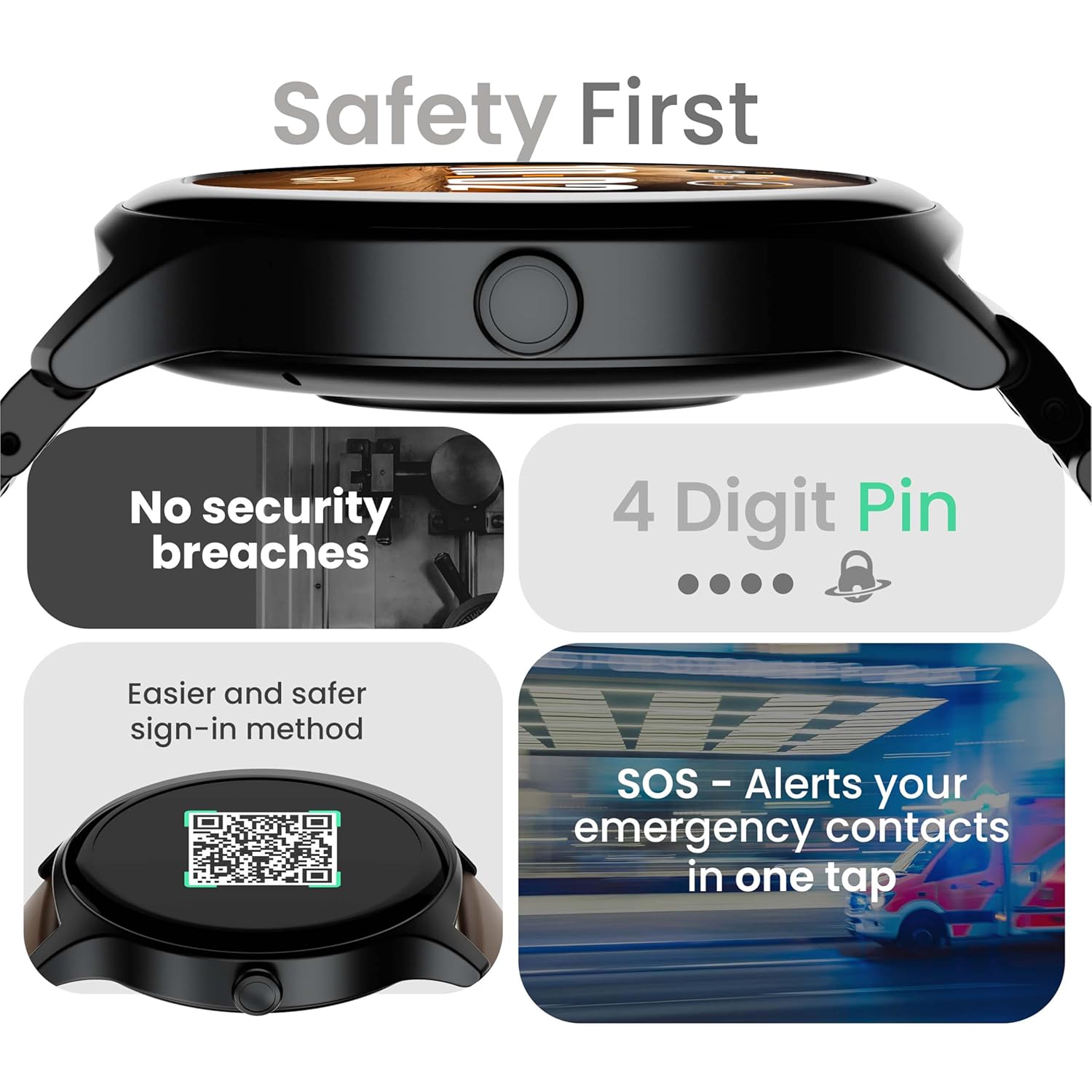
Image: Visuals illustrating the smartwatch's security and emergency features.
Żywotność baterii i ładowanie
The GOBOULT Rover Pro Smartwatch is equipped with a battery designed for extended use:
- Typowe zastosowanie: Do 7 dni pracy na baterii.
- Czas czuwania: Do 20 dni.
- Szybkie ładowanie: Approximately 10 minutes of charging provides up to 2 days of battery life.
- Czas pełnego ładowania: Approximately 90 minutes for a complete charge.
Use only the provided charging cable to ensure optimal charging performance and to prevent damage to the device.
Wodoodporność (IP68)
The GOBOULT Rover Pro Smartwatch has an IP68 rating, meaning it is dustproof and water-resistant. It can withstand immersion in water up to 1.5 meters deep for up to 30 minutes. This makes it suitable for daily use and various outdoor activities, but it is not recommended for diving or high-pressure water activities.

Image: Illustration of the smartwatch's IP68 water and dust resistance.
Konserwacja
Aby zapewnić długowieczność i optymalną wydajność smartwatcha, należy przestrzegać poniższych wskazówek dotyczących konserwacji:
- Czyszczenie: Regularnie przecieraj ekran i pasek zegarka miękką, suchą ściereczką. W razie potrzeby użyj lekko szorowatego detergentu.amp cloth for the strap, then dry thoroughly.
- Unikaj substancji chemicznych: Nie należy używać silnych środków chemicznych, rozpuszczalników czyszczących ani silnych detergentów, gdyż mogą one uszkodzić wykończenie i uszczelnienia zegarka.
- Port ładowania: Utrzymuj styki ładowania w czystości i suchości.
- Składowanie: Kiedy nie używasz smartwatcha, przechowuj go w chłodnym i suchym miejscu.
- Unikaj ekstremalnych temperatur: Do not expose the watch to extreme hot or cold temperatures for prolonged periods.
Rozwiązywanie problemów
If you encounter issues with your GOBOULT Rover Pro Smartwatch, refer to the following common solutions:
| Problem | Rozwiązanie |
|---|---|
| Smartwatch nie włącza się. | Upewnij się, że zegarek jest w pełni naładowany. Podłącz go do ładowarki na co najmniej 30 minut. |
| Nie można sparować ze smartfonem. |
|
| Niedokładne dane dotyczące zdrowia. |
|
| Powiadomienia nie są odbierane. |
|
| Krótki czas pracy baterii. |
|
Specyfikacje
| Funkcja | Szczegół |
|---|---|
| Marka | GOBOULT |
| Seria modeli | Rover Pro |
| Rozmiar wyświetlacza | 1.43 cali |
| Typ wyświetlacza | AMOLED |
| Jasność | X NUMX Nits |
| Łączność | Bluetooth 5.2 |
| System operacyjny | Android (kompatybilny) |
| Odporność na wodę | IP68 |
| Czas pracy baterii (typowy) | Do 7 dni |
| Czas ładowania akumulatora | Approx. 150 Minutes (Full Charge) |
| Waga przedmiotu | 43 gramów |
| Zawarte komponenty | Kabel ładujący, instrukcja obsługi |
Gwarancja i wsparcie
Informacje o gwarancji
Your GOBOULT Rover Pro Smartwatch comes with a 1-letnia gwarancja od daty zakupu. Niniejsza gwarancja obejmuje wady produkcyjne i usterki powstałe w wyniku normalnego użytkowania. Nie obejmuje uszkodzeń spowodowanych niewłaściwym użytkowaniem, wypadkami, nieautoryzowanymi modyfikacjami ani normalnym zużyciem.
Obsługa klienta
For technical assistance, warranty claims, or any other inquiries, please contact GOBOULT customer support through their official website or the contact information provided with your purchase documentation. Please have your product model and purchase details ready when contacting support.


