Wstęp
This manual provides essential instructions for setting up, operating, maintaining, and troubleshooting your GOBOULT Dire Smartwatch. Please read this guide thoroughly to ensure optimal performance and longevity of your device.
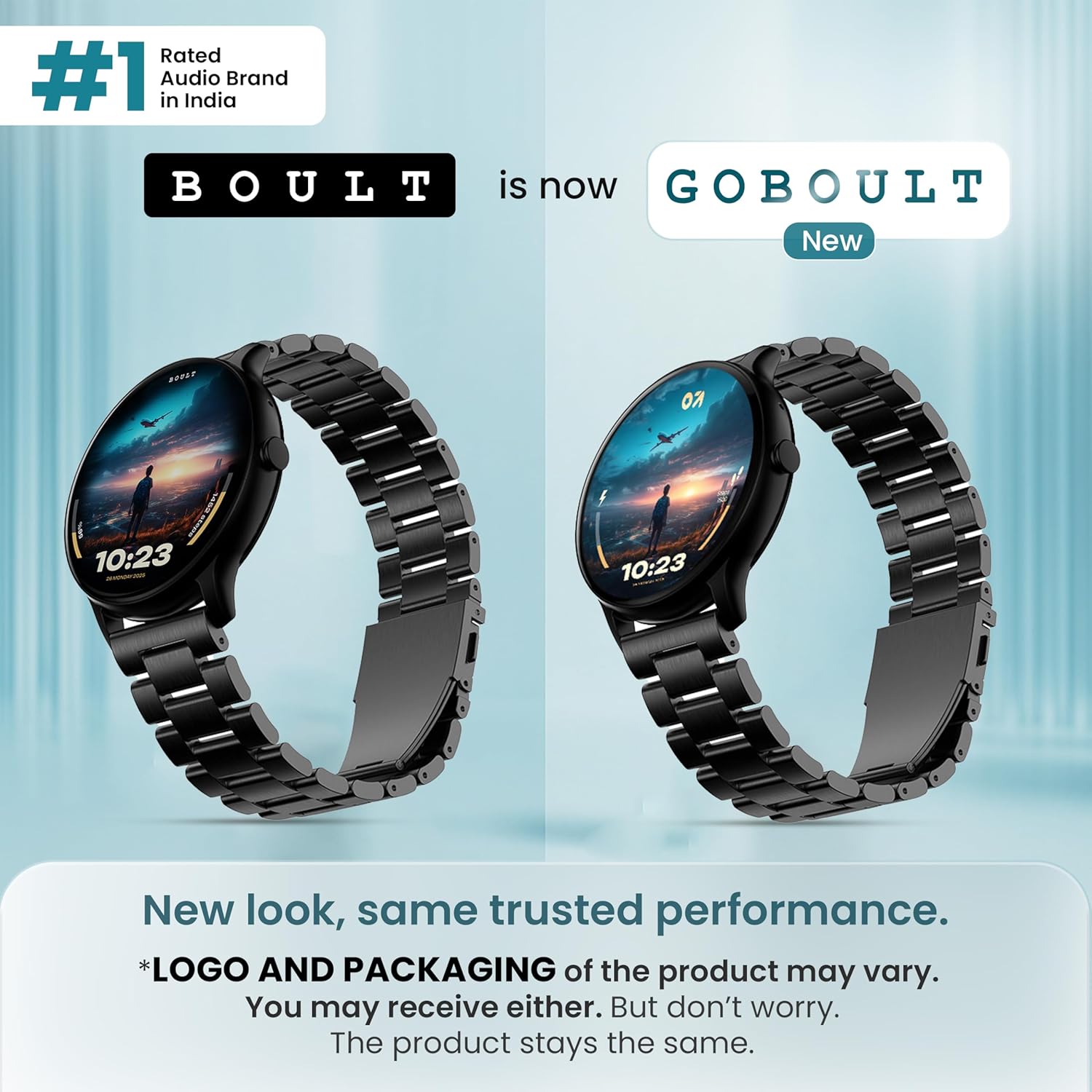
Obraz: Przód view of the GOBOULT Dire Smartwatch, showcasinz wyświetlaczem i paskiem.
Co jest w pudełku
Sprawdź, czy w opakowaniu produktu znajdują się wszystkie poniższe elementy:
- GOBOULT Dire Smartwatch (Jet Black)
- Kabel ładujący
- Instrukcja obsługi (ten dokument)
- Karta gwarancyjna
Organizować coś
1. Ładowanie początkowe
Before first use, fully charge your smartwatch. Connect the provided charging cable to the magnetic charging points on the back of the watch and to a standard USB power adapter (not included). A full charge typically takes approximately 150 minutes.
2. Włączanie/wyłączanie zasilania
- Włączanie: Naciśnij i przytrzymaj przycisk boczny, aż na ekranie pojawi się logo GOBOULT.
- Aby wyłączyć: Naciśnij i przytrzymaj przycisk boczny, a następnie wybierz na ekranie opcję „Wyłącz”.
3. Instalacja i parowanie aplikacji
- Download the companion application (e.g., 'Boult Fit' or similar as indicated in the packaging) from your smartphone's app store (compatible with iOS and Android).
- Upewnij się, że Bluetooth jest włączony w Twoim smartfonie.
- Otwórz aplikację i postępuj zgodnie z instrukcjami wyświetlanymi na ekranie, aby utworzyć konto lub się zalogować.
- Select 'Add Device' or 'Pair Device' within the app and choose 'Boult Dire' from the list of available devices.
- Potwierdź prośbę o sparowanie na smartfonie i smartwatchu.
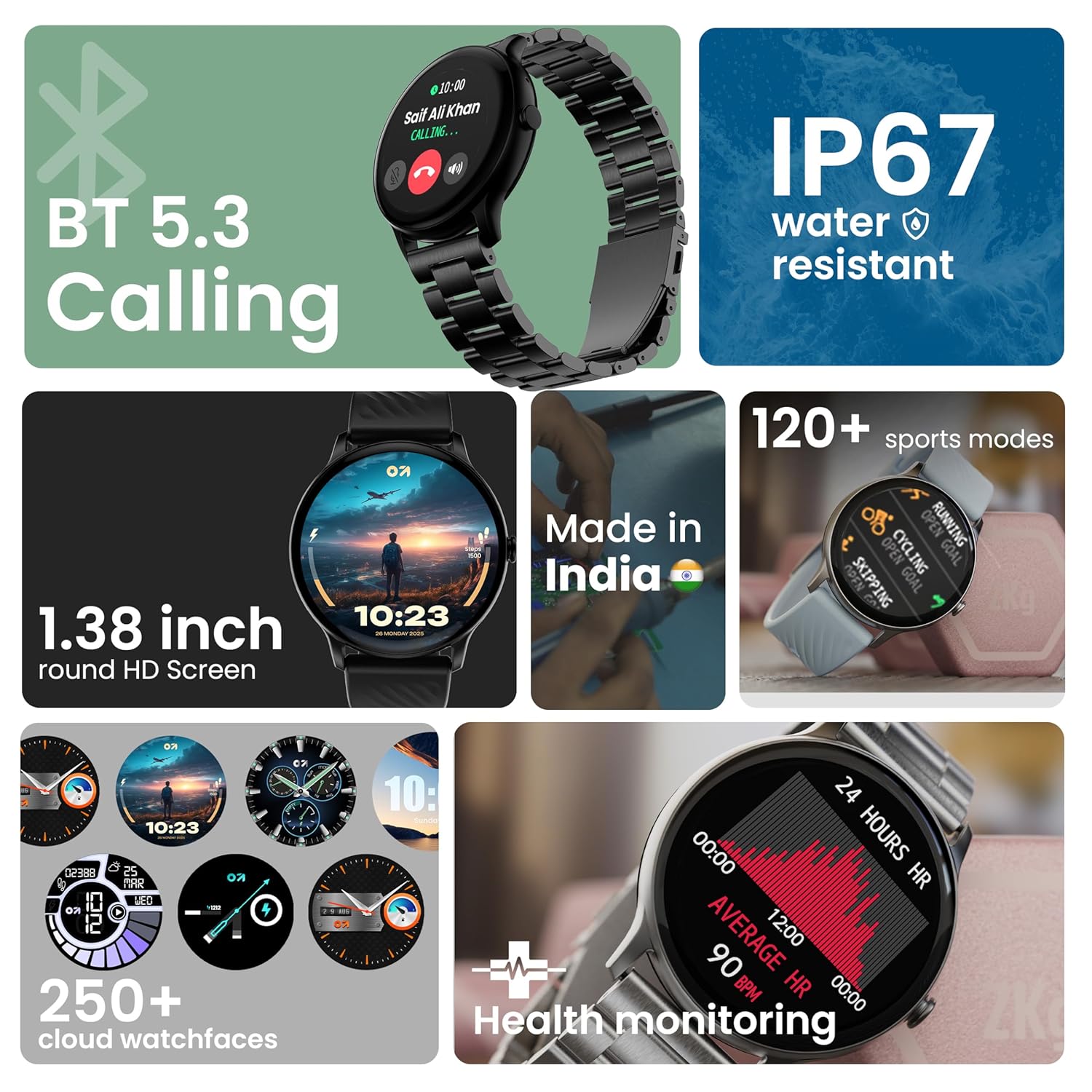
Obraz: Ponadview of key smartwatch features including Bluetooth 5.3 Calling, IP67 water resistance, 1.38-inch HD screen, 250+ watchfaces, 120+ sports modes, and health monitoring.
Instrukcja obsługi
1. Nawigacja wyświetlacza
The 1.38-inch 2.5D curved HD display is fully touch-sensitive. Swipe left, right, up, or down to navigate through menus, notifications, and widgets. Tap to select items.
2. Dostosowywanie tarcz zegarka
Your smartwatch supports over 250 cloud watch faces. To change the watch face, long-press on the current watch face on the home screen, then swipe left or right to browse and tap to select. More options are available through the companion app.
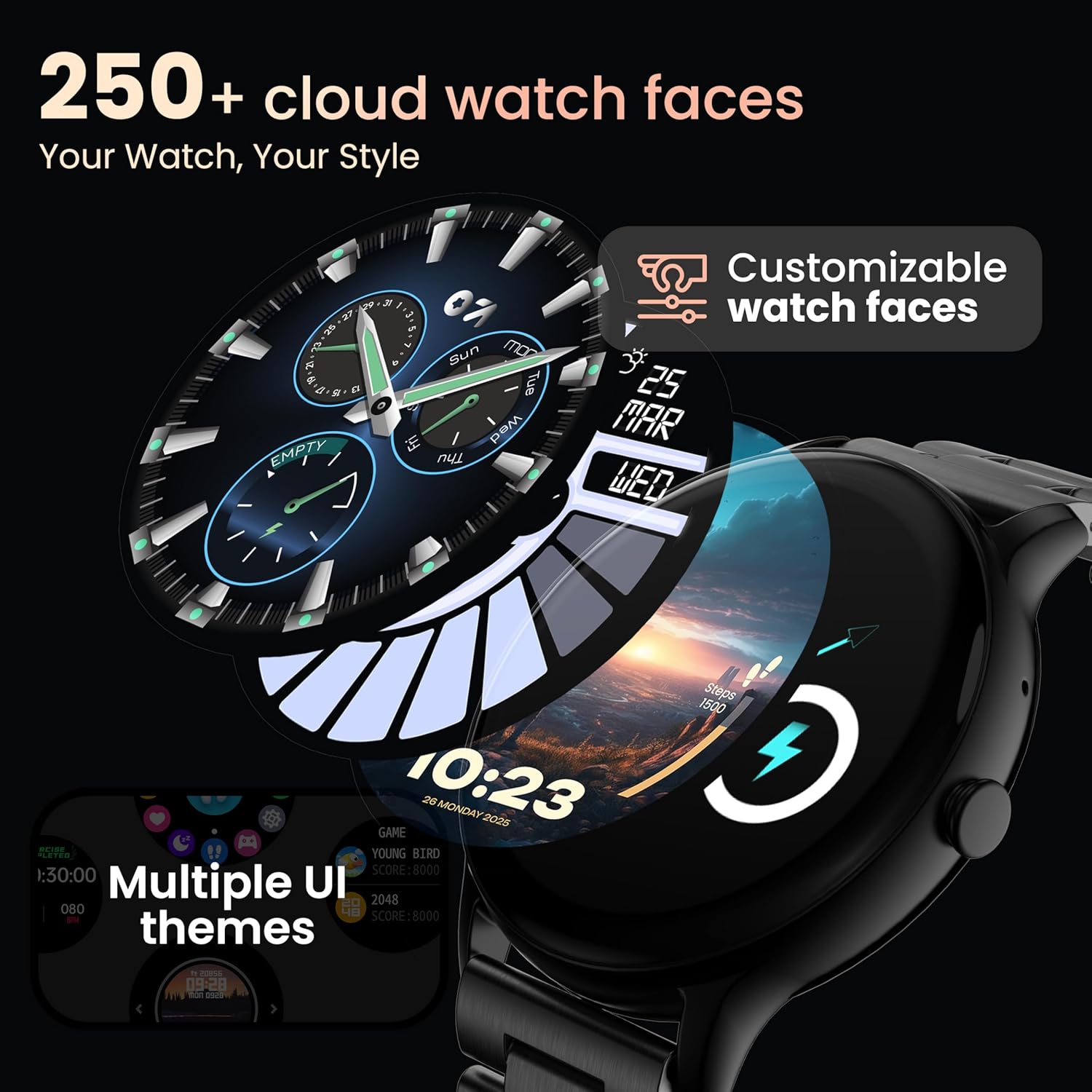
Image: A visual representation of various customizable watch faces and UI themes available on the smartwatch.
3. Połączenia Bluetooth
With Bluetooth 5.2 technology, you can make and receive calls directly from your wrist. The smartwatch features a dedicated speaker and microphone. Access the call function from the main menu to dial, answer, or reject calls. Contact synchronization is available via the companion app.
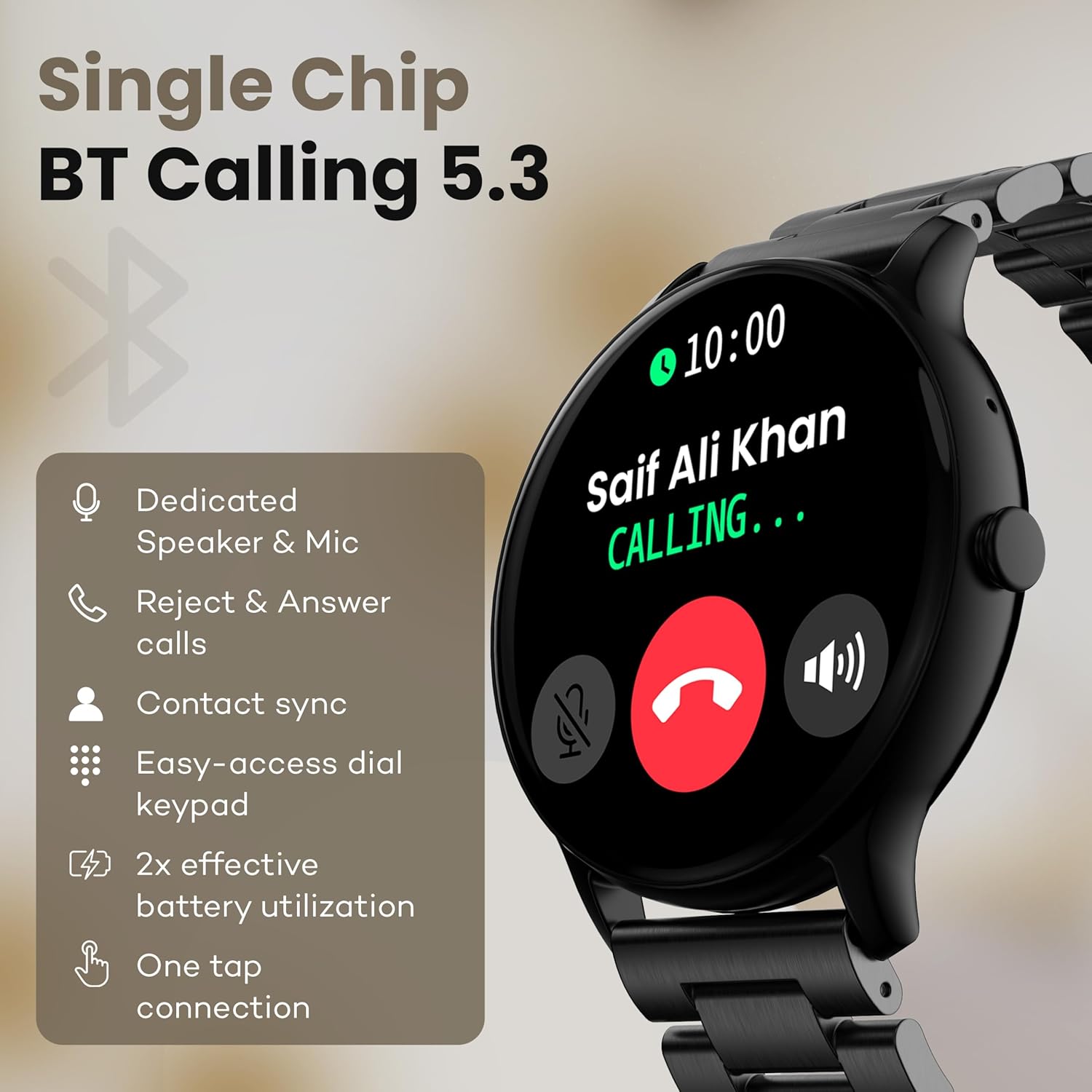
Image: The smartwatch screen showing an incoming call, highlighting features like dedicated speaker & mic, call rejection/answering, contact sync, and easy-access dial keypad.
4. Tryby sportowe
The device supports over 120 sports modes. Navigate to the 'Sports' menu to select your activity. The watch will track metrics such as calories burned, distance, and heart rate during your workout.
5. Asystent głosowy AI
Activate the AI Voice Assistant feature (if enabled via the app) to control your watch or smartphone using voice commands.
6. Sterowanie kamerą
Use your smartwatch as a remote shutter for your smartphone camera. Open the camera control feature on your watch and tap to take a picture.
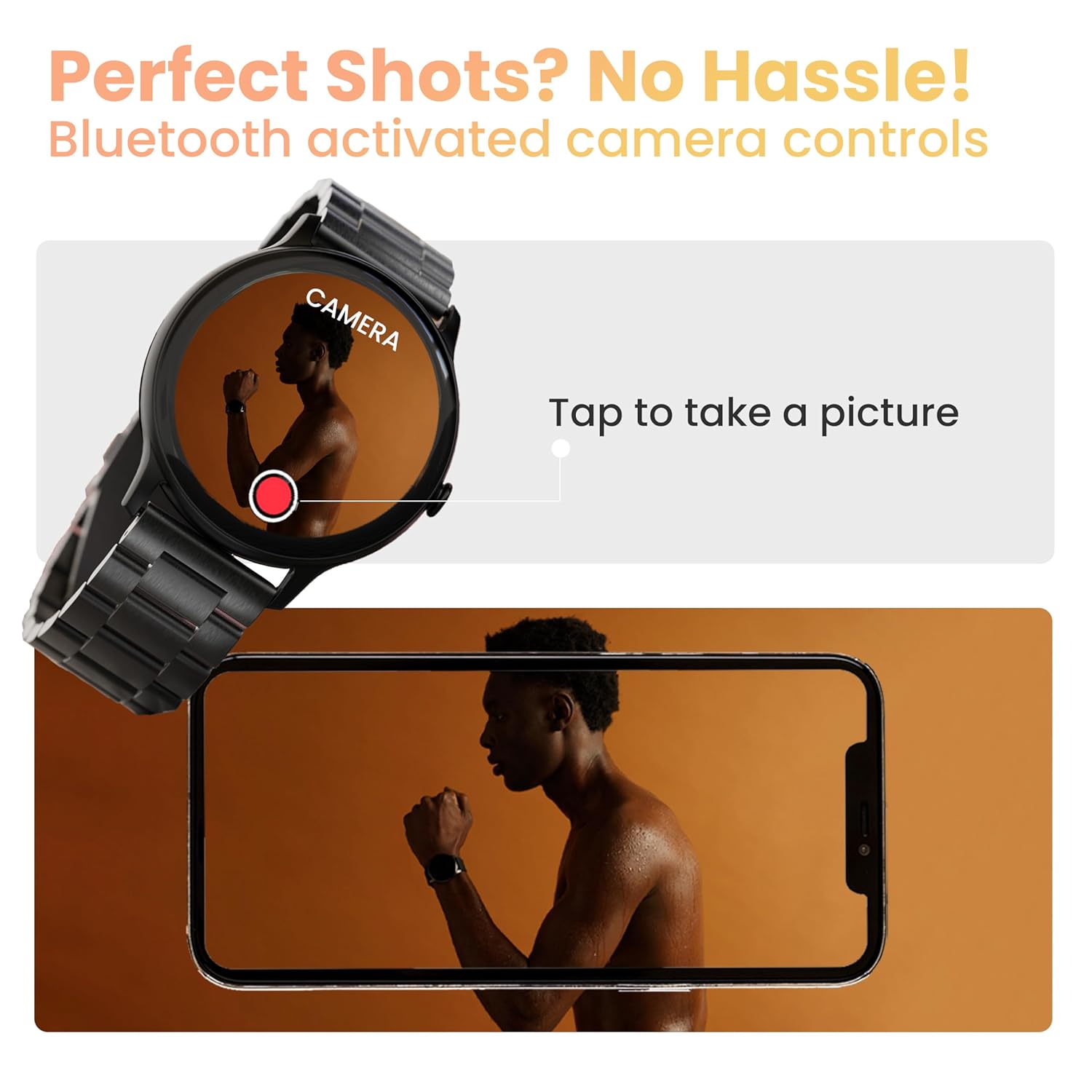
Image: The smartwatch displaying a camera interface, indicating its ability to control a smartphone camera via Bluetooth.
7. Powiadomienia
Receive notifications from your paired smartphone directly on your wrist. Ensure notification permissions are granted in the companion app.

Image: The smartwatch displaying various updates and reminders, such as message notifications and 'Time to Drink Water'.
8. Mini Games
The smartwatch includes pre-installed mini-games for entertainment. Access them through the main menu.
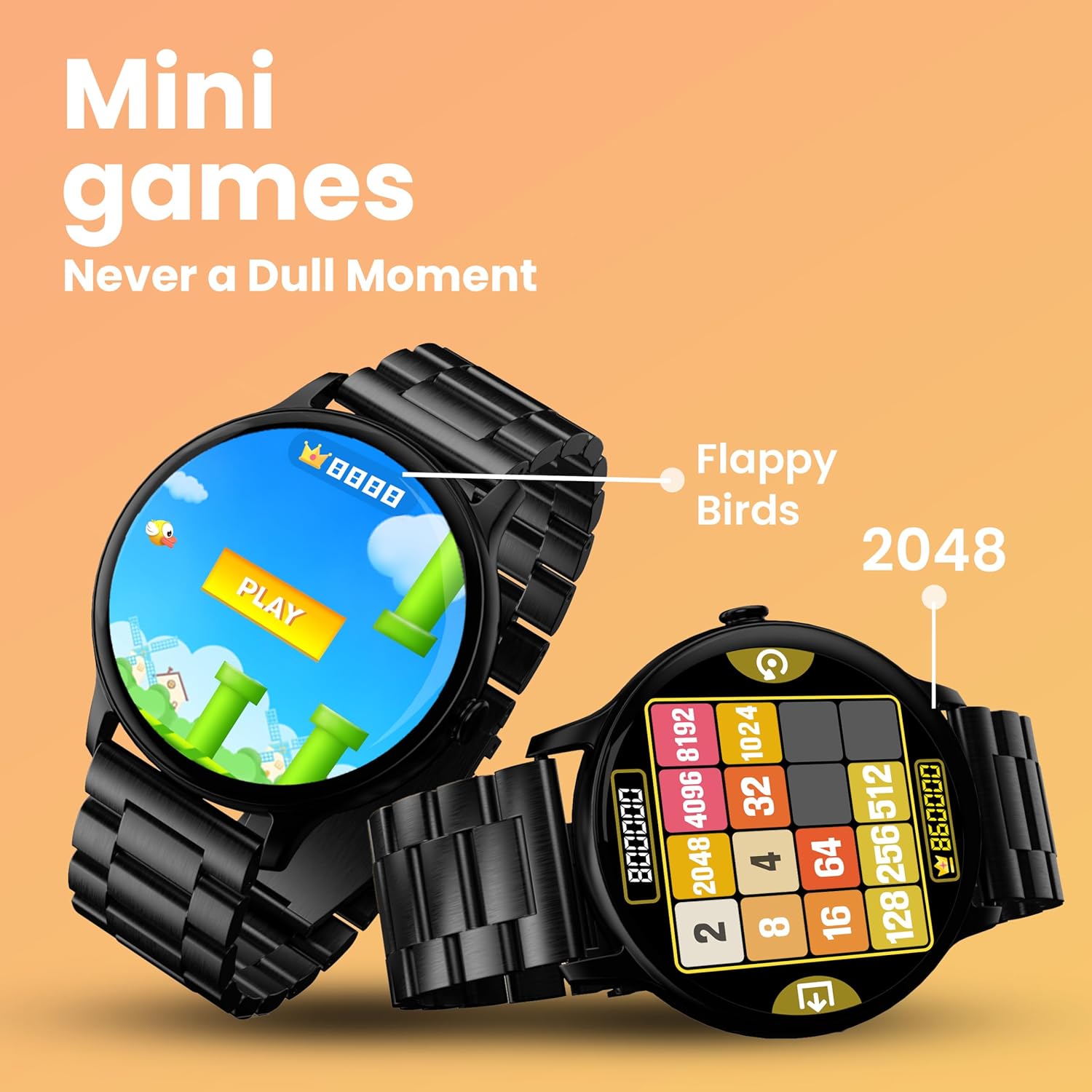
Image: The smartwatch screen showing two mini-games, 'Flappy Birds' and '2048', available for play.
Funkcje monitorowania zdrowia
Your GOBOULT Dire Smartwatch is equipped with several health monitoring functions:
- 24x7 Heart Rate Monitor: Stale monitoruje tętno przez cały dzień.
- Monitor saturacji krwi SpO2: Mierzy poziom tlenu we krwi.
- Śledzenie cyklu menstruacyjnego u kobiet: Pomaga śledzić i przewidywać cykle menstruacyjne.
- Drink Water Reminders: Zachęca do regularnego picia wody.
- Przypomnienia o siedzącym trybie życia: Otrzymujesz powiadomienie, gdy jesteś zbyt długo nieaktywny.
- Monitorowanie snu: Analizuje wzorce i jakość snu.
- Calories Count & Meditation: Tracks calorie expenditure and offers guided meditation features.
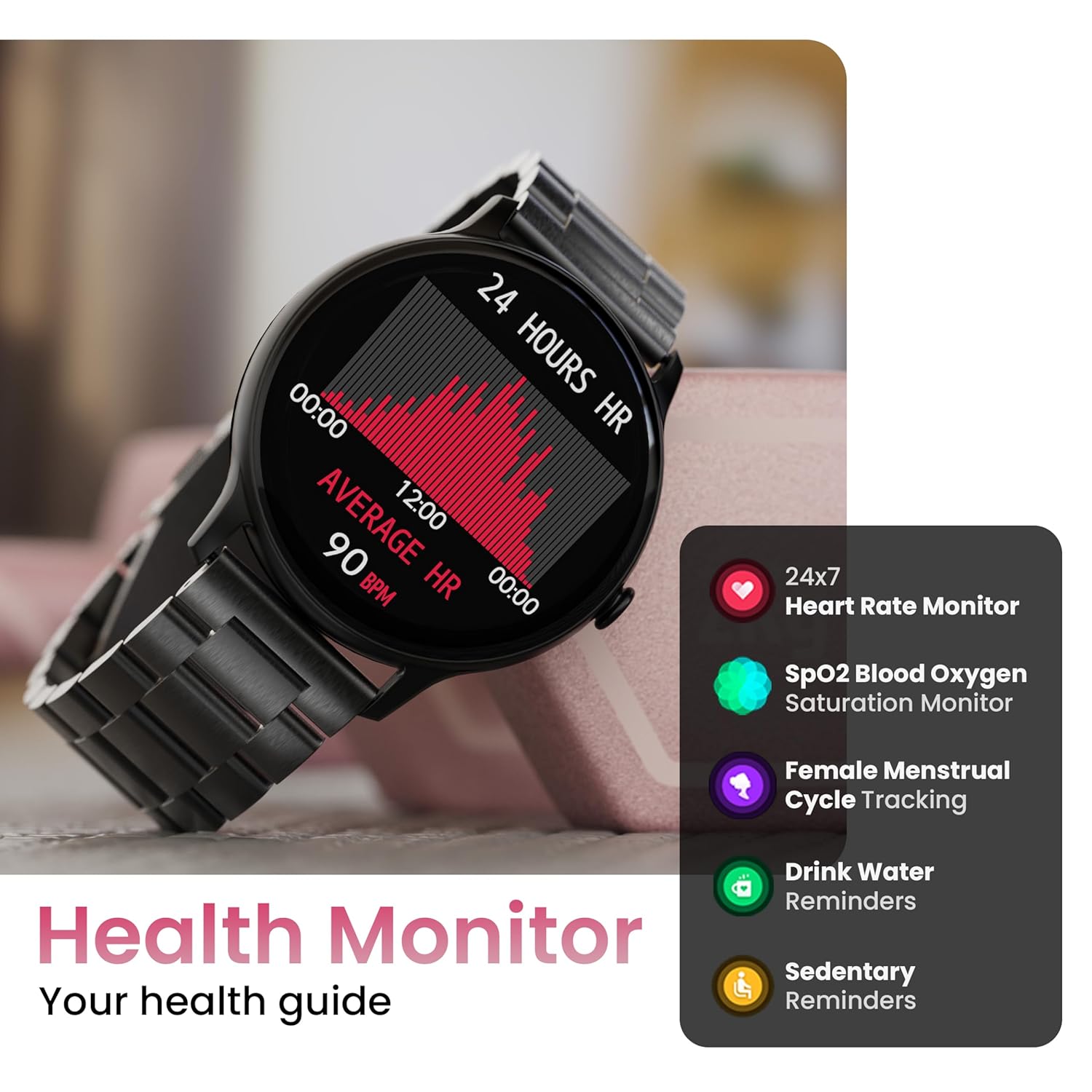
Image: The smartwatch displaying a heart rate graph, alongside icons for Heart Rate Monitor, SpO2, Female Menstrual Cycle Tracking, Drink Water Reminders, and Sedentary Reminders.
Inteligentne funkcje
Znajdź mój telefon
If your paired smartphone is misplaced, use the 'Find Device' feature on your smartwatch. Navigate to the watch menu, select 'Find Device', and tap the search button. Your connected phone will ring or vibrate, helping you locate it.
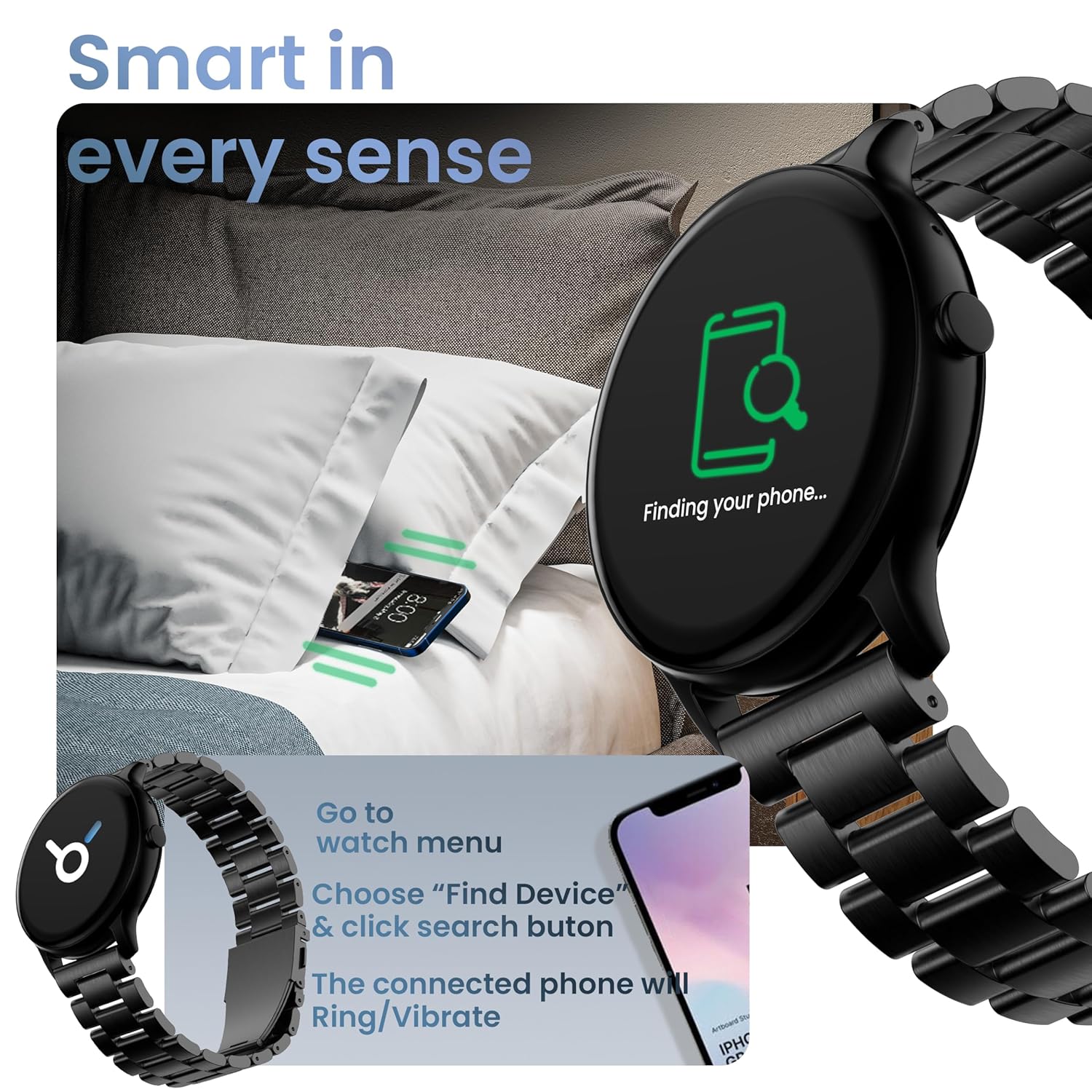
Image: The smartwatch displaying 'Finding your phone...' with an illustration of a phone vibrating under a pillow, demonstrating the 'Find Device' function.
Konserwacja
Czyszczenie urządzenia
Wipe the smartwatch regularly with a soft, dry, lint-free cloth. For stubborn dirt, slightly dampPrzetrzyj szmatkę wodą. Unikaj stosowania silnych środków chemicznych i materiałów ściernych.
Odporność na wodę i kurz (IP67)
The GOBOULT Dire Smartwatch is IP67 rated, meaning it is resistant to dust and can withstand immersion in water up to 1 meter for 30 minutes. It is suitable for daily use, including splashes and sweat. However, it is not recommended for swimming, showering with hot water, or diving.
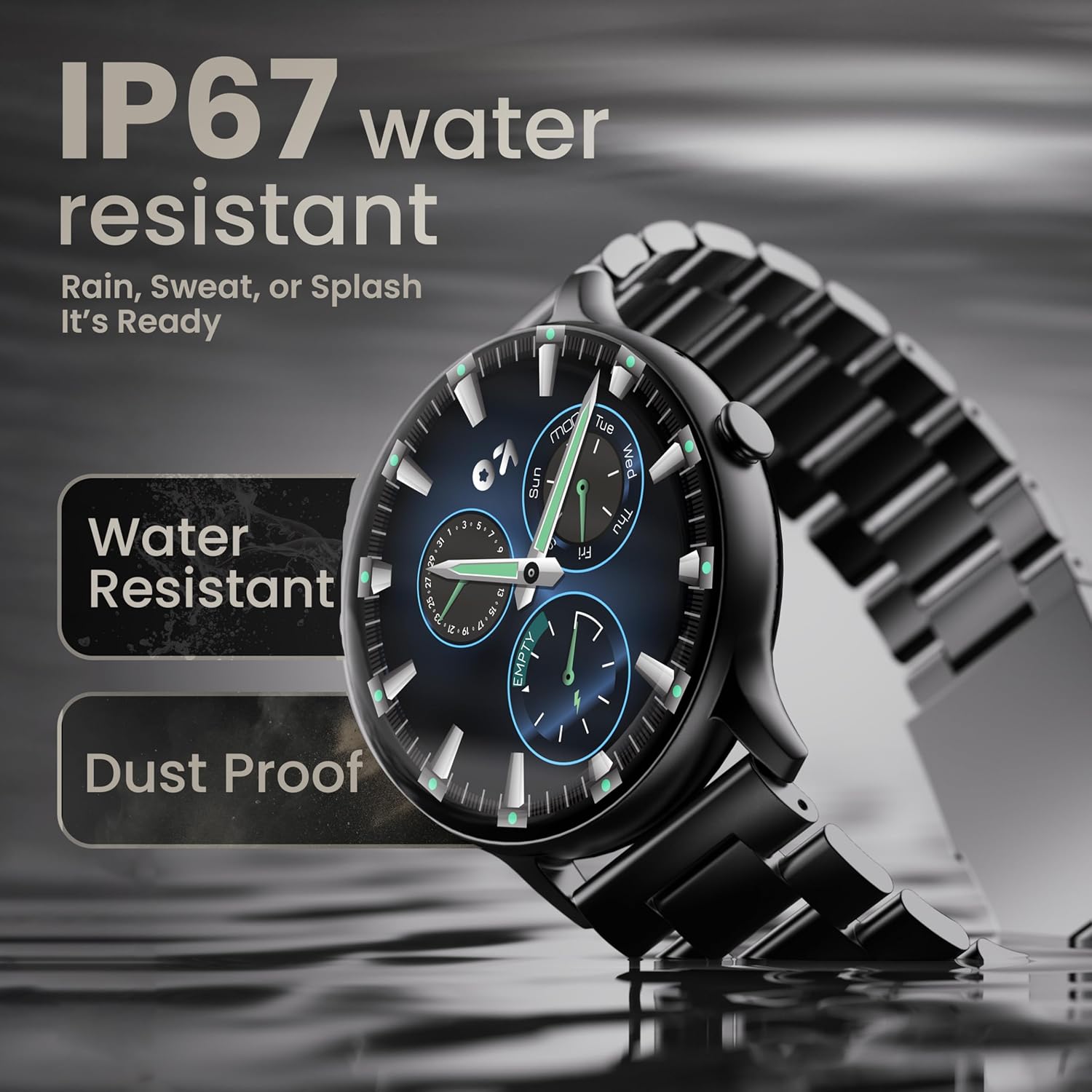
Image: The smartwatch submerged partially in water, with text indicating 'IP67 water resistant' and 'Rain, Sweat, or Splash It's Ready'.
Pielęgnacja baterii
To maximize battery life (up to 7 days on average), avoid extreme temperatures and fully discharge the battery occasionally before recharging. Use only the provided charging cable.
Rozwiązywanie problemów
| Problem | Rozwiązanie |
|---|---|
| Zegarek nie włącza się | Upewnij się, że zegarek jest w pełni naładowany. Podłącz go do ładowarki na co najmniej 30 minut. |
| Nie można sparować ze smartfonem | Make sure Bluetooth is enabled on your phone. Restart both the watch and phone. Ensure the companion app is installed and open. Check if the watch is already paired with another device. |
| Powiadomienia nie są wyświetlane | Verify that notification permissions are granted for the companion app in your phone's settings. Ensure the watch is connected via Bluetooth. |
| Niedokładne dane dotyczące zdrowia | Upewnij się, że zegarek ściśle przylega do nadgarstka, nie jest za ciasny ani za luźny. Wyczyść czujnik z tyłu zegarka. |
| Krótki czas pracy baterii | Reduce screen brightness, disable unnecessary features like continuous heart rate monitoring if not needed, and limit frequent notifications. Ensure background app usage is optimized. |
Specyfikacje
| Funkcja | Szczegół |
|---|---|
| Marka | GOBOULT |
| Nazwa modelu | Boult Dire |
| Rozmiar wyświetlacza | 1.38 cali |
| Typ wyświetlacza | HD, 2.5D Curved |
| Jasność | X NUMX Nits |
| Wersja Bluetooth | 5.2 |
| Odporność na wodę | IP67 (odporność na kurz i wodę) |
| Czas pracy baterii (średni) | 7 dni |
| Czas ładowania akumulatora | 150 minut |
| Zgodność z systemem operacyjnym | iOS, Android |
| Waga przedmiotu | 40 gramów |
| Materiał ramy | Stop cynku |
| Zawarte komponenty | Charging Cable, Smartwatch, User Manual, Warranty Card |
Gwarancja i wsparcie
Your GOBOULT Dire Smartwatch comes with a manufacturer's warranty. Please refer to the included Warranty Card for detailed terms, conditions, and duration of the warranty period.
For technical assistance, product inquiries, or warranty claims, please contact GOBOULT customer support through the contact information provided on your Warranty Card or the official GOBOULT webstrona.


