1. Wprowadzenie
This manual provides detailed instructions for the UMIDIGI G100A Unlocked Phone. It covers device setup, operation, key features, and maintenance to ensure optimal performance and user experience. The UMIDIGI G100A features a 6.9-inch HD+ 120Hz display, runs on Android 14, is powered by a UNISOC T615 8-core processor, and includes a 6000mAh battery.
2. Co znajduje się w pudełku
Upon unboxing your UMIDIGI G100A, verify that all the following items are included:
- 1x UMIDIGI G100A Phone
- 1x Pre-applied Screen Protector
- 1x Etui na telefon
- 1x Zasilacz
- 1x USB Cable (Type-C to Type-C)
- 1x Wyrzutnik tacki SIM
- Przewodnik szybkiego startu 1x

Image: Contents of the UMIDIGI G100A retail box.
3. Konfiguracja
3.1 Instalacja karty SIM i karty MicroSD
Aby zainstalować kartę(y) SIM i/lub kartę microSD:
- Znajdź tackę na kartę SIM znajdującą się z boku telefonu.
- Włóż narzędzie do wyjmowania tacki karty SIM w mały otwór obok tacki i delikatnie naciśnij, aż tacka wyskoczy.
- Place your Nano SIM card(s) and/or microSD card into the designated slots on the tray. The UMIDIGI G100A supports two Nano SIM cards or one Nano SIM card and one microSD card.
- Ostrożnie włóż tackę z powrotem do telefonu, aż zatrzaśnie się na swoim miejscu.

Image: SIM card and TF card insertion diagram.
3.2 Włączanie i konfiguracja początkowa
Press and hold the power button located on the side of the phone until the UMIDIGI logo appears. Follow the on-screen prompts to complete the initial setup, including language selection, Wi-Fi connection, and Google account login.
3.3 Rozszerzenie pamięci RAM
The UMIDIGI G100A supports RAM expansion to enhance performance. To adjust this setting:
- Idź do Ustawienia.
- Znajdź i wybierz Rozszerzenie pamięci.
- Trzask Set RAM extend Size.
- Select your desired RAM expansion option (e.g., 2GB, 4GB, 8GB).
- Confirm and restart your phone for the changes to take effect.

Image: RAM expansion settings.
4. Obsługa urządzenia
4.1 Wyświetlacz i interfejs użytkownika
The UMIDIGI G100A features a 6.9-inch HD+ display with a 120Hz refresh rate, providing a smooth visual experience. The phone runs on Android 14, offering an intuitive and customizable interface.

Image: 6.9-inch display comparison.

Image: 120Hz refresh rate demonstration.

Image: Android 14 interface.
4.2 Funkcje bezpieczeństwa
The UMIDIGI G100A supports both AI Face Unlock and Fingerprint Unlock for secure and convenient access to your device.
4.3 Funkcje ułatwień dostępu
The device includes features such as auto-generated subtitles for spoken content and comprehensive parental controls.

Image: Auto-generated subtitles feature.

Image: Parental controls setup.
5. Funkcje aparatu
The UMIDIGI G100A is equipped with a versatile camera system:
- Kamera tylna: Główny aparat 13 MP
- Przednia kamera: 8MP for selfies and video calls
- Kamera głębi: 2MP for enhanced portrait effects
The camera offers various modes to capture different scenes:
- Tryb profesjonalny: Manual settings for advanced photography, ideal for low-light conditions.
- Tryb przechwytywania: Intelligent motion tracking to keep subjects in focus.
- Tryb portretowy: Aby uzyskać profesjonalnie wyglądające zdjęcia z rozmytym tłem.
- Tryb nocny: Optimized for clear shots in dark environments.

Image: Camera modes overview.
6. Łączność
6.1 Network Support
The UMIDIGI G100A is an unlocked 4G dual SIM phone, compatible with a wide range of global carriers. It supports 27 frequency bands, including:
- 4G LTE: B1, B2, B3, B4, B5, B7, B8, B12, B17, B18, B19, B20, B26, B28AB, B34, B39, B38, B40, B41, B66
- 3G: WCDMA B1, B2, B4, B5, B8
- 2G: GSM B2, B3, B5, B8

Image: Supported network bands.
6.2 Łączność bezprzewodowa
The device supports Wi-Fi 2.4G/5G for high-speed internet access and Bluetooth 5.2 for efficient and low-latency connections with other devices.
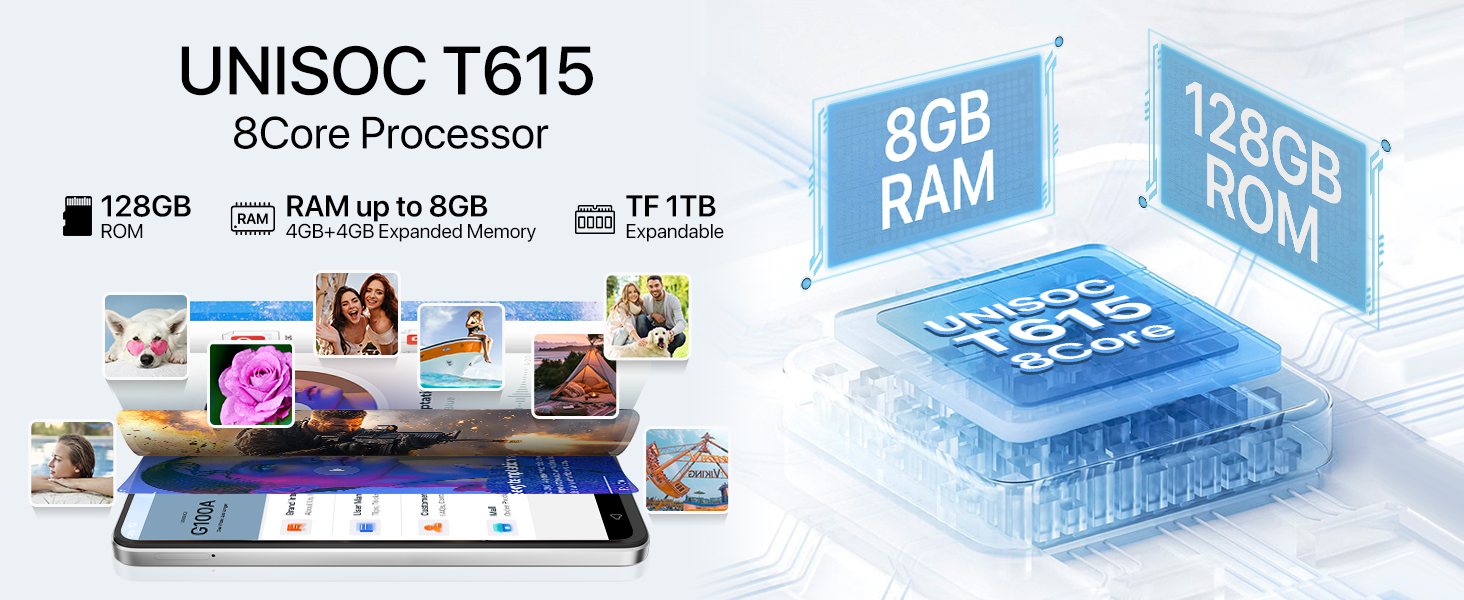
Image: Bluetooth 5.2 data transfer.
6.3 Navigation and Audio
Integrated GPS, Glonass, Beidou, and Galileo systems provide accurate positioning. The phone also includes an FM Radio and a 3.5mm audio jack for wired headphones.

Image: FM Radio and 3.5mm audio jack.
7. Bateria
The UMIDIGI G100A is powered by a 6000mAh battery, designed for extended usage. It supports 20W fast charging for quick power-ups. Additionally, the phone is OTG (On-The-Go) ready, allowing it to charge other devices when needed.

Image: 6000mAh battery and OTG charging.
8. Specyfikacje
| Funkcja | Specyfikacja |
|---|---|
| Wymiary produktu | 6.73 x 3.03 x 0.31 cala |
| Waga przedmiotu | 14.9 uncji |
| Numer modelu przedmiotu | G100A |
| System operacyjny | Android 14 |
| Prędkość procesora | 1.6 GHz (UNISOC T615) |
| Rozmiar ekranu | 6.9 cali |
| Rezolucja | 720x1640 |
| Częstotliwość odświeżania | 120 Hz |
| Rozmiar zainstalowanej pamięci RAM | 4 GB (z możliwością rozszerzenia do 8 GB) |
| Pojemność pamięci masowej | 128 GB (z możliwością rozszerzenia do 1 TB za pomocą karty microSD) |
| Pojemność baterii | 6000 mlnamp Godziny |
| Technologie łączności | Bluetooth 5.2, USB, Wi-Fi (2.4G/5G) |
| GPS | True (GPS, Glonass, Beidou, Galileo) |
| Cechy specjalne | Built-In GPS, Dual SIM, Expandable Memory, Fast Charging Support, AI Face ID, Fingerprint Unlock |
| Gniazdo audio | 3.5 mm |
| Producent | UMIDIGI |
9. Gwarancja i wsparcie
UMIDIGI is committed to providing excellent customer service. Your UMIDIGI G100A comes with:
- 30-dniowa gwarancja zwrotu pieniędzy: For returns and refunds.
- 1-letnia ograniczona gwarancja: Pokrycie wad produkcyjnych.
- Wsparcie online 24/7: Dedicated one-on-one assistance.
For further assistance, you can utilize the UMIDIGI Customer Center App:
- Find the "Service Center" App on your phone.
- Enter the "Customer Service" section.
- Click on "Questions" to browse FAQs or submit an inquiry.
- Fill in the required content according to the prompts.

Image: UMIDIGI Customer Center App.

Image: After-sales support details.
10. Oficjalny film o produkcie
Obejrzyj ten oficjalny film, aby zobaczyć wizualny podglądview of the UMIDIGI G100A Unlocked Phone:
Video: UMIDIGI G100A Unlocked Phones 6.9" HD+ 120Hz Display. This video showcases the design, display, and key features of the UMIDIGI G100A smartphone.


