Wstęp
Welcome to the JLab Go Lux ANC Wireless Headphones instruction manual. These premium on-ear Bluetooth headphones are designed to provide an immersive audio experience with advanced features for comfort and connectivity.
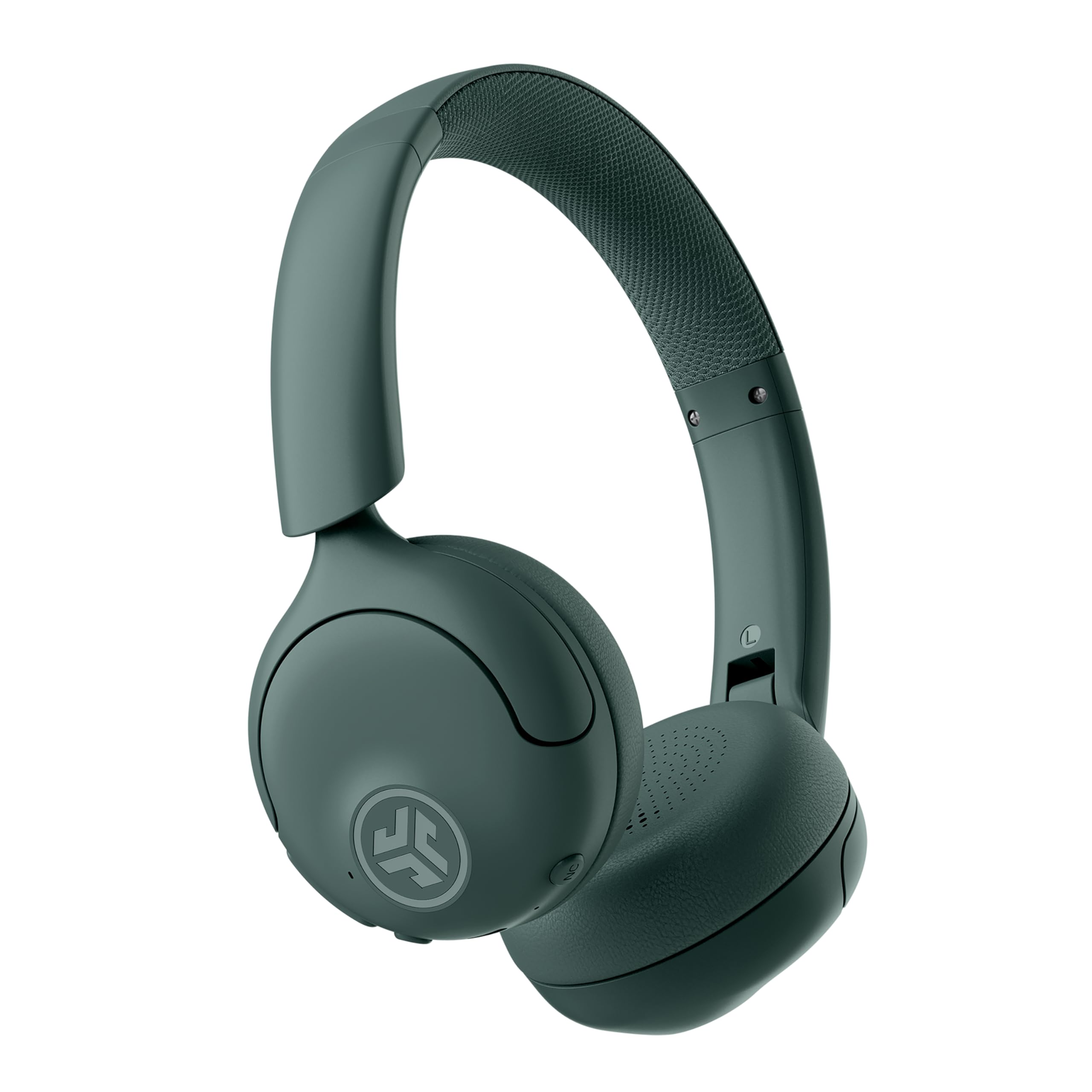
Image: JLab Go Lux ANC Wireless Headphones, showcasing całościowy projekt.
Główne cechy
- Hybrid Active Noise Cancelling (ANC) & Be Aware Mode: Eliminate distractions up to 30 dB or stay connected to your surroundings.
- Cloud Foam Comfort: Ergonomically shaped Form-Fit Earcups and adjustable hinges for ultimate comfort.
- Customizable Sound via JLab App: Personalize ANC/Be Aware settings, touch controls, and sound preferences.
- Krystalicznie czyste połączenia: Noise-canceling microphones ensure clear communication.
- Łatwe połączenia: Bluetooth Multipoint for simultaneous connection to two devices, Wireless Share Mode, Google Fast Pair, and Microsoft Swift Pair.
- Google Find My Device: Locate your headphones easily.
Przewodnik po konfiguracji
1. Ładowanie początkowe
Before first use, fully charge your JLab Go Lux ANC headphones using the provided USB-C charging cable. The charging port is located on one of the earcups.

Image: JLab Go Lux ANC headphones folded, showing the USB-C charging cable.
2. Parowanie Bluetooth
Aby sparować słuchawki z urządzeniem:
- Upewnij się, że słuchawki są wyłączone.
- Naciśnij i przytrzymaj przycisk zasilania, aż dioda LED zacznie migać na niebiesko i czerwono, wskazując tryb parowania.
- On your device (smartphone, tablet, computer), go to Bluetooth settings and select "JLab Go Lux ANC" from the list of available devices.
- Po podłączeniu wskaźnik LED zacznie świecić na niebiesko.
3. Połączenie wielopunktowe
The headphones support Bluetooth Multipoint, allowing connection to two devices simultaneously:
- Pair with the first device as described above.
- Wyłącz Bluetooth na pierwszym urządzeniu. Słuchawki ponownie przejdą w tryb parowania.
- Sparuj z drugim urządzeniem.
- Włącz ponownie Bluetooth na pierwszym urządzeniu. Słuchawki automatycznie połączą się z obydwoma urządzeniami.
4. JLab App Installation
Download the JLab App from the App Store or Google Play Store to customize settings and access additional features.

Image: JLab App interface on a smartphone, demonstrating sound customization options.
Instrukcja obsługi
1. Włączanie/wyłączanie zasilania
- Włączanie: Naciśnij i przytrzymaj przycisk zasilania przez 3 sekundy.
- Wyłączone: Naciśnij i przytrzymaj przycisk zasilania przez 5 sekundy.
2. Hybrid ANC & Be Aware Mode
Toggle between Hybrid Active Noise Cancelling and Be Aware Mode using the dedicated NC button on the earcup.
- Hybrydowy ANC: Redukuje hałas zewnętrzny, zapewniając wciągające wrażenia słuchowe.
- Tryb „Bądź świadomy”: Przepuszcza dźwięki otoczenia, pozwalając Ci być świadomym tego, co dzieje się wokół Ciebie.

Image: A person wearing JLab headphones, illustrating the Hybrid ANC and Be Aware Mode features.
3. Podstawowe sterowanie
The headphones feature intuitive touch controls on the earcups:
- Zwiększanie/zmniejszanie głośności: Użyj dedykowanych przycisków głośności.
- Odtwórz/Pauza: Naciśnij raz przycisk wielofunkcyjny.
- Następny utwór: Kliknij dwukrotnie przycisk wielofunkcyjny.
- Poprzedni utwór: Naciśnij trzykrotnie przycisk wielofunkcyjny.
- Odbieranie/kończenie połączeń: Single tap the multi-function button during a call.
- Odrzuć połączenie: Naciśnij i przytrzymaj przycisk wielofunkcyjny podczas połączenia przychodzącego.
4. Wireless Share Mode
Share audio wirelessly between two JLab Lux headphones. Refer to the JLab App or JLab website for detailed instructions on activating and using Wireless Share Mode.
5. Google Find My Device
Utilize Google Find My Device to locate your headphones if misplaced. Ensure your headphones are connected to a compatible Android device.
Konserwacja
1. Ładowanie
Charge the headphones using the provided USB-C cable. A full charge provides up to 70+ hours of playtime (40+ hours with ANC on).
2. Czyszczenie
Wipe the headphones with a soft, dry cloth. Avoid using harsh chemicals or abrasive materials. Ensure the charging port is dry before charging.
3. Przechowywanie
Gdy nie są używane, przechowuj słuchawki w chłodnym i suchym miejscu. Składana konstrukcja pozwala na kompaktowe przechowywanie.

Image: JLab Go Lux ANC headphones folded for compact storage, alongside the charging cable.
Rozwiązywanie problemów
- Brak zasilania: Sprawdź, czy słuchawki są całkowicie naładowane.
- Nie można sparować: Upewnij się, że Bluetooth jest włączony w Twoim urządzeniu, a słuchawki są w trybie parowania. Spróbuj zapomnieć urządzenie w telefonie i sparować je ponownie.
- Problemy z dźwiękiem: Check volume levels on both headphones and connected device. Ensure headphones are within Bluetooth range.
- ANC nie działa: Verify ANC mode is activated.
For further assistance, refer to the JLab App or contact JLab customer support.
Specyfikacje
| Nazwa modelu | Go Lux ANC |
| Technologia łączności | Bezprzewodowa (Bluetooth 5.0) |
| Umieszczenie ucha | Na ucho |
| Kontrola hałasu | Hybrid Active Noise Cancelling, Be Aware Mode |
| Typ sterownika audio | Hybrydowy przetwornik (40 mm) |
| Żywotność baterii | Up to 70+ Hours (40+ Hours with ANC) |
| Metoda kontroli | Dotyk, regulacja głośności |
| Kompatybilne urządzenia | Android devices, Windows PCs |
| Tworzywo | Plastic, Metal, Faux Leather |
| Waga przedmiotu | 0.704 uncji (0.02 kilograma) |
| Wymiary produktu | 2.95 x 6.1 x 7.48 cala |
Gwarancja i wsparcie
Your JLab Go Lux ANC Wireless Headphones come with a JLab 2 Year Warranty.
Aby uzyskać informacje o roszczeniach gwarancyjnych, pomocy technicznej lub dodatkowych informacjach o produkcie, odwiedź oficjalną stronę internetową Sklep JLab or contact JLab customer service.


