1. Wprowadzenie
Dziękujemy za zakupasing the UYIKOO L7 Mini Body Camera. This compact and versatile device is designed for various recording needs, offering 1080P video resolution, a 180° rotating lens, night vision capabilities, and audio recording. Please read this manual carefully to ensure proper use and optimal performance of your camera.
The UYIKOO L7 is ideal for recording meetings, lectures, interviews, or as a portable security camera for indoor and outdoor use. Its lightweight and clip-on design make it convenient to carry and discreetly place.
2. Zawartość opakowania
- UYIKOO L7 Mini Body Camera
- Kabel ładujący USB
- Instrukcja obsługi (ten dokument)
- Note: MicroSD card and OTG adapter are not included.
3. Koniec produktuview
The UYIKOO L7 features a compact design with a rotatable lens and intuitive slide switches for easy operation.

Figure 3.1: UYIKOO L7 Mini Body Camera. This image shows the compact black camera with a clip, highlighting its small size and the lens at the top, with a blue light indicating its operational status.

Figure 3.2: Camera dimensions and clip. The image illustrates the camera's small size (80x26x12mm) and lightweight design (27g), featuring a 15mm back clip for secure attachment to clothing or objects.

Figure 3.3: 180° Rotating Lens. This image highlights the camera's lens, which can rotate 180 degrees, allowing for flexible adjustment of the recording angle to suit various situations.
4. Konfiguracja
4.1. Ładowanie aparatu
Before first use, fully charge the camera. Connect the camera to a USB power source (e.g., computer, wall adapter) using the provided USB cable. The charging indicator light will show the charging status.
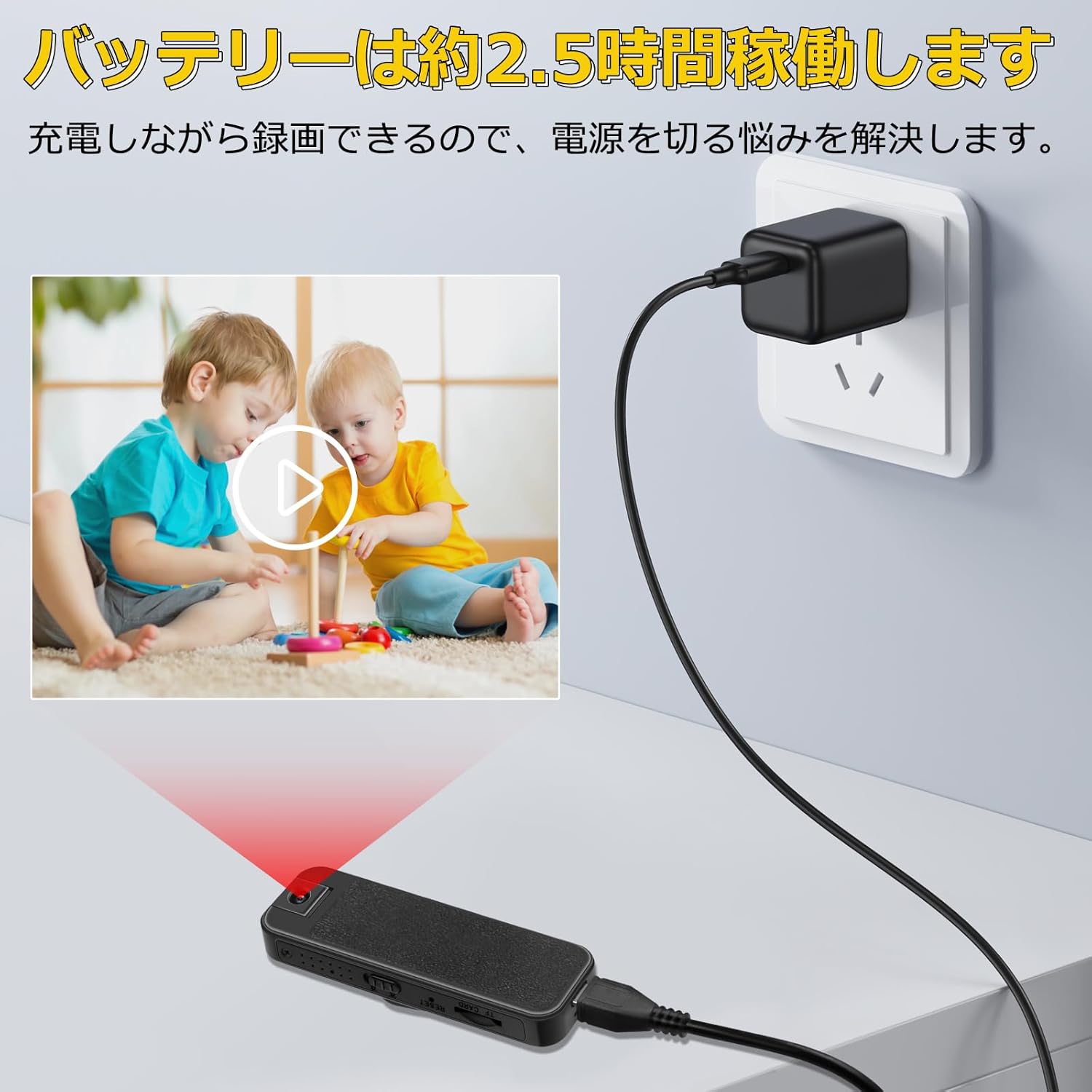
Figure 4.1: Charging the camera. The image shows the camera connected to a wall charger via a USB cable, demonstrating that it can record while charging, which helps resolve concerns about power interruption.
4.2. Wkładanie karty MicroSD
The camera supports MicroSD cards up to 256GB (not included). Insert the MicroSD card into the designated slot until it clicks into place. Ensure the camera is powered off before inserting or removing the card.
4.3. Ustawianie daty i godziny
The camera supports a timestamp function, displaying the date and time on recorded footage. Refer to the detailed instructions in the included paper manual for setting the date and time, which typically involves creating a configuration file na karcie MicroSD.
5. Instrukcja obsługi
The UYIKOO L7 features convenient slide switches for various functions.

Figure 5.1: Convenient Slide Switches. This image displays the camera's side profile, highlighting three distinct slide switches for power, recording, and night vision, designed for simple and quick operation.
5.1. Włączanie/wyłączanie zasilania
- Włączanie: Slide the Power switch to the ON position. The indicator light will illuminate.
- Wyłączone: Slide the Power switch to the OFF position. The indicator light will turn off.
5.2. Nagrywanie wideo
The camera records video at 1920x1080P resolution at 30 frames per second, ensuring smooth footage. The 180° rotating lens allows for flexible angle adjustments.
- Rozpocznij nagrywanie: Slide the Record switch to the video recording position. The indicator light will flash, indicating recording is in progress.
- Zatrzymaj nagrywanie: Slide the Record switch back to the neutral position. The indicator light will stop flashing, and the video file zostanie zbawiony.

Figure 5.2: 1080P High-Resolution Video. This image demonstrates the camera's 1920x1080P video quality, showing a clear recording of a business meeting with a visible date and time stamp.
5.3. Nagrywanie dźwięku
The camera features a high-performance microphone for clear audio recording and can be used as a standalone voice recorder.
- Start Audio Recording: Slide the Record switch to the audio recording position. The indicator light will flash, indicating audio recording is in progress.
- Stop Audio Recording: Slide the Record switch back to the neutral position. The indicator light will stop flashing, and the audio file zostanie zbawiony.

Figure 5.3: Standalone Audio Recording Function. This image illustrates the camera's ability to record clear audio, showing a microphone icon and sound waves, suitable for recording meetings or conversations.
5.4. Tryb noktowizyjny
The camera is equipped with 6 invisible infrared LEDs for night vision, allowing recording in low-light conditions up to approximately 3 meters.
- Activate Night Vision: Slide the Night Vision switch to the ON position. The camera will automatically switch to night vision mode when light conditions are low.
- Deactivate Night Vision: Slide the Night Vision switch to the OFF position.
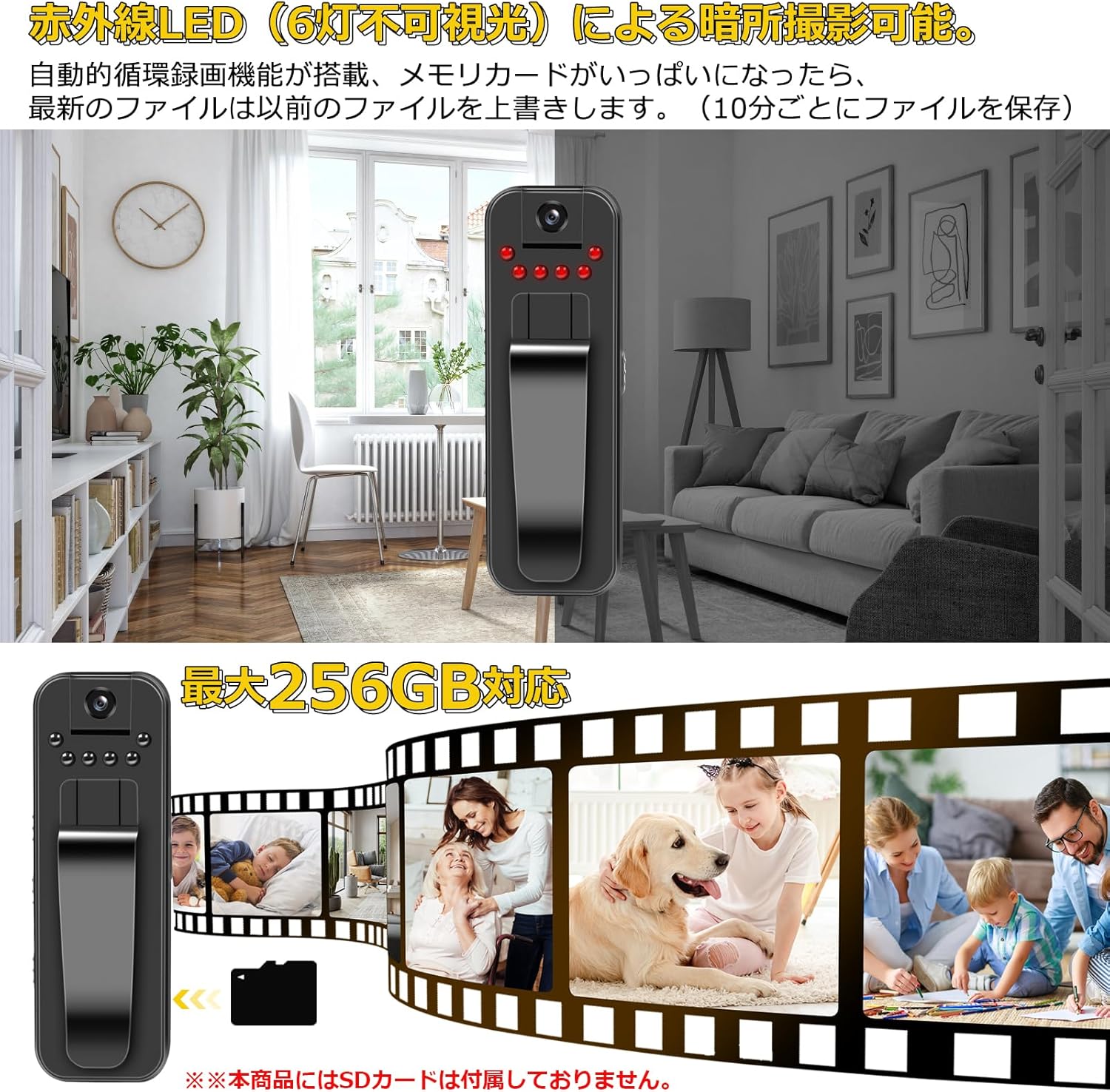
Figure 5.4: Night Vision Recording. This image depicts the camera's night vision capability using infrared LEDs in a dimly lit room, alongside a filmstrip graphic indicating support for up to 256GB MicroSD cards.
5.5. Loop Recording (Automatic Overwrite)
When the MicroSD card's storage capacity is full, the camera will automatically overwrite the oldest files with new recordings. This ensures continuous recording without manual deletion.
5.6. OTG Functionality (Android Only)
The camera supports OTG (On-The-Go) functionality, allowing you to connect it directly to an Android smartphone to view nagrany filebez konieczności użycia komputera. Note: An OTG adapter is required and not included. This feature is not compatible with iOS devices.

Figure 5.5: OTG Functionality. This image demonstrates connecting the camera to an Android smartphone via a USB cable and an OTG adapter, allowing direct viewing of video files przez telefon.
6. Viewing i zarządzanie Files
Do view or manage your recorded files:
- Za pośrednictwem komputera: Connect the camera to your computer using the USB cable. The camera will appear as a removable disk, allowing you to access the MicroSD card's contents.
- Via OTG (Android): Use an OTG adapter to connect the camera directly to a compatible Android smartphone. You can then browse and play fileużywa a file aplikacja menedżera.
- Direct MicroSD Card: Remove the MicroSD card from the camera and insert it into a card reader connected to a computer or compatible device.
7. Konserwacja
- Keep the camera clean by wiping it with a soft, dry cloth. Avoid using harsh chemicals or abrasive materials.
- Przechowuj kamerę w chłodnym, suchym miejscu, z dala od bezpośredniego światła słonecznego i ekstremalnych temperatur.
- Regularnie twórz kopie zapasowe ważnych nagrań, aby zapobiec utracie danych.
- Format the MicroSD card periodically (e.g., once a month) to maintain optimal performance and prevent file korupcja.
8. Rozwiązywanie Problemów
| Problem | Możliwa przyczyna | Rozwiązanie |
|---|---|---|
| Kamera się nie włącza. | Niski poziom naładowania baterii; wyłącznik zasilania jest wyłączony. | Charge the camera fully; Ensure the Power switch is in the ON position. |
| Nie można nagrywać obrazu/dźwięku. | No MicroSD card; MicroSD card full or corrupted; Incorrect switch position. | Insert a MicroSD card; Format or replace the MicroSD card; Ensure the Record switch is in the correct position. |
| Słaba jakość wideo. | Lens is dirty; Insufficient lighting (if night vision is off). | Clean the lens with a soft cloth; Activate night vision or ensure adequate lighting. |
| Short battery life during night vision. | Night vision consumes more power. | This is normal. For extended night vision recording, connect to a power bank or power source. |
| OTG function not working. | Incorrect adapter; Incompatible phone (iOS); Phone does not support OTG. | Ensure you are using a compatible OTG adapter and an Android phone that supports OTG. |
9. Specyfikacje
| Funkcja | Specyfikacja |
|---|---|
| Marka | UYIKOO |
| Numer modelu | L7 |
| Rozdzielczość wideo | 1920x1080P |
| Szybkość klatek | 30 klatek na sekundę |
| Obrót obiektywu | 180° |
| Wizja nocna | 6 invisible IR LEDs (approx. 3m range) |
| Nagrywanie dźwięku | Supported (standalone voice recorder function) |
| Składowanie | Karta MicroSD do 256 GB (brak w zestawie) |
| Nagrywanie w pętli | Supported (automatic overwrite) |
| Funkcja OTG | Supported for Android devices (OTG adapter not included) |
| Typ baterii | Litowo-jonowy |
| Czas nagrywania | Do 150 minut (ok. 2.5 godzin) |
| Wymiary | Wymiary: 80 x 26 x 12 mm |
| Waga | 27 gramów |
10. Gwarancja i wsparcie
UYIKOO is committed to providing high-quality products and customer satisfaction. If you encounter any issues with your product, please do not hesitate to contact us.
- Initial Defects: In case of initial defects, we offer a free exchange without conditions.
- Kontakt z pomocą techniczną: You can contact us through your Amazon account by navigating to "Account Service" > "Order History" > "Purchased Product" > "Seller" > "Ask a Question".
We strive to respond to customer requests with sincerity.


