1. Wprowadzenie
This user manual provides comprehensive instructions for the Headwolf WPad7 Tablet. It covers setup, operation, maintenance, and troubleshooting to ensure optimal performance and user experience. Please read this manual thoroughly before using your device.
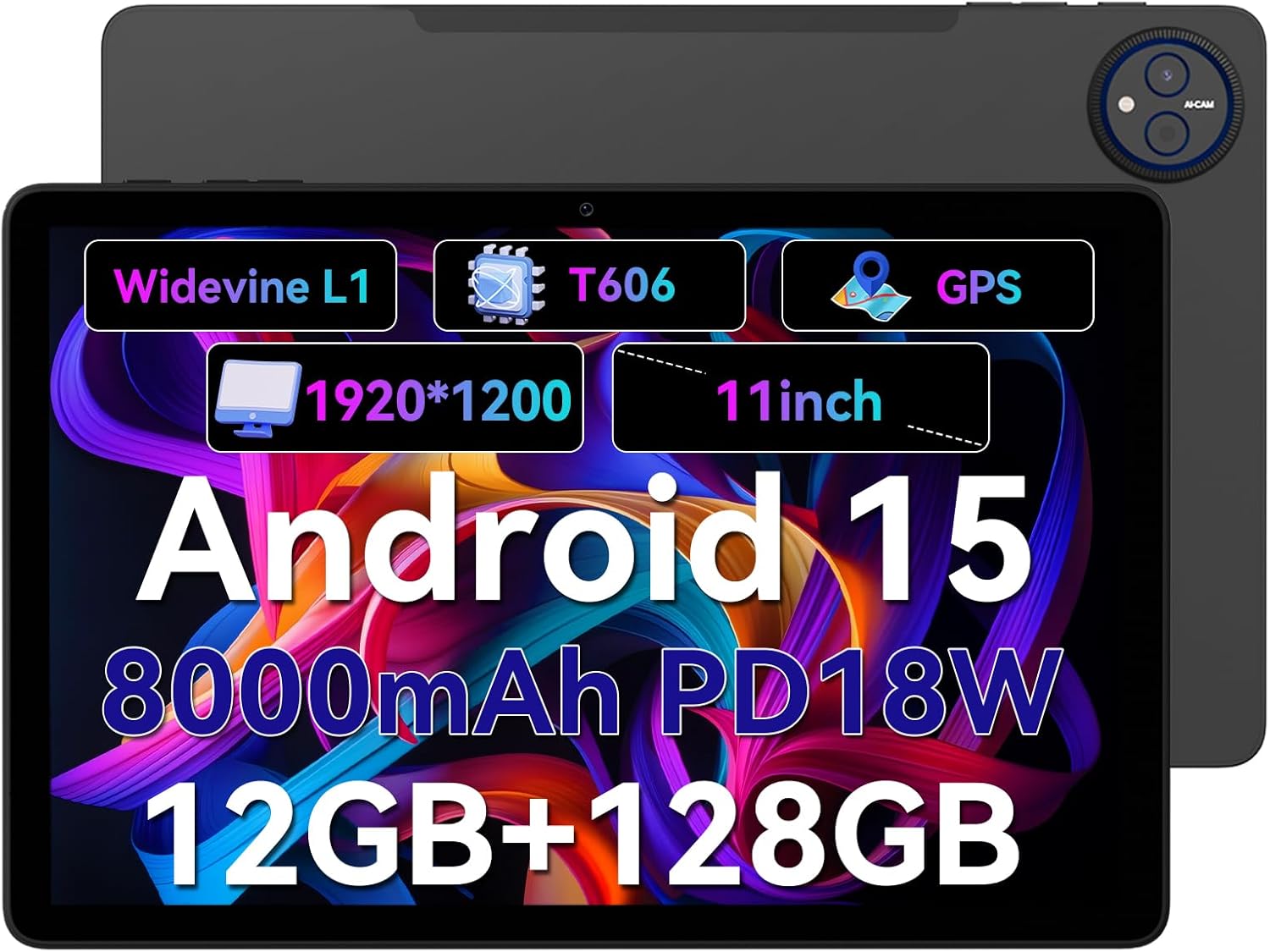
Figure 1.1: Headwolf WPad7 Tablet showcasing its 11-inch display, Android 15, 8000mAh battery, 12GB RAM, 128GB ROM, Widevine L1, T606 processor, and GPS capabilities.
2. Zawartość opakowania
Po otwarciu opakowania należy sprawdzić, czy wszystkie wymienione poniżej elementy znajdują się w opakowaniu i są w dobrym stanie:
- 1 x Headwolf WPad7 Tablet
- 1 x ładowarka
- 1 x kabel typu C
- 1 x Card Pin (for SIM/SD card tray)
- 1 x Instrukcja obsługi
3. Koniec produktuview
3.1 Cechy fizyczne
Familiarize yourself with the physical components of your Headwolf WPad7 Tablet:
- Wyświetlacz: 11-inch IPS In-Cell screen with 1920x1200 resolution.
- Przednia kamera: 8MP, located on the top bezel when held horizontally.
- Kamera tylna: 13 MP, umieszczony na tylnym panelu.
- Przycisk zasilania: Typically on the side, used to power on/off or wake/sleep the device.
- Klawisze głośności: Located near the power button, for adjusting audio levels.
- Port USB typu C: Do ładowania i przesyłania danych.
- Gniazdo słuchawkowe 3.5 mm: Do podłączania przewodowych urządzeń audio.
- Gniazdo na kartę: For inserting a SIM card (if supported) and a microSD card for expandable storage.
- Zresetuj otwór: A small pinhole for force restarting the device if unresponsive.

Figure 3.1: Physical aspects of the Headwolf WPad7 Tablet, showing its 8mm thickness, 495g weight, 13MP rear camera, 8MP front camera, and 3.5mm earphone jack.

Figure 3.2: Key features of the Headwolf WPad7 Tablet, including Android 15 OS, 12GB+128GB memory, T606-8 core processor, 8000mAh battery, GPS navigation, 1920x1200 FHD display, face recognition, dual cameras, 2.4G/5Ghz Wi-Fi, Widevine L1, and 300nit brightness.
4. Konfiguracja
4.1 Pierwsze ładowanie
Before first use, fully charge the tablet. Connect the provided Type-C cable to the tablet's USB-C port and the charger to a power outlet. The battery indicator on the screen will show charging status. A full charge typically takes several hours.

Figure 4.1: The 8000mAh battery of the Headwolf WPad7 Tablet, highlighting its safety and stability features, and showing typical usage times for processing, video playback, reading, and music playback.
4.2 Włączanie/wyłączanie zasilania
- Włączanie: Press and hold the Power button until the Headwolf logo appears on the screen.
- Aby wyłączyć: Press and hold the Power button until a power-off menu appears. Select "Power off".
- Aby zasnąć/obudzić się: Aby uśpić lub wybudzić tablet, naciśnij krótko przycisk zasilania.
4.3 Instalacja karty MicroSD
The Headwolf WPad7 supports microSD card expansion up to 2TB. To install:
- Znajdź gniazdo karty z boku tabletu.
- Włóż dołączony bolec karty do małego otworu obok tacki, aby ją wysunąć.
- Place the microSD card into the designated slot on the tray, ensuring correct orientation.
- Delikatnie wsuń tackę z powrotem do tabletu, aż zatrzaśnie się na swoim miejscu.

Figure 4.2: Details of the Unisoc T606 Octa-core Processor and memory configuration, showing 12GB RAM (6GB physical + 6GB virtual) and 128GB ROM, expandable up to 2TB via SD card.
5. Korzystanie z tabletu
5.1 Funkcje Androida 15
Your Headwolf WPad7 Tablet runs on Android 15, offering enhanced AI capabilities, improved privacy, optimized performance, and a refined user interface. Explore features like:
- AI Dynamic Adjustment: Adapts to your usage patterns for optimized performance.
- Multilingual Real-time Translation: Facilitates communication across languages.
- AI Automatic Scene Recognition: Enhances camera performance.
- Intelligent Audio Switching: Seamlessly manages audio output.
- AI Battery Saving Optimization: Extends battery life based on usage.
- Podział ekranu: Use two apps simultaneously side-by-side.
- Rozpoznawanie twarzy: Securely unlock your device with your face.

Rysunek 5.1: Koniecview of Android 15's intelligent AI features, including dynamic adjustment, real-time translation, automatic scene recognition, portrait mode processing, intelligent audio switching, accurate speech recognition, battery saving, game mode, and document auto summary.
5.2 Łączność
- Wi-Fi: Supports high-speed AC 2.4G/5G Wi-Fi for stable internet connection. Navigate to Settings > Network & internet > Wi-Fi to connect to available networks.
- Bluetooth: Connect to Bluetooth headphones, speakers, and other devices. Go to Settings > Connected devices > Bluetooth.
- GPS: The tablet supports GPS, GLONASS, BDS, and GALILEO satellite systems for precise location services and navigation.

Figure 5.2: The Headwolf WPad7 Tablet's 2.4G/5G Dual Band Wi-Fi and Bluetooth capabilities, demonstrating its versatility for work, presentations, and video calls.

Figure 5.3: The tablet's Four-In-One Satellite Positioning System, supporting GPS, Beidou, Galileo, and Glonass for accurate real-time location tracking and navigation.
5.3 Korzystanie z kamery
The tablet features an 8MP front camera and a 13MP rear camera. Open the Camera app to capture photos and videos. Utilize AI scene recognition for optimized shots.
5.4 Funkcje wyświetlacza
The 11-inch IPS in-cell display provides vivid colors and deep contrasts. It features Widevine L1 certification, enabling secure streaming of high-definition content from platforms like Netflix, Prime Video, and Disney+.

Figure 5.4: The 11-inch Widevine L1-compatible FHD display, showcasing its 1920x1200 resolution, 224 PPI, IPS incell technology, 300 nit brightness, 1500:1 contrast, and 75% NTSC color gamut, ideal for streaming services.
6. Konserwacja
6.1 Czyszczenie
Do czyszczenia tabletu należy używać miękkiej, niepozostawiającej włókien ściereczki. W przypadku uporczywych plam należy delikatnie przetrzeć tablet.ampPrzetrzyj ściereczkę wodą lub płynem do czyszczenia ekranów. Unikaj stosowania silnych środków chemicznych, materiałów ściernych i nadmiernej wilgoci.
6.2 Pielęgnacja baterii
- Unikaj wystawiania tabletu na działanie ekstremalnych temperatur (gorących lub zimnych).
- Nie należy dopuszczać do zbyt częstego całkowitego rozładowania akumulatora.
- Use the original charger and cable for optimal charging and battery longevity.
- Jeśli przechowujesz tablet przez dłuższy czas, naładuj go do około 50% przed wyłączeniem.
7. Rozwiązywanie Problemów
7.1 Tablet się nie włącza
- Upewnij się, że bateria jest naładowana. Podłącz ładowarkę i odczekaj kilka minut przed próbą włączenia.
- Naciśnij i przytrzymaj przycisk zasilania przez co najmniej 10–15 sekund, aby wymusić ponowne uruchomienie.
7.2 Problemy z łącznością Wi-Fi
- Włącz lub wyłącz Wi-Fi w Ustawieniach.
- Uruchom ponownie router Wi-Fi.
- Zapomnij o sieci i połącz się ponownie, wpisując jeszcze raz hasło.
7.3 Aplikacje ulegają awarii lub zawieszają się
- Zamknij problematyczną aplikację i otwórz ją ponownie.
- Clear the app's cache (Settings > Apps > [App Name] > Storage & cache > Clear cache).
- Uruchom ponownie tablet.
- Ensure the app and Android system are updated to the latest versions.
8. Specyfikacje
| Funkcja | Specyfikacja |
|---|---|
| Marka | Wilkołak |
| Nazwa modelu | W7 |
| System operacyjny | Android 15 |
| Rozmiar ekranu | 11 cali |
| Rozdzielczość ekranu | 1920x1200 Pixels (FHD In-Cell) |
| Edytor | Unisoc T606 Octa-core |
| BARAN | 12 GB (6 GB pamięci fizycznej + 6 GB pamięci wirtualnej) |
| Pamięć wewnętrzna | 128 GB |
| Możliwość rozbudowy pamięci masowej | Do 2 TB za pomocą karty MicroSD |
| Kamera tylna | 13MP |
| Przednia kamera | 8MP |
| Pojemność baterii | 8000mAh |
| Port ładowania | USB Type-C (supports 18W fast charge) |
| Łączność bezprzewodowa | 802.11a/b/g/n/ac/ax (2.4G/5G Wi-Fi), Bluetooth |
| Nawigacja | GPS, GLONASS, BDS, GALILEO (with A-GPS) |
| Gniazdo audio | 3.5mm |
| Wymiary (dł. x szer. x wys.) | 11 x 2 x 8 cala |
| Waga przedmiotu | 1.98 funta (około 495 g) |
| Kolor | Szary |
| Widevine Certification | L1 |
9. Gwarancja i wsparcie
Headwolf provides a standard warranty for the WPad7 Tablet. For detailed warranty terms and conditions, please refer to the warranty card included in your package or visit the official Headwolf webstrona.
For technical support, troubleshooting assistance, or service inquiries, please contact Headwolf customer support through their official channels. Keep your purchase receipt and product serial number handy when contacting support.
Zasoby internetowe:


