Wstęp
Welcome to the user manual for your new SUNROAD G5 Pro GPS Sports Watch. This advanced device is designed to be your ultimate companion for health and fitness tracking, offering a wide range of features including GPS navigation, multiple sports modes, and comprehensive health monitoring. Please read this manual carefully to understand the full capabilities of your watch and ensure optimal performance.
Zawartość opakowania
Upewnij się, że w przesyłce znajdują się wszystkie elementy:
- SUNROAD G5 Pro GPS Sports Watch
- Ładowarka USB
- Instrukcja obsługi (ten dokument)
Przewodnik po konfiguracji
1. Ładowanie początkowe
Before first use, fully charge your SUNROAD G5 Pro watch. Connect the included USB charger to the charging port on the watch and a power source. A full charge typically takes a few hours. The watch has a standby time of up to 20 days and can continuously use GPS for up to 12 hours on a single charge.
2. Włączanie/wyłączanie zasilania
- Włączanie: Press and hold the power button (usually the top-left button) until the screen illuminates.
- Aby wyłączyć: Navigate to the system settings on the watch, then select 'Power Off' or press and hold the power button and confirm the power-off prompt.
3. Wybór języka
Upon first startup, you may need to select your preferred language. If the watch is in an unfamiliar language (e.g., Chinese), follow these steps to change it to English:
- Naciśnij upper left button na zegarku.
- Swipe the touchscreen until you locate a small green icon in the lower left corner that displays “EN”. Tap this icon to select English.
4. Parowanie aplikacji
To unlock the full potential of your G5 Pro, download the companion application on your smartphone. The app is compatible with Android 4.4 and iOS 9.0 or higher. Follow the in-app instructions to pair your watch via Bluetooth 4.0 for data synchronization and additional features.
Instrukcja obsługi
1. Nawigacja i wyświetlacz
The SUNROAD G5 Pro features a 1.3-inch AMOLED HD touch screen for clear visibility and easy interaction. Swipe left/right, up/down, and tap to navigate through menus and select options. The physical buttons on the side provide quick access to specific functions and navigation.
2. GPS and Route Navigation
The watch integrates GPS and Glonass for precise location tracking and route navigation. It can display longitude and latitude, direction, and distance, and store up to 9 groups of GPS tracks.

Image: Watch face showing GPS tracking with distance and time.
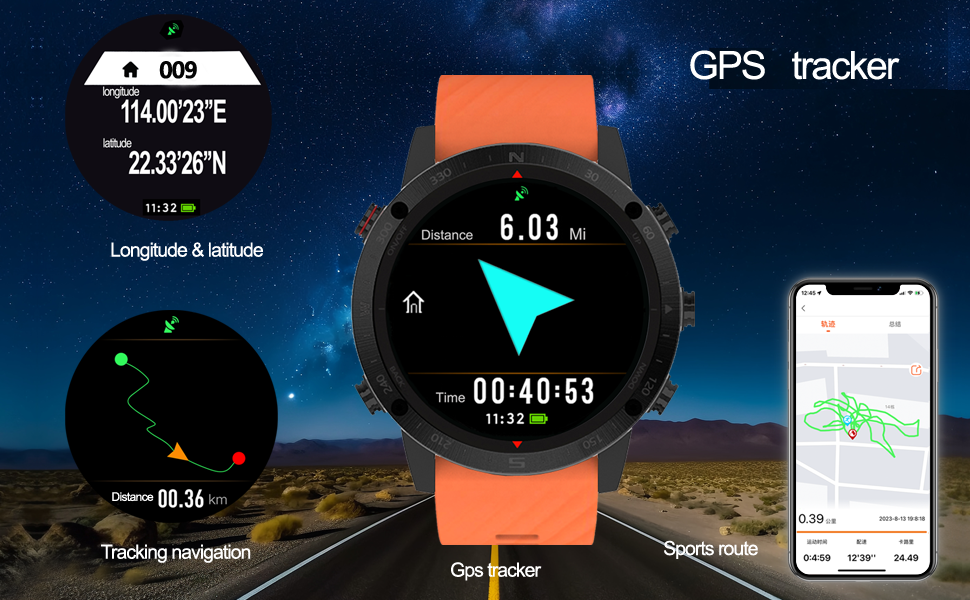
Image: Detailed GPS tracking features including coordinates and route display.
3. Tryby sportowe
The G5 Pro offers professional analysis for various sports, including Running, Cycling, Mountaineering, Triathlon, Snorkeling Diving, Swimming, and Fishing. Each mode tracks relevant data such as pace, calories, dynamic heart rate, sports time, steps, speed, distance, and GPS sports route.

Image: Swimming mode display showing maximum distance achieved.
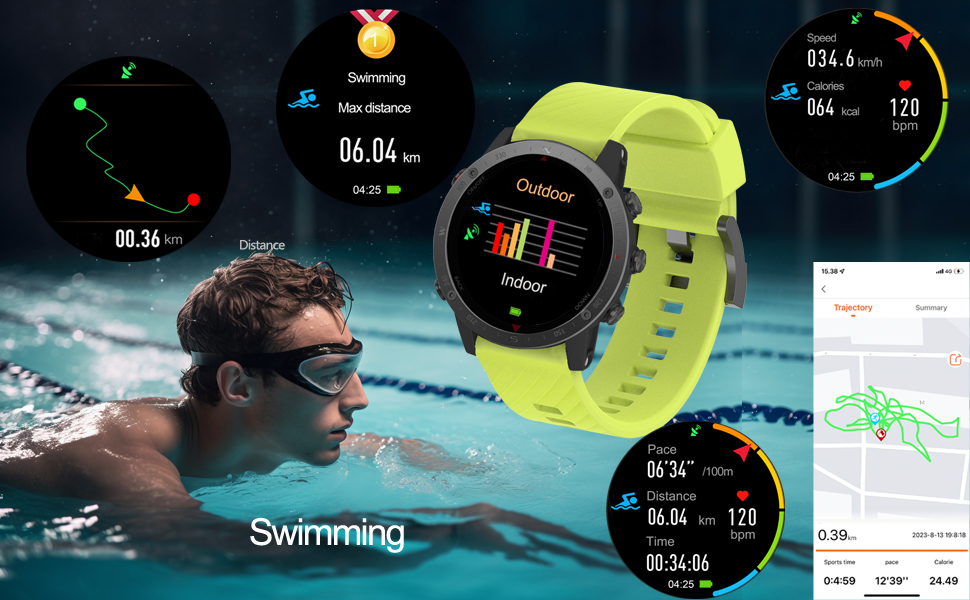
Image: Swimming mode data display with various metrics.

Image: Hiking/Climbing mode display showing altitude and heart rate.
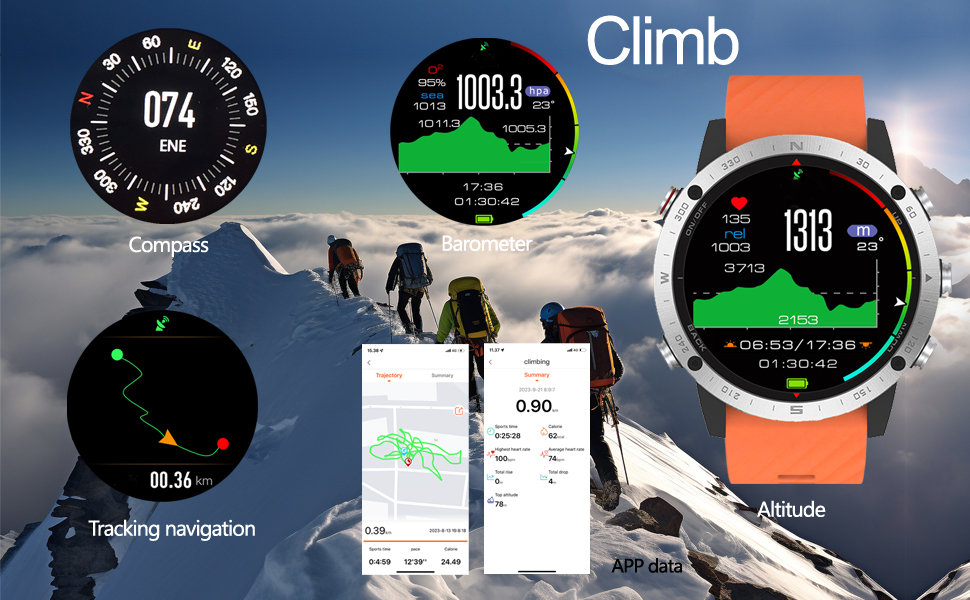
Image: Climbing mode features including compass, barometer, and altitude.
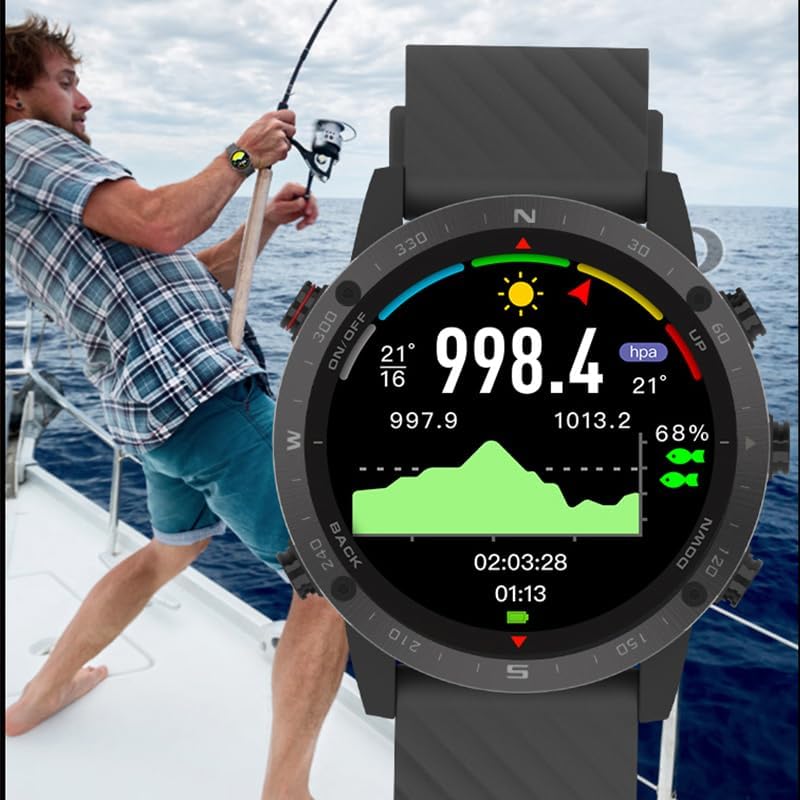
Image: Fishing mode display showing environmental data.
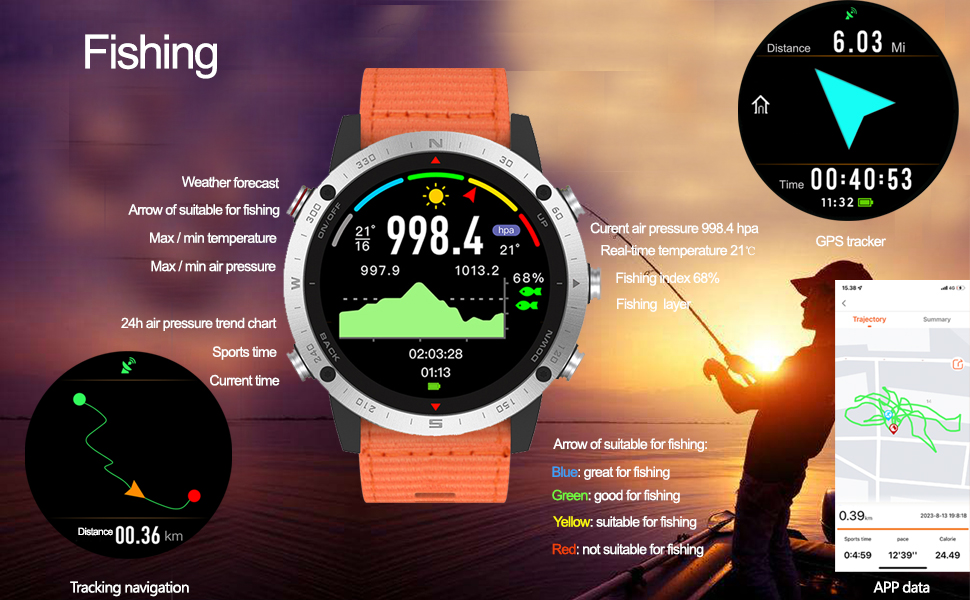
Image: Fishing mode features with weather and air pressure trends.
4. Monitorowanie stanu zdrowia
The watch continuously monitors your health metrics, including dynamic heart rate and blood oxygen levels. It also provides sleep monitoring and sedentary reminders to encourage a healthier lifestyle.
5. Dodatkowe funkcje
The G5 Pro includes several utility features:
- Prognoza pogody: Otrzymuj aktualne informacje o pogodzie w czasie rzeczywistym.
- Kompas cyfrowy: Do nawigacji i orientacji.
- Selfie Remote Control: Zdalnie steruj aparatem swojego telefonu.
- Sterowanie muzyką: Manage music playback on your paired smartphone.
- Metronom: For rhythm training.
- Alarm Clock, Countdown, Stopwatch: Niezbędne narzędzia do pomiaru czasu.

Image: Watch face showing longitude and latitude for precise location data.
Konserwacja
1. Wodoodporność
The SUNROAD G5 Pro is water-resistant up to 50 meters. This means it is suitable for swimming, snorkeling, and other water activities. However, it is not recommended for high-pressure water activities or hot water environments (e.g., hot showers, saunas) as steam can penetrate the seals.
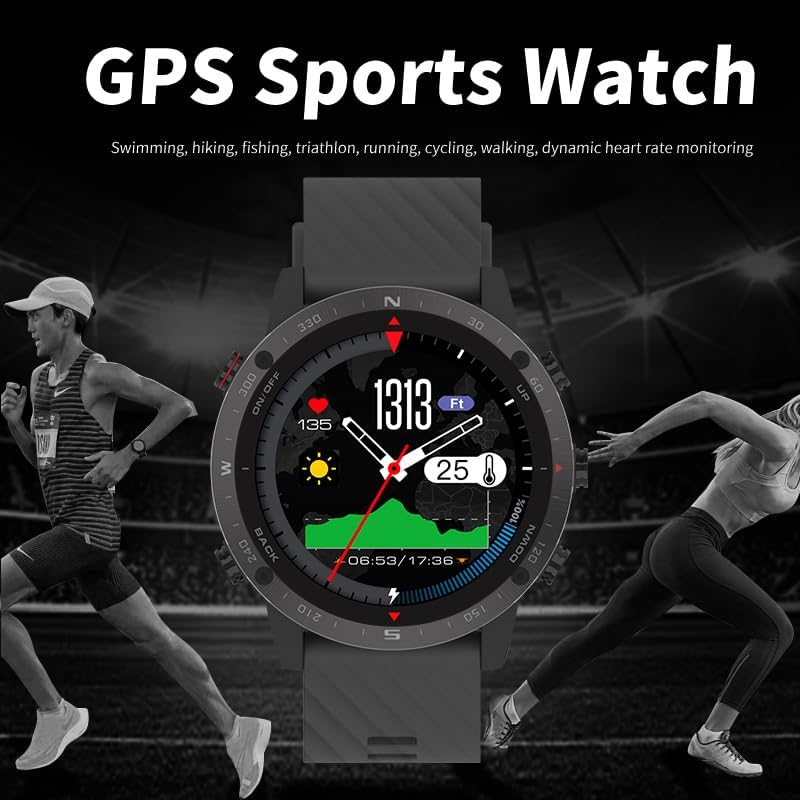
Image: Diving mode display, highlighting the watch's 50m water resistance.
2. Czyszczenie
Aby utrzymać zegarek w dobrym stanie, należy regularnie przecierać ekran i pasek miękką, miękką szmatką.amp ściereczką. Unikaj stosowania silnych środków chemicznych lub materiałów ściernych, które mogłyby uszkodzić wykończenie zegarka lub czujniki. Przed ładowaniem upewnij się, że styki ładowania są czyste i suche.
Rozwiązywanie problemów
1. Language Issues
If your watch displays an unfamiliar language, refer to the 'Language Selection' section under 'Setup Guide' for detailed instructions on how to change it to English.
2. Problemy z łącznością
If your watch is not connecting to your smartphone app:
- Ensure Bluetooth is enabled on both your watch and smartphone.
- Upewnij się, że zegarek znajduje się w zasięgu Twojego smartfona.
- Uruchom ponownie zegarek i smartfon.
- Sprawdź czy aplikacja została zaktualizowana do najnowszej wersji.
3. Akwizycja sygnału GPS
For optimal GPS performance, ensure you are in an open outdoor area with a clear view of the sky. Initial GPS lock may take longer in new locations or after a long period of inactivity.
Specyfikacje
| Numer modelu | G5 Pro |
| Wyświetlacz | 1.3-calowy ekran dotykowy AMOLED HD |
| Odporność na wodę | 50 metrów |
| GPS | Built-in GPS, Glonass |
| Łączność | Bluetooth 4.0 |
| Pojemność baterii | 320 mlnamp Godziny |
| Żywotność baterii (tryb gotowości) | Do 20 dni |
| Czas pracy baterii (GPS ciągły) | Do 12 godzin |
| Pamięć masowa | 127.99 MB |
| Zgodność | Android 4.4+, iOS 9.0+ |
| Waga przedmiotu | 70 gramów (2.47 uncji) |
Informacje o gwarancji
Your SUNROAD G5 Pro GPS Sports Watch is covered by a manufacturer's warranty against defects in materials and workmanship. Please refer to the warranty card included with your product or visit the official SUNROAD website for specific terms and conditions. Keep your proof of purchase for warranty claims.
Wsparcie
For further assistance, technical support, or to explore other SUNROAD products, please visit the official SUNROAD store:


