1. Wprowadzenie
This manual provides essential information for the proper setup, operation, and maintenance of your Donner OURA S300 Digital Piano. Please read this manual thoroughly before using the instrument to ensure optimal performance and longevity.

Figure 1: Donner OURA S300 Digital Piano. This image displays the complete digital piano setup, including the 88-key keyboard, stand, and triple pedal unit.
2. Zawartość opakowania
Przed montażem należy sprawdzić, czy w opakowaniu znajdują się wszystkie elementy:
- Donner OURA S300 Digital Piano Unit
- Triple Sustain Pedal Unit
- Zasilacz
- Kabel USB
- Instrukcja obsługi (ten dokument)
3. Instalacja i montaż
The Donner OURA S300 Digital Piano requires assembly. It is recommended that two people perform the assembly due to the weight of the main unit.
3.1 Etapy montażu
- Unpack all components and place them on a soft, flat surface to prevent scratches.
- Assemble the piano stand according to the included assembly guide. Ensure all screws are securely fastened.
- Carefully place the main piano unit onto the assembled stand. Align the mounting points and secure the unit with the provided screws.
- Connect the triple pedal unit cable to the designated port under the keyboard.
- Connect the power adapter to the DC IN port on the rear panel and then to a power outlet.
- If desired, connect the USB cable for MIDI connectivity to a computer or other device.
3.2 Łączność ponadview
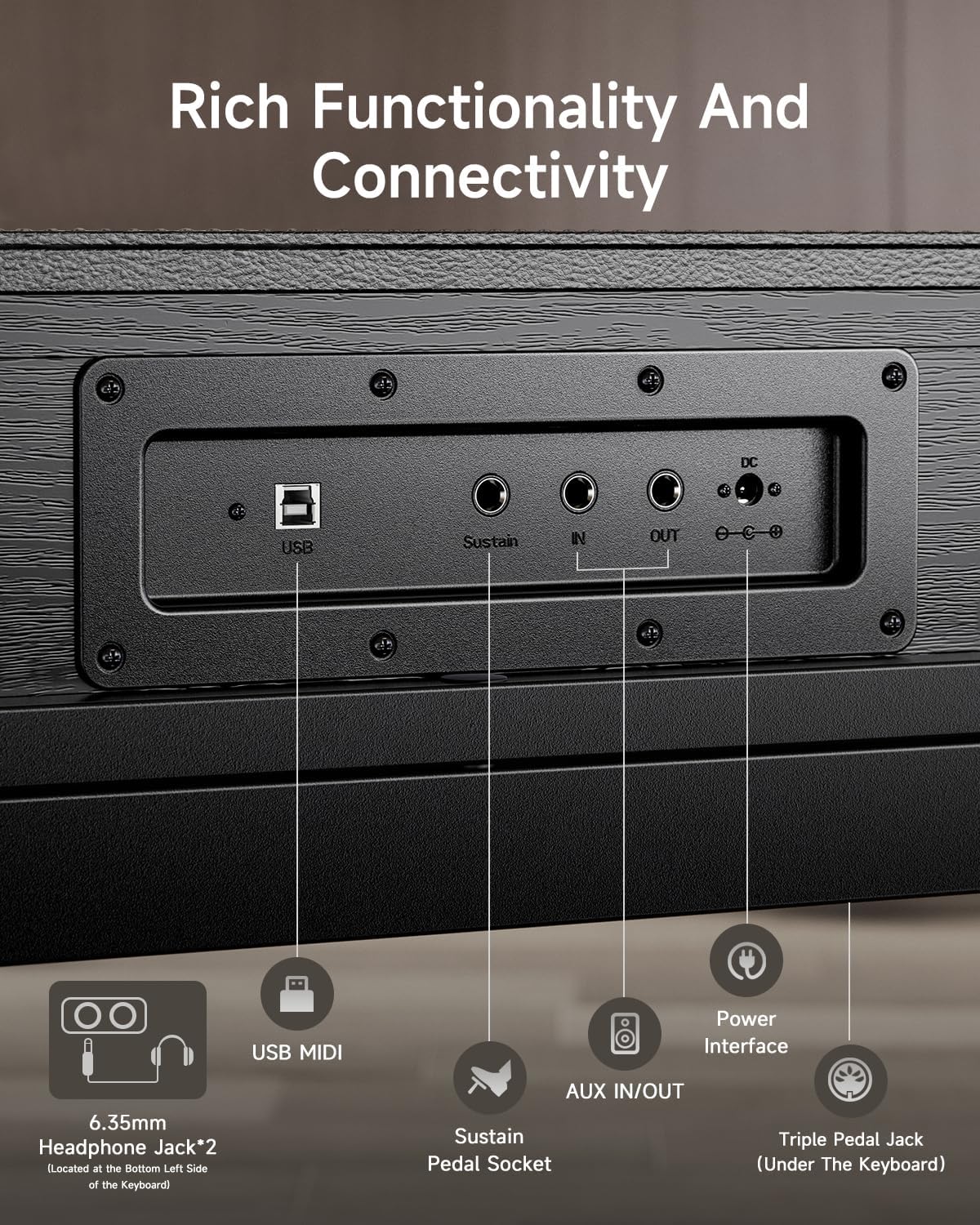
Figure 2: Rear Panel Connectivity. This image highlights the various input/output ports on the rear of the piano, including USB, Sustain, AUX IN/OUT, DC IN, and headphone jacks.
Tylny panel zapewnia różne możliwości połączeń:
- MIDI USB: Łączy się z komputerem lub urządzeniem inteligentnym w celu przesyłania danych MIDI.
- Sustain Pedal Socket: Do podłączenia dołączonego potrójnego pedału.
- Wejście/wyjście AUX: For connecting external audio sources or routing audio to external speakers/recording devices.
- DC IN: Wejście zasilania dołączonego zasilacza sieciowego.
- Gniazdo słuchawkowe 6.35 mm (x2): For private practice. Located on the bottom left side of the keyboard.
4. Instrukcja obsługi
4.1 Włączanie/wyłączanie zasilania
Press the Power button located on the left side of the keyboard to turn the piano on or off.
4.2 Keyboard Touch and Sound
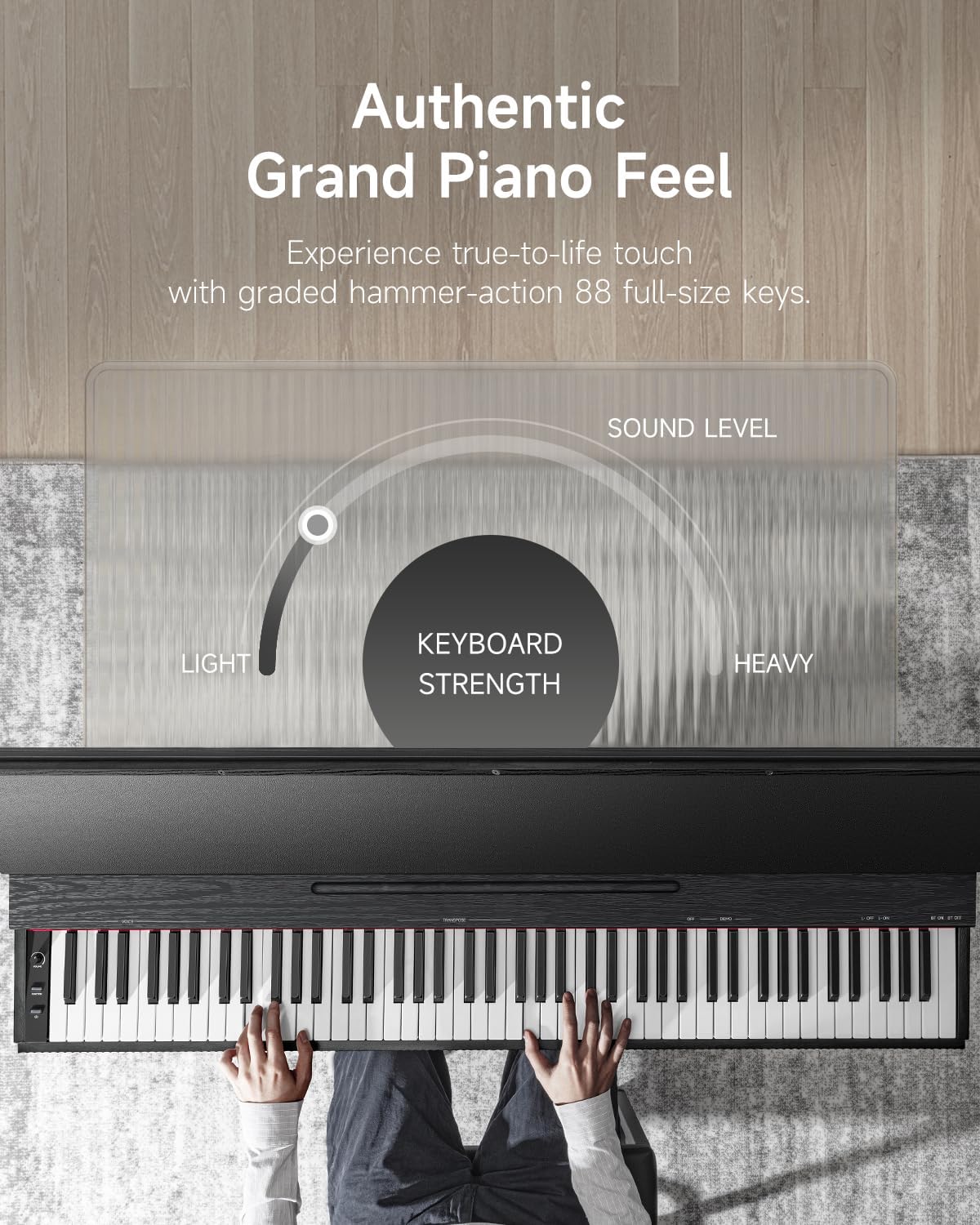
Figure 3: Authentic Grand Piano Feel. This graphic illustrates the graded hammer-action keys, showing how the keyboard strength varies from light to heavy across the 88 full-size keys, mimicking an acoustic grand piano.
The OURA S300 features 88 graded hammer-action keys, designed to replicate the feel and response of a traditional acoustic piano. The touch sensitivity can be adjusted to suit individual playing styles.
The instrument includes top-tier acoustic piano samples and a variety of other high-quality sounds, such as guitar, bass, and organ. The integrated 2*15W speaker system delivers a rich and deep sound experience.
4.3 Funkcje i cechy
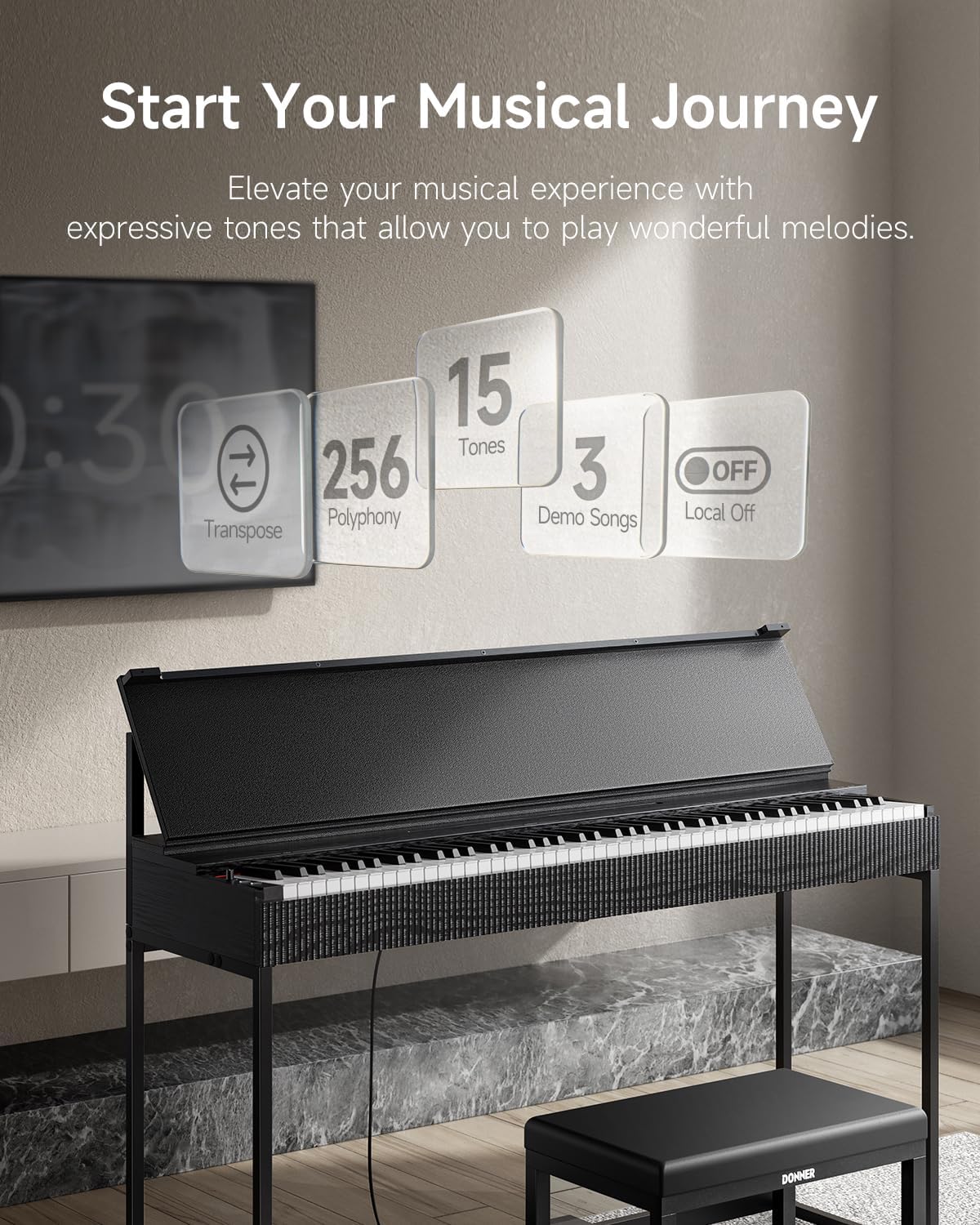
Figure 4: Key Features. This image highlights the main functional capabilities of the S300, including Transpose, 256 Polyphony, 15 Tones, 3 Demo Songs, and Local Off.
- Polifonia: 256-note polyphony allows for complex musical passages without note drop-out.
- Dźwięki: Access 15 different instrument tones, including various piano sounds, organs, and strings.
- Utwory demonstracyjne: Features 3 built-in original MIDI demo songs for listening or practice.
- Transponować: Dostosuj wysokość dźwięku całej klawiatury w górę lub w dół o pół tonu.
- Lokalne wyłączone: Disables the internal sound generation while allowing MIDI output, useful when using the piano as a MIDI controller for external sound modules or software.
- Regulacja głośności: Dostosuj ogólną głośność wyjściową za pomocą specjalnego pokrętła.
4.4 Pedal Functionality
The OURA S300 includes a triple pedal unit with half-pedal functionality for all three pedals. This allows for nuanced control over sustain, sostenuto, and soft pedal effects, enhancing expressive playing.
4.5 Łączność Bluetooth
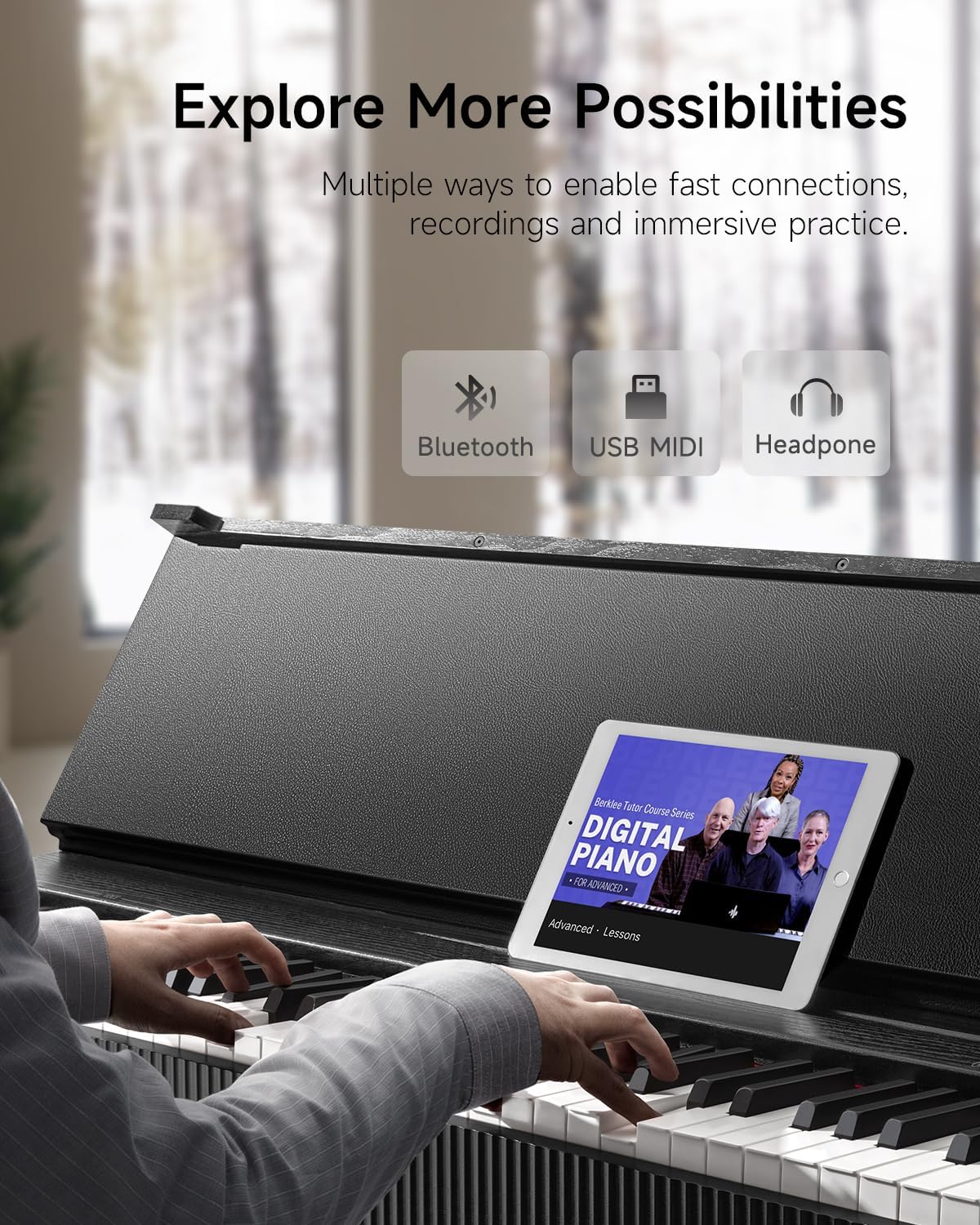
Figure 5: Expanded Possibilities with Connectivity. This image shows the piano connected via Bluetooth to a tablet running a music lesson app, and also highlights USB and headphone connections.
The piano supports Dual-Mode Bluetooth (MIDI+AUDIO). This enables:
- MIDI Bluetooth: Connect wirelessly to smartphones, tablets, or computers for use with music creation software, learning apps, or as a MIDI controller.
- Bluetooth Audio: Stream audio from your smart device through the piano's speakers, allowing you to play along with your favorite songs or backing tracks.
5. Konserwacja
To ensure the longevity and optimal performance of your Donner OURA S300 Digital Piano, follow these maintenance guidelines:
- Czyszczenie: Do przecierania powierzchni pianina użyj miękkiej, suchej ściereczki. W przypadku uporczywych zabrudzeń, delikatnie przetrzyjamp Można użyć ściereczki, a następnie natychmiast wytrzeć do sucha. Unikać środków czyszczących o działaniu ściernym i rozpuszczalników.
- Ochrona przed kurzem: When not in use, cover the keyboard with a dust cover to prevent dust accumulation.
- Środowisko: Keep the piano away from direct sunlight, extreme temperatures, and high humidity. Avoid placing it near heat sources or in areas with significant temperature fluctuations.
- Obsługiwanie: Avoid placing heavy objects on the keyboard or applying excessive force to the keys or pedals.
6. Rozwiązywanie Problemów
If you encounter issues with your Donner OURA S300, refer to the following common troubleshooting steps:
- Brak dźwięku:
- Sprawdź, czy zasilacz jest prawidłowo podłączony i czy pianino jest włączone.
- Sprawdź pokrętło głośności i upewnij się, że nie jest ustawione na minimum.
- Jeśli podłączone są słuchawki, odłącz je, aby sprawdzić wyjście głośnikowe.
- Verify that 'Local Off' mode is not activated if you expect sound from the internal speakers.
- Keys Not Responding / Uneven Volume:
- Upewnij się, że między klawiszami nie znajdują się żadne obce przedmioty.
- If specific keys consistently have low volume, contact customer support for assistance.
- Pedały nie działają:
- Check that the pedal unit cable is securely connected to the correct port.
- Ensure the pedal unit is placed on a stable surface.
- Problemy z połączeniem Bluetooth:
- Sprawdź, czy Bluetooth jest włączony zarówno w pianinie, jak i w Twoim urządzeniu inteligentnym.
- Spróbuj ponownie uruchomić oba urządzenia.
- Ensure no other devices are actively connected to the piano via Bluetooth.
If the problem persists after attempting these steps, please contact Donner customer support.
7. Specyfikacje
| Funkcja | Specyfikacja |
|---|---|
| Nazwa modelu | S300 |
| Liczba kluczy | 88 |
| Kluczowe działanie | Graded Hammer Standard, Hammer Action |
| Polifonia | 256 |
| Głośniki | 2 x 15 W |
| Wymiary (dł. x szer. x wys.) | 50.75" x 15" x 36.6" (128.9 cm x 37.9 cm x 92.8 cm) |
| Waga przedmiotu | 34.4 kg (75.7 funta) |
| Łączność | Bluetooth (MIDI+AUDIO), USB MIDI, AUX IN/OUT, 2x 6.35mm Headphone Jacks |
| Cechy specjalne | Half-pedal support, LOCAL OFF, Transpose |
| Źródło zasilania | Zasilacz sieciowy |

Figure 6: Product Dimensions. This image provides a visual representation of the piano's dimensions in both centimeters and inches.
8. Gwarancja i wsparcie
For warranty information, please refer to the documentation provided at the time of purchase or visit the official Donner website. If you require technical assistance or have questions not covered in this manual, please contact Donner customer support.
Donner Customer Support: Odwiedź sklep Donner Store na Amazon


