1. Wprowadzenie
The SUNROAD D3 is a multi-functional scuba diving computer watch designed for various underwater activities. It provides essential data for safe diving, including depth, no-decompression limit (NDL), oxygen toxicity unit (OTU), and central nervous system (CNS) calculations. Equipped with a digital compass and temperature sensor, the D3 supports multiple diving modes and offers customizable alarms to enhance diver safety. This manual provides detailed instructions for setup, operation, maintenance, and troubleshooting.

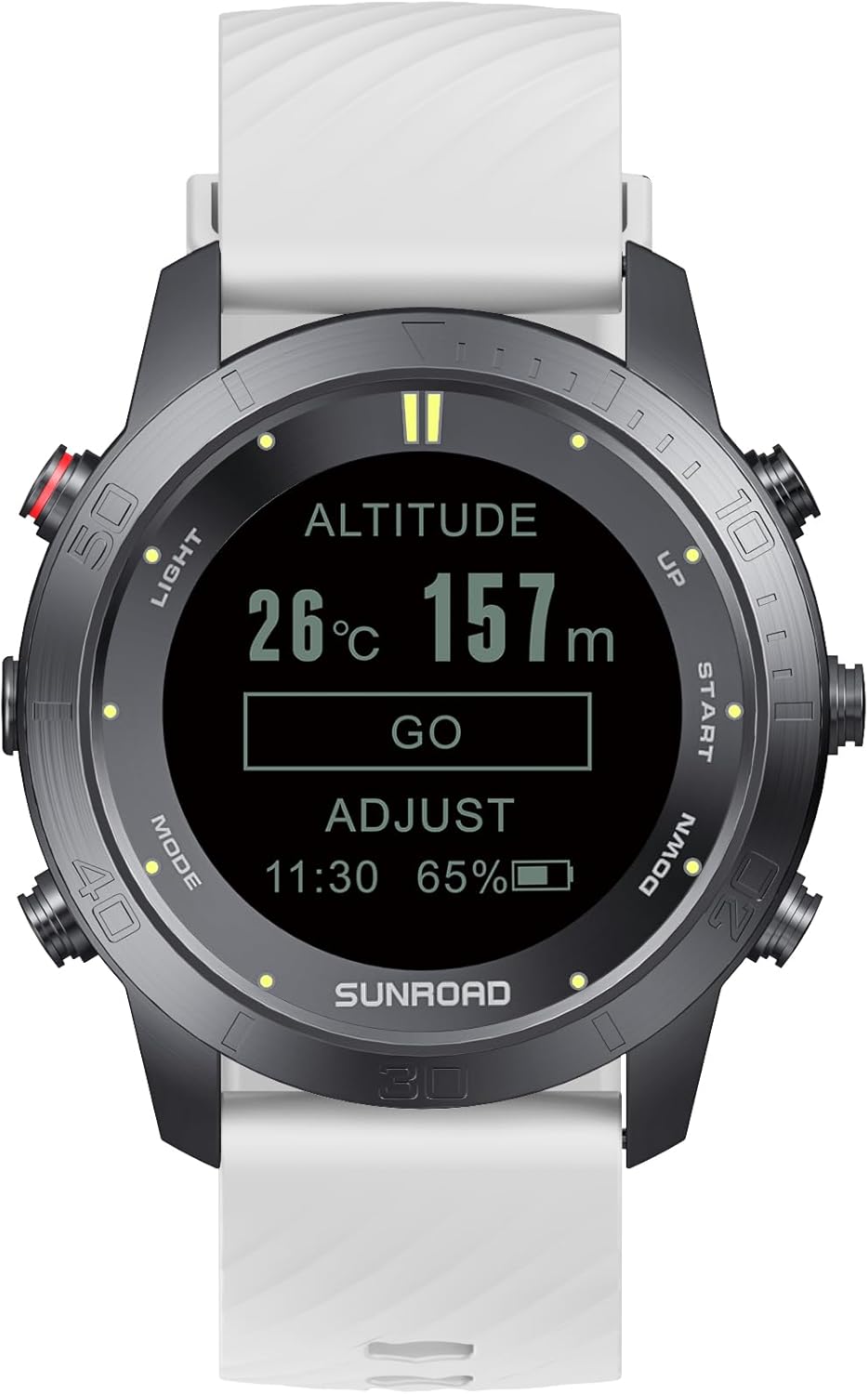
Image: The SUNROAD D3 Scuba Diving Computer Watch, showcasing its display with dive information and a white strap.
2. Konfiguracja
2.1 Pierwsze ładowanie
Before first use, fully charge the device using the provided USB charging cable. Connect the cable to the charging contacts on the back of the watch and to a standard USB power source. A full charge typically takes a few hours.
Obraz: Tył view of the SUNROAD D3, showing the USB charging contacts.
2.2 Ustawienia podstawowe
Upon powering on, configure the following settings:
- Czas i data: Adjust to your local time and current date.
- Jednostki: Select between Imperial (feet, Fahrenheit) or Metric (meters, Celsius) measurements.
- Język: The device supports 8 languages, including English, German, Italian, Spanish, French, Japanese, and Chinese. Navigate through the menu to select your preferred language.

Image: The SUNROAD D3 displaying altitude and temperature settings, illustrating the user interface.
3. Tryby pracy
The SUNROAD D3 offers four primary operating modes to suit different diving scenarios:
- Tryb powietrza: Standard diving with air as the breathing gas. The computer calculates NDL based on air tables.
- Tryb Nitrox: For diving with enriched air nitrox. Oxygen mixtures are programmable from 21% to 50%. Ensure the correct oxygen percentage is set before diving to receive accurate NDL and CNS/OTU calculations.
- Gauge Mode: Functions as a bottom timer, displaying current depth, maximum depth, and dive time. No decompression calculations are performed in this mode.
- Free Diving Mode: Optimized for freediving, tracking dive time, depth, and surface intervals without decompression calculations.
- High Altitude Diving Mode: Supports diving at higher altitudes, adjusting calculations for reduced atmospheric pressure.

Image: Visual representation of the four main diving modes available on the SUNROAD D3.
Video: Official product video demonstrating the key features and operating modes of the SUNROAD D3 Scuba Diving Computer Watch.
4. Cechy i funkcje
4.1 Kompas cyfrowy
The integrated digital compass provides accurate directional guidance underwater. Calibrate the compass regularly for optimal performance.
4.2 Water Temperature
The D3 continuously monitors and displays the water temperature, providing crucial environmental data during your dive.
4.3 Decompression Stop Data
In Air and Nitrox modes, the computer provides necessary decompression stop information to ensure safe ascent profiles.
4.4 Alarmy dźwiękowe
The device features customizable audible alarms for various safety parameters:
- NDL Alarm: Alerts when approaching or exceeding the No-Decompression Limit.
- OTU & CNS Alarm: Warns about Oxygen Toxicity Unit and Central Nervous System oxygen exposure limits.
- Depth Warning: Configurable alarm for reaching a specific depth.
- Dive Time Warning: Alerts when a set dive duration is reached.
- Stall Warning: Indicates a rapid ascent rate.
- MOD Warning: Alerts when Maximum Operating Depth for Nitrox is approached.
- Dive Depth Interval Reminder: Provides reminders for safety stops or other depth-related intervals.

Obraz: Ponadview of the various warning types and safety features on the SUNROAD D3.
4.5 Podświetlenie
The integrated backlight ensures easy readability of the display in low-light conditions or during night dives.
4.6 Dive Log Data
The D3 records and displays critical dive log information, including:
- No-fly Time: Recommended surface interval before flying.
- Surface Time: Duration spent on the surface between dives.
- Diving Time: Total duration of the dive.
- Diving Depth: Current and maximum depth achieved.

Image: Display showing surface interval data and dive data on the watch face.
5. Konserwacja
5.1 Ładowanie
Recharge the device using the provided USB cable when the battery indicator is low. Avoid using damaged cables or non-standard chargers.
5.2 Czyszczenie i przechowywanie
After each dive, especially in saltwater, rinse the watch thoroughly with fresh water to remove salt and debris. Dry it completely before storage. Store the watch in a cool, dry place away from direct sunlight and extreme temperatures.
5.3 Wymiana paska
The D3 features an interchangeable band. Refer to the product packaging or manufacturer's website for instructions on how to safely replace the watch strap.
6. Rozwiązywanie Problemów
If you encounter issues with your SUNROAD D3, consider the following general troubleshooting steps:
- Urządzenie się nie włącza: Ensure the battery is sufficiently charged. Connect to the USB charger and wait a few minutes before attempting to power on again.
- Niedokładne odczyty: Verify that the correct operating mode is selected and all settings (e.g., oxygen percentage for Nitrox) are accurately configured. For compass issues, perform a calibration.
- Problemy z wyświetlaniem: If the display is dim or unresponsive, try recharging the device. If the issue persists, a factory reset might be necessary (consult manufacturer support for specific instructions).
- Alarms Not Functioning: Check alarm settings to ensure they are enabled and configured to the desired parameters.
For persistent problems or specific error codes, please contact SUNROAD customer support.
7. Specyfikacje
| Funkcja | Szczegół |
|---|---|
| Numer modelu | D3 |
| Maximum Depth Display | 330' (100 meters) |
| Tryby pracy | Air, Nitrox, Gauge, Free Diving, High Altitude |
| Oxygen Mixture (Nitrox) | Programmable 21% to 50% |
| Cechy specjalne | Alarm Clock, Compass, Easy Reader, Interchangeable Band, Temperature Display, Backlight |
| Rozdzielczość wyświetlacza | 128x128P |
| Materiał lustrzany | High Hardness Sapphire |
| Materiał skorupy | 316 Stainless Steel + Vacuum Tungsten Carbide Coating |
| Typ baterii | Lithium Polymer (1 C battery required) |
| Pojemność baterii | 320 mlnamp Godziny |
| Ładowanie | Ładowanie przez USB |
| Czas czuwania | Do 30 dni |
| Technologia łączności | Bluetooth |
| Pojemność pamięci masowej | 128 MB |
| Waga przedmiotu | 4.4 uncji (125 grama) |
| Wymiary opakowania | 6.65 x 6.06 x 3.27 cala |

Image: Dimensional diagram of the SUNROAD D3 watch and its strap.
8. Gwarancja i wsparcie
For warranty information, technical support, or service inquiries, please refer to the documentation included with your product or visit the official SUNROAD webZachowaj dowód zakupu na wypadek roszczeń gwarancyjnych.


