1. Wprowadzenie
This manual provides comprehensive instructions for the Alienware TENKEYLESS Gaming Keyboard, model AW420K. It covers setup, operation, maintenance, troubleshooting, and product specifications to ensure optimal performance and longevity of your device.
2. Koniec produktuview
The Alienware AW420K is a high-performance tenkeyless gaming keyboard designed for competitive gaming and efficient daily use. It features durable construction, customizable RGB lighting, and responsive mechanical switches.

Rysunek 2.1: Widok z góry na dół view of the Alienware AW420K Tenkeyless Gaming Keyboard, showcasindzięki kompaktowej konstrukcji i żywemu podświetleniu RGB.
2.1 Główne cechy
- Tenkeyless Design: Streamlined form factor for more desk space and improved portability.
- Przełączniki Cherry MX Red: Industry-leading mechanical switches with a 100 million actuation lifecycle for consistent, high-performance keystrokes.
- AlienFX RGB Lighting: Per-key RGB lighting configurable through Alienware Command Center software, offering up to 16.8 million colors for personalized aesthetics.
- Podwójne nakładki na klawisze PBT: Two layers of plastic with legends molded into the cap for enhanced durability and wear resistance.
- Integrated Cable Routing: Channels on the underside of the keyboard for organized cable management.
- Regulowana wysokość: Flip-up risers with three height settings for ergonomic typing angles.

Figure 2.2: The compact TKL design of the AW420K keyboard allows for more space on your gaming setup and easy movability.
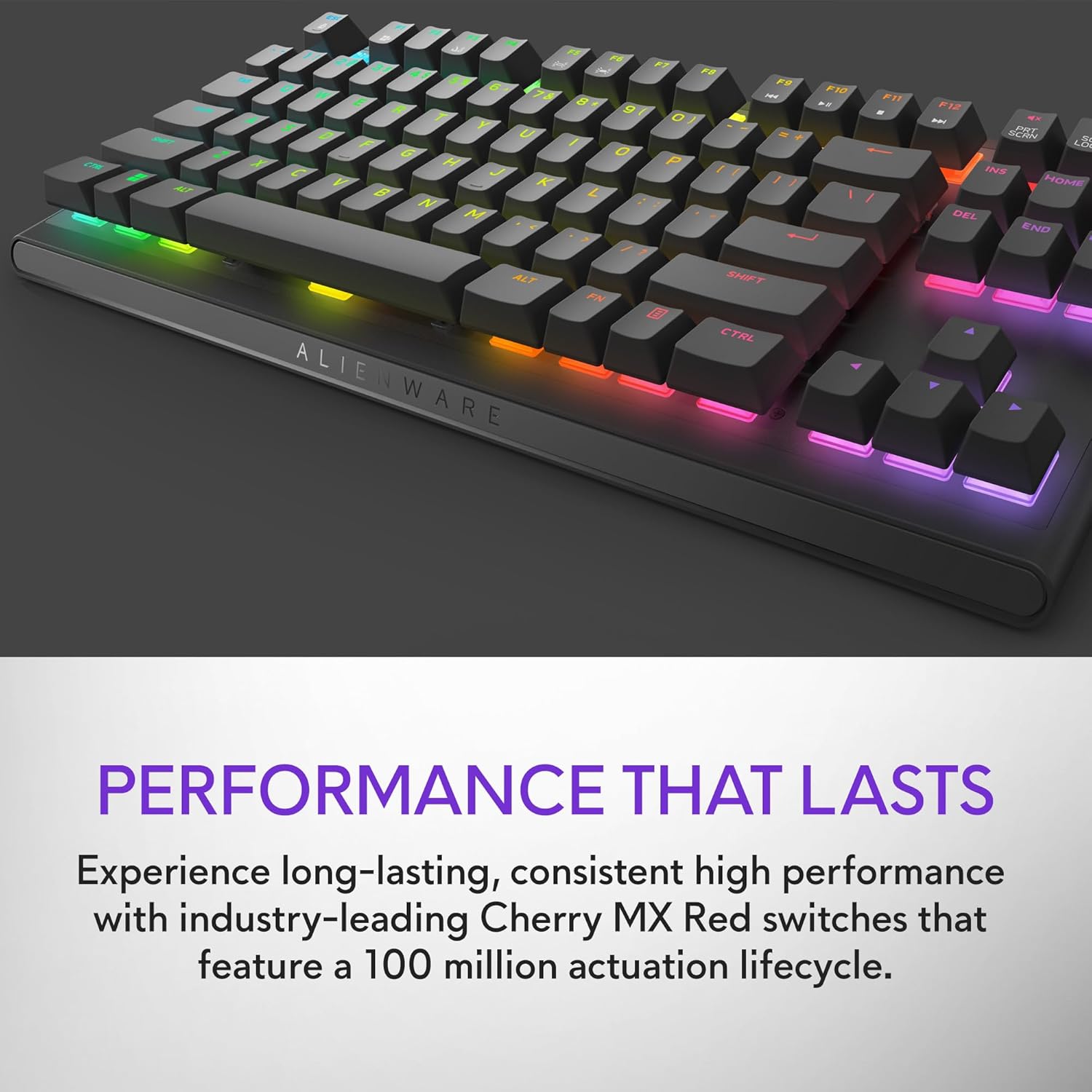
Figure 2.3: The keyboard features Cherry MX Red switches, known for their durability and consistent performance over 100 million keystrokes.

Figure 2.4: Customize your gaming experience with AlienFX per-key RGB lighting, offering up to 16.8 million colors via Alienware Command Center software.
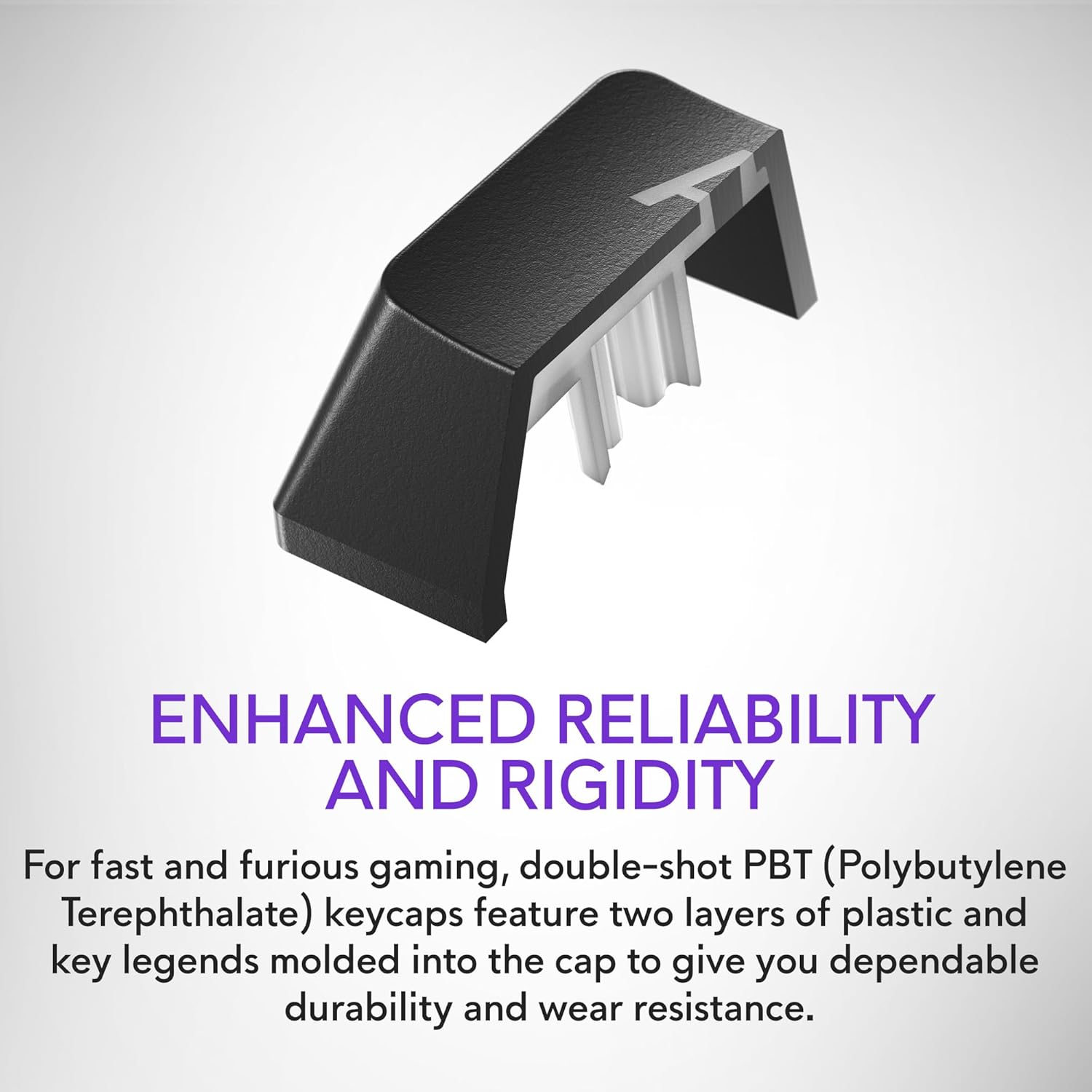
Figure 2.5: Double-shot PBT keycaps provide enhanced reliability and rigidity, ensuring legends do not wear off over time.
3. Konfiguracja
Follow these steps to set up your Alienware AW420K Gaming Keyboard:
- Rozpakuj klawiaturę: Carefully remove the keyboard and any included accessories from the packaging.
- Podłącz kabel USB: The keyboard features a detachable USB paracord cable. Connect the USB-C end to the port on the keyboard's underside.
- Poprowadź kabel: Utilize the integrated cable routing channels on the underside of the keyboard to direct the cable to your preferred setup. This helps in keeping your desk tidy.
- Połącz z komputerem: Plug the USB-A end of the cable into an available USB port on your computer. The keyboard is USB powered.
- Dostosuj wysokość: Flip up the risers on the back of the keyboard to select one of the three available height settings for your ideal typing angle.
- Zainstaluj oprogramowanie (opcjonalne, ale zalecane): For full customization of RGB lighting and programmable keys, download and install the Alienware Command Center software from the official Alienware support webstrona.

Figure 3.1: The detachable USB-C cable provides a secure and convenient connection.

Figure 3.2: Integrated cable routing on the underside helps manage the connection cable for a clean setup.

Figure 3.3: Flip-up risers allow for three height settings to achieve your ideal typing angle.
4. Obsługa klawiatury
The Alienware AW420K keyboard is designed for intuitive use with advanced features for gaming and productivity.
4.1 Podstawowe funkcje
- Pisanie na maszynie: Standard QWERTY layout for general typing.
- Hazard: Responsive Cherry MX Red switches provide a smooth and linear feel, ideal for fast-paced gaming.
- Sterowanie multimediami: Dedicated media keys (e.g., volume roller, mute button) are typically located on the top right of the keyboard for quick audio adjustments.
4.2 Customization with Alienware Command Center
The Alienware Command Center software unlocks the full potential of your keyboard:
- Oświetlenie RGB: Customize per-key RGB lighting with a spectrum of 16.8 million colors. Choose from various effects, create your own profiles, and synchronize lighting with other Alienware devices.
- Programowanie makr: Assign complex macros to programmable keys for in-game advantages or streamlined workflows.
- Zawodowiecfile Kierownictwo: Utwórz i zapisz wiele profiles for different games or applications, allowing for quick switching of lighting and key assignments.
Video 4.1: An official video demonstrating the features and design of the Alienware Tenkeyless Gaming Keyboard - AW420K, including its RGB lighting and compact form factor.
5. Konserwacja
Właściwa konserwacja zapewnia długowieczność i optymalną wydajność klawiatury.
- Czyszczenie nakładek klawiszy: The floating keycap design makes cleaning easy. Use a soft brush or compressed air to remove dust and debris from between the keys. For stubborn grime, gently wipe keycaps with a damp, ściereczka niepozostawiająca włókien. Unikać nadmiernej wilgoci.
- Czyszczenie podwozia: Wipe the keyboard chassis with a soft, dry cloth. Do not use harsh chemicals or abrasive materials.
- Pielęgnacja kabli: Aby zapobiec uszkodzeniom kabla USB, należy unikać jego ostrego zginania i nadmiernego ciągnięcia.
6. Rozwiązywanie Problemów
If you encounter issues with your Alienware AW420K keyboard, try the following troubleshooting steps:
- Klawiatura nie odpowiada:
- Sprawdź, czy kabel USB jest prawidłowo podłączony do klawiatury i komputera.
- Spróbuj podłączyć klawiaturę do innego portu USB w komputerze.
- Uruchom ponownie komputer.
- Oświetlenie RGB nie działa/nie można go dostosować:
- Verify that the Alienware Command Center software is installed and up to date.
- Check the software settings to ensure lighting effects are enabled and configured correctly.
- Upewnij się, że nie jest uruchomione żadne oprogramowanie powodujące konflikt, które mogłoby zakłócać sterowanie RGB.
- Klucze nie są rejestrowane:
- Clean any debris from under the affected keycap.
- Jeśli problem nadal występuje, może to oznaczać awarię sprzętu.
Jeśli wykonanie tych czynności nie rozwiąże problemu, zapoznaj się z sekcją Gwarancja i wsparcie techniczne, aby uzyskać dalszą pomoc.
7. Specyfikacje
| Marka | Oprogramowanie Alienware |
| Nazwa modelu | ALIENWARE TENKEYLESS GAMING KEYBOARD - AW420K |
| Numer modelu przedmiotu | AW420K |
| Platforma sprzętowa | PC |
| Waga przedmiotu | 1.74 funta |
| Wymiary produktu (dł. x szer. x wys.) | 5.81 x 14.46 x 2.19 cala |
| Kolor | Dark Side of the Moon |
| Źródło zasilania | zasilana przez USB |
| Producent | Dolina |
| Technologia łączności | USB-C |
| Opis klawiatury | Mechaniczny |
| Liczba kluczy | 87 |
| Podświetlenie klawiatury | RGB |
| Cechy specjalne | Backlit, Programmable Keys, Split Keyset Design |
8. Gwarancja i wsparcie
For warranty information and technical support, please refer to the official Alienware website or contact Alienware customer service. Keep your proof of purchase for warranty claims.
You can typically find support resources, drivers, and software updates on the Pomoc techniczna firmy Dell Webstrona (as Alienware is a Dell brand).


