1. Wprowadzenie
The Cellularline ION PRO ROUND Smartwatch is designed to integrate seamlessly into your daily routine, offering advanced features for communication, health monitoring, and fitness tracking. This manual provides detailed instructions to help you set up, operate, and maintain your smartwatch effectively.

Image 1.1: Cellularline ION PRO ROUND Smartwatch
2. Co znajduje się w pudełku
Upon unpacking your Cellularline ION PRO ROUND Smartwatch, please ensure all the following components are present:
- Cellularline ION PRO ROUND Smartwatch
- Kabel ładujący
- Instrukcja obsługi
3. Konfiguracja
3.1. Ładowanie początkowe
Before first use, fully charge your smartwatch. Connect the provided charging cable to the charging port on the back of the smartwatch and plug the USB end into a compatible power adapter (not included) or a computer's USB port. A full charge typically takes approximately 3 hours.

Image 3.1: Smartwatch displaying charging status, indicating long-lasting battery life.
3.2. Instalacja aplikacji
To unlock the full functionality of your smartwatch, download and install the Cellularline ION app on your smartphone. The app is compatible with both iOS and Android devices. You can find the app by scanning the QR code provided on the product packaging or by searching for "Cellularline ION" in your device's app store.
3.3. Parowanie urządzeń
- Upewnij się, że Twój smartwatch jest naładowany i włączony.
- Włącz Bluetooth w swoim smartfonie.
- Open the Cellularline ION app and follow the on-screen instructions to add a new device.
- Select your ION PRO ROUND Smartwatch from the list of available Bluetooth devices.
- Jeśli pojawi się taki monit, potwierdź prośbę o sparowanie zarówno na smartfonie, jak i smartwatchu.
4. Instrukcja obsługi
4.1. Podstawowa nawigacja
The smartwatch features a 1.38-inch TFT Full Touch display. Swipe left, right, up, or down to navigate through menus, notifications, and widgets. Tap to select items or confirm actions. The side button typically serves as a home button or to wake/sleep the screen.

Image 4.1: High-definition 1.38-inch display of the smartwatch.
4.2. Zarządzanie połączeniami
With Bluetooth connectivity, you can answer calls directly from your smartwatch. When a call comes in, the smartwatch will display the caller ID. Tap the green icon to answer or the red icon to reject the call. You can also initiate calls through the app.
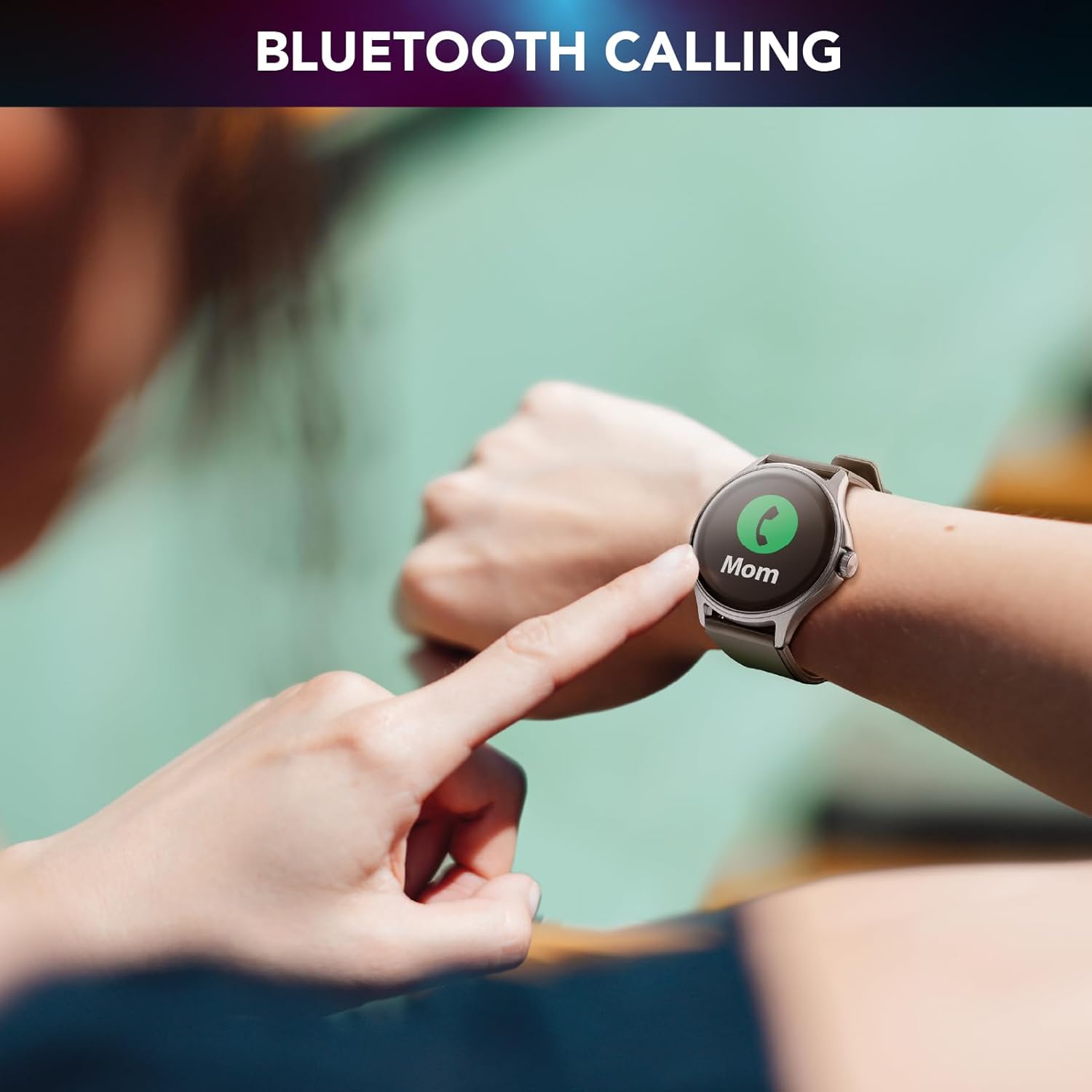
Image 4.2: Bluetooth calling feature in use.
4.3. Activity and Wellness Monitoring
The smartwatch continuously monitors various health and fitness metrics:
- Krokomierz: Monitoruje Twoje codzienne kroki.
- Tętno: Monitoruje tętno przez cały dzień.
- Ciśnienie krwi: Podaje szacunkową wartość ciśnienia krwi.
- Tlen we krwi (SpO2): Mierzy poziom tlenu we krwi.
- Monitorowanie snu: Analizuje wzorce i jakość snu.
- Monitorowanie stresu: Pomaga monitorować poziom stresu.
- Kalorie: Szacuje liczbę spalonych kalorii na podstawie aktywności.

Image 4.3: Heart rate and sleep monitoring features.
4.4. Fitness Modes
The smartwatch supports various fitness modes to track specific activities, including walking, running, climbing, and general fitness exercises. Select the appropriate mode before starting your workout for accurate data collection.

Image 4.4: Smartwatch displaying various fitness modes.
4.5. Powiadomienia
Once paired with your smartphone, the smartwatch will display real-time notifications for calls, messages, and app alerts. Swipe down from the top of the screen to view historia powiadomień.
4.6. Znajdź mój telefon
If your paired smartphone is misplaced, use the "Find My Phone" feature on your smartwatch to make your phone ring, helping you locate it quickly.
5. Konserwacja
5.1. Czyszczenie
Aby wyczyścić smartwatch, delikatnie przetrzyj ekran i obudowę miękką, suchą i niepozostawiającą włókien ściereczką. W przypadku uporczywych zabrudzeń delikatnie przetrzyj.ampPrzetrzyj ściereczkę wodą. Unikaj stosowania silnych środków chemicznych i materiałów ściernych, ponieważ mogą one uszkodzić urządzenie.
5.2. Odporność na wodę i kurz
The Cellularline ION PRO ROUND Smartwatch is certified IP67, meaning it is resistant to dust and can withstand immersion in water up to 1 meter for 30 minutes. While it is suitable for daily wear and light water exposure (e.g., hand washing, rain), it is not recommended for swimming, showering, or diving.

Image 5.1: Smartwatch demonstrating IP67 waterproof and dustproof capabilities.
6. Rozwiązywanie Problemów
Jeśli masz problemy ze swoim smartwatchem, zapoznaj się z poniższymi typowymi problemami i ich rozwiązaniami:
- Urządzenie nie włącza się: Ensure the smartwatch is fully charged. Connect it to the charger and wait a few minutes before attempting to power it on again.
- Nie można sparować ze smartfonem: Make sure Bluetooth is enabled on your phone and the smartwatch is within range. Restart both devices and try pairing again through the Cellularline ION app.
- Niedokładne dane dotyczące zdrowia: Ensure the smartwatch is worn snugly on your wrist, not too tight or too loose. Clean the sensor on the back of the device. Note that health monitoring features are for reference only and not for medical diagnosis.
- Powiadomienia się nie wyświetlają: Check app permissions on your smartphone to ensure the Cellularline ION app has access to notifications. Verify that notifications are enabled within the smartwatch settings and the app.
- Krótka żywotność baterii: Zmniejsz jasność ekranu, wyłącz niepotrzebne funkcje i zoptymalizuj działanie aplikacji działających w tle na swoim telefonie.
If problems persist, consult the Cellularline support webodwiedź witrynę lub skontaktuj się z obsługą klienta, aby uzyskać dalszą pomoc.
7. Specyfikacje
| Funkcja | Szczegół |
|---|---|
| Nazwa modelu | BTIONWATCHPRORK |
| Wyświetlacz | 1.38-inch TFT Full Touch |
| Łączność | Bluetooth |
| System operacyjny | Wear OS (compatible with iOS and Android app) |
| Pojemność baterii | 300 mAh litowo-polimerowy |
| Żywotność baterii | Do 7 dni |
| Czas ładowania | Około 3 godzin |
| Odporność na wodę i kurz | IP67 |
| Czujniki | Tętno, ciśnienie krwi, tlen we krwi |
| Waga | 100 gramów |
| Wymiary | 16.3 x 9 x 3.2 cm (opakowanie) |
8. Gwarancja i wsparcie
For information regarding the product warranty, please refer to the warranty card included in your product packaging or visit the official Cellularline website. For technical support, frequently asked questions, or to contact customer service, please visit the Cellularline support page:


