Wstęp
Thank you for choosing the PRT S1 Mini Thermal Printer. This compact and portable device is designed for convenient printing of stickers, labels, notes, and pictures directly from your smartphone or tablet via Bluetooth. This manual provides essential information on setting up, operating, maintaining, and troubleshooting your printer to ensure optimal performance and longevity.
Co jest w pudełku
Sprawdź, czy w przesyłce znajdują się wszystkie elementy:
- 1 x PRT S1 Mini Printer
- 1 x rolka papieru termicznego
- 1 x Przewód zasilający
- 1 x Instrukcja obsługi
Organizować coś
Konfiguracja początkowa
- Rozpakuj drukarkę: Ostrożnie wyjmij drukarkę i wszystkie akcesoria z opakowania.
- Naładuj drukarkę: Connect the power cord to the printer and a suitable power source. Ensure the printer is fully charged before first use for optimal battery life.
- Załaduj papier termiczny:

Image Description: A four-panel image illustrating the steps to prepare and load paper into the PRT S1 Mini Printer. Step 1 shows opening the top cover. Step 2 shows placing the paper roll inside the printer. Step 3 shows pressing the power button. Step 4 shows connecting the app via Bluetooth.
- Open the top cover of the printer by gently pressing the release button or lifting the lid.
- Insert the thermal paper roll into the paper compartment, ensuring the smooth side of the paper faces upwards and the paper feeds out correctly.
- Zamknij górną pokrywę, aż zatrzaśnie się na swoim miejscu.
Instrukcja obsługi
Łączenie z aplikacją
The PRT S1 Mini Printer operates via the "HerePrinter" mobile application. Follow these steps to connect your device:
- Pobierz aplikację: Download the "HerePrinter" app from your device's app store (available for Android and iOS). You can also scan the QR code below or visit hereprint.hprt.com/app/hereprint.

Image Description: An image showing the PRT S1 Mini Printer, a smartphone displaying the HerePrinter app interface, and a tablet. A QR code for downloading the HerePrinter app is prominently displayed, along with a Bluetooth symbol indicating wireless connectivity.
- Włącz drukarkę: Naciśnij i przytrzymaj przycisk zasilania drukarki, aż zaświeci się kontrolka.
- Włącz Bluetooth: Sprawdź, czy Bluetooth jest włączony na Twoim smartfonie lub tablecie.
- Połącz w aplikacji: Open the "HerePrinter" app. The app will automatically search for available printers. Select "PRT-S1" or a similar device name from the list to establish a connection. The indicator light on the printer may change to confirm connection.
Druk
Once connected, you can begin printing various content:
- Wybierz treść: Within the HerePrinter app, choose the type of content you wish to print (e.g., text, images, labels, templates).

Image Description: The PRT S1 Mini Printer is shown centrally, surrounded by various examples of its printed output, including study notes, diagrams, coloring pages, photos, and labels, demonstrating its versatility. A roll of thermal paper and a smartphone with the app interface are also visible.
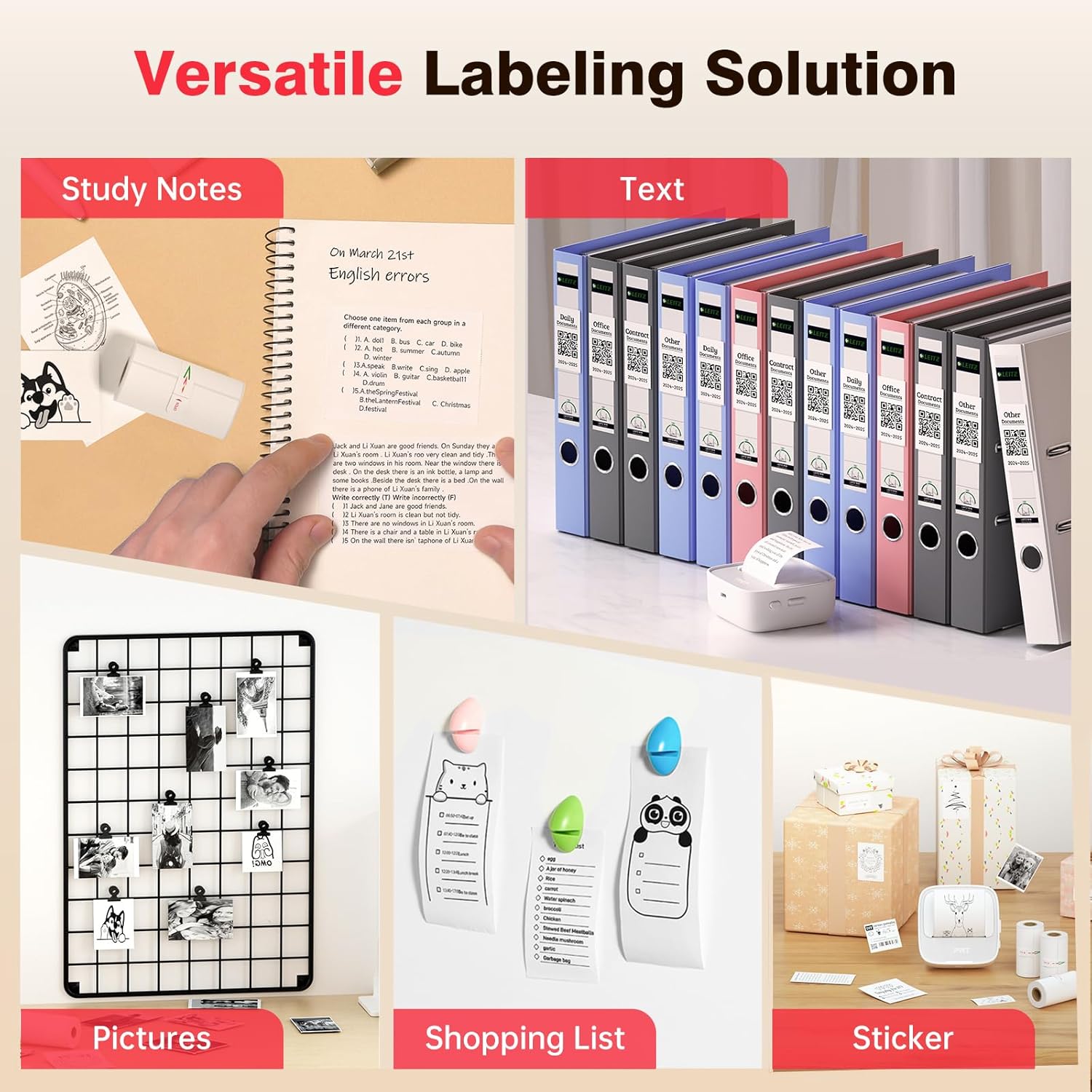
Image Description: A collage showcasing various applications of the PRT S1 Mini Printer. Examples include printing study notes in a notebook, text for binder labels, small pictures for a photo grid, shopping lists, and custom stickers for gifts.
- Dostosuj (opcjonalnie): Use the app's editing tools to customize your print, such as adjusting size, adding frames, or applying filters.
- Wydrukować: Tap the print button in the app. The printer will feed the paper and print the selected content.
- Zdzierać: Once printing is complete, gently tear the paper upwards against the printer's serrated edge.
Użycie aplikacji
The HerePrinter app offers a wide range of features to enhance your printing experience:
- Personalizacja DIY: Design your own stickers and labels with various text, image, and graphic options.

Image Description: A wide image showing the PRT S1 Mini Printer next to a smartphone displaying the HerePrinter app. The app interface shows various design elements like text, images, and templates, highlighting the DIY customization features for creating stickers.
- Templates and Fonts: Access a library of pre-designed templates for different purposes (e.g., study notes, to-do lists, labels) and a variety of fonts to personalize your prints.

Image Description: A wide image showcasing multiple smartphone screens, each displaying different templates and font options available within the HerePrinter app. This illustrates the wide variety of design choices users have for their prints.
- Drukowanie obrazu: Print photos and images directly from your device's gallery. Note that the printer produces black and white thermal prints.
- WebDrukowanie strony: Print content directly from web stron.
Konserwacja
Proper maintenance ensures the longevity and performance of your PRT S1 Mini Thermal Printer:
- Czyszczenie głowicy drukującej:
- Wyłącz drukarkę i odłącz przewód zasilający.
- Otwórz górną pokrywę.
- Gently wipe the thermal print head (the black strip inside the printer) with a cotton swab lightly dampened with isopropyl alcohol. Allow it to dry completely before closing the cover.
- Głowicę drukującą należy czyścić regularnie, zwłaszcza jeśli jakość wydruku się pogorszy.
- Obsługa papieru:
- Use only high-quality thermal paper designed for mini printers.
- Store thermal paper in a cool, dry place away from direct sunlight and heat to prevent fading.
- Avoid touching the thermal paper surface excessively, as oils from your skin can affect print quality.
- Pielęgnacja baterii:
- Aby zachować sprawność akumulatora, ładuj drukarkę regularnie, nawet jeśli nie używasz jej często.
- Unikaj częstego całkowitego rozładowywania akumulatora.
Rozwiązywanie problemów
If you encounter issues with your PRT S1 Mini Thermal Printer, refer to the table below for common problems and solutions:
| Problem | Możliwa przyczyna | Rozwiązanie |
|---|---|---|
| Drukarka nie włącza się | Niski poziom naładowania baterii; przycisk zasilania nie został prawidłowo naciśnięty | Naładuj drukarkę; naciśnij i przytrzymaj przycisk zasilania przez kilka sekund. |
| Nie można połączyć się przez Bluetooth | Bluetooth wyłączony na urządzeniu; Drukarka nie jest w trybie parowania; Problem z aplikacją | Ensure Bluetooth is enabled on your phone/tablet; Restart printer and app; Forget device in Bluetooth settings and re-pair. |
| No print or blank page | No paper; Paper loaded incorrectly (upside down); Print head dirty | Load new paper; Ensure smooth side of paper faces up; Clean the print head. |
| Poor print quality (faint, lines) | Print head dirty; Low battery; Old/poor quality thermal paper | Clean the print head; Charge the printer; Replace thermal paper with a new roll. |
| Zacięcie papieru | Paper loaded incorrectly; Foreign object inside | Turn off printer, open cover, carefully remove jammed paper; Check for obstructions. |
Specyfikacje
Key technical specifications for the PRT S1 Mini Thermal Printer:
| Funkcja | Szczegół |
|---|---|
| Nazwa modelu | PRT-S1 |
| Technologia druku | Termiczny |
| Technologia łączności | Bluetooth |
| Maksymalna rozdzielczość wydruku czarno-białego | 203 dpi punktów na cal |
| Maksymalny rozmiar nośnika | 2 cali |
| Kompatybilne urządzenia | Android, Smartphones, iPhone |
| Metoda kontroli | Aplikacja |
| Wymiary produktu | 7.09 x 4.33 x 1.57 cala |
| Waga przedmiotu | 8.1 uncji |
| Baterie | Wymagane baterie 1 A (w zestawie) |
Gwarancja i wsparcie
The PRT S1 Mini Thermal Printer comes with a limited warranty. For specific details regarding the warranty period and coverage, please refer to the warranty card included in your product packaging or contact PRT customer support.
For technical support, troubleshooting assistance, or inquiries about replacement parts and accessories, please visit the official PRT webOdwiedź stronę internetową lub skontaktuj się z działem obsługi klienta. Dane kontaktowe zazwyczaj znajdują się na opakowaniu produktu lub na oficjalnej stronie internetowej marki.
Note: No official seller videos were provided in the product data.


