1. Wprowadzenie
1.1 Produkt powyżejview
The Dragon Touch 10.1-inch Wi-Fi Digital Picture Frame allows you to instantly share photos and videos with loved ones from anywhere in the world. Featuring a 1280x800 HD IPS touch screen, auto-rotate function, and 16GB internal storage, this frame provides a convenient way to display your cherished memories.
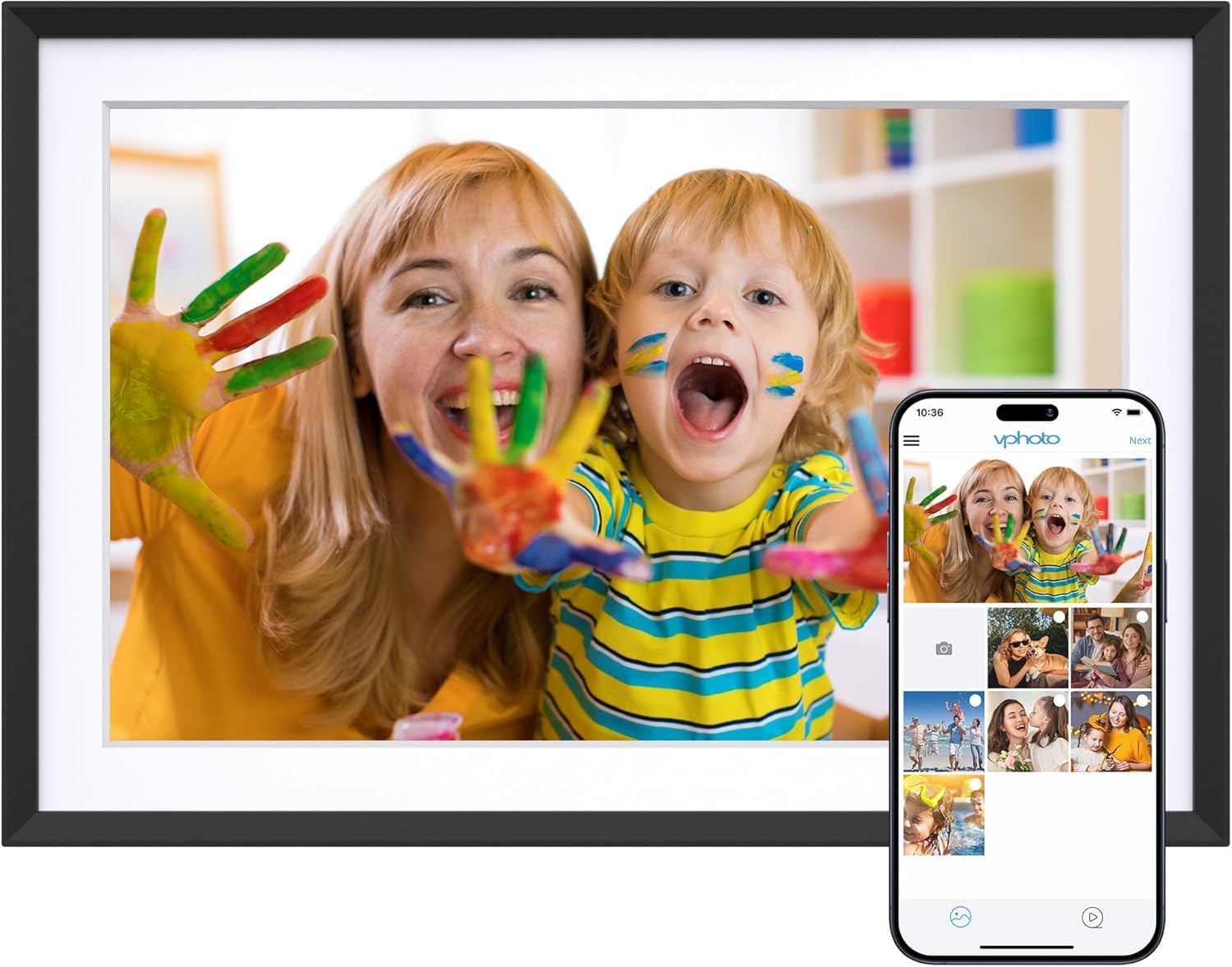
Image 1.1: The Dragon Touch 10.1-inch Wi-Fi Digital Picture Frame, showcasing its display with a vibrant image of a mother and child. A smartphone screen is overlaid, illustrating the Vphoto app interface for photo sharing.
1.2 Zawartość opakowania
Sprawdź, czy w opakowaniu znajdują się wszystkie elementy:
- 1 x Dragon Touch 10.1-inch Wi-Fi Digital Picture Frame
- 1 x zasilacz
- 1 x Stojak
- 1 x kabel USB
- 1 x Instrukcja obsługi (ten dokument)

Image 1.2: An illustration detailing the components included in the product package, such as the frame, power adapter, stand, USB cable, and user manual.
2. Konfiguracja
2.1 Konfiguracja początkowa
- Włączanie: Podłącz zasilacz do ramki i do gniazdka elektrycznego. Ramka włączy się automatycznie.
- Wybór języka: Aby wybrać preferowany język, postępuj zgodnie z instrukcjami wyświetlanymi na ekranie.
- Połączenie Wi-Fi: Connect the frame to a 2.4 GHz Wi-Fi network. Note: 5 GHz networks are not supported.
- Instalacja aplikacji: Download the "Vphoto" app from your smartphone's app store (iOS or Android).
- Tworzenie konta: Open the Vphoto app and create an account.
- Parowanie ramek: Follow the app instructions to pair your smartphone with the digital picture frame. This typically involves scanning a QR code displayed on the frame or entering a unique frame code.

Image 2.1: A visual guide illustrating the three primary steps for initial setup: connecting to power and Wi-Fi, downloading the Vphoto app, and uploading photos.
3. Instrukcja obsługi
3.1 Przesyłanie zdjęć i filmów
The Dragon Touch digital picture frame supports multiple methods for uploading media:
- Vphoto App: Use the Vphoto app on your smartphone to instantly send photos and short videos to the frame. Multiple users can connect to the same frame to share memories.
- E-mail: The frame can be configured to receive photos via email. Check the frame settings for the unique email address.
- Karta TF (karta Micro SD): Insert a TF card (up to 64GB) into the designated slot to display media directly or transfer files to internal storage.
- Dysk USB: Connect a USB drive to the frame's USB port to display media directly or transfer files.

Image 3.1: Visual representation of the four supported methods for uploading media to the digital picture frame: Vphoto App, Email, TF card, and USB drive.
3.2 Ustawienia wyświetlania
Dostosuj swój viewing experience through the frame's touch screen settings:
- Automatyczne obracanie: The frame automatically adjusts photo orientation whether placed in portrait or landscape mode.
- Tryb uśpienia: Configure a customized sleep schedule to automatically turn the screen off and on, conserving energy.
- Interwał pokazu slajdów: Adjust the duration each photo is displayed during a slideshow.
- Efekty przejścia: Select various transition styles for photos.

Image 3.2: The digital picture frame showcasing its auto-rotate feature, displaying an image in landscape orientation with an accompanying icon.
4. Zarządzanie magazynem
The frame comes with 16GB of built-in memory, capable of storing approximately 80,000 photos. For additional storage or file management, external options are available.
- Pamięć wewnętrzna: Manage photos and videos directly on the frame.
- Karta SD/dysk USB: Use these to read files or export received photos and videos for better album management. Important: Remove all external devices when resetting the photo frame.

Image 4.1: A visual representation of the frame's large internal storage capacity, depicted by numerous photos surrounding the device.
5. Konserwacja
- Czyszczenie: Use a soft, dry cloth to clean the screen and frame. Avoid liquid cleaners or abrasive materials.
- Umieszczenie: Place the frame on a stable surface or mount it securely on a wall. Avoid direct sunlight or extreme temperatures.
- Aktualizacje oprogramowania: Okresowo sprawdzaj dostępność aktualizacji oprogramowania i instaluj je, aby zapewnić optymalną wydajność i dostęp do nowych funkcji.
6. Rozwiązywanie Problemów
| Problem | Rozwiązanie |
|---|---|
| Ramka się nie włącza. | Upewnij się, że zasilacz jest solidnie podłączony do ramy i do sprawnego gniazdka elektrycznego. |
| Nie można połączyć się z siecią Wi-Fi. | Verify that you are connecting to a 2.4 GHz Wi-Fi network. Check your Wi-Fi password. Restart your router and the frame. |
| Zdjęcia/filmy nie są wyświetlane. | Confirm the frame is connected to Wi-Fi. Ensure media was successfully uploaded via the Vphoto app, email, or external storage. Check file formats for compatibility. |
| Frame is unresponsive. | Perform a soft reset by unplugging the power adapter, waiting 10 seconds, and plugging it back in. If issues persist, a factory reset may be necessary (refer to settings). |
| Email uploads fail. | Ensure the email address used is correct and the frame's email function is enabled. Avoid special characters like "#" in filenames, as these may cause issues. |
7. Specyfikacje
| Funkcja | Szczegół |
|---|---|
| Numer modelu | 850065712093 |
| Rozmiar ekranu | 10.1 cali |
| Rezolucja | 1280x800 |
| Typ wyświetlacza | Ekran dotykowy HD IPS |
| Pamięć wewnętrzna | 16GB (approx. 80,000 photos) |
| Pamięć zewnętrzna | Supports SD card (up to 64GB) and USB drive |
| Łączność | Wi-Fi (tylko 2.4 GHz) |
| Kompatybilne urządzenia | Smartphone (via Vphoto App) |
| Wymiary produktu | 10.3 x 7.1 x 0.99 cala |
| Waga przedmiotu | 1.72 funta |
| Producent | Dotyk smoka |
8. Gwarancja i wsparcie
For warranty information, technical support, or customer service inquiries, please refer to the official Dragon Touch website or contact their customer support directly. Details are typically provided on the product packaging or the manufacturer's webstrona.
Online resources and FAQs may also be available to assist with common questions and issues.


