1. Wprowadzenie
The LAUNCH Creader Elite 2.0 is a professional OBD2 diagnostic tool designed for BMW, Mercedes-Benz, and Audi group vehicles. It offers comprehensive system diagnostics, advanced reset services, bi-directional control (active tests), and ECU coding capabilities. This manual provides essential information for operating and maintaining your device.
2. Informacje dotyczące bezpieczeństwa
- Testy samochodowe należy zawsze przeprowadzać w dobrze wentylowanym pomieszczeniu.
- Podczas pracy przy pojazdach należy nosić okulary ochronne i rękawice ochronne.
- Utrzymuj urządzenie w suchości i czystości. Unikaj narażania na ekstremalne temperatury i wilgoć.
- Nie należy podejmować prób demontażu ani modyfikacji urządzenia. W przypadku napraw należy zwrócić się do wykwalifikowanego personelu.
- Ensure the vehicle's ignition is off before connecting or disconnecting the diagnostic tool.
3. Urządzenie ponadview
The LAUNCH Creader Elite 2.0 features a 4-inch Android 8.0 touchscreen display, providing an intuitive interface for diagnostics. It is equipped with a 3000 mAh battery and 2x16GB memory for efficient operation and data storage.

Obraz: Przód view of the LAUNCH Creader Elite 2.0 diagnostic tool, showing its touchscreen interface and control buttons.
4. Konfiguracja i konfiguracja początkowa
- Włączanie: Naciśnij i przytrzymaj przycisk zasilania, aby włączyć urządzenie.
- Wybór języka: Postępuj zgodnie z instrukcjami wyświetlanymi na ekranie, aby wybrać preferowany język. Urządzenie obsługuje 10 języków.
- Połączenie Wi-Fi: Przejdź do „Ustawień” i połącz się ze stabilną siecią Wi-Fi. Jest to kluczowe dla aktualizacji oprogramowania i funkcji online.
- Aktualizacja oprogramowania: After connecting to Wi-Fi, check for available updates in the 'Upgrade' section. Perform a one-click update to ensure you have the latest software and vehicle coverage.
5. Instrukcja obsługi
5.1. Podłączanie do pojazdu
- Locate the vehicle's OBD2 port (usually under the dashboard).
- Connect the diagnostic cable from the Creader Elite 2.0 to the vehicle's OBD2 port.
- Przekręć zapłon pojazdu do pozycji „ON” (silnik wyłączony).
- The device will automatically power on or prompt you to select 'Diagnose'.
5.2. Pełna diagnostyka systemu
This function allows you to scan all available electronic control systems in the vehicle, including Engine (ENG), Anti-lock Braking System (ABS), Supplemental Restraint System (SRS), Transmission, Tire Pressure Monitoring System (TPMS), Electronic Parking Brake (EPB), Battery Management System (BMS), and Fuel systems. The device supports Auto VIN for quick vehicle identification.

Image: Diagram illustrating the comprehensive system diagnostic capabilities, showing various vehicle systems like engine, ABS, SRS, and TPMS, and the device performing a scan.
5.3. Funkcje OBDII
The device provides standard OBDII functions for all OBDII/EOBD compliant vehicles (1994-2000 for EOBD/OBDII global vehicles, 1996-2025 for BBA group vehicles). These include:
- Read/Clear Diagnostic Trouble Codes (DTCs)
- View Live Data Stream (text and graph format)
- Pobierz dane zamrożonej klatki
- Status gotowości I/M
- Test czujnika O2
- Test monitora pokładowego
- Test komponentów
- Vehicle Information Retrieval (VIN, CIN, CVN)
5.4. Special Functions (Reset Services)
The Creader Elite 2.0 offers over 100 reset functions specifically for Benz, BMW, and Audi group vehicles. These services assist in maintenance and repair tasks.

Image: A collage of icons representing various reset functions such as Oil Reset, ABS Bleeding, DPF Regeneration, Injector Coding, and TPMS Reset, available on the diagnostic tool.
Examples of supported reset functions include:
- Reset oleju
- Krwawienie z ABS
- Kalibracja przepustnicy
- Reset EPB
- Regeneracja DPF
- Kodowanie wtryskiwaczy
- Kalibracja SAS
- Reset BMS
- Resetowanie TPMS
- Resetowanie AdBlue
- Reset skrzyni biegów
- Resetowanie dachu przesuwnego
- Kalibracja siedziska
Note: Specific reset functions may vary by vehicle model and year.
5.5. Sterowanie dwukierunkowe (test aktywny)
This feature allows the diagnostic tool to send commands to vehicle components and modules to test their functionality directly, without using the vehicle's controls. This helps in quickly pinpointing faulty parts.
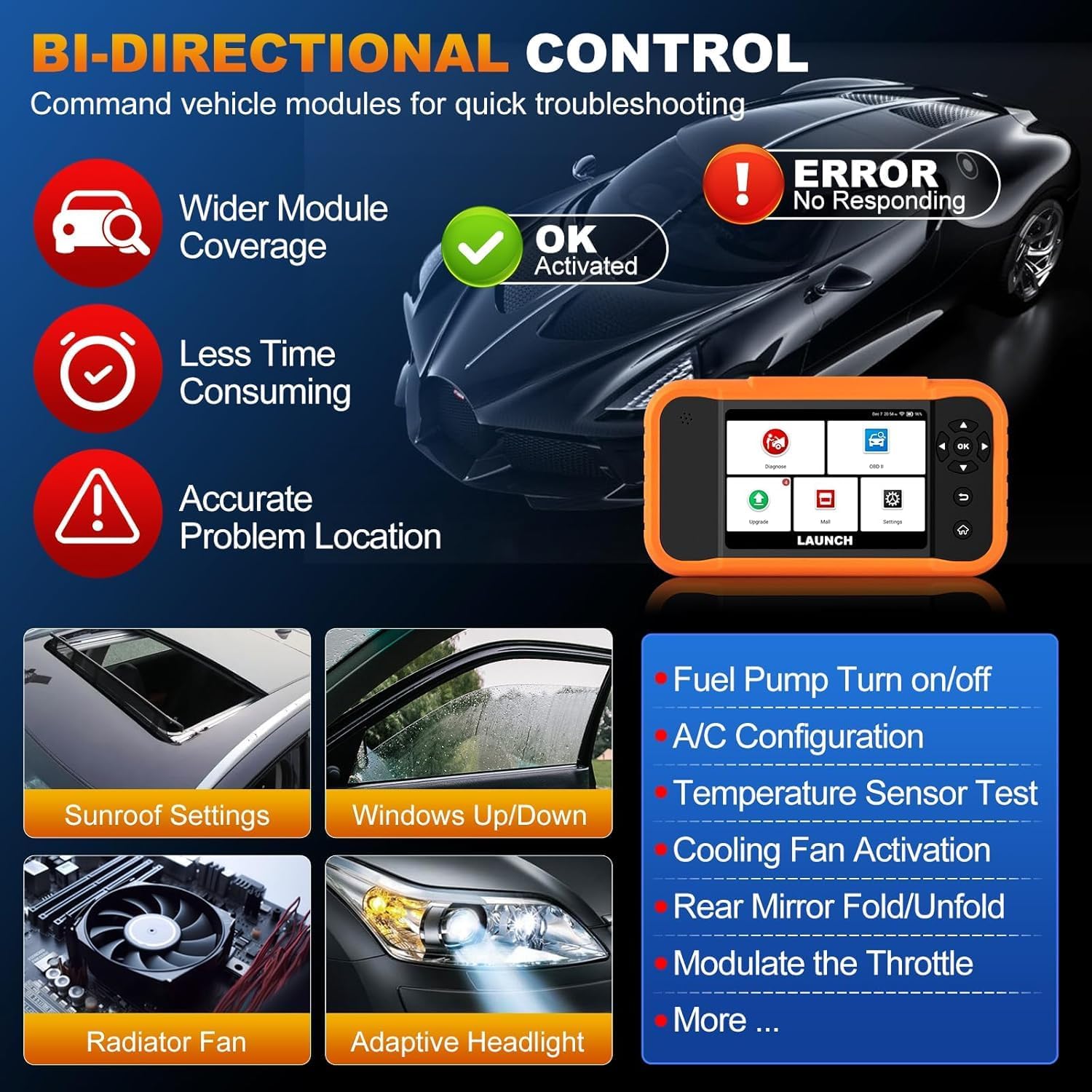
Image: Illustration of bi-directional control, showing the diagnostic tool sending commands to a car to test components like fuel pump, A/C, windows, and radiator fan, indicating successful activation or errors.
Exampliczba aktywnych testów obejmuje:
- Fuel Pump Turn on/off
- A/C Configuration
- Temperature Sensor Test
- Aktywacja wentylatora chłodzącego
- Windows Up/Down
- Sunroof Settings
5.6. Kodowanie ECU
ECU Coding allows for customization of vehicle settings, re-flashing hidden functions, restoring data, and opening/closing comfort functions. It also supports adaptive data for replacement and complex ECU issue repair.
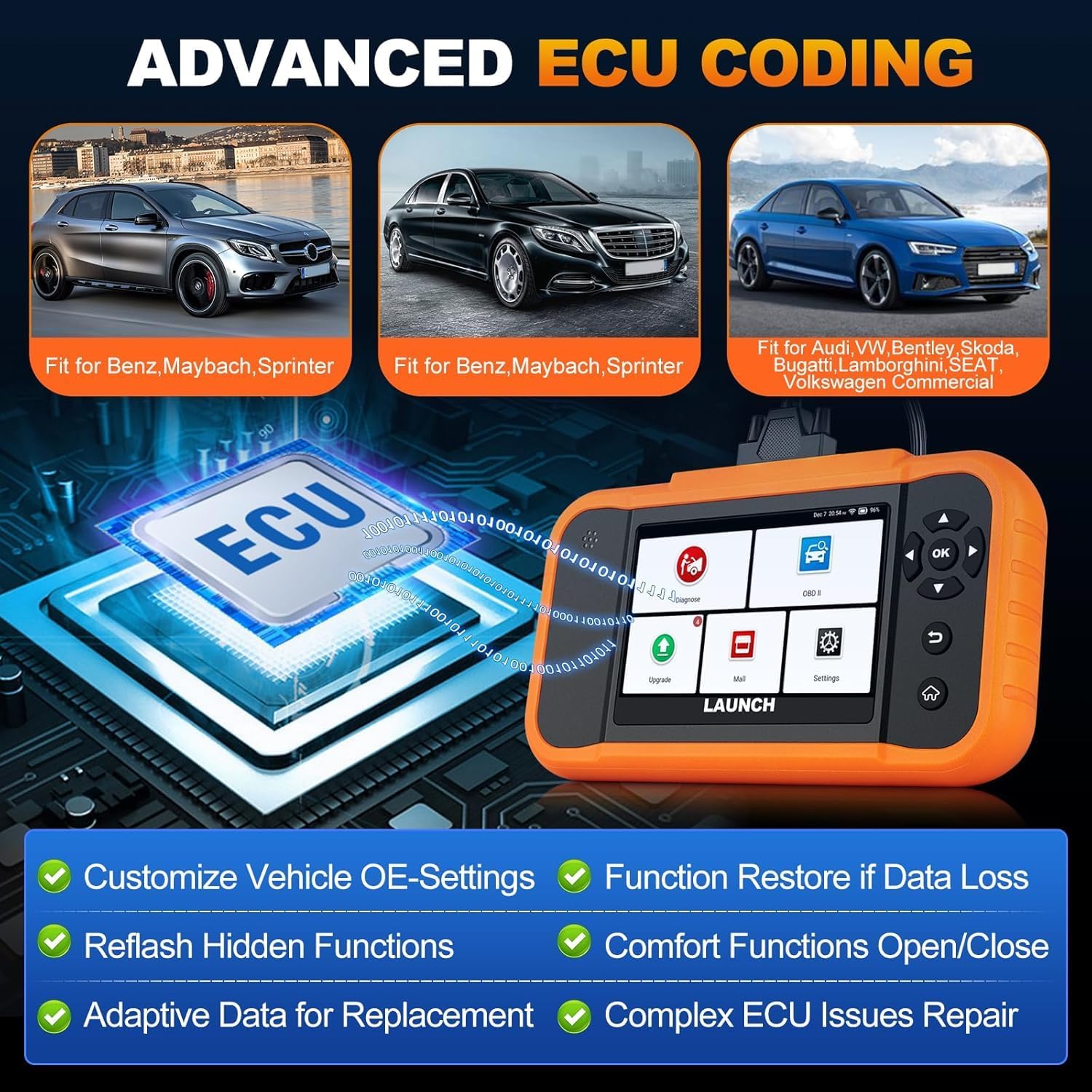
Image: A visual representation of ECU coding, showing a circuit board with 'ECU' text and the diagnostic tool, highlighting features like customizing OE-settings, re-flashing hidden functions, and restoring data.
5.7. Zarządzanie danymi i raportowanie
The device facilitates efficient data handling:
- Automatyczne skanowanie numeru VIN: Automatycznie identyfikuje informacje o pojeździe, co umożliwia szybką diagnostykę.
- Wyszukiwanie kodu DTC: Zawiera definicje kodów błędów diagnostycznych.
- 4-w-1 transmisja strumieniowa danych na żywo: Wyświetla wiele parametrów danych jednocześnie, umożliwiając szczegółową analizę.
- Rejestracja baterii: Supports battery registration functions.
- Raport diagnostyczny: Generates comprehensive health reports that can be shared or printed.
- Diagnostic History/Feedback: Stores diagnostic records and allows users to submit feedback to LAUNCH.

Image: A grid displaying various features of the diagnostic tool, including Auto VIN Scan, DTC Lookup, 4-in-1 Live Data Stream, Battery Registration, Online Diagnostic Feedback, and Diagnostic Report sharing.
6. Konserwacja
- Czyszczenie: Użyj miękkiego, damp Do czyszczenia urządzenia należy używać ściereczki. Unikać środków czyszczących o działaniu ściernym i rozpuszczalników.
- Składowanie: Przechowuj urządzenie w suchym i chłodnym miejscu, z dala od bezpośredniego światła słonecznego i ekstremalnych temperatur.
- Pielęgnacja baterii: Aby zapewnić optymalną żywotność baterii, unikaj częstego całkowitego rozładowywania baterii. Regularnie ładuj urządzenie.
7. Rozwiązywanie Problemów
- Urządzenie się nie włącza: Ensure the battery is charged or connect the device to the vehicle's OBD2 port for power.
- Problemy z połączeniem z pojazdem: Verify the OBD2 cable is securely connected to both the device and the vehicle. Ensure the vehicle's ignition is on.
- Software update problems: Check your Wi-Fi connection. If issues persist, try restarting the device and attempting the update again.
- Niedokładne odczyty lub niedziałające funkcje: Ensure the software is up to date. Verify the vehicle model and year are correctly selected.
8. Specyfikacje
| Funkcja | Specyfikacja |
|---|---|
| Model | YZB23-1 |
| Waga przedmiotu | 900 gramów |
| Wymiary opakowania | Wymiary 25 x 18 x 8 cm |
| Bateria | 1 AAA (included), 3000 mAh capacity |
| Pamięć | 2 x 16 GB |
| System operacyjny | Android 8.0 |
| Ekran | 4-calowy ekran dotykowy |
| Języki | Obsługiwanych jest 10 języków |
| Łączność | Wi-Fi |
9. Gwarancja i wsparcie
This product comes with a manufacturer's warranty. For warranty details, technical support, or any operational questions, please refer to the official LAUNCH website or contact your authorized dealer. Ensure you have your product model number (YZB23-1) and purchase information ready when seeking support.


